
Allen-Bradley
In Stock OK
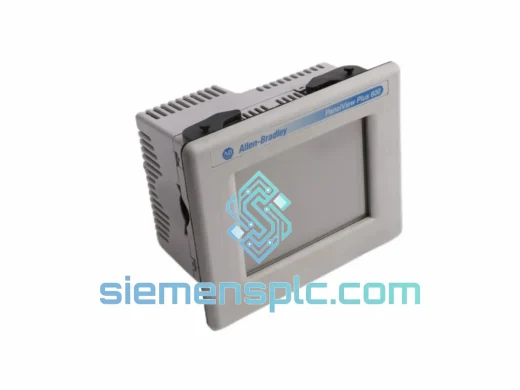
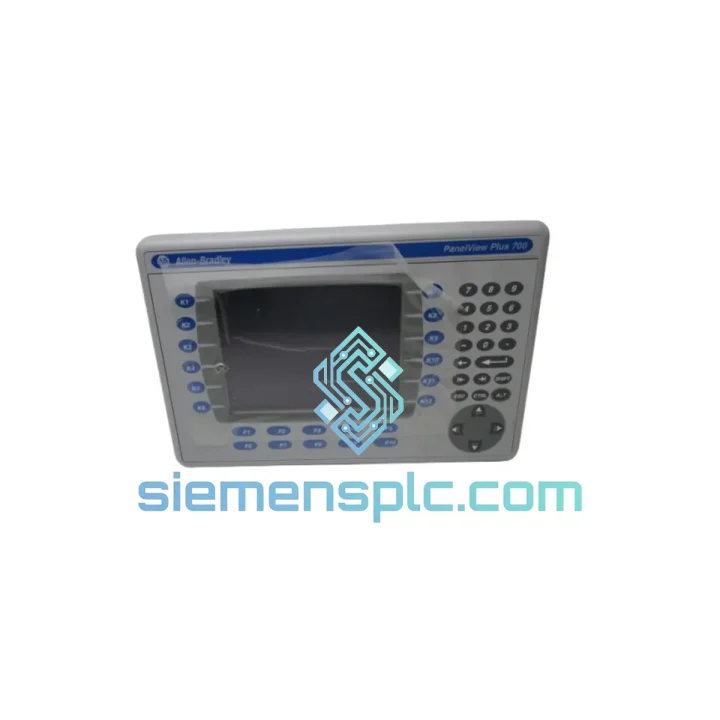
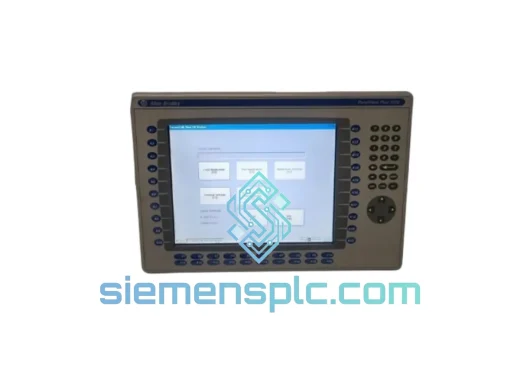
Allen-Bradley 2711P-B7C4D1 HMI Terminal
Request verified availability, condition, replacement risk review, packing options and courier lead time for 2711P-B7C4D1.
BrandAllen-Bradley
Part Number2711P-B7C4D1
ConditionAvailability Check
Lead TimeRFQ Confirmation
DocumentsDatasheet / photos by RFQ
ShippingExport packing available
Auto-filled RFQ
2711P-B7C4D1
Click Request Quote and the part number is inserted into the inquiry form automatically.
- Reply by email: [email protected]
- WhatsApp / Tel: +86 18359268345
- Mon-Sat 9:00-18:00 GMT+8
Procurement Data
Key Product Information
Core fields for model confirmation and RFQ routing. Detailed product narrative remains below.
- Brand
- Allen-Bradley
- Primary Part Number
- 2711P-B7C4D1
- Product Type
- HMI Terminal
- Series / Family
- PanelView
- Manufacturer
- Allen-Bradley / Rockwell Automation
- Country of Origin
- US
- Catalog Category
- HMI Panels
- Humidity
- 5–95% RH, non-condensing
Model confirmed for inquiry
2711P-B7C4D1
Send quantity, destination and urgency. The RFQ form keeps this part number attached.
Request Quote
Product Overview
2711P-B7C4D1 PanelView Plus 700 — Stop the Clock on Your Downtime
Every minute your line sits idle costs real money. A failed HMI terminal shouldn’t be the reason your production schedule slips by a shift — or a week. The Allen-Bradley 2711P-B7C4D1 is in stock at our Xiamen warehouse right now. We’ve shipped this exact part to plants in Germany, Australia, Mexico, and the UAE within 48 hours of order confirmation. If your operator station is dark, this page is where your recovery starts.
The 2711P-B7C4D1 is a 7-inch combination key/touch HMI terminal from Rockwell Automation’s PanelView Plus 700 platform. It runs FactoryTalk View ME natively, communicates over EtherNet/IP and legacy serial protocols, and drops into any existing panel cutout sized for the 700-series without mechanical modification. Swap the unit, restore your application from USB backup, and your line is back up — that’s the recovery sequence this part is built for.
⚡ URGENT REQUIREMENT? Contact: [email protected] | WhatsApp: +86 18359268345
Quick Technical Datasheet
| Parameter | Specification | Status |
|---|---|---|
| Catalog Number | 2711P-B7C4D1 | ✅ Ready to Ship |
| Series | PanelView Plus 700 | |
| Manufacturer | Allen-Bradley / Rockwell Automation | |
| Display Size | 7.0 in (177.8 mm) diagonal | |
| Display Type | Color TFT LCD, 640×480 VGA | |
| Input Method | Combination Keypad + Analog Resistive Touch | |
| Function Keys | 12 configurable + navigation cluster | |
| Processor | Intel PXA255 @ 400 MHz | |
| RAM / Flash | 64 MB SDRAM / 64 MB Flash | |
| OS / Runtime | Windows CE 5.0 / FactoryTalk View ME | |
| Communication | Ethernet 10/100, RS-232 ×2, USB-A, USB-B | |
| Protocols | EtherNet/IP, DH-485, DF1 | |
| Power Input | 24 VDC ±10%, Class 2, ~30 W | |
| Operating Temp | 0 °C to +55 °C | |
| Humidity | 5–95% RH, non-condensing | |
| Enclosure Rating | NEMA 4/4X/12/13; IP65 (front face) | |
| Panel Cutout | 212 mm (W) × 158 mm (H) | |
| Weight | ~1.9 kg (4.2 lb) | |
| Certifications | UL, CE, C-Tick, RoHS | |
| Origin | USA | |
| Dispatch Location | Xiamen, China | ✅ Ready to Ship |
Troubleshooting & Replacement Tips
Pulled a dead 2711P-B7C4D1 off the panel? Here’s the field-tested replacement sequence that gets you back online fastest:
Step 1 — Confirm the failure mode before ordering. The most common failure signatures on this terminal are: (a) blank display with backlight still lit — typically a failed display ribbon or corrupted CE image; (b) touchscreen unresponsive but keys functional — resistive digitizer failure or calibration corruption; (c) unit powers on but fails to load application — corrupted flash or incompatible runtime version after a firmware update gone wrong; (d) Ethernet port not detected by switch — internal NIC failure, common after surge events on unprotected panels.
Step 2 — Back up your application before pulling the unit. If the terminal still powers on at all, connect a USB drive to the USB-A port and use the FactoryTalk View ME file manager to copy the .MER application file. This is your fastest path to restoration on the replacement unit — no PC, no FactoryTalk Studio license required on-site.
Step 3 — Note your firmware version. Navigate to the terminal’s System menu → About. Record the FactoryTalk View ME runtime version. Your replacement unit must run the same major version or higher. Downgrading runtime versions is not supported and will prevent your .MER file from loading. Contact us and we’ll confirm the runtime version on the unit we ship before it leaves Xiamen.
Step 4 — Physical swap. The 2711P-B7C4D1 uses a standard 700-series panel cutout (212×158 mm). Remove the four mounting clamps from the rear, disconnect the 24 VDC power connector and Ethernet cable, and slide the unit out. The replacement drops in identically — no re-drilling, no bracket modification.
Step 5 — IP address and EtherNet/IP configuration. The replacement unit ships with a default IP of 192.168.1.1. Reassign the IP via the terminal’s Network Configuration screen before connecting to your plant network. If your original unit used DHCP, verify your DHCP server has a reservation for the terminal’s MAC address — or switch to a static IP to avoid address conflicts during commissioning.
Step 6 — Load and verify the application. Insert the USB drive with your backed-up .MER file. From the FactoryTalk View ME file manager, select the application and set it to run at startup. Cycle power, confirm the application loads, verify all PLC tag communications are live, and test alarm acknowledgment before handing back to operations.
Common fault codes to know: Error 0x0004 on startup typically indicates a missing or corrupted .MER file. Error 0x001B points to a communication path failure — check your EtherNet/IP path string and confirm the PLC is reachable on the network. A persistent “Loading…” screen that never resolves usually means a runtime version mismatch between the .MER file and the installed runtime.
Reliability in Harsh Conditions
The PanelView Plus 700 platform wasn’t designed for office environments. The 2711P-B7C4D1 carries an IP65 rating on its front face, meaning it withstands continuous water jets and heavy dust ingress — the kind of conditions you find in foundries, cement plants, and food processing lines where washdown is a daily routine. The NEMA 4X rating adds corrosion resistance for environments where caustic cleaning agents are in use.
Vibration tolerance is a real-world concern on this platform. The terminal is rated to IEC 60068-2-6 sinusoidal vibration profiles, which covers the mechanical stress of being mounted on a machine frame rather than a static control cabinet. In high-vibration applications — stamping presses, compactors, mobile equipment — ensure the panel mounting clamps are torqued to specification (per document 2711P-IN006) and that the 24 VDC power wiring uses strain relief to prevent connector fatigue.
Thermal management matters. The 2711P-B7C4D1 is rated to +55 °C ambient, but that’s the ambient temperature at the terminal’s air intake — not the panel interior temperature. In sealed enclosures with multiple heat-generating components, panel interior temperatures routinely exceed ambient by 15–20 °C. If your panel runs hot, add a thermostatically controlled fan or heat exchanger before the terminal fails prematurely. Backlight degradation accelerates significantly above 50 °C sustained operating temperature.
The analog resistive touchscreen is inherently more robust than capacitive alternatives in industrial settings. It responds to gloved hands, stylus input, and even a fingernail — and it doesn’t false-trigger from water droplets or conductive contamination on the screen surface. In environments where operators work with wet or oily hands, this is a meaningful reliability advantage over newer capacitive HMI platforms.
Global Express Logistics
Our warehouse is located in Xiamen, Fujian Province — one of China’s primary export hubs with direct access to international freight lanes via Xiamen Gaoqi International Airport and Xiamen Port. This geography is deliberate: it puts us within 24–48 hours of most major industrial centers in Southeast Asia, and within 3–5 business days of Europe, North America, and the Middle East via express air freight.
Standard dispatch process: order confirmed → unit pulled and inspected → commercial invoice and packing list prepared → DHL Express or FedEx International Priority booking confirmed — all within one business day of payment clearance. For orders placed before 14:00 CST, same-day dispatch is available on in-stock units.
Export documentation is prepared as standard: commercial invoice with HS code declaration, detailed packing list, and certificate of origin. For customers in the EU, we can provide EUR.1 movement certificates where applicable. For customers in countries requiring import permits for industrial electronics, contact us in advance and we’ll coordinate documentation requirements before shipment.
Typical transit times from Xiamen: Southeast Asia 1–3 business days, Australia/New Zealand 3–4 business days, Middle East 3–5 business days, Europe 4–6 business days, North America 4–7 business days, South America 5–8 business days. All shipments include tracking from pickup to delivery. For critical plant shutdowns, we can arrange Saturday delivery and customs pre-clearance on request.
Contact Information
📧 Email: [email protected]
💬 WhatsApp: +86 18359268345
🌐 Web: siemensplc.com
© 2026 siemensplc.com. All rights reserved.
Ready to quote
[email protected]
Send This Part Number to Sales
RFQ workflow
Quality workflow ->
Confirmation Process
01Model confirmation
We check the full part number, brand, series and visible nameplate information before quotation.
02Availability reply
Sales confirms stock path, condition option, quantity and realistic lead time for export dispatch.
03Packing & courier
DHL, FedEx, UPS or buyer courier arrangements can be reviewed with packing requirements.
Continue sourcing
Browse full catalog ->
Related Automation Parts
Similar brand or category products for fast comparison and multi-item RFQ lists.
Allen-Bradley
RFQ Ready
Allen-Bradley 2711P-T15C22D9P HMI Terminal
PanelView
Origin US
HMI Graphic Terminal
Allen-Bradley
RFQ Ready
Allen-Bradley 2711P-T10C21D8S HMI Operator Terminal
PanelView
Origin US
HMI Operator Terminal
Allen-Bradley
RFQ Ready
Allen-Bradley 2711P-RN15S ControlNet Communication Module
PanelView
Origin US
PLC Communication Module