
Allen-Bradley
In Stock OK
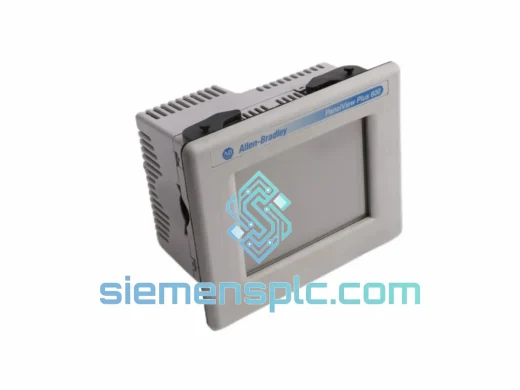
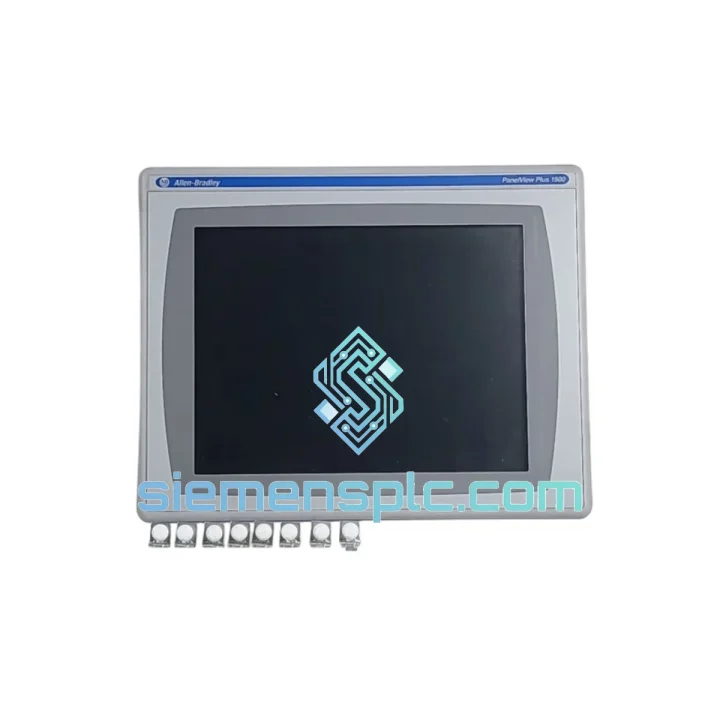
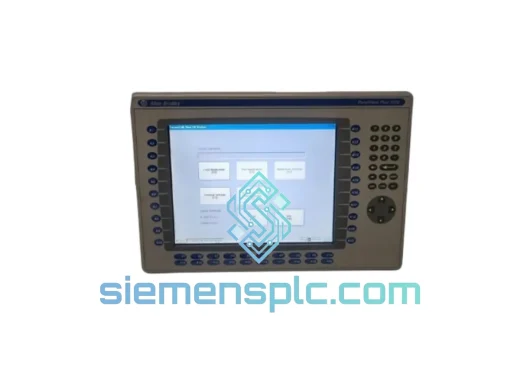
Allen-Bradley 2711P-RDT15C SER C HMI Display
Request verified availability, condition, replacement risk review, packing options and courier lead time for 2711P-RDT15C.
BrandAllen-Bradley
Part Number2711P-RDT15C
ConditionAvailability Check
Lead TimeRFQ Confirmation
DocumentsDatasheet / photos by RFQ
ShippingExport packing available
Auto-filled RFQ
2711P-RDT15C
Click Request Quote and the part number is inserted into the inquiry form automatically.
- Reply by email: [email protected]
- WhatsApp / Tel: +86 18359268345
- Mon-Sat 9:00-18:00 GMT+8
Procurement Data
Key Product Information
Core fields for model confirmation and RFQ routing. Detailed product narrative remains below.
- Brand
- Allen-Bradley
- Primary Part Number
- 2711P-RDT15C
- Product Type
- HMI Touch Display
- Series / Family
- PanelView
- Manufacturer
- Allen-Bradley / Rockwell Automation
- Country of Origin
- US
- Catalog Category
- HMI Panels
- Operating Temp.
- 0°C to 55°C
Model confirmed for inquiry
2711P-RDT15C
Send quantity, destination and urgency. The RFQ form keeps this part number attached.
Request Quote
Product Overview
2711P-RDT15C SER C: Stop the Clock on Your Downtime — Ship Today from Xiamen
Your line is down. Every minute the 2711P-RDT15C SER C sits dark, you’re bleeding production output, shift bonuses, and customer commitments. We’ve been there — standing on the plant floor at 2 AM with a dead HMI and a maintenance manager breathing down your neck. That’s exactly why we stock the Allen-Bradley 2711P-RDT15C Series C PanelView Plus 7 display module ready to pull and ship, not “available to order.” One call, one unit, out the door — DHL Express from Xiamen to your dock in 48–72 hours.
URGENT REQUIREMENT? Contact: [email protected] | WhatsApp: +86 18359268345
Quick Technical Datasheet
| Parameter | Specification |
|---|---|
| Part Number | 2711P-RDT15C |
| Series | C (latest hardware revision) |
| Product Family | PanelView Plus 7 |
| Manufacturer | Allen-Bradley / Rockwell Automation |
| Display Size | 15″ diagonal TFT Color Touch |
| Resolution | 1024 × 768 (XGA) |
| Touch Technology | Resistive analog touch |
| Communication | EtherNet/IP (dual port), DH-485, DF1 |
| Operating Voltage | 24V DC (±10%) |
| Operating Temperature | 0°C to 55°C |
| Storage Temperature | -20°C to 70°C |
| Protection Rating | NEMA 4/4X/12/13; IP65 (front panel) |
| Certifications | UL, CE, cUL, RoHS |
| Compatible Software | FactoryTalk View ME v8.0+, Studio 5000 |
| Weight | ~840 g (display module only) |
| Stock Status | ✅ Ready to Ship — Xiamen Warehouse |
Troubleshooting & Replacement Tips
After swapping hundreds of PanelView Plus 7 displays across automotive, food processing, and chemical plants, here’s what actually trips people up on the 2711P-RDT15C SER C replacement:
1. Firmware Version Mismatch — The Silent Killer
The Series C hardware requires FactoryTalk View ME v8.0 or later. If your existing application was built on v6.x or v7.x, the terminal will boot but throw a “Runtime Version Mismatch” fault on startup. Before you pull the old unit, note the firmware version displayed in the About screen (Settings → About). Download the matching ME runtime from Rockwell’s Product Compatibility and Download Center (PCDC) and load it via USB before going live.
2. IP Address Conflict After Swap
The 2711P-RDT15C stores its IP configuration in non-volatile memory on the display module itself — not on a removable card. When you install the replacement unit, it will default to DHCP unless you manually configure it. If your plant network uses static addressing (common in isolated OT segments), connect a laptop directly to the terminal’s Ethernet port, navigate to Settings → Network, and assign the correct static IP, subnet, and gateway before connecting to the production network. Skipping this step causes the PLC to lose HMI communication and triggers a “Connection Lost” alarm on the ControlLogix side.
3. Application Transfer — SD Card vs. USB
The Series C terminal supports application loading via SD card (slot on rear panel) or USB drive. The fastest field method: copy the .MER application file to the root of a FAT32-formatted USB drive, insert into the terminal’s USB-A port, and use File Manager → Load to push the application. Typical transfer time for a 50 MB application is under 3 minutes. Do not interrupt power during transfer — a partial write corrupts the application partition and requires a full firmware reload.
4. Touch Calibration After Installation
Resistive touch panels drift after physical handling and temperature cycling during shipping. After mounting and powering up, navigate to Settings → Touch Screen → Calibrate and run the 5-point calibration routine. This takes 90 seconds and eliminates offset errors that cause operators to miss buttons — a common complaint when a “new” display feels “off.”
5. Common Fault Codes
- Error 16#0204 – Communication Timeout: EtherNet/IP connection to the ControlLogix controller dropped. Check IP config, verify the controller’s produced/consumed tag connection is still active in Studio 5000.
- Error 16#0107 – Application Not Found: The .MER file is missing or corrupted. Reload via USB or SD card.
- Blank Screen on Power-Up: 90% of the time this is a backlight driver fault triggered by voltage sag below 21.6V DC. Measure supply voltage at the terminal’s power connector under load — not at the panel PSU output.
- Touch Not Responding: Run touch calibration first. If calibration itself is unresponsive, the resistive overlay has failed — the display module requires replacement (the overlay is not field-serviceable on the RDT series).
Reliability in Harsh Conditions
The 2711P-RDT15C SER C is not a commercial-grade panel dressed up in industrial clothing. Rockwell engineered this unit to survive the environments that destroy lesser displays — and we’ve seen it hold up in conditions that would make a facilities manager wince.
The front panel carries a full IP65 / NEMA 4X rating, meaning it withstands directed water jets and wash-down cycles without ingress. In food and beverage plants running daily CIP (Clean-in-Place) cycles, this matters. The aluminum die-cast bezel dissipates heat efficiently, keeping the LCD backlight and touch controller within operating range even when ambient temperatures push toward the 55°C ceiling — common in foundries and glass manufacturing environments.
Vibration resistance is validated to IEC 60068-2-6 (sinusoidal) and IEC 60068-2-64 (random), covering the frequency ranges generated by heavy presses, compressors, and conveyor drive systems. The internal PCB uses conformal coating on critical signal traces, providing a moisture barrier against condensation in high-humidity environments like paper mills and coastal processing facilities.
The backlight is rated for 50,000 hours MTBF under normal operating conditions — roughly 5.7 years of continuous 24/7 operation before you’d expect a 50% probability of backlight degradation. In practice, units in temperature-controlled environments routinely exceed this figure. The Series C revision also introduced improved ESD protection on the touch controller IC, addressing a known vulnerability in earlier Series A/B units that caused intermittent touch lockups in high-static environments like plastic injection molding facilities.
Global Express Logistics
We operate from a bonded warehouse in Xiamen, Fujian — one of China’s primary export hubs with direct access to DHL, FedEx, and UPS international gateway facilities. Here’s exactly how your order moves:
Day 0 — Order Confirmed: Payment or PO received before 3:00 PM CST triggers same-day pick, inspection, and packaging. Each unit is wrapped in anti-static foam, boxed with a printed inspection checklist, and photographed before sealing.
Day 0 (Evening) — Customs Documentation: We prepare the commercial invoice, packing list, HS code declaration (8537.10), and certificate of origin in parallel with packaging. For customers in the EU, we include the EUR.1 movement certificate where applicable. Documents are submitted electronically to customs before the carrier pickup window.
Day 1 — Carrier Pickup & Export Clearance: DHL Express or FedEx International Priority collects from our facility. Xiamen Customs processes export declarations typically within 4 hours. You receive a tracking number by email within 2 hours of carrier pickup.
Day 2–3 — In Transit: DHL Express routes through Hong Kong or Shanghai hub depending on destination. Transit times: Southeast Asia 1–2 days, Europe 2–3 days, North America 2–4 days, Middle East 2–3 days, Australia 3–4 days. FedEx International Priority follows comparable routing with similar transit windows.
Delivery — Import Clearance Support: We provide pre-shipment notification with all customs documents attached so your import broker or in-house logistics team can pre-file. For repeat customers, we maintain a customs profile with your broker’s details to eliminate clearance delays on subsequent orders.
For bulk orders (5+ units), sea freight via Xiamen Port is available with 18–25 day transit to major global ports, significantly reducing per-unit landed cost for planned maintenance stock.
Contact Information
Ready to place an order or need a quote within the hour?
📧 Email: [email protected]
📱 WhatsApp: +86 18359268345
🌐 Web: siemensplc.com
© 2026 siemensplc.com. All rights reserved. Allen-Bradley® and PanelView™ are registered trademarks of Rockwell Automation, Inc. All trademarks remain the property of their respective owners.
Ready to quote
[email protected]
Send This Part Number to Sales
RFQ workflow
Quality workflow ->
Confirmation Process
01Model confirmation
We check the full part number, brand, series and visible nameplate information before quotation.
02Availability reply
Sales confirms stock path, condition option, quantity and realistic lead time for export dispatch.
03Packing & courier
DHL, FedEx, UPS or buyer courier arrangements can be reviewed with packing requirements.
Continue sourcing
Browse full catalog ->
Related Automation Parts
Similar brand or category products for fast comparison and multi-item RFQ lists.
Allen-Bradley
RFQ Ready
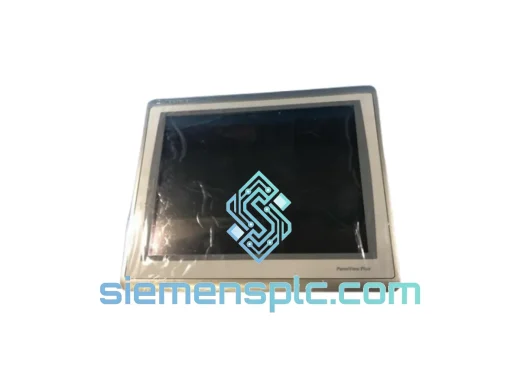
Allen-Bradley 2711P-T15C22D9P HMI Terminal
PanelView
Origin US
HMI Graphic Terminal
Allen-Bradley
RFQ Ready
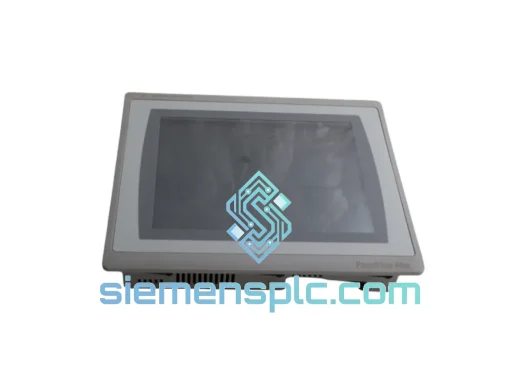
Allen-Bradley 2711P-T10C21D8S HMI Operator Terminal
PanelView
Origin US
HMI Operator Terminal
Allen-Bradley
RFQ Ready
Allen-Bradley 2711P-RN15S ControlNet Communication Module
PanelView
Origin US
PLC Communication Module