
Allen-Bradley
In Stock OK
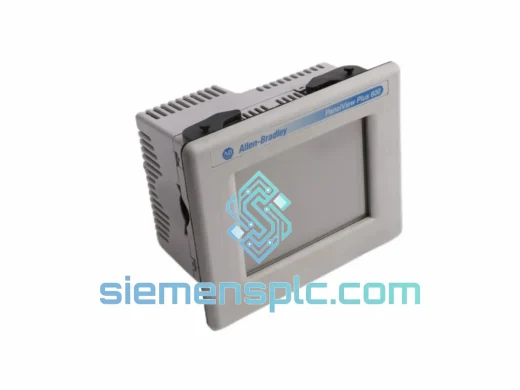
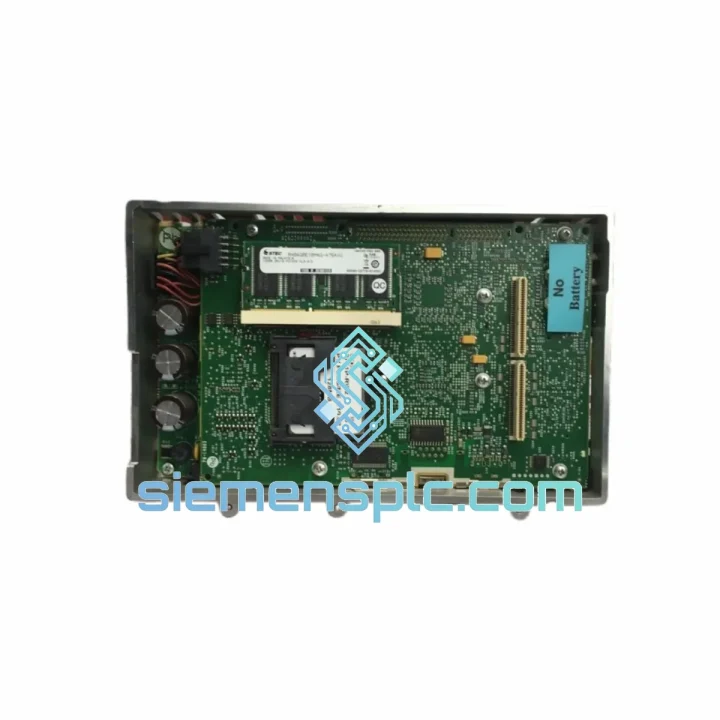
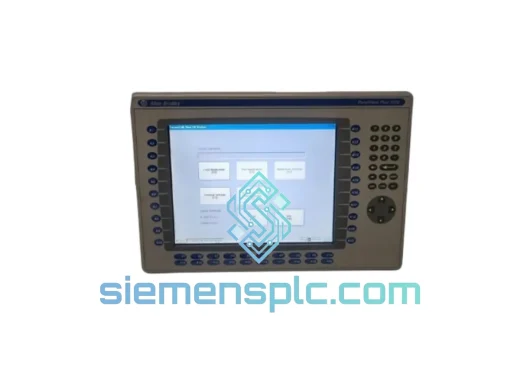
Allen-Bradley 2711P-RP2EX HMI Logic Module
Request verified availability, condition, replacement risk review, packing options and courier lead time for 2711P-RP2EX.
BrandAllen-Bradley
Part Number2711P-RP2EX
ConditionAvailability Check
Lead TimeRFQ Confirmation
DocumentsDatasheet / photos by RFQ
ShippingExport packing available
Auto-filled RFQ
2711P-RP2EX
Click Request Quote and the part number is inserted into the inquiry form automatically.
- Reply by email: [email protected]
- WhatsApp / Tel: +86 18359268345
- Mon-Sat 9:00-18:00 GMT+8
Procurement Data
Key Product Information
Core fields for model confirmation and RFQ routing. Detailed product narrative remains below.
- Brand
- Allen-Bradley
- Primary Part Number
- 2711P-RP2EX
- Product Type
- HMI Logic Module
- Series / Family
- PanelView
- Country of Origin
- US
- Catalog Category
- HMI Panels
- Operating Temp.
- 0 °C to 55 °C
Model confirmed for inquiry
2711P-RP2EX
Send quantity, destination and urgency. The RFQ form keeps this part number attached.
Request Quote
Product Overview
2711P-RP2EX Down? Every Minute Costs You — Ship Today from Xiamen
Your PanelView Plus 6 terminal just went dark. Operators are blind. The line is stopped. Maintenance is on the radio. You’ve already pulled the terminal and confirmed the logic module is the culprit — the 2711P-RP2EX. Now you need one, fast, and you need it to be right.
We stock the Allen-Bradley 2711P-RP2EX logic module and ship globally via DHL/FedEx express from Xiamen, China. No weeks-long lead time. No back-and-forth with a distributor who doesn’t have it. You contact us, we confirm stock, we ship — often same day or next business day. That’s the only metric that matters when your plant is down.
URGENT REQUIREMENT? Contact: [email protected] | WhatsApp: +86 18359268345
Quick Technical Datasheet
| Parameter | Specification |
|---|---|
| Part Number | 2711P-RP2EX |
| Brand | Allen-Bradley / Rockwell Automation |
| Series | PanelView Plus 6 |
| Module Function | Replacement Logic / Processor Module |
| Runtime Environment | FactoryTalk View Machine Edition (ME) |
| Communication Protocols | EtherNet/IP, DH-485 (terminal-dependent) |
| Operating Temperature | 0 °C to 55 °C |
| Storage Temperature | -40 °C to 85 °C |
| Certifications | CE, UL, cUL |
| Weight (approx.) | ~200 g (module only) |
| Compatibility | 2711P-series PanelView Plus 6 terminals |
| Stock Status | ✅ Ready to Ship — Xiamen, China |
| Shipping Method | DHL / FedEx Express International |
| Lead Time | Same day / Next business day dispatch |
Troubleshooting & Replacement Tips
Confirming the 2711P-RP2EX has failed — before you order:
Don’t assume. Before pulling the trigger on a replacement, verify the fault is isolated to the logic module and not the display assembly, power supply, or backplane connector. Common failure signatures of a dead 2711P-RP2EX:
- Terminal powers on (backlight active) but display stays blank — no Rockwell splash screen, no boot progress.
- Terminal boots to a solid blue or black screen with no FactoryTalk ME runtime loading.
- Intermittent communication loss to the upstream PLC (EtherNet/IP timeouts) that clears temporarily after a hard power cycle, then returns.
- Error code 0x0000000B or 0x00000004 on terminal startup — these point to processor initialization failure.
- Terminal detected on network (ping responds) but FactoryTalk View Studio cannot establish a remote connection to the runtime.
Step-by-step field replacement procedure:
- Power down the terminal completely. Do not hot-swap. Disconnect both the 24 VDC supply and any USB peripherals. Wait 30 seconds for capacitors to discharge.
- Remove the terminal from the panel door if access to the rear is restricted. Note the torque spec on the mounting nuts — typically 0.9 N·m (8 in-lb) for 2711P series.
- Back up the application file first — if the terminal was still partially functional, use FactoryTalk View Studio to upload the .MER file to your engineering workstation before pulling the module. If the terminal is completely dead, the .MER file may still be intact on the CompactFlash or SD card inside the terminal.
- Remove the logic module. On most 2711P terminals, the logic module is accessed from the rear. Release the retention clips, slide the module out along the guide rails. Handle by the edges — the board-to-board connector is fragile.
- Inspect the connector on the new 2711P-RP2EX before insertion. Check for bent pins. Align carefully and seat firmly until the retention clips engage with an audible click.
- Firmware check — critical step. The replacement module ships with a specific firmware version. If your terminal’s display assembly or communication module requires a different firmware, you will need to update via FactoryTalk View Studio or the Rockwell Automation firmware upgrade utility. Mismatched firmware between the logic module and display assembly is the #1 cause of post-replacement boot failure. Check the Rockwell Automation Product Compatibility and Download Center (PCDC) for the correct firmware bundle for your terminal model.
- No DIP switches or address jumpers on the 2711P-RP2EX itself — the module does not require manual addressing. IP address configuration is handled via the terminal’s built-in configuration menu on first boot, or restored from a backed-up terminal configuration file (.PVP).
- First power-on after replacement: The terminal will boot into the configuration wizard if no valid .MER file is detected. Load your application from the CompactFlash/SD card or download from FactoryTalk View Studio. Verify all communication tags are resolving correctly before returning the terminal to service.
- Validate comms to the PLC. Open the RSLinx Classic or FactoryTalk Linx diagnostics and confirm the EtherNet/IP connection to your ControlLogix or CompactLogix controller is established with zero communication faults.
Common post-replacement fault codes and what they mean:
- “Application file not found” — The .MER file path has changed or the CompactFlash card is not seated. Re-seat the card and verify the file path in the terminal’s startup settings.
- “Communication module not detected” — Firmware mismatch between the new logic module and the terminal’s EtherNet/IP communication module. Update firmware via PCDC.
- “Runtime version mismatch” — The .MER file was compiled with a newer version of FactoryTalk View ME than what is installed on the replacement module. Update the module firmware or recompile the application at the correct version.
- Blank screen after boot — Check display assembly connector seating. If the logic module was replaced without disturbing the display, this points to a firmware incompatibility rather than a hardware fault.
Reliability in Harsh Conditions
The 2711P-RP2EX is engineered to operate continuously in environments that would kill consumer-grade electronics within weeks. Rockwell Automation designs the PanelView Plus 6 logic module to withstand the full spectrum of industrial punishment:
Thermal cycling: Operating range of 0 °C to 55 °C with storage down to -40 °C. The PCB substrate and component selection account for differential thermal expansion across this range — critical in foundries, outdoor substations, and unheated equipment rooms where ambient temperature swings 40+ degrees between shifts.
Vibration and mechanical shock: Tested to IEC 60068-2-6 (sinusoidal vibration) and IEC 60068-2-27 (mechanical shock). The board-to-board connector system uses positive retention to prevent intermittent contact under continuous vibration — a failure mode that plagues cheaper HMI alternatives in press lines and compressor skids.
Humidity and condensation resistance: Rated for operation up to 95% relative humidity (non-condensing). The conformal coating on the logic module PCB provides a barrier against moisture ingress, corrosive atmospheres, and conductive contamination — relevant in food processing, chemical plants, and coastal installations.
EMI/RFI immunity: Compliant with IEC 61000-4 series immunity standards. In environments with large VFDs, welding equipment, or high-current switching, the 2711P-RP2EX maintains stable operation where unshielded logic boards would experience random resets or communication dropouts.
ESD protection: Internal ESD suppression on all I/O interfaces. Field replacement without a grounded wrist strap is survivable — though we still recommend proper ESD precautions during module handling.
Units shipped from our Xiamen warehouse are stored in climate-controlled conditions and packed in anti-static bags with moisture barrier packaging. Every module is inspected for physical damage, connector integrity, and label authenticity before dispatch.
Global Express Logistics
Downtime doesn’t wait for standard freight. Our logistics process is built around one objective: getting the 2711P-RP2EX into your hands before your next production shift.
Dispatch from Xiamen, China: Our warehouse is located in Xiamen, Fujian — one of China’s primary export hubs with direct access to Xiamen Gaoqi International Airport and daily DHL/FedEx flight connections to major global hubs.
Typical transit times (express service):
- Southeast Asia (Singapore, Malaysia, Thailand, Vietnam): 2–3 business days
- Middle East (UAE, Saudi Arabia, Qatar): 3–4 business days
- Europe (Germany, UK, Netherlands, Poland): 3–5 business days
- North America (USA, Canada, Mexico): 4–6 business days
- Australia / New Zealand: 3–5 business days
- South America (Brazil, Chile, Colombia): 5–7 business days
Export documentation provided with every international shipment:
- Commercial Invoice (with accurate HS code and declared value)
- Packing List
- Certificate of Origin (China)
- DHL/FedEx Air Waybill with real-time tracking
- Certificate of Conformance (available on request)
Packaging: Anti-static bag → foam-lined rigid carton → outer shipping carton. The 2711P-RP2EX arrives protected against the mechanical shock of air freight handling. We do not use bubble wrap alone for PCB-level components.
Urgent same-day dispatch: Orders confirmed and paid before 14:00 CST (UTC+8) are dispatched the same business day. Contact us via WhatsApp for real-time stock confirmation before placing your order — we will not take your money for a part we cannot ship immediately.
Contact Information
📧 Email: [email protected]
💬 WhatsApp: +86 18359268345
🌐 Web: siemensplc.com
© 2026 siemensplc.com. All rights reserved.
Ready to quote
[email protected]
Send This Part Number to Sales
RFQ workflow
Quality workflow ->
Confirmation Process
01Model confirmation
We check the full part number, brand, series and visible nameplate information before quotation.
02Availability reply
Sales confirms stock path, condition option, quantity and realistic lead time for export dispatch.
03Packing & courier
DHL, FedEx, UPS or buyer courier arrangements can be reviewed with packing requirements.
Continue sourcing
Browse full catalog ->
Related Automation Parts
Similar brand or category products for fast comparison and multi-item RFQ lists.
Allen-Bradley
RFQ Ready
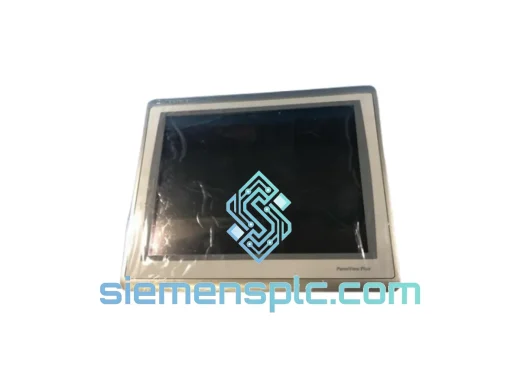
Allen-Bradley 2711P-T15C22D9P HMI Terminal
PanelView
Origin US
HMI Graphic Terminal
Allen-Bradley
RFQ Ready
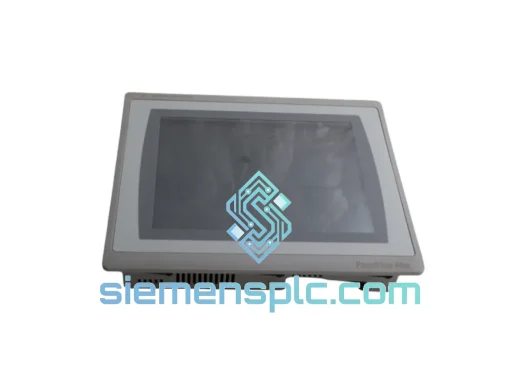
Allen-Bradley 2711P-T10C21D8S HMI Operator Terminal
PanelView
Origin US
HMI Operator Terminal
Allen-Bradley
RFQ Ready
Allen-Bradley 2711P-RN15S ControlNet Communication Module
PanelView
Origin US
PLC Communication Module