
Allen-Bradley
In Stock OK
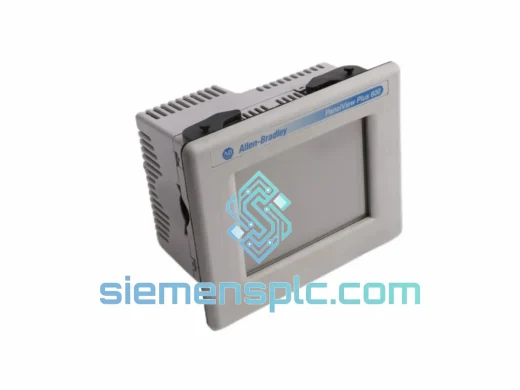
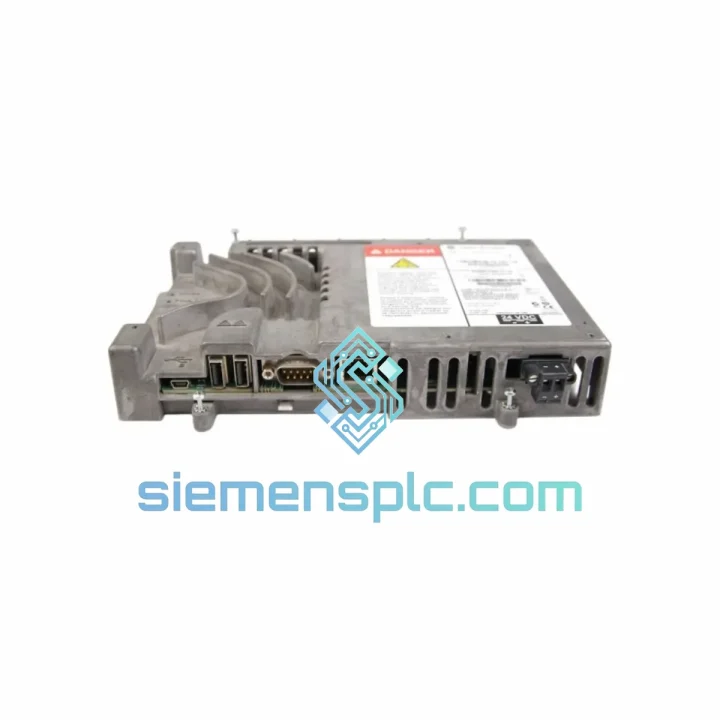
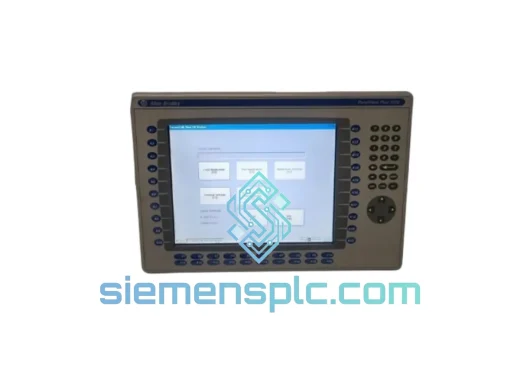
Allen-Bradley 2711P-RP8D HMI Logic Module
Request verified availability, condition, replacement risk review, packing options and courier lead time for 2711P-RP8D.
BrandAllen-Bradley
Part Number2711P-RP8D
ConditionAvailability Check
Lead TimeRFQ Confirmation
DocumentsDatasheet / photos by RFQ
ShippingExport packing available
Auto-filled RFQ
2711P-RP8D
Click Request Quote and the part number is inserted into the inquiry form automatically.
- Reply by email: [email protected]
- WhatsApp / Tel: +86 18359268345
- Mon-Sat 9:00-18:00 GMT+8
Procurement Data
Key Product Information
Core fields for model confirmation and RFQ routing. Detailed product narrative remains below.
- Brand
- Allen-Bradley
- Primary Part Number
- 2711P-RP8D
- Product Type
- HMI Logic Module
- Series / Family
- PanelView
- Manufacturer
- Allen-Bradley / Rockwell Automation
- Country of Origin
- US
- Catalog Category
- HMI Panels
Model confirmed for inquiry
2711P-RP8D
Send quantity, destination and urgency. The RFQ form keeps this part number attached.
Request Quote
Product Overview
2711P-RP8D Runtime Module Down? Every Minute Costs You — We Ship Today from Xiamen
Your PanelView Plus 6 terminal just went dark. Operators are blind. The line is stopped. Maintenance is on the phone. You already know the root cause — the logic module is gone. The Allen-Bradley 2711P-RP8D is the computational core of your 10″ or 12″ PanelView Plus 6 terminal: it runs the FactoryTalk View ME runtime, manages all tag communication, drives the display, and handles EtherNet/IP traffic to your ControlLogix or CompactLogix PLC. When it fails, nothing else matters until it’s replaced.
We stock the 2711P-RP8D in Xiamen and ship globally via DHL Express and FedEx International Priority. For most destinations — Southeast Asia, Middle East, Europe, North America — your replacement module is on-site within 3 to 5 business days from the moment you confirm the order. That is the difference between a two-day outage and a two-week procurement nightmare.
URGENT REQUIREMENT? Contact: [email protected] | WhatsApp: +86 18359268345
Quick Technical Datasheet
| Part Number | 2711P-RP8D |
| Manufacturer | Allen-Bradley / Rockwell Automation |
| Series | PanelView Plus 6 |
| Module Function | Logic / Runtime Module (replacement) |
| Compatible Terminal Sizes | 10″ and 12″ PanelView Plus 6 |
| Embedded OS | Windows CE (embedded) |
| HMI Runtime | FactoryTalk View Machine Edition (ME) |
| Communication Protocols | EtherNet/IP, DH-485, DF1 |
| Compatible PLCs | ControlLogix 1756, CompactLogix 1769, MicroLogix 1400 |
| Weight | Approx. 180 g |
| Stock Status | ✔ Ready to Ship — Xiamen Warehouse |
| Condition | New / Surplus New / Tested Refurbished |
| Origin | United States (Rockwell Automation OEM) |
| Export Documentation | Commercial Invoice, Packing List, Certificate of Origin |
Troubleshooting & Replacement Tips
Confirmed failure signatures before you pull the module:
- Terminal powers on but display stays black — backlight active, no boot screen. This is the 2711P-RP8D failing to POST, not a display assembly issue. Swap the logic module first before condemning the display.
- Terminal boots to the Rockwell splash screen then freezes or reboots in a loop. Corrupted flash on the logic module. A firmware re-flash via FactoryTalk View ME Transfer Utility sometimes recovers it — if not, the module is done.
- EtherNet/IP communication drops intermittently while the display remains functional. Check the RJ45 port on the logic module for bent pins or corrosion before assuming a network issue. The port is on the module itself, not the terminal chassis.
- Error code 0x0004 or 0x0007 on boot: memory fault or storage corruption. Non-recoverable in field conditions — replace the module.
Replacement procedure — field-tested sequence:
- Back up your FactoryTalk View ME application (.MER file) from your engineering workstation before touching anything. If you don’t have the source file, use ME Transfer Utility to pull the runtime from the terminal while it still partially functions.
- Power down the terminal completely. Do not hot-swap the logic module — the backplane connector is not rated for live insertion.
- Remove the four Phillips screws on the rear of the terminal housing. The logic module slides out from the back of the display assembly. Note the orientation — the connector is keyed but the housing is not symmetrical.
- Seat the replacement 2711P-RP8D firmly until the connector clicks. Finger-tighten the screws in a cross pattern to avoid warping the housing.
- Power on. The terminal will boot to the configuration screen on first start — this is normal. The module has no application loaded yet.
- Connect your engineering workstation via Ethernet. Use FactoryTalk View ME Transfer Utility to download the .MER application file to the module. Set the terminal to run the application on startup.
- Verify all PLC tags are communicating. Check the RSLinx Classic or FactoryTalk Linx device shortcut is pointing to the correct PLC IP address — the new module does not retain the previous communication configuration.
- Confirm alarm history and trending data paths are intact. These are stored on the module’s internal flash; they do not transfer automatically.
Firmware matching — do not skip this: The 2711P-RP8D must run a FactoryTalk View ME firmware version compatible with your .MER application file. If your application was built on FTV ME v8.10 and the replacement module ships with v6.10 firmware, the download will fail. Confirm the firmware version on the module via the terminal’s System Information screen before downloading the application. Firmware upgrades are performed via FactoryTalk View ME Studio — the update file is available from Rockwell’s Product Compatibility and Download Center (PCDC).
Reliability in Harsh Conditions
The 2711P-RP8D is not office hardware. It is built for the floor. Rockwell Automation designed this module to operate continuously in environments that would kill consumer-grade electronics within weeks.
The module is rated for operation from 0°C to 55°C ambient — covering everything from cold-storage facilities to foundry control rooms where radiant heat from furnaces pushes ambient temperatures well above what most electronics tolerate. The internal components are selected for thermal stability across this range, with no derating required at the upper limit under normal ventilation conditions.
Vibration resistance meets IEC 61131-2 standards: 5 to 9 Hz at 3.5 mm displacement, 9 to 150 Hz at 1 g. In practical terms, this means the module survives continuous operation on machine frames with reciprocating motion, press lines with significant floor vibration, and mobile equipment applications where shock loads are routine.
Humidity tolerance runs to 95% relative humidity non-condensing. The conformal coating on the PCB provides a barrier against moisture ingress in high-humidity environments — food processing washdown areas, coastal installations, and tropical climates where condensation cycles are daily occurrences. This is not a sealed module, so direct water exposure is not acceptable, but the coating handles the ambient moisture that kills unprotected boards.
EMC compliance covers EN 61000-4-2 (ESD), EN 61000-4-4 (EFT), and EN 61000-4-5 (surge) — the full suite of industrial electromagnetic immunity tests. In environments with large VFD installations, welding equipment, or high-current switching gear nearby, this matters. The module will not misfire or corrupt data due to conducted or radiated interference from adjacent equipment.
Global Express Logistics
Every hour your line is down has a cost. Our logistics process is built around one objective: getting the 2711P-RP8D to your site as fast as physically possible.
We ship from our Xiamen warehouse, located 15 minutes from Xiamen Gaoqi International Airport. This proximity is deliberate — it allows same-day handover to DHL Express and FedEx International Priority for orders confirmed before 14:00 CST. The module is packed in anti-static foam within a rigid outer carton, double-boxed for international transit, with moisture barrier film inside the inner pack.
Typical transit times from Xiamen:
- Southeast Asia (SG, MY, TH, VN, ID): 2–3 business days via DHL Express
- Middle East (AE, SA, QA, KW): 3–4 business days via FedEx International Priority
- Europe (DE, NL, FR, UK, PL): 3–5 business days via DHL Express
- North America (US, CA, MX): 4–6 business days via FedEx International Priority
- Australia / New Zealand: 3–5 business days via DHL Express
- South Asia (IN, PK, BD): 3–5 business days via DHL Express
Every shipment includes a DHL or FedEx tracking number sent to you within 2 hours of dispatch. We handle all export customs documentation from the China side — commercial invoice, packing list, and certificate of origin are standard. For shipments requiring an HS code declaration, we use 8537.10 (boards, panels, consoles for electric control). If your import clearance team needs additional documentation — material safety data, test reports, or a specific invoice format — advise us at the time of order and we will prepare it before dispatch.
For genuinely critical situations — plant shutdown, safety system offline, contractual penalty exposure — contact us directly on WhatsApp. We will confirm stock, issue a proforma invoice, and have the shipment moving within hours of payment confirmation.
Contact Information
Email: [email protected]
WhatsApp: +86 18359268345
Web: siemensplc.com
© 2026 siemensplc.com. All rights reserved.
Ready to quote
[email protected]
Send This Part Number to Sales
RFQ workflow
Quality workflow ->
Confirmation Process
01Model confirmation
We check the full part number, brand, series and visible nameplate information before quotation.
02Availability reply
Sales confirms stock path, condition option, quantity and realistic lead time for export dispatch.
03Packing & courier
DHL, FedEx, UPS or buyer courier arrangements can be reviewed with packing requirements.
Continue sourcing
Browse full catalog ->
Related Automation Parts
Similar brand or category products for fast comparison and multi-item RFQ lists.
Allen-Bradley
RFQ Ready
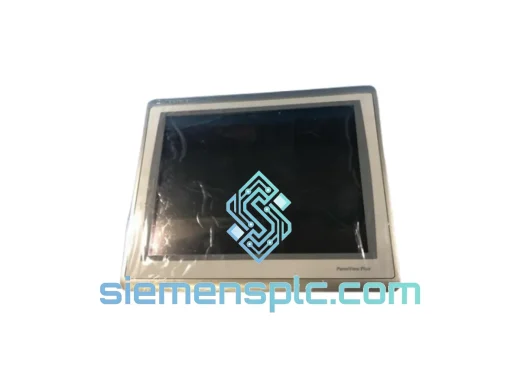
Allen-Bradley 2711P-T15C22D9P HMI Terminal
PanelView
Origin US
HMI Graphic Terminal
Allen-Bradley
RFQ Ready
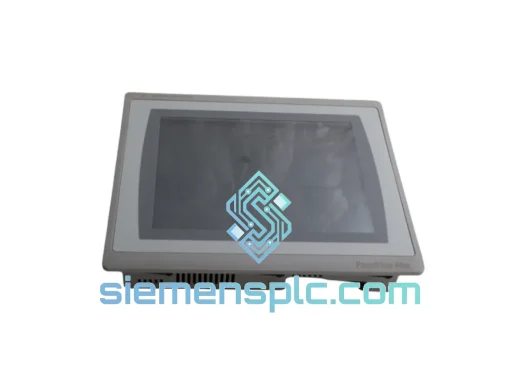
Allen-Bradley 2711P-T10C21D8S HMI Operator Terminal
PanelView
Origin US
HMI Operator Terminal
Allen-Bradley
RFQ Ready
Allen-Bradley 2711P-RN15S ControlNet Communication Module
PanelView
Origin US
PLC Communication Module