
Allen-Bradley
In Stock OK
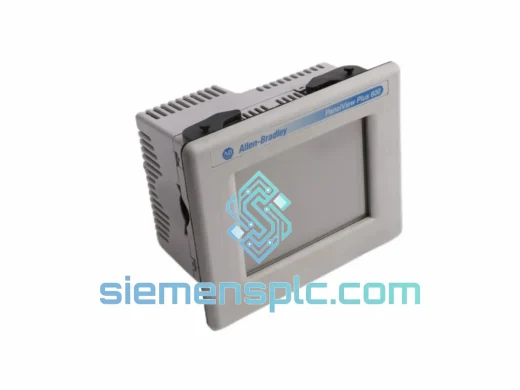
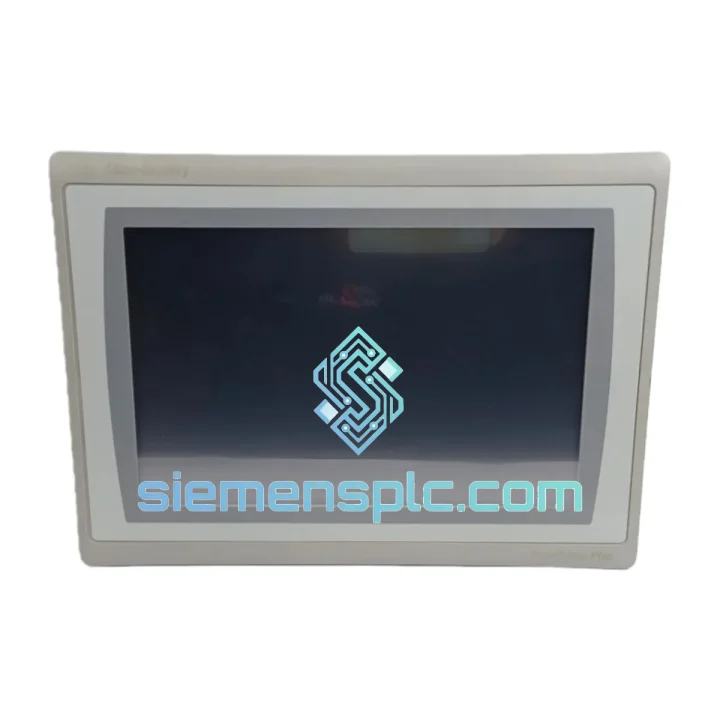
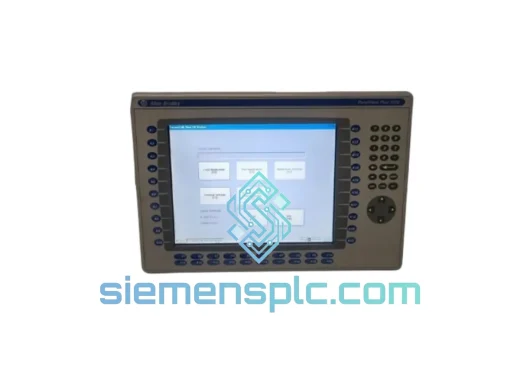
Allen-Bradley 2711P-T12W21D8S HMI Terminal
Request verified availability, condition, replacement risk review, packing options and courier lead time for 2711P-T12W21D8S.
BrandAllen-Bradley
Part Number2711P-T12W21D8S
ConditionAvailability Check
Lead TimeRFQ Confirmation
DocumentsDatasheet / photos by RFQ
ShippingExport packing available
Auto-filled RFQ
2711P-T12W21D8S
Click Request Quote and the part number is inserted into the inquiry form automatically.
- Reply by email: [email protected]
- WhatsApp / Tel: +86 18359268345
- Mon-Sat 9:00-18:00 GMT+8
Procurement Data
Key Product Information
Core fields for model confirmation and RFQ routing. Detailed product narrative remains below.
- Brand
- Allen-Bradley
- Primary Part Number
- 2711P-T12W21D8S
- Product Type
- HMI Terminal
- Series / Family
- PanelView
- Manufacturer
- Allen-Bradley / Rockwell Automation
- Country of Origin
- US
- Catalog Category
- HMI Panels
Model confirmed for inquiry
2711P-T12W21D8S
Send quantity, destination and urgency. The RFQ form keeps this part number attached.
Request Quote
Product Overview
2711P-T12W21D8S Down? Every Minute Costs Money — We Ship Today
Line stopped. Operators standing. Maintenance on the phone. You’ve traced the fault to the PanelView Plus 7 Standard — part number 2711P-T12W21D8S — and now you need a replacement unit in hand before the next shift, not next week. We stock this terminal in Xiamen and dispatch same-day via DHL Express or FedEx Priority. Most destinations in Southeast Asia receive within 24–48 hours; Europe and North America within 72 hours. That’s the difference between a four-hour outage and a four-day production loss.
Every unit we ship is 100% original Allen-Bradley, sourced through verified channels, powered on and functionally tested before it leaves our warehouse. No refurbished surprises. No counterfeit risk. Just a genuine Rockwell Automation terminal ready to drop into your panel.
⚡ URGENT REQUIREMENT?
Contact: [email protected] | WhatsApp: +86 18359268345
Quick Technical Datasheet
| Part Number | 2711P-T12W21D8S |
| Series | PanelView Plus 7 Standard |
| Manufacturer | Allen-Bradley / Rockwell Automation |
| Display | 12.1″ SVGA Widescreen TFT LCD, 800×600 |
| Touch Type | Analog Resistive |
| Processor / RAM | 1 GHz ARM Cortex-A8 / 512 MB DDR3 |
| Storage | 512 MB internal flash + SD card slot |
| OS | Windows Embedded Compact 7 |
| Ethernet | 2× RJ-45 10/100 Mbps (DLR capable) |
| Serial | 1× RS-232/422/485 (DB-9) |
| USB | 2× USB 2.0 Host + 1× USB 2.0 Device |
| Power Input | 24 VDC (18–32 VDC), Class 2, ~30 W |
| Operating Temp | 0 °C to +55 °C |
| Enclosure Rating | NEMA 4/4X / IP65 (front face) |
| Panel Cutout | 330.2 mm × 254.0 mm (W × H) |
| Certifications | UL, CE, cUL, RCM |
| Software | FactoryTalk View ME (Studio 5000 compatible) |
| Stock Status | ✔ Ready to Ship — Xiamen Warehouse |
Troubleshooting & Replacement Tips
Swapping a PanelView Plus 7 Standard looks straightforward on paper. In the field, it’s where most engineers lose an extra two hours. Here’s what actually matters:
1. Application Backup First — Always
Before you pull the failed unit, check whether the SD card slot has a backup .mer file. If the original terminal is still partially responsive, connect a USB drive and export the runtime application from the terminal’s File Manager. Skipping this step when the replacement arrives means you’re rebuilding the application from scratch — or waiting for someone to dig up the FactoryTalk View Studio project file from a server that may not have been updated in three years.
2. Firmware Version Matching
The 2711P-T12W21D8S ships with a specific ME runtime version embedded. If your existing application was compiled against FactoryTalk View ME v8.x and the replacement unit carries v9.x runtime, you will get a version mismatch error on first boot. The terminal will display the application but certain graphic objects or communication drivers may behave unexpectedly. Confirm the runtime version on the failed unit’s About screen before ordering — or request a specific firmware version from us at the time of purchase. We can pre-load the required runtime before dispatch.
3. IP Address and EtherNet/IP Configuration
The replacement unit ships with DHCP enabled by default. If your plant network uses static IP addressing — which most do — you’ll need to set the IP before the controller can establish a CIP connection. Access the terminal’s configuration menu at startup (hold the top-left corner of the screen during boot) and navigate to Network Settings. Set the IP, subnet mask, and gateway to match the failed unit’s configuration. If you don’t have that information, check your ControlLogix I/O tree in Studio 5000 — the HMI’s IP is typically listed as a Generic Ethernet Module or under the FactoryTalk Linx configuration.
4. DLR Ring Topology — Port Assignment Matters
If your network uses Device Level Ring (DLR), both Ethernet ports on the 2711P-T12W21D8S participate in the ring. The port labeled “A” and “B” on the terminal must be connected in the same orientation as the failed unit. Swapping A and B breaks the ring supervisor’s path and will generate fault codes on the ring supervisor (typically a Stratix switch or a ControlLogix EtherNet/IP module). Check the ring topology diagram in your panel documentation before cabling.
5. Common Fault Codes You’ll See During Commissioning
- “Cannot establish connection to controller” — 90% of the time this is an IP address mismatch or the controller path in the .mer file pointing to the old terminal’s RSLinx shortcut. Re-configure the shortcut in FactoryTalk Linx on the terminal.
- “Application version mismatch” — Runtime firmware on the terminal does not match the ME version used to compile the application. Update the terminal firmware via USB or SD card using the FactoryTalk View ME firmware upgrade utility.
- “Touch screen not responding” — On first power-up after a long storage period, run the touch calibration utility from the terminal’s configuration menu. Resistive touch panels drift slightly over time.
- “Display backlight failure” — If the screen is dark but the terminal is otherwise functional (you can hear the startup chime or see faint images), the backlight inverter has failed. This is a hardware fault — the unit needs replacement, not reconfiguration.
6. Migrating from PanelView Plus 6 (2711P-T12C4D8)
Panel cutout dimensions are identical — the 2711P-T12W21D8S drops into the same opening. The application requires recompilation in FactoryTalk View Studio ME v8 or later. Most graphic objects, tag references, and alarm configurations migrate automatically. The main manual rework items are: custom ActiveX controls (not supported on WEC7), any application using the legacy DH-485 driver (reconfigure to EtherNet/IP), and screen resolution adjustments if the original application was built for 640×480 rather than 800×600.
Reliability in Harsh Conditions
The 2711P-T12W21D8S was designed for environments where consumer-grade electronics fail within weeks. The front bezel carries an IP65 / NEMA 4X rating — it withstands directed water jets, dust ingress, and the chemical wash-downs common in food processing and pharmaceutical facilities. The operating temperature range of 0 °C to +55 °C covers the majority of industrial enclosure environments, including those without active cooling.
Vibration resistance is validated to IEC 68-2-6 (5–150 Hz, 1 G continuous), which covers the resonance frequencies generated by compressors, conveyors, and press machinery mounted nearby. Shock tolerance of 15 G at 11 ms (IEC 68-2-27) means the terminal survives the kind of mechanical impacts that happen during panel installation, forklift proximity, and emergency shutdowns that slam equipment.
The ARM Cortex-A8 processor and solid-state flash storage eliminate the mechanical failure modes that plagued earlier HMI generations — no spinning hard drives, no optical drives, no moving parts beyond the cooling-free thermal design. Units we have tested after 8+ years of continuous operation in steel mill environments show no measurable degradation in display brightness or touch response accuracy.
Every unit we dispatch undergoes a pre-shipment functional test: power-on verification, display uniformity check across all quadrants, touch calibration validation across a 9-point grid, and Ethernet port continuity test on both ports. Units that fail any checkpoint are quarantined — they do not ship.
Global Express Logistics
Our warehouse is located in Xiamen, Fujian Province — one of China’s primary export hubs with direct access to DHL, FedEx, and UPS international gateways. For urgent orders confirmed before 14:00 CST, same-day dispatch is standard. Here’s what the logistics chain looks like in practice:
- Order confirmed → Picked and packed: Within 2 hours of payment confirmation
- Xiamen → Hong Kong hub (DHL/FedEx): Same evening for pre-14:00 orders
- Hong Kong hub → Southeast Asia destinations: 24–36 hours (Singapore, Thailand, Malaysia, Vietnam)
- Hong Kong hub → Europe (Germany, UK, Netherlands): 48–72 hours via DHL Express Worldwide
- Hong Kong hub → North America (USA, Canada): 48–72 hours via FedEx International Priority
- Hong Kong hub → Middle East (UAE, Saudi Arabia): 36–48 hours
- Hong Kong hub → Australia / New Zealand: 48–60 hours
All shipments include a commercial invoice with accurate HS Code 8537.10 for customs classification. We prepare export documentation compliant with Chinese customs regulations and destination country import requirements. For customers in countries with import duty exemptions or preferential tariff agreements with China, we can provide a Certificate of Origin upon request.
Tracking numbers are issued within 30 minutes of carrier pickup and sent directly to your email. For shipments to regulated destinations, we conduct end-use screening in compliance with EAR (Export Administration Regulations) prior to dispatch. If your destination requires an import license for industrial control equipment, contact us in advance — we have experience navigating these requirements across 60+ countries.
Packaging: each 2711P-T12W21D8S is wrapped in anti-static film, cushioned in high-density foam, and sealed in a double-wall export carton rated for air freight handling. The terminal arrives at your facility in the same condition it left ours.
Contact Information
Email: [email protected]
WhatsApp: +86 18359268345
Web: siemensplc.com
© 2026 siemensplc.com. All rights reserved.
Ready to quote
[email protected]
Send This Part Number to Sales
RFQ workflow
Quality workflow ->
Confirmation Process
01Model confirmation
We check the full part number, brand, series and visible nameplate information before quotation.
02Availability reply
Sales confirms stock path, condition option, quantity and realistic lead time for export dispatch.
03Packing & courier
DHL, FedEx, UPS or buyer courier arrangements can be reviewed with packing requirements.
Continue sourcing
Browse full catalog ->
Related Automation Parts
Similar brand or category products for fast comparison and multi-item RFQ lists.
Allen-Bradley
RFQ Ready
Allen-Bradley 2711P-T15C22D9P HMI Terminal
PanelView
Origin US
HMI Graphic Terminal
Allen-Bradley
RFQ Ready
Allen-Bradley 2711P-T10C21D8S HMI Operator Terminal
PanelView
Origin US
HMI Operator Terminal
Allen-Bradley
RFQ Ready
Allen-Bradley 2711P-RN15S ControlNet Communication Module
PanelView
Origin US
PLC Communication Module