
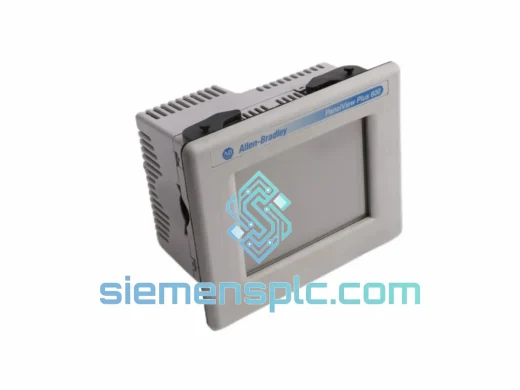
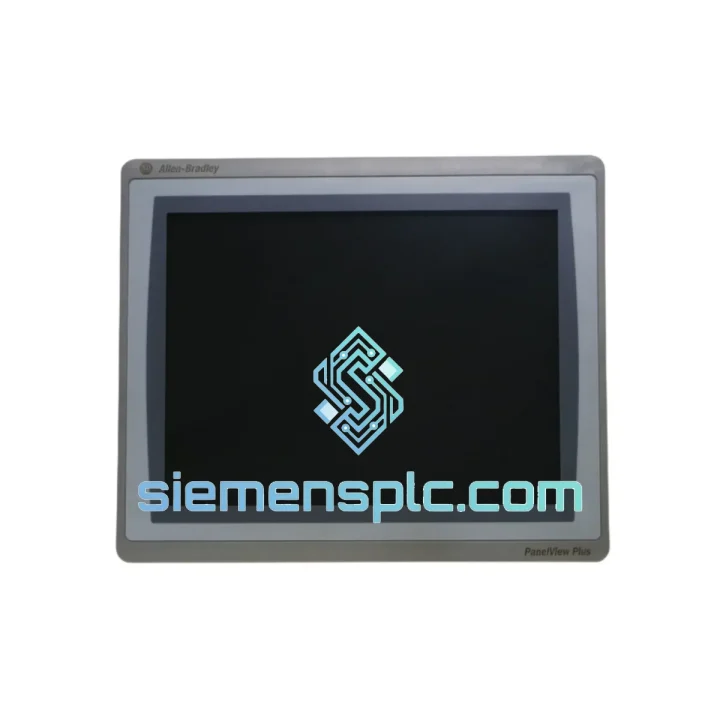
Allen-Bradley
In Stock OK
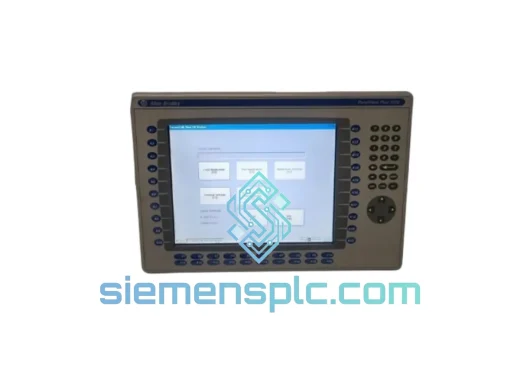
Allen-Bradley 2711P-T15C22D8S HMI Terminal
Request verified availability, condition, replacement risk review, packing options and courier lead time for 2711P-T15C22D8S.
BrandAllen-Bradley
Part Number2711P-T15C22D8S
ConditionAvailability Check
Lead TimeRFQ Confirmation
DocumentsDatasheet / photos by RFQ
ShippingExport packing available
Auto-filled RFQ
2711P-T15C22D8S
Click Request Quote and the part number is inserted into the inquiry form automatically.
- Reply by email: [email protected]
- WhatsApp / Tel: +86 18359268345
- Mon-Sat 9:00-18:00 GMT+8
Procurement Data
Key Product Information
Core fields for model confirmation and RFQ routing. Detailed product narrative remains below.
- Brand
- Allen-Bradley
- Primary Part Number
- 2711P-T15C22D8S
- Product Type
- HMI Terminal
- Series / Family
- PanelView
- Country of Origin
- US
- Catalog Category
- HMI Panels
Model confirmed for inquiry
2711P-T15C22D8S
Send quantity, destination and urgency. The RFQ form keeps this part number attached.
Request Quote
Product Overview
2711P-T15C22D8S Down? Every Minute Costs You — We Ship Today
A failed HMI on a running line is not a maintenance ticket — it is a production crisis. When the 2711P-T15C22D8S goes dark, operators lose process visibility, alarms stack up unacknowledged, and the line stops. In automotive body shops, food processing lines, and water treatment facilities, that translates to thousands of dollars per hour in lost output. We stock the Allen-Bradley 2711P-T15C22D8S specifically because downtime cannot wait for a 6-week factory lead time. Your replacement unit leaves Xiamen the same day you confirm the order.
URGENT REQUIREMENT? Contact: [email protected] | WhatsApp: +86 18359268345
Quick Technical Datasheet
| Part Number | 2711P-T15C22D8S ✅ Ready to Ship |
| Brand | Allen-Bradley / Rockwell Automation |
| Series | PanelView Plus 7 Standard |
| Display | 15″ Widescreen Color TFT LCD, Resistive Touch |
| Resolution | 1024 × 768 (XGA) |
| Supply Voltage | 24V DC |
| Communication | Dual EtherNet/IP, USB Host & Device, RS-232 |
| Operating System | Windows Embedded Standard 7 |
| HMI Runtime | FactoryTalk View ME (pre-loaded) |
| Storage Interface | SD Card slot |
| Operating Temp | 0°C to 55°C |
| Enclosure Rating | NEMA 4/4X, 12, 13 | IP65 front panel |
| Certifications | UL, CE, cUL |
| Weight | ~3.6 kg |
| Origin | United States (Rockwell Automation) |
| Stock Status | ✅ In Stock — Ships from Xiamen within 24 hrs |
Troubleshooting & Replacement Tips
After 10 years of field work on PanelView platforms, these are the failure modes and swap pitfalls that actually bite engineers on-site:
Common Failure Modes on the 2711P-T15C22D8S:
- Backlight failure (most frequent): Screen goes black but the unit still responds to touch. Confirm by shining a flashlight at an angle — if you see a faint image, the CCFL or LED backlight assembly has failed, not the logic board. The entire display assembly must be replaced; field-level backlight swap is not supported on this model.
- Touch calibration drift: Resistive touch panels degrade after 3–5 years of continuous use in high-vibration environments. Symptom: touch input registers 10–20mm offset from the actual press point. Recalibrate via the terminal’s startup configuration screen (hold touch during boot). If drift returns within days, the touch overlay is worn and the unit needs replacement.
- EtherNet/IP communication loss (Error Code 16#0204 / 16#0111): Usually caused by IP address conflict after a network reconfiguration, or a corrupted RSLinx Classic driver entry. On the replacement unit, verify the IP address is unique on the subnet before powering up. Use RSLinx Classic to browse the EtherNet/IP driver and confirm the terminal appears before loading the FactoryTalk ME application.
- Application load failure after swap: The most common mistake during a hot-swap is mismatched FactoryTalk View ME runtime versions. The 2711P-T15C22D8S ships with a specific runtime version. If your application was developed on FT View Studio v9.0 and the replacement unit runs v10.0 runtime, the application will fail to load. Check the runtime version in the terminal’s configuration menu before transferring the application from SD card or USB.
- SD card application corruption: If the previous unit failed due to a power surge, the SD card may carry a corrupted application file. Always test the application on the new terminal using a known-good backup from your engineering workstation, not the SD card pulled from the failed unit.
Step-by-Step Replacement Procedure:
- De-energize the panel. Confirm 24V DC supply is isolated at the source — do not rely solely on the terminal’s power switch.
- Photograph all cable connections before disconnecting. The dual Ethernet ports are easy to swap; incorrect port assignment will cause DLR ring topology faults.
- Remove the four panel-mount clamps from the rear. The 2711P-T15C22D8S uses the same cutout dimensions as PanelView Plus 6 15″ units — no panel modification required for direct replacement.
- On the replacement unit, configure the IP address to match the failed unit before connecting to the network. Use the terminal’s startup configuration screen (accessible on first boot).
- Verify the FactoryTalk View ME runtime version matches your application’s target version. Update via USB if necessary before loading the application.
- Load the application from a verified backup. Confirm all tag connections are live in the diagnostics screen before handing back to operations.
- Run a full alarm acknowledgment cycle and verify all I/O tags are reading correctly. Do not sign off until the operator confirms normal process visibility.
Reliability in Harsh Conditions
The 2711P-T15C22D8S is not office hardware. It is rated and tested for the environments where HMIs actually live — not climate-controlled server rooms, but steel mill control cabinets, outdoor pump station enclosures, and food processing lines that get hosed down every shift.
The IP65-rated front panel keeps out dust and directed water jets. The NEMA 4/4X rating adds protection against corrosive washdown chemicals — relevant in pharmaceutical and food & beverage installations where CIP cycles use caustic cleaning agents. The operating temperature range of 0°C to 55°C covers the majority of industrial enclosure environments, including those without active cooling in moderate climates.
Vibration tolerance is a real-world concern on this platform. Units mounted on compressor skids or near heavy stamping presses are exposed to continuous low-frequency vibration that degrades resistive touch overlays and connector seating over time. Rockwell Automation’s design uses a reinforced mounting frame and conformal-coated PCBs to extend service life in these conditions. When installing a replacement unit in a high-vibration environment, verify that all cable connectors are fully seated and locked — a partially seated Ethernet connector will cause intermittent communication faults that are extremely difficult to diagnose remotely.
Humidity is the other silent killer. In coastal facilities and tropical climates, condensation inside enclosures accelerates corrosion on connector pins and PCB traces. The sealed front panel prevents ingress from the operator side, but the rear of the terminal must be mounted in a properly sealed enclosure with desiccant packs if ambient humidity regularly exceeds 85% RH. Units we supply are stored in climate-controlled conditions and shipped with desiccant packaging to prevent moisture ingress during transit.
Global Express Logistics
Our warehouse is located in Xiamen, Fujian — one of China’s primary export hubs with direct access to international freight lanes via Xiamen Gaoqi International Airport and Xiamen Port. This geography is deliberate: it gives us same-day handoff to DHL Express and FedEx International Priority services, with direct flights to major industrial hubs in Southeast Asia, the Middle East, Europe, and North America.
Standard export process for urgent orders:
- Order confirmed before 14:00 CST: Unit is inspected, packed in anti-static foam with export-grade outer carton, and handed to DHL/FedEx the same afternoon.
- Commercial documentation: Commercial invoice, packing list, and certificate of origin are prepared in parallel with packing — no delays waiting for paperwork.
- HS Code classification: We pre-classify HMI terminals under the correct HS code for your destination country to prevent customs holds. Incorrect HS classification is one of the most common causes of customs delays on industrial electronics shipments.
- Tracking: AWB number is sent to you within 2 hours of carrier pickup. We monitor the shipment and proactively flag any customs queries.
- Typical transit times: Southeast Asia 1–2 days | Middle East 2–3 days | Europe 3–4 days | North America 3–5 days (DHL Express / FedEx International Priority).
For extremely time-critical situations — line-down scenarios where every hour counts — contact us directly on WhatsApp. We can arrange priority booking on the next available flight and provide a confirmed delivery window before you commit to the order.
Contact Information
📧 Email: [email protected]
💬 WhatsApp: +86 18359268345
🌐 Web: siemensplc.com
© 2026 siemensplc.com. All rights reserved.
Ready to quote
[email protected]
Send This Part Number to Sales
RFQ workflow
Quality workflow ->
Confirmation Process
01Model confirmation
We check the full part number, brand, series and visible nameplate information before quotation.
02Availability reply
Sales confirms stock path, condition option, quantity and realistic lead time for export dispatch.
03Packing & courier
DHL, FedEx, UPS or buyer courier arrangements can be reviewed with packing requirements.
Continue sourcing
Browse full catalog ->
Related Automation Parts
Similar brand or category products for fast comparison and multi-item RFQ lists.
Allen-Bradley
RFQ Ready
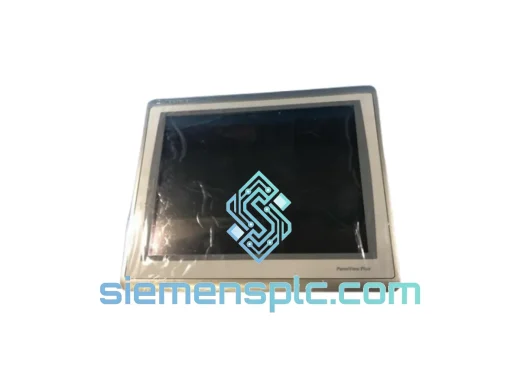
Allen-Bradley 2711P-T15C22D9P HMI Terminal
PanelView
Origin US
HMI Graphic Terminal
Allen-Bradley
RFQ Ready
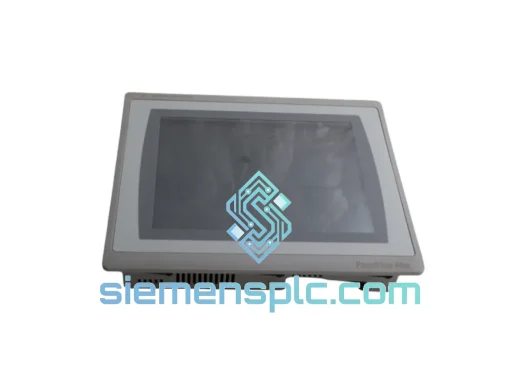
Allen-Bradley 2711P-T10C21D8S HMI Operator Terminal
PanelView
Origin US
HMI Operator Terminal
Allen-Bradley
RFQ Ready
Allen-Bradley 2711P-RN15S ControlNet Communication Module
PanelView
Origin US
PLC Communication Module