
Allen-Bradley
In Stock OK
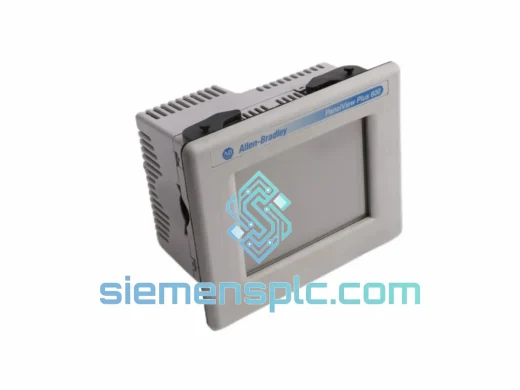
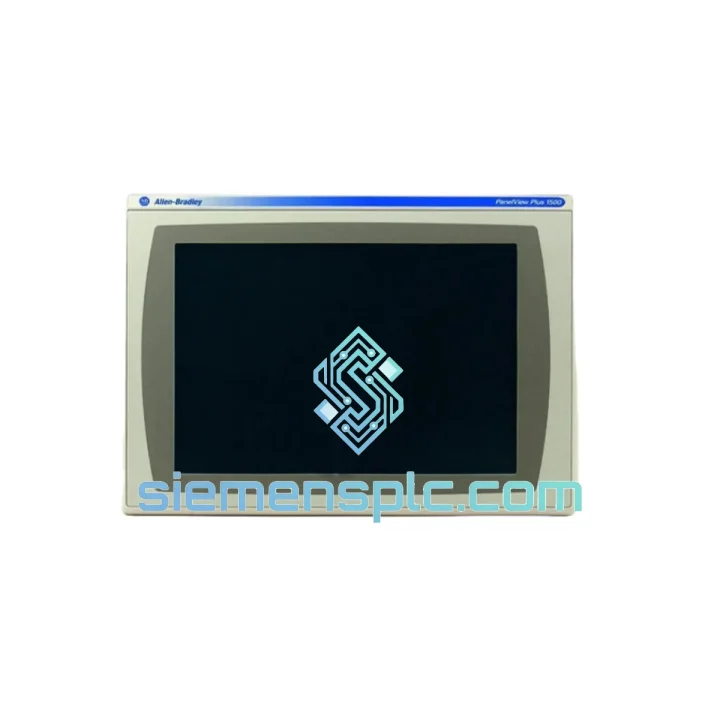
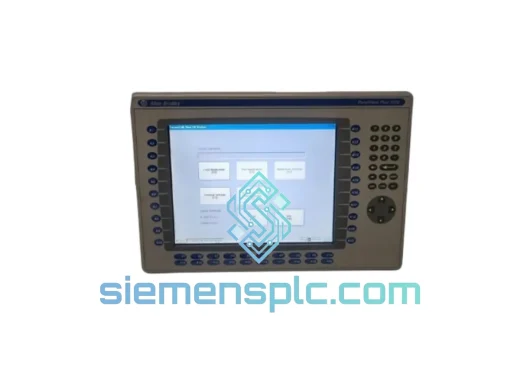
Allen-Bradley 2711P-T15C4D8 HMI Terminal
Request verified availability, condition, replacement risk review, packing options and courier lead time for 2711P-T15C4D8.
BrandAllen-Bradley
Part Number2711P-T15C4D8
ConditionAvailability Check
Lead TimeRFQ Confirmation
DocumentsDatasheet / photos by RFQ
ShippingExport packing available
Auto-filled RFQ
2711P-T15C4D8
Click Request Quote and the part number is inserted into the inquiry form automatically.
- Reply by email: [email protected]
- WhatsApp / Tel: +86 18359268345
- Mon-Sat 9:00-18:00 GMT+8
Procurement Data
Key Product Information
Core fields for model confirmation and RFQ routing. Detailed product narrative remains below.
- Brand
- Allen-Bradley
- Primary Part Number
- 2711P-T15C4D8
- Product Type
- HMI Terminal
- Series / Family
- PanelView
- Country of Origin
- US
- Catalog Category
- HMI Panels
Model confirmed for inquiry
2711P-T15C4D8
Send quantity, destination and urgency. The RFQ form keeps this part number attached.
Request Quote
Product Overview
2711P-T15C4D8 — Every Hour of Downtime Costs You. We Ship Today.
Your line is stopped. The HMI is dead. You’ve already pulled the panel and confirmed it: the Allen-Bradley 2711P-T15C4D8 needs to go — now. This is exactly the scenario we exist for. We stock the PanelView Plus 1500 15″ touch terminal in Xiamen and ship same-day via DHL Express or FedEx International Priority. No waiting on distributor lead times. No back-order queues. One call, one unit, one shipment.
The 2711P-T15C4D8 is a 15-inch XGA resistive touch HMI running Windows CE, built for integration with the full Allen-Bradley / Rockwell Automation ecosystem — ControlLogix, CompactLogix, MicroLogix, and legacy DH+ networks alike. When this terminal fails mid-shift, you don’t have time for a procurement cycle. You need a verified unit on a plane today.
URGENT REQUIREMENT? Contact: [email protected] | WhatsApp: +86 18359268345
Quick Technical Datasheet
| Part Number | 2711P-T15C4D8 | Stock Status | ✅ Ready to Ship |
| Brand | Allen-Bradley / Rockwell Automation | Origin | USA |
| Series | PanelView Plus 1500 | Dispatch | Same Day (order before 15:00 CST) |
| Display | 15″ Color TFT LCD, Resistive Touch | Resolution | 1024 × 768 (XGA) |
| OS | Windows CE | Software | FactoryTalk View ME compatible |
| Memory | 512 MB Flash / 128 MB RAM | Power | 24V DC |
| Communication | Ethernet/IP, DH-485, DF1, DH+ | Protection | NEMA 4/4X, IP65 (front panel) |
| Operating Temp | 0°C to 55°C | Certifications | UL, CE, cUL, RoHS |
| Weight | ~4.5 kg | Mounting | Panel cutout, rear-mount |
Troubleshooting & Replacement Tips
Ten years of field calls on PanelView Plus terminals teach you the same lessons over and over. Here’s what actually matters when you’re swapping a 2711P-T15C4D8 under pressure:
1. Confirm the failure mode before you pull the unit. The most common field failures on this terminal are: (a) backlight inverter death — screen goes black but the unit still communicates; (b) resistive touch layer delamination — touch inputs drift or stop registering entirely; (c) Windows CE filesystem corruption after an unclean power cycle, which presents as a boot loop or “Application Error” on startup. If you’re seeing a boot loop, attempt a firmware recovery via CF card before condemning the hardware — you may save yourself a replacement.
2. Backup your application before anything else. If the terminal still powers on at all, connect via FactoryTalk View ME and export the .MER application file to a USB or CF card immediately. The replacement unit ships without your application. You will need to reload it. If the terminal is completely dead, check whether your PLC program or SCADA historian has a copy of the last-deployed .MER file.
3. IP address and communication path. The 2711P-T15C4D8 stores its Ethernet/IP configuration in non-volatile memory. On the replacement unit, navigate to: Startup → Terminal Settings → Network → Ethernet and re-enter the static IP, subnet mask, and default gateway that matched your original unit. If your plant uses DHCP, confirm the DHCP reservation is tied to MAC address — the replacement unit will have a different MAC.
4. FactoryTalk View ME version matching. This is the silent killer of rushed replacements. The .MER application file is compiled against a specific version of FactoryTalk View ME. If the replacement terminal has a different firmware revision, the application may refuse to load or display a version mismatch error. Check the firmware version on the replacement unit via Terminal Settings → About before loading your application. If there’s a mismatch, update the terminal firmware via the Rockwell Automation Firmware Update Utility before deploying.
5. Touch screen calibration. After swapping the unit and loading the application, always run a touch calibration: Terminal Settings → Input Devices → Touch Screen → Calibrate. Resistive panels shift slightly between units. Skipping this step causes operators to report “buttons not responding” within the first hour of operation.
Common fault codes to know:
- “RSLinx Enterprise Connection Failed” — IP mismatch or firewall blocking EtherNet/IP port 44818. Verify network config first.
- “Application Load Error – Version Mismatch” — FactoryTalk View ME firmware on terminal does not match the .MER compile version. Update firmware.
- “Touch Input Not Responding” — Run calibration. If calibration fails, the resistive overlay is physically damaged — unit requires replacement.
- “Kernel Panic / Boot Loop” — Attempt CF card firmware recovery. If recovery fails, the flash storage is corrupted beyond repair.
Reliability in Harsh Conditions
The PanelView Plus 1500 platform was engineered for environments that destroy consumer-grade electronics. The 2711P-T15C4D8 carries an IP65 front-panel rating and NEMA 4/4X certification, meaning the display bezel withstands directed water jets, dust ingress, and corrosive washdown chemicals — standard requirements in food processing, pharmaceutical, and chemical plant environments.
Vibration tolerance is validated to IEC 60068-2-6 standards, covering the 5–500 Hz frequency range that encompasses conveyor systems, compressor rooms, and press-line installations. The internal PCB assembly uses conformal coating on critical signal traces, providing a moisture barrier against condensation cycles common in outdoor enclosures and cold-storage facilities.
Thermal performance is rated from 0°C to 55°C operating, with storage tolerance down to -20°C. In practice, this covers the vast majority of industrial installations globally — from unheated warehouses in northern climates to non-air-conditioned production floors in Southeast Asia. The LCD backlight is rated for 50,000 hours MTBF under normal operating conditions, making backlight failure a multi-year concern rather than a routine maintenance item.
Every unit we ship from Xiamen is bench-tested for power-on stability, display uniformity, touch response, and communication port integrity before packaging. We do not ship untested stock.
Global Express Logistics
Our dispatch hub is in Xiamen, Fujian Province, China — one of the most logistics-connected export cities on the mainland, with direct DHL and FedEx gateway access. Here’s how your shipment moves:
- Order confirmed before 15:00 CST: Unit is packed, labeled, and handed to carrier same business day.
- DHL Express Worldwide: Transit time 1–3 business days to most of Europe, North America, Southeast Asia, and the Middle East. Door-to-door with real-time tracking.
- FedEx International Priority: Alternative carrier for destinations where FedEx has stronger last-mile coverage. Comparable transit times to DHL.
- Customs documentation: Commercial invoice, packing list, and certificate of origin are prepared as standard. HS code 8537.10 applies to this product category. We handle export declaration on our end — you handle import clearance on yours. We can advise on declared value and documentation format if your customs broker requires specific paperwork.
- Tracking: AWB number sent to your email within 2 hours of carrier pickup. Full tracking visibility from Xiamen to your door.
- Bulk orders: For 3+ units, contact us for consolidated shipment pricing. Air freight rates are negotiable for repeat customers and OEM accounts.
We’ve shipped to automotive plants in Germany, petrochemical facilities in Saudi Arabia, food processing lines in Australia, and semiconductor fabs in Taiwan. If your country has a DHL or FedEx gateway, we can reach you within 72 hours of order confirmation.
Contact Information
📧 Email: [email protected]
💬 WhatsApp: +86 18359268345
🌐 Web: siemensplc.com
© 2026 siemensplc.com. All rights reserved.
Ready to quote
[email protected]
Send This Part Number to Sales
RFQ workflow
Quality workflow ->
Confirmation Process
01Model confirmation
We check the full part number, brand, series and visible nameplate information before quotation.
02Availability reply
Sales confirms stock path, condition option, quantity and realistic lead time for export dispatch.
03Packing & courier
DHL, FedEx, UPS or buyer courier arrangements can be reviewed with packing requirements.
Continue sourcing
Browse full catalog ->
Related Automation Parts
Similar brand or category products for fast comparison and multi-item RFQ lists.
Allen-Bradley
RFQ Ready
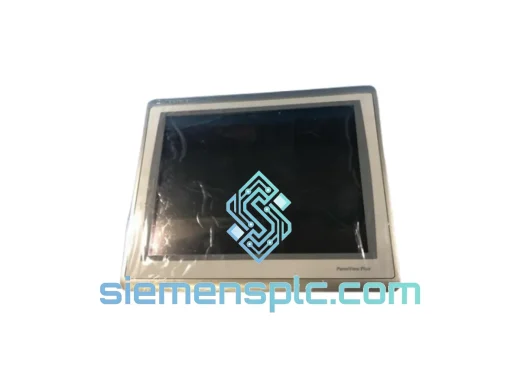
Allen-Bradley 2711P-T15C22D9P HMI Terminal
PanelView
Origin US
HMI Graphic Terminal
Allen-Bradley
RFQ Ready
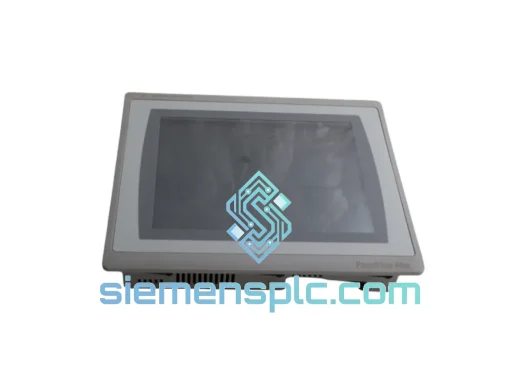
Allen-Bradley 2711P-T10C21D8S HMI Operator Terminal
PanelView
Origin US
HMI Operator Terminal
Allen-Bradley
RFQ Ready
Allen-Bradley 2711P-RN15S ControlNet Communication Module
PanelView
Origin US
PLC Communication Module