
Allen-Bradley
In Stock OK
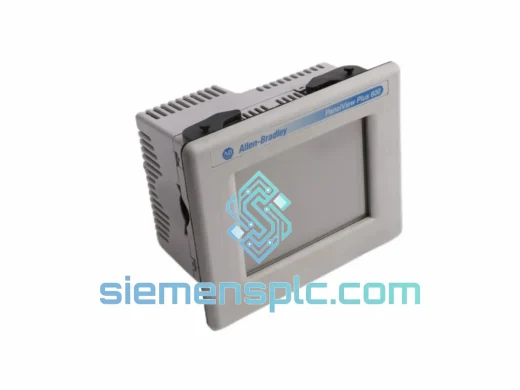
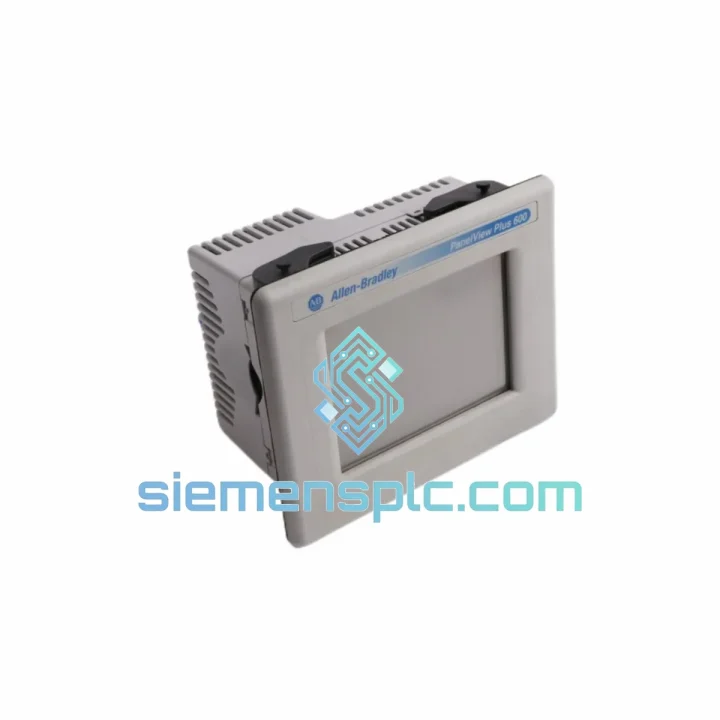
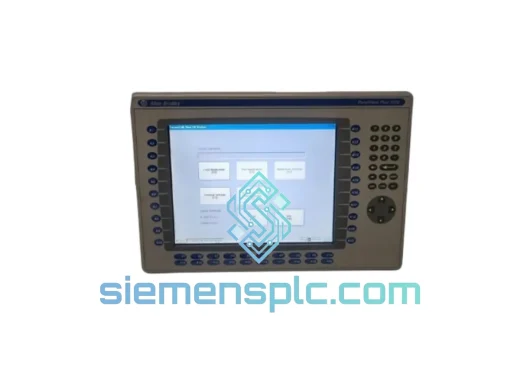
Allen-Bradley 2711P-T6C5D HMI Terminal
Request verified availability, condition, replacement risk review, packing options and courier lead time for 2711P-T6C5D.
BrandAllen-Bradley
Part Number2711P-T6C5D
ConditionAvailability Check
Lead TimeRFQ Confirmation
DocumentsDatasheet / photos by RFQ
ShippingExport packing available
Auto-filled RFQ
2711P-T6C5D
Click Request Quote and the part number is inserted into the inquiry form automatically.
- Reply by email: [email protected]
- WhatsApp / Tel: +86 18359268345
- Mon-Sat 9:00-18:00 GMT+8
Procurement Data
Key Product Information
Core fields for model confirmation and RFQ routing. Detailed product narrative remains below.
- Brand
- Allen-Bradley
- Primary Part Number
- 2711P-T6C5D
- Product Type
- HMI Terminal
- Series / Family
- PanelView
- Manufacturer
- Allen-Bradley / Rockwell Automation
- Country of Origin
- US
- Catalog Category
- HMI Panels
- Humidity
- 5–95% RH, non-condensing
Model confirmed for inquiry
2711P-T6C5D
Send quantity, destination and urgency. The RFQ form keeps this part number attached.
Request Quote
Product Overview
2711P-T6C5D PanelView Plus 6 — Stop the Clock on Your Downtime, Ship Today from Xiamen
Every minute your line sits idle costs real money. A failed HMI terminal shouldn’t be the reason your production schedule slips by days. The Allen-Bradley 2711P-T6C5D is a 6.5-inch color touch HMI from the PanelView Plus 6 platform — one of the most widely deployed operator interfaces in North American and Asian discrete manufacturing. When this unit fails, operators go blind. No process visibility, no alarm acknowledgment, no manual override. We stock it. We ship it fast.
URGENT REQUIREMENT? Contact: [email protected] | WhatsApp: +86 18359268345
Quick Technical Datasheet
| Part Number | 2711P-T6C5D ✅ Ready to Ship |
| Platform | PanelView Plus 6 (600 series) |
| Manufacturer | Allen-Bradley / Rockwell Automation |
| Display | 6.5″ Color TFT LCD, 640 × 480 (VGA) |
| Touch Input | Analog Resistive Touch Screen |
| Communication | DH-485, RS-232 (DF1), USB Host & Device |
| Power Input | 24V DC (18–32V DC range) |
| Power Draw | ≤ 20W typical |
| Memory | 512 MB Flash / 128 MB RAM |
| Operating Temp | 0°C to +55°C |
| Storage Temp | −20°C to +70°C |
| Humidity | 5–95% RH, non-condensing |
| Enclosure Rating | NEMA 4/4X, 12, 13 | IP65 (front face) |
| Runtime Software | FactoryTalk View ME (pre-installed) |
| Certifications | UL, CE, cUL, RoHS |
| Weight | Approx. 840 g |
| Origin | USA (Rockwell Automation) |
| Stock Status | ✅ In Stock — Ships within 24 hrs of payment |
Troubleshooting & Replacement Tips
Most Common Failure Modes on the 2711P-T6C5D:
- Backlight failure (most frequent): Screen goes dark but the unit is still powered — you can faintly see the display under a flashlight. The CCFL backlight or its inverter board has failed. This is not a PLC communication fault. Do not waste time checking your network. Swap the terminal.
- Touch calibration drift: Operator presses a button but the wrong object activates. Caused by resistive touch layer delamination or contamination under the overlay. Recalibration via the terminal’s configuration menu (hold F1 at boot) is a temporary fix — the touch panel is degrading and will fail completely.
- Corrupt .MER application file: Terminal boots to a blank screen or shows “Application Not Found.” The Flash memory has developed bad sectors. Before swapping hardware, attempt a USB recovery: load a known-good .MER file from a USB drive via the terminal’s file manager at startup.
- DH-485 communication loss (Error 16#0204): Terminal shows “Controller Not Found” or communication fault banner. First check the 1761-CBL-PM02 cable — the DB9 connector pins corrode in humid environments. Reseat the cable. If fault persists, verify the DH-485 node address on the terminal matches the PLC’s expected HMI node (default node 1 on most SLC/MicroLogix setups).
- Spontaneous reboot loop: Unit powers on, displays the Rockwell splash screen, then restarts. Usually caused by a failing internal power supply capacitor or corrupted firmware. Attempt firmware re-flash via USB. If the loop continues after firmware recovery, the hardware is unserviceable — replace the unit.
Step-by-Step Hot-Swap Replacement Procedure:
- Back up the application first. If the old terminal still powers on at all, connect a USB drive and export the .MER file via the terminal’s file manager. This saves your application logic. If the terminal is completely dead, retrieve the .MER from your engineering PC or backup server.
- Note the DH-485 node address. Check the existing terminal’s configuration (Settings → Communications → DH-485 Node). Write it down. The replacement unit defaults to node 1 — if your network uses a different address, you must reconfigure before going live.
- Power down the panel. Isolate 24VDC supply to the terminal. The DH-485 network can remain live — other nodes will not be disrupted by removing one terminal.
- Remove the mounting clips. The 2711P-T6C5D uses four spring-clip retainers accessible from the rear of the panel cutout. Use a flat-blade screwdriver to release each clip. The terminal slides forward out of the cutout.
- Transfer the wiring. Disconnect the 24VDC power connector and the DH-485/RS-232 cable. The connectors are keyed — they cannot be inserted incorrectly. Photograph the wiring before disconnecting if you are unfamiliar with the installation.
- Install the replacement unit. Slide the new 2711P-T6C5D into the cutout from the front. Engage all four mounting clips until you hear them click. Reconnect power and communication cables.
- Configure the node address. Power on the terminal. Before loading the application, navigate to Settings → Communications → DH-485 and set the node address to match the original unit.
- Load the .MER application. Insert the USB drive with the backed-up application. Navigate to File Manager → Load Application. Select the .MER file and confirm. The terminal will restart and launch the application automatically.
- Verify touch calibration. Run the touch calibration routine (Settings → Touch Screen → Calibrate) on the new unit before handing back to the operator. Factory calibration is adequate for most installations but field calibration eliminates any panel-to-panel variation.
- Confirm communication. Check that the PLC communication status indicator on the HMI shows “Online.” Acknowledge any startup alarms. Verify that tag values are updating correctly on the display.
Firmware Compatibility Note: The 2711P-T6C5D ships with FactoryTalk View ME runtime pre-installed. If your .MER application was developed on FT View ME v8.x or v9.x and the replacement unit carries an older runtime, you will see a version mismatch error at load time. Update the terminal firmware via USB using the FT View ME firmware upgrade utility before loading the application. Firmware files are available from Rockwell Automation’s Product Compatibility and Download Center (PCDC).
Reliability in Harsh Conditions
The 2711P-T6C5D is not a consumer-grade touchscreen. It is built to operate continuously in environments that would destroy standard electronics within weeks. The front face carries a full IP65 / NEMA 4X rating — it withstands direct water jets, chemical washdowns, and airborne particulate contamination without ingress. The resistive touch panel responds to gloved hands and operates correctly even when the surface is wet, which matters on food processing lines and chemical dosing stations where operators cannot remove PPE to interact with a capacitive screen.
Vibration tolerance is rated at 2g across 10–500 Hz in operating condition. This covers the vibration spectrum generated by most industrial machinery — compressors, conveyors, presses, and pumps. The internal PCB assemblies are conformally coated to resist humidity-induced corrosion, which is the primary long-term failure mechanism for electronics in coastal and tropical industrial facilities. Operating temperature range of 0°C to +55°C covers the majority of non-climate-controlled factory environments globally without requiring additional panel cooling.
The 512 MB Flash storage uses industrial-grade NAND with wear-leveling firmware, designed for the repeated read/write cycles that occur during alarm logging and data trending over years of continuous operation. The unit is rated for 24/7 continuous duty — it is not designed to be powered down at shift end.
Global Express Logistics
Our warehouse is located in Xiamen, China — a major international cargo hub with direct DHL and FedEx flight connections to Europe, North America, Southeast Asia, the Middle East, and Australia. For urgent replacement orders, we dispatch within 24 hours of payment confirmation.
- DHL Express Worldwide: 2–4 business days to most destinations. Real-time tracking from pickup to delivery. Recommended for Europe, Middle East, and Southeast Asia.
- FedEx International Priority: 1–3 business days to North America and key Asia-Pacific hubs. Ideal for US, Canada, and Australia.
- Documentation: Full commercial invoice, packing list, and HS code declaration (HS: 8537.10) provided with every shipment. We handle export customs clearance from the China side. Import duties and local customs clearance are the buyer’s responsibility.
- Packaging: Each unit is individually wrapped in anti-static film, cushioned in die-cut foam, and packed in a double-wall corrugated carton rated for international air freight handling. A humidity indicator card is included inside the carton.
- Tracking: Tracking number provided via email within 2 hours of dispatch. We monitor shipments proactively and alert you to any customs holds or delivery exceptions.
If your production line is down right now, contact us directly via WhatsApp for same-day dispatch confirmation: +86 18359268345.
Contact Information
📧 Email: [email protected]
💬 WhatsApp: +86 18359268345
🌐 Web: siemensplc.com
© 2026 siemensplc.com. All rights reserved.
Ready to quote
[email protected]
Send This Part Number to Sales
RFQ workflow
Quality workflow ->
Confirmation Process
01Model confirmation
We check the full part number, brand, series and visible nameplate information before quotation.
02Availability reply
Sales confirms stock path, condition option, quantity and realistic lead time for export dispatch.
03Packing & courier
DHL, FedEx, UPS or buyer courier arrangements can be reviewed with packing requirements.
Continue sourcing
Browse full catalog ->
Related Automation Parts
Similar brand or category products for fast comparison and multi-item RFQ lists.
Allen-Bradley
RFQ Ready
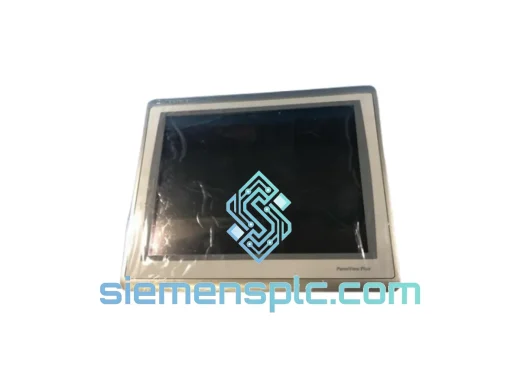
Allen-Bradley 2711P-T15C22D9P HMI Terminal
PanelView
Origin US
HMI Graphic Terminal
Allen-Bradley
RFQ Ready
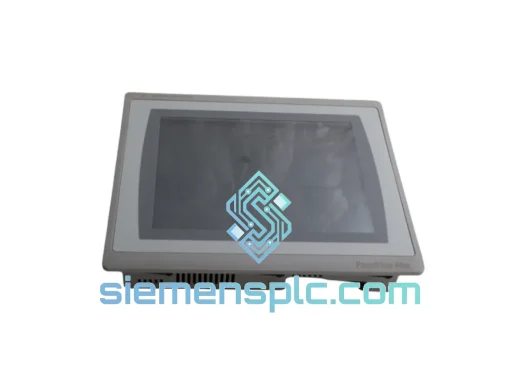
Allen-Bradley 2711P-T10C21D8S HMI Operator Terminal
PanelView
Origin US
HMI Operator Terminal
Allen-Bradley
RFQ Ready
Allen-Bradley 2711P-RN15S ControlNet Communication Module
PanelView
Origin US
PLC Communication Module