
Allen-Bradley
In Stock OK
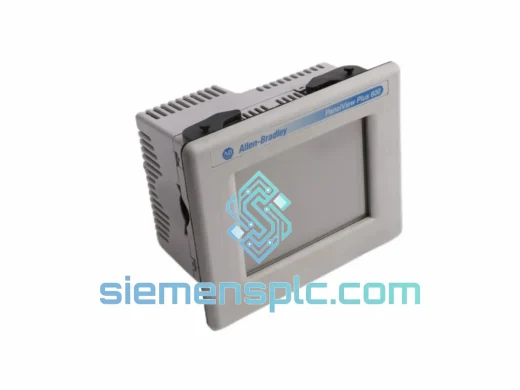
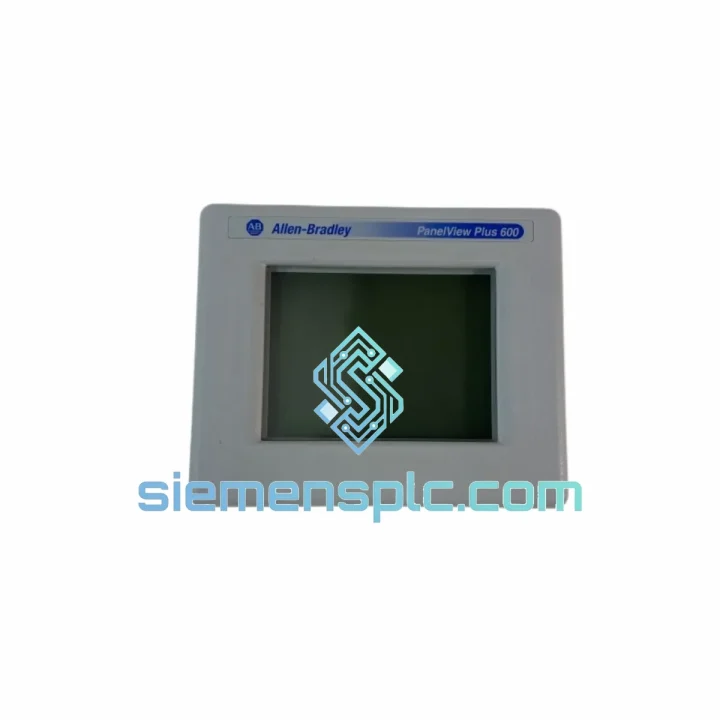
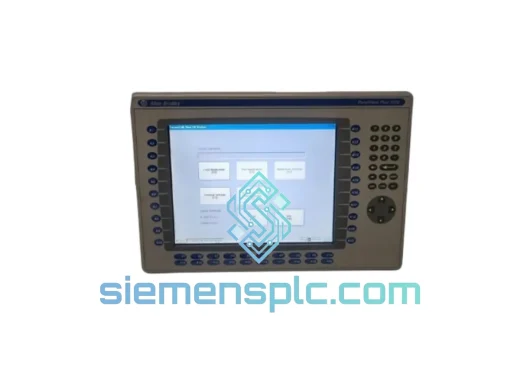
Allen-Bradley 2711P-T6M20A HMI Terminal
Request verified availability, condition, replacement risk review, packing options and courier lead time for 2711P-T6M20A.
BrandAllen-Bradley
Part Number2711P-T6M20A
ConditionAvailability Check
Lead TimeRFQ Confirmation
DocumentsDatasheet / photos by RFQ
ShippingExport packing available
Auto-filled RFQ
2711P-T6M20A
Click Request Quote and the part number is inserted into the inquiry form automatically.
- Reply by email: [email protected]
- WhatsApp / Tel: +86 18359268345
- Mon-Sat 9:00-18:00 GMT+8
Procurement Data
Key Product Information
Core fields for model confirmation and RFQ routing. Detailed product narrative remains below.
- Brand
- Allen-Bradley
- Primary Part Number
- 2711P-T6M20A
- Product Type
- HMI Terminal
- Series / Family
- PanelView
- Country of Origin
- US
- Catalog Category
- HMI Panels
- Humidity
- 5–95% RH, non-condensing
Model confirmed for inquiry
2711P-T6M20A
Send quantity, destination and urgency. The RFQ form keeps this part number attached.
Request Quote
Product Overview
2711P-T6M20A: Every Hour of Downtime Costs You — We Ship Today
Your line is stopped. The operator terminal is dark. Maintenance is standing by and production is bleeding money by the minute. The Allen-Bradley 2711P-T6M20A is a stocked, verified, ready-to-ship unit — not a lead-time promise. We pull it off the shelf in Xiamen, inspect it, and hand it to DHL or FedEx the same day you confirm. That is the only thing that matters right now.
URGENT REQUIREMENT? Contact: [email protected] | WhatsApp: +86 18359268345
Quick Technical Datasheet
| Catalog Number | 2711P-T6M20A ✅ Ready to Ship |
| Series | PanelView Plus 600 |
| Brand | Allen-Bradley / Rockwell Automation |
| Display | 6.0″ STN Grayscale LCD, 320 × 240 px (QVGA) |
| Input Method | Resistive Touch Screen + Function Keypad (dual-mode) |
| Communication | RS-232 (DH-485 via 2711P-CBL-EX04), USB-A (host), USB-B (programming) |
| Supported Protocols | DH-485, DF1, DeviceNet (via adapter) |
| Power Input | 24 VDC nominal (18–32 VDC), ≤ 18 W |
| Operating Temp | 0 °C to +55 °C |
| Storage Temp | −40 °C to +85 °C |
| Humidity | 5–95% RH, non-condensing |
| Enclosure Rating | NEMA 4/4X/12/13 (front face); IP65 (front face) |
| Vibration | 2 g, 10–500 Hz (operating) |
| Shock | 15 g, 11 ms half-sine |
| Flash Memory | 32 MB application storage |
| Runtime Software | FactoryTalk View ME (pre-installed) |
| Panel Cutout | ~192 mm × 138 mm (W × H) — ref. drawing 2711P-IN006 |
| Weight | ~900 g |
| Certifications | UL, CE, C-Tick |
| Condition | Original, inspected, tested |
| Ship From | Xiamen, China ✅ |
Troubleshooting & Replacement Tips
Swapping a 2711P-T6M20A is not plug-and-play if you skip these steps. Here is what bites engineers in the field:
1. Application File (.MER) Transfer
The replacement unit ships with a blank 32 MB Flash. Your application file must be loaded before the terminal is operational. Use a USB flash drive formatted FAT32 — copy the .MER file to the root directory, power on the terminal, navigate to File Manager → Load Application, and select the file. If you do not have the .MER file, you need to rebuild the project in FactoryTalk View Studio ME and recompile. Keep a backup of your .MER on a network share — always.
2. Firmware Version Mismatch
The most common silent failure after replacement: the .MER file was compiled on a newer version of FactoryTalk View Studio ME than the firmware on the replacement terminal. Symptom — terminal boots, loads the file, then throws a runtime version error or displays blank screens. Fix: check the firmware revision label on the terminal’s rear nameplate. Update firmware via USB using the Rockwell firmware upgrade utility before loading the application. Target firmware should match or exceed the Studio ME version used to compile the .MER.
3. Communication Driver Configuration
The 2711P-T6M20A does not auto-detect the PLC. After loading the .MER, go to Terminal Settings → Communication Setup and verify the driver matches your network: DF1 for point-to-point RS-232, DH-485 for multi-drop. Baud rate, node address, and parity must match the PLC port settings exactly. A mismatch here produces a persistent “No Connection” alarm — not a hardware fault.
4. DH-485 Node Address Conflict
If you are replacing a unit on an existing DH-485 network, the new terminal must be assigned the same node address as the failed unit. Node address is set in Terminal Settings → Network. Default is node 1 — if your network already has a node 1 device, you will get a collision and intermittent communication drops across the entire DH-485 segment.
5. Touch Screen Calibration
After first boot with a new application, run touch calibration: hold the terminal’s function key during power-on to enter configuration mode, then navigate to Calibrate Touch Screen. Skip this and operators will report “button misalignment” — which is not a hardware defect, it is an uncalibrated digitizer.
6. Common Fault Codes
- “Runtime Error 8” — Application file version incompatible with installed firmware. Update firmware first.
- “Communication Error 28” — Driver timeout. Check cable (2711P-CBL-EX04), baud rate, and PLC port configuration.
- “Memory Full” — Application file exceeds 32 MB Flash. Reduce graphic resolution or split into multiple .MER files.
- “Backlight Failure” — CCFL backlight at end of life (~50,000 hrs). Display is functional but dim. Backlight replacement kit available separately.
- “USB Device Not Recognized” — USB flash drive not FAT32 or file in subdirectory. Move .MER to root, reformat drive.
Reliability in Harsh Conditions
The 2711P-T6M20A was not designed for a climate-controlled server room. It was built for the plant floor — and it shows in the spec sheet.
The front face carries a NEMA 4/4X and IP65 rating, meaning it withstands directed water jets and dust ingress. In food and beverage washdown environments, this is the difference between a terminal that survives a shift change cleaning cycle and one that fails within six months. The gasket seal between the front bezel and the panel cutout is the critical interface — inspect it during installation and replace if compressed or cracked.
Vibration tolerance is rated at 2 g across 10–500 Hz in operating condition. On a press machine or a conveyor drive panel, this matters. The internal PCB uses conformal coating on critical signal traces, and the LCD assembly is mechanically isolated from the enclosure frame. Units that fail prematurely in high-vibration environments are almost always improperly mounted — the four M4 mounting studs must be torqued evenly to the specification in drawing 2711P-IN006. Uneven torque warps the front bezel and breaks the IP seal.
Operating temperature ceiling is 55 °C. In a sealed NEMA 12 enclosure on a summer production floor, internal enclosure temperature can exceed ambient by 15–20 °C. If your enclosure runs hot, add a thermostat-controlled fan or heat exchanger — do not rely on the terminal’s thermal margin as a buffer. The STN grayscale display degrades in contrast at sustained temperatures above 50 °C, which operators will report as a display problem before the unit actually fails.
Shock rating is 15 g at 11 ms half-sine. This covers most forklift-adjacent vibration events and panel door slam cycles. The USB-A host port is the mechanically weakest point on the unit — if operators are repeatedly inserting and removing USB drives during operation, add a USB extension cable and mount the drive in a protected location.
Global Express Logistics
Stock is held in Xiamen, Fujian Province, China — one of the most logistics-connected export hubs in Asia. DHL Express and FedEx International Priority both operate direct flights from Xiamen Gaoqi International Airport to major hubs in Europe, North America, Southeast Asia, and the Middle East.
Typical transit times from Xiamen:
- Europe (Germany, Netherlands, UK): 3–5 business days via DHL Express
- North America (USA, Canada): 3–5 business days via FedEx International Priority
- Southeast Asia (Singapore, Thailand, Vietnam): 2–3 business days
- Middle East (UAE, Saudi Arabia): 3–4 business days
- Australia / New Zealand: 4–6 business days
Every shipment includes a commercial invoice with accurate HS code classification (HS 8537.10 for programmable operator terminals), enabling smooth customs clearance. We handle export documentation — packing list, certificate of origin on request, and EEI filing for US-bound shipments where required.
Units are packed in anti-static bags, foam-lined double-wall cartons with humidity indicator cards. Fragile and electronics handling labels are applied. For urgent orders confirmed before 14:00 CST, same-day dispatch is standard. Tracking numbers are provided within 2 hours of handover to the carrier.
For orders requiring air freight consolidation, insurance, or specific Incoterms (EXW, FOB, CIF, DAP), contact us directly — we accommodate project-specific logistics requirements.
Contact Information
Email: [email protected]
WhatsApp: +86 18359268345
Web: siemensplc.com
© 2026 siemensplc.com. All rights reserved.
Ready to quote
[email protected]
Send This Part Number to Sales
RFQ workflow
Quality workflow ->
Confirmation Process
01Model confirmation
We check the full part number, brand, series and visible nameplate information before quotation.
02Availability reply
Sales confirms stock path, condition option, quantity and realistic lead time for export dispatch.
03Packing & courier
DHL, FedEx, UPS or buyer courier arrangements can be reviewed with packing requirements.
Continue sourcing
Browse full catalog ->
Related Automation Parts
Similar brand or category products for fast comparison and multi-item RFQ lists.
Allen-Bradley
RFQ Ready
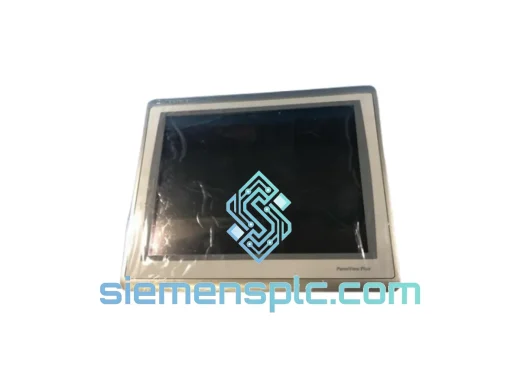
Allen-Bradley 2711P-T15C22D9P HMI Terminal
PanelView
Origin US
HMI Graphic Terminal
Allen-Bradley
RFQ Ready
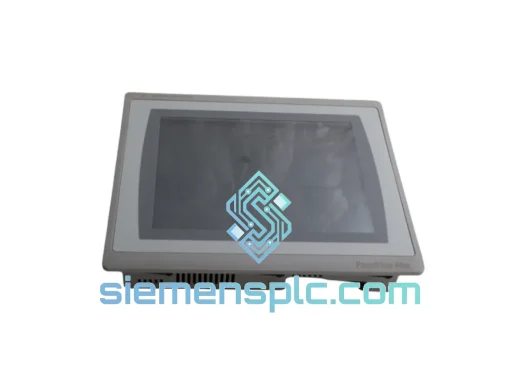
Allen-Bradley 2711P-T10C21D8S HMI Operator Terminal
PanelView
Origin US
HMI Operator Terminal
Allen-Bradley
RFQ Ready
Allen-Bradley 2711P-RN15S ControlNet Communication Module
PanelView
Origin US
PLC Communication Module