
Allen-Bradley
In Stock OK
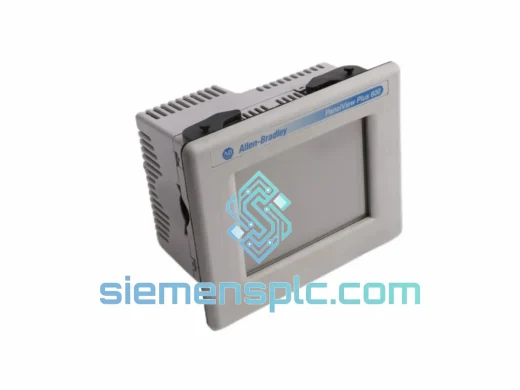
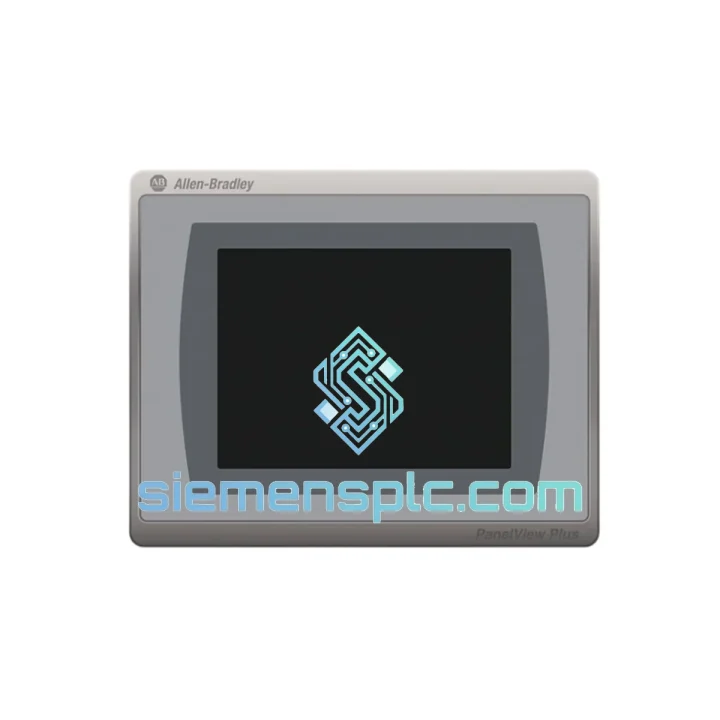
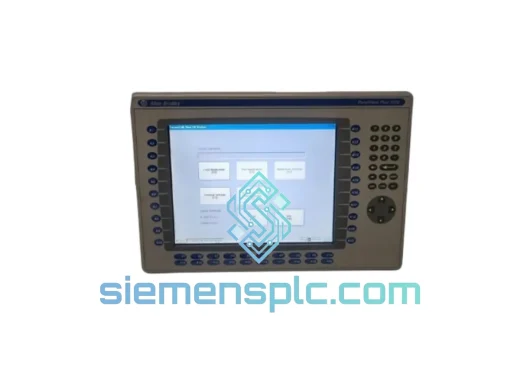
Allen-Bradley 2711P-T7C21D8S HMI Terminal
Request verified availability, condition, replacement risk review, packing options and courier lead time for 2711P-T7C21D8S.
BrandAllen-Bradley
Part Number2711P-T7C21D8S
ConditionAvailability Check
Lead TimeRFQ Confirmation
DocumentsDatasheet / photos by RFQ
ShippingExport packing available
Auto-filled RFQ
2711P-T7C21D8S
Click Request Quote and the part number is inserted into the inquiry form automatically.
- Reply by email: [email protected]
- WhatsApp / Tel: +86 18359268345
- Mon-Sat 9:00-18:00 GMT+8
Procurement Data
Key Product Information
Core fields for model confirmation and RFQ routing. Detailed product narrative remains below.
- Brand
- Allen-Bradley
- Primary Part Number
- 2711P-T7C21D8S
- Product Type
- HMI Operator Terminal
- Series / Family
- PanelView
- Country of Origin
- US
- Catalog Category
- HMI Panels
- Humidity
- 5–95% RH, non-condensing
Model confirmed for inquiry
2711P-T7C21D8S
Send quantity, destination and urgency. The RFQ form keeps this part number attached.
Request Quote
Product Overview
2711P-T7C21D8S Down? Every Minute of Downtime Costs You — We Ship Today
Your line stopped. The HMI is dead. Maintenance is standing by and the shift supervisor is already on the phone. You need a Allen-Bradley 2711P-T7C21D8S — not next week, not in three days. Now.
We stock the 2711P-T7C21D8S in Xiamen and ship via DHL Express or FedEx International Priority within 24 hours of order confirmation. Most destinations in Southeast Asia, Europe, and the Middle East receive units within 3–5 business days. We have pulled this exact terminal off the shelf for emergency shutdowns in automotive stamping plants, food packaging lines, and water treatment facilities. The unit ships tested, firmware-confirmed, and ready to mount.
URGENT REQUIREMENT? Contact: [email protected] | WhatsApp: +86 18359268345
Quick Technical Datasheet
| Part Number | 2711P-T7C21D8S ✅ Ready to Ship |
| Brand | Allen-Bradley / Rockwell Automation |
| Series | PanelView Plus 7 Standard |
| Display | 7.0″ TFT Color LCD, 800 × 480 WVGA, 65,536 colors |
| Touch | Analog resistive touchscreen |
| Processor | Freescale i.MX535, 1 GHz ARM Cortex-A8 |
| Memory | 512 MB DDR3 RAM / 512 MB NAND Flash |
| OS | Windows CE 6.0 |
| Communication | 1 × 10/100 Mbps EtherNet/IP (RJ-45), 1 × RS-232 |
| USB | 2 × USB 2.0 Type-A host ports |
| SD Slot | 1 × SD/SDHC up to 32 GB |
| Supply Voltage | 24 VDC ±20%, Class 2 |
| Power Draw | ≤ 18 W typical |
| Operating Temp | 0 °C to +55 °C |
| Storage Temp | −40 °C to +85 °C |
| Humidity | 5–95% RH, non-condensing |
| Enclosure Rating | NEMA 4/4X/12/13; IP65 front face |
| Panel Cutout | 212.9 mm × 158.8 mm (W × H) |
| Dimensions | 236.5 × 182.4 × 57.2 mm (W × H × D) |
| Weight | ~1.0 kg |
| Software | FactoryTalk View Studio ME v8.0 minimum |
| Certifications | UL, CE, cUL, RCM |
| Origin | USA |
| Stock Status | ✅ In Stock — Ships within 24 hrs |
Troubleshooting & Replacement Tips
After ten years of field work, these are the failure modes that actually bring a 2711P-T7C21D8S down — and what to check before you even pull the unit:
1. Blank screen on power-up (no backlight)
Ninety percent of the time this is a failed backlight inverter board, not the LCD panel itself. Before condemning the terminal, measure 24 VDC at the power connector pins. If voltage is good and the unit still shows nothing, connect a USB keyboard and listen for the Windows CE boot chime — if you hear it, the backlight is dead, not the logic board. Replacement unit is the correct call at this point; backlight repair in the field is not practical.
2. EtherNet/IP communication fault — controller shows “Connection Timeout”
First, ping the terminal IP from a laptop on the same subnet. If ping fails, check the IP address configuration under Terminal Settings → Network. A common site issue: the terminal IP was set via DHCP and the lease expired after a power cycle, assigning a new address the controller no longer knows. Set a static IP. If ping succeeds but the controller still faults, verify the RPI (Requested Packet Interval) in the controller’s I/O tree — values below 20 ms on a congested switch can cause intermittent timeouts.
3. Touchscreen drift or dead zones
Analog resistive touch degrades with age and contamination. Run the built-in calibration utility: Start → Settings → Control Panel → Stylus → Calibration. If calibration does not resolve the issue and you see consistent dead zones in the same screen region, the touch overlay is physically worn. The terminal needs replacement — there is no field-serviceable touch digitizer for this model.
4. Application will not load — “Runtime Error” on boot
This almost always means the .mer application file on the SD card or internal flash is corrupted. Copy a known-good backup .mer file from your engineering workstation to a fresh SD card and boot from that. If the application loads cleanly, the original storage media failed. If the error persists with a clean file, the internal NAND flash may be failing — replace the terminal.
5. Replacement configuration checklist
When swapping in a new 2711P-T7C21D8S, work through this sequence before powering the line back up:
- Set a static IP address matching the failed unit’s address (or update the controller’s I/O configuration if you change it)
- Confirm FactoryTalk View ME runtime version on the replacement matches or exceeds the version used to compile the .mer file — a lower runtime version will refuse to load the application
- Transfer the .mer application file via USB drive or SD card — do not attempt a live network download during an emergency restart
- Verify the terminal’s time and date are synchronized — FactoryTalk alarm timestamps will be wrong if the clock is off, which complicates post-incident analysis
- Run a full touchscreen calibration before handing back to the operator
- Confirm all alarm acknowledgements are cleared and the alarm log is accessible before declaring the line ready
6. Firmware version mismatch warning
If your replacement unit ships with a different firmware revision than the failed unit, test the application thoroughly in a non-production state before restarting the line. Certain FactoryTalk View ME versions introduced breaking changes to tag binding behavior between v8 and v10. Check Rockwell Automation Knowledgebase article ID 1076898 for the compatibility matrix.
Reliability in Harsh Conditions
The 2711P-T7C21D8S was not designed for a climate-controlled server room. It was built for the plant floor — and it shows in the engineering choices Rockwell made.
The front face carries a full IP65 / NEMA 4X rating, meaning it withstands directed water jets and is sealed against dust ingress. In food and beverage applications where daily washdown with caustic cleaning agents is standard, the front bezel holds up without gasket degradation over multi-year service cycles — provided the panel cutout seal is inspected annually.
The operating temperature ceiling of +55 °C is meaningful in practice. Enclosures in foundries, steel mills, and outdoor pump stations routinely see internal temperatures above 45 °C in summer. The 2711P-T7C21D8S handles this without thermal throttling or display artifacts that plague consumer-grade touch panels pressed into industrial service.
Vibration resistance is addressed through the ARM Cortex-A8 processor architecture — no spinning hard drive, no mechanical components beyond the touch overlay. The NAND flash storage survives the continuous low-frequency vibration present on press lines and compressor skids that would destroy a conventional hard-disk-based panel PC within months.
The unit’s −40 °C storage rating matters for cold-climate installations where panels may be powered down over winter. The terminal survives deep freeze storage and returns to full operation without condensation damage, provided it is allowed to reach ambient temperature before power-up — a step that is frequently skipped and frequently causes failures on first power-up in spring.
Global Express Logistics
Our warehouse is located in Xiamen, Fujian Province, China — one of the country’s primary export hubs with direct access to Xiamen Gaoqi International Airport and daily DHL and FedEx pickup schedules.
Standard emergency shipment timeline:
- Order confirmed before 14:00 CST: Same-day dispatch via DHL Express or FedEx International Priority
- Southeast Asia (Singapore, Thailand, Malaysia, Vietnam): 2–3 business days door-to-door
- Middle East (UAE, Saudi Arabia, Qatar): 3–4 business days
- Europe (Germany, Netherlands, UK, Poland): 3–5 business days
- North America (USA, Canada, Mexico): 4–6 business days
- Australia / New Zealand: 3–5 business days
Every shipment includes a full commercial invoice, packing list, and HS Code 8537.10 export declaration for customs clearance. For customers with established freight forwarders, EXW Xiamen terms are available — contact us before placing the order to arrange handover documentation.
We do not use economy postal services for industrial components. Every unit ships in a double-walled carton with foam inserts and an anti-static bag. Tracking numbers are provided within 2 hours of dispatch. If your shipment is held at customs, we provide supplementary documentation — certificate of origin, product specification sheet, and manufacturer datasheet — on request within the same business day.
For orders requiring air freight on a buyer-nominated carrier or requiring an export license declaration, contact us directly before checkout. We handle the paperwork; you focus on getting your line back up.
Contact Information
Email: [email protected]
WhatsApp: +86 18359268345
Web: siemensplc.com
© 2026 siemensplc.com. All rights reserved.
Ready to quote
[email protected]
Send This Part Number to Sales
RFQ workflow
Quality workflow ->
Confirmation Process
01Model confirmation
We check the full part number, brand, series and visible nameplate information before quotation.
02Availability reply
Sales confirms stock path, condition option, quantity and realistic lead time for export dispatch.
03Packing & courier
DHL, FedEx, UPS or buyer courier arrangements can be reviewed with packing requirements.
Continue sourcing
Browse full catalog ->
Related Automation Parts
Similar brand or category products for fast comparison and multi-item RFQ lists.
Allen-Bradley
RFQ Ready
Allen-Bradley 2711P-T15C22D9P HMI Terminal
PanelView
Origin US
HMI Graphic Terminal
Allen-Bradley
RFQ Ready
Allen-Bradley 2711P-T10C21D8S HMI Operator Terminal
PanelView
Origin US
HMI Operator Terminal
Allen-Bradley
RFQ Ready
Allen-Bradley 2711P-RN15S ControlNet Communication Module
PanelView
Origin US
PLC Communication Module