Siemens PLC sourcing desk · Multi-brand automation spares [email protected] +86 18359268345
Request Quote
Bently Nevada In Stock OK

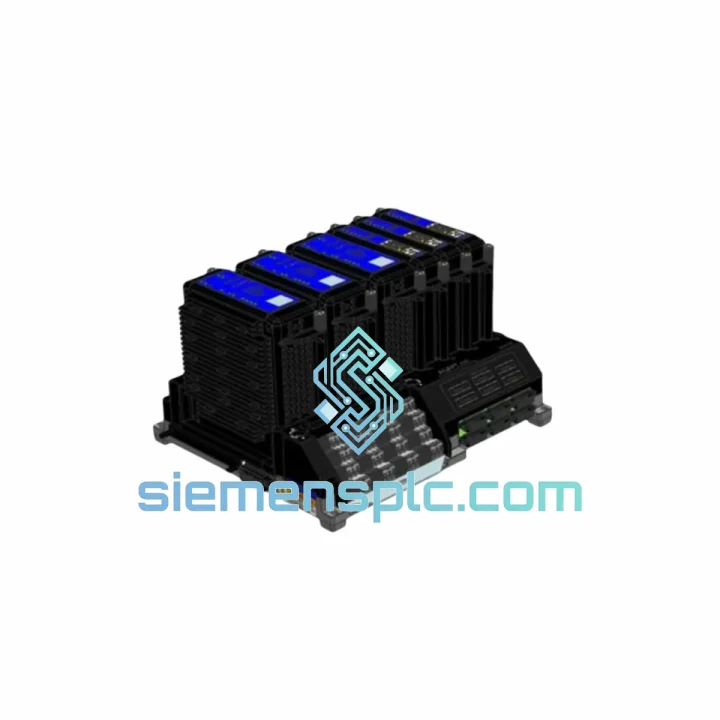
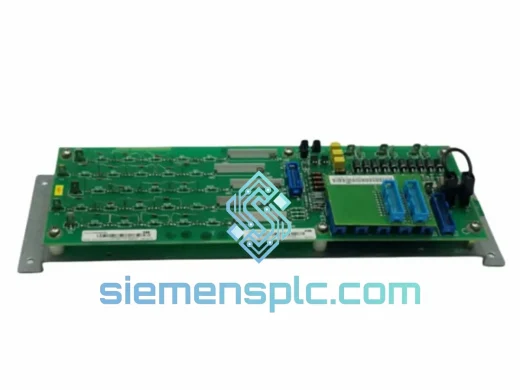
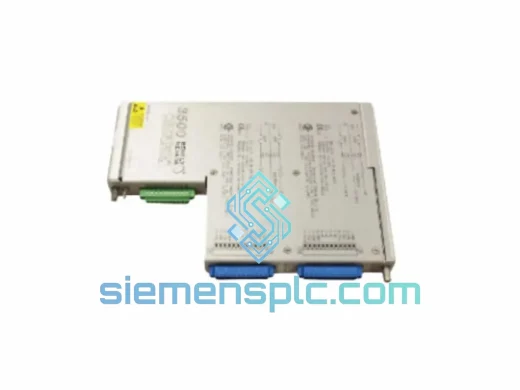
Bently Nevada 3701/55 323174-1 ESD CPU Module

Request verified availability, condition, replacement risk review, packing options and courier lead time for 3701/55.

Exact part3701/55 RFQ auto-fillPart number attached Export packingDHL / FedEx / UPS Sales replyEmail or WhatsApp
BrandBently Nevada Part Number3701/55 ConditionAvailability Check Lead TimeRFQ Confirmation DocumentsDatasheet / photos by RFQ ShippingExport packing available
Auto-filled RFQ 3701/55

Click Request Quote and the part number is inserted into the inquiry form automatically.

Procurement Data

Key Product Information

Core fields for model confirmation and RFQ routing. Detailed product narrative remains below.

Brand
Bently Nevada
Primary Part Number
3701/55
Product Type
ESD Safety CPU Module
Product Family
Other series
Manufacturer
Bently Nevada (Baker Hughes)
Country of Origin
US
Catalog Category
DCS & Safety Modules
Operating Temp.
0 °C to +60 °C
Humidity
5 % to 95 % RH, non-condensing
Model confirmed for inquiry 3701/55 Send quantity, destination and urgency. The RFQ form keeps this part number attached.
Request Quote
Product Overview

3701/55 (323174-1) Down? Every Minute of Turbine Downtime Costs You — We Ship Today

A failed ADAPT ESD CPU is not a scheduled maintenance event. It is a forced production halt. Turbines locked out, compressors offline, safety logic frozen — and your operations team watching the clock. The Bently Nevada 3701/55 (Part No. 323174-1) is the central processing unit of the 3701 ADAPT Emergency Shutdown platform. When it fails, nothing downstream works. We stock this module in Xiamen and ship same-day via DHL Express or FedEx International Priority. From our warehouse to your site in 24–72 hours, depending on destination.

URGENT REQUIREMENT? Contact: [email protected] | WhatsApp: +86 18359268345


Quick Technical Datasheet

Manufacturer Bently Nevada (Baker Hughes)
Full Part Number 323174-1
Catalog / Model No. 3701/55
Module Function ADAPT ESD Central Processing Unit
Platform Series 3701 ADAPT ESD System
Safety Standard IEC 61511 / IEC 61508 (SIL-rated)
Mounting Rack-mount — 3701 ADAPT ESD Chassis (dedicated CPU slot)
Backplane Communication Proprietary Bently Nevada backplane bus
External Protocol Modbus RTU / Modbus TCP; optional OPC
Power Input 24 VDC nominal via rack backplane
Operating Temperature 0 °C to +60 °C
Storage Temperature −40 °C to +85 °C
Humidity 5 % to 95 % RH, non-condensing
Approvals CE, cULus
Unit Weight Approx. 1.6 kg
Stock Status Ready to Ship — Xiamen Warehouse
Lead Time Same-day dispatch on orders confirmed before 15:00 CST
Condition New OEM / Tested Surplus (specify on inquiry)
Country of Origin United States

Troubleshooting & Replacement Tips

Common Failure Indicators on the 3701/55 CPU

Before condemning the CPU module, rule out these upstream causes. A bad CPU is often blamed for faults that originate elsewhere in the rack:

  • FAULT LED solid red, no communication on Modbus: First check the 24 VDC backplane supply voltage at the power module terminals. A sagging rail (below 21.6 V) will cause the CPU to lock up and report a hardware fault. If rail voltage is nominal, the CPU internal watchdog has likely tripped — power-cycle the rack with a 30-second dead time before assuming CPU failure.
  • CPU FAULT + I/O module FAULT LEDs simultaneously: This pattern almost always points to a backplane communication failure, not the CPU itself. Reseat all I/O modules before swapping the CPU. A single module with a bent backplane connector pin can pull the entire bus low.
  • Trip output activated with no process exceedance: Check the CPU configuration for “fail-safe” trip-on-loss-of-communication settings. If the DCS link drops, the CPU may be executing a configured safe-state trip. Verify Modbus watchdog timeout settings in the ADAPT configuration software.
  • CPU boots, passes self-test, but logic does not execute: Firmware mismatch between the CPU and the I/O modules. The 3701/55 firmware version must be compatible with the chassis hardware revision. Request the firmware revision label from the existing CPU before ordering a replacement — we can confirm compatibility before shipment.

Hot-Swap Replacement Procedure (Field-Verified Steps)

  1. Notify the control room and obtain a Management of Change (MOC) permit. The ESD system will be in bypass during CPU replacement — ensure all field operators are aware.
  2. Place the ESD system in bypass mode via the DCS or local bypass key switch. Confirm bypass status on the operator interface before proceeding.
  3. Document the existing CPU firmware revision (label on module faceplate) and the current configuration file version from the ADAPT software. Back up the configuration to a laptop before removal.
  4. Loosen the two captive screws on the 3701/55 faceplate. Grip the extraction handles firmly and pull straight out — do not rock the module side-to-side, as the backplane connector is a high-density press-fit type.
  5. Insert the replacement 3701/55 into the CPU slot. Seat fully until both captive screws engage. Torque to finger-tight plus one quarter turn — over-torquing cracks the faceplate PCB standoffs.
  6. Power up the rack. Allow 90 seconds for the CPU to complete its internal self-test sequence. The FAULT LED will flash amber during boot — this is normal. A solid green RUN LED confirms successful initialization.
  7. If the replacement CPU has a different firmware revision than the original, download the correct firmware via the ADAPT configuration software before loading the application logic.
  8. Load the backed-up configuration file. Verify all I/O module status LEDs show green. Perform a functional trip test on each output channel before releasing the bypass.
  9. Remove bypass, confirm normal operation on DCS, and close the MOC permit.

Configuration Checklist — Do Not Skip

  • Confirm chassis slot addressing: the 3701/55 must occupy the designated CPU slot (slot 0 in most rack configurations). Installing in an I/O slot will result in a persistent FAULT condition.
  • Verify Modbus node address matches the original CPU setting — a mismatch will cause the DCS to lose communication immediately after bypass removal.
  • Check the fail-safe output state configuration: de-energize-to-trip vs. energize-to-trip. This is a firmware parameter, not a hardware jumper on the 3701/55.
  • If the system uses redundant CPUs, the standby CPU must be updated to the same firmware revision as the primary before re-enabling redundancy.

Reliability in Harsh Conditions

The 3701 ADAPT ESD platform was engineered for continuous duty in environments that destroy consumer-grade electronics. The 3701/55 CPU module carries an operating temperature range of 0 °C to +60 °C with storage down to −40 °C — covering everything from arctic pipeline compressor stations to equatorial refinery control rooms without derating. Humidity tolerance up to 95 % RH non-condensing means the module survives coastal and offshore environments where salt-laden air accelerates corrosion on lesser hardware.

Vibration resistance is built into the rack-mount mechanical design: the backplane connector system uses a high-retention press-fit interface that maintains electrical continuity under the continuous low-frequency vibration typical of turbine decks and compressor buildings. Field experience across LNG trains and offshore platforms confirms that properly seated 3701/55 modules do not develop intermittent backplane faults from vibration alone — intermittent faults in vibrating environments almost always trace back to improperly torqued captive screws or a damaged extraction handle that prevents full seating.

The module’s internal components are selected for industrial-grade MTBF. Electrolytic capacitors — the most common long-term failure point in any CPU board — are rated for 105 °C operation, providing substantial derating margin at the module’s 60 °C ambient limit. This translates directly to extended service life in hot control rooms where air conditioning is unreliable. Our tested surplus units are bench-verified for capacitor ESR and power rail stability before shipment, not just powered on and declared functional.


Global Express Logistics

Our dispatch hub is located in Xiamen, Fujian Province, China — one of the most connected export ports in Asia, with direct DHL Express and FedEx International Priority flight connections to major industrial hubs worldwide. Here is exactly how your order moves from our shelf to your site:

  • Order Confirmation (Day 0): You send your inquiry to [email protected] or WhatsApp +86 18359268345. We confirm stock, firmware revision, and pricing within 2 hours during business hours (08:00–18:00 CST, Monday–Saturday).
  • Payment & Export Documentation (Day 0–1): Pro-forma invoice issued within 1 hour of order confirmation. We accept T/T bank transfer, PayPal, and major credit cards. Export documentation — commercial invoice, packing list, Certificate of Origin — is prepared in parallel with payment processing.
  • Packing & Dispatch (Day 1): The 3701/55 module is packed in an ESD-safe anti-static bag, placed in foam-lined inner packaging, and sealed in a double-wall export carton. A humidity indicator card is included for moisture-sensitive shipments. DHL or FedEx airway bill generated and handed to carrier same day for orders confirmed before 15:00 CST.
  • Transit Times (Typical): Southeast Asia 1–2 business days | Middle East 2–3 business days | Europe 2–3 business days | North America 2–4 business days | South America / Africa 3–5 business days. Customs clearance time is additional and varies by destination country.
  • Tracking & Support: Tracking number sent to your email immediately upon dispatch. Our logistics team monitors shipments actively and intervenes with the carrier if customs holds or routing exceptions occur.
  • Customs & HS Code: We declare accurately under the correct HS code for industrial control modules. Mis-declaration is never done — it creates delays, not shortcuts. If your site requires specific customs documentation (Form A, EUR.1, etc.), advise us at order time.

Contact Information

Email: [email protected]
WhatsApp: +86 18359268345
Web: siemensplc.com
© 2026 siemensplc.com. All rights reserved.

Ready to quote

Send This Part Number to Sales

[email protected]
RFQ workflow

Confirmation Process

Quality workflow ->
01Model confirmation

We check the full part number, brand, series and visible nameplate information before quotation.

02Availability reply

Sales confirms stock path, condition option, quantity and realistic lead time for export dispatch.

03Packing & courier

DHL, FedEx, UPS or buyer courier arrangements can be reviewed with packing requirements.