
GE Fanuc
In Stock OK
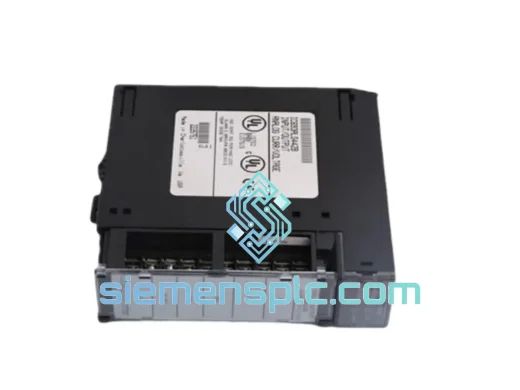
GE IC693CMM321-KM Ethernet Interface Module
Request verified availability, condition, replacement risk review, packing options and courier lead time for IC693CMM321-KM.
BrandGE Fanuc
Part NumberIC693CMM321-KM
ConditionAvailability Check
Lead TimeRFQ Confirmation
DocumentsDatasheet / photos by RFQ
ShippingExport packing available
Auto-filled RFQ
IC693CMM321-KM
Click Request Quote and the part number is inserted into the inquiry form automatically.
- Reply by email: [email protected]
- WhatsApp / Tel: +86 18359268345
- Mon-Sat 9:00-18:00 GMT+8
Procurement Data
Key Product Information
Core fields for model confirmation and RFQ routing. Detailed product narrative remains below.
- Brand
- GE Fanuc
- Primary Part Number
- IC693CMM321-KM
- Product Type
- PLC Communication Module
- Series / Family
- 90-30
- Manufacturer
- GE Fanuc Automation
- Country of Origin
- US
- Catalog Category
- Communication
- Operating Temp.
- 0°C to 60°C
- Humidity
- 5%–95% non-condensing
Model confirmed for inquiry
IC693CMM321-KM
Send quantity, destination and urgency. The RFQ form keeps this part number attached.
Request Quote
Product Overview
GE IC693CMM321-KM — Stop the Clock on Your Downtime. Ship Today from Xiamen.
Your Series 90-30 rack just lost Ethernet comms. The SCADA screen is blank. The shift supervisor is standing behind you. Every minute this line stays down costs real money — and you already know the IC693CMM321-KM is the bottleneck. We stock it. We ship it. DHL Express from Xiamen, door-to-door, typically 2–4 business days to most industrial hubs worldwide. No waiting on a distributor’s lead time. No back-order queue. The module leaves our warehouse the same day you confirm.
URGENT REQUIREMENT? Contact: [email protected] | WhatsApp: +86 18359268345
Quick Technical Datasheet
| Part Number | IC693CMM321-KM ✅ Ready to Ship |
| Manufacturer | GE Fanuc Automation |
| Series | Series 90-30 |
| Module Type | Ethernet Interface / Communication Module |
| Network Protocol | TCP/IP, SRTP, Modbus TCP |
| Physical Interface | 10/100 Mbps Ethernet — RJ-45 |
| Supported Services | SRTP Server/Client, Modbus TCP Server, FTP, PING, BOOTP/DHCP |
| Max Simultaneous Connections | 8 SRTP sessions |
| Rack Compatibility | Any Series 90-30 5-slot or 10-slot rack — single slot |
| Operating Temperature | 0°C to 60°C |
| Storage Temperature | -40°C to 85°C |
| Humidity | 5%–95% non-condensing |
| Configuration Tool | GE Proficy Machine Edition / VersaPro |
| IP Assignment | Static or BOOTP/DHCP |
| Weight | ~200 g |
| Origin | USA |
| Stock Status | ✅ In Stock — Ships Same Business Day |
Troubleshooting & Replacement Tips
Swapping an IC693CMM321-KM is not a plug-and-play operation if you skip the configuration steps. Here is what actually matters on the bench:
1. IP Address — Static vs. BOOTP
The replacement module ships with factory defaults. If your network does not run a BOOTP server, the module will not acquire an IP and the FAULT LED will stay solid. Before you seat the card, open Machine Edition, go to the Hardware Configuration → CMM321 properties, and pre-load the static IP, subnet mask, and gateway. Download the hardware config to the CPU before powering the new module. This saves you a second trip to the panel.
2. Firmware Revision Matching
The “-KM” suffix is a hardware/firmware revision designator. Mixing revisions in a redundant or multi-rack system can cause SRTP handshake failures. Pull the label on the failed module and confirm the revision letter matches your spare. If you are unsure, check the CPU firmware version — Series 90-30 CPUs below firmware 9.x have known compatibility constraints with later CMM321 revisions.
3. Common Fault Codes
- Fault Code 0x0041 — Ethernet Link Down: Cable or switch port issue. Verify the switch port is set to auto-negotiate; some older managed switches need to be forced to 10/100 Full Duplex to match the CMM321.
- Fault Code 0x0080 — Configuration Mismatch: The hardware config stored in the CPU does not match the physical module. Re-download hardware configuration from Machine Edition.
- Fault Code 0x00C0 — SRTP Connection Refused: Usually a firewall or VLAN segmentation issue. Confirm TCP port 18245 is open between the SCADA server and the module IP.
- Solid RED LED on module, no fault logged: Module failed self-test during power-up. Reseat the module. If the LED stays red after reseating, the module is defective — this is the scenario where a pre-tested spare from stock eliminates a 3-hour diagnostic loop.
4. Slot Position
The CMM321-KM can occupy any slot in the rack except slot 0 (reserved for the CPU). However, if your existing hardware config has the module assigned to a specific slot number, the replacement must go into the same slot — otherwise the CPU will log a configuration fault and disable the module.
5. Post-Replacement Verification
After seating the module and powering up: ping the module IP from your engineering workstation first. Then open Machine Edition → Target → Go Online → verify the CMM321 shows OK status in the hardware config view. Finally, confirm SRTP connections from your SCADA server re-establish within 30 seconds. If they do not, check the SCADA server’s station address table — it may have cached the old module’s MAC address.
Reliability in Harsh Conditions
The IC693CMM321-KM was designed for the factory floor, not the server room. GE Fanuc validated this module against the full Series 90-30 environmental qualification suite: sinusoidal vibration per IEC 60068-2-6 (10–57 Hz, 0.075 mm displacement; 57–150 Hz, 1g), shock per IEC 60068-2-27 (15g, 11 ms half-sine), and thermal cycling across the full 0–60°C operating range with no derating. The conformal-coated PCB resists condensation and airborne contaminants common in food processing, chemical, and coastal installations. The RJ-45 connector is recessed and mechanically retained — it does not work loose under vibration the way snap-fit connectors on cheaper communication cards do. In high-EMI environments (variable frequency drives, large motor starters), the module’s shielded design and compliance with IEC 61000-4-2 through IEC 61000-4-6 immunity standards mean it keeps communicating when lesser hardware drops packets or resets. This is not marketing language — it is the reason plant engineers continue to specify Series 90-30 hardware in brownfield expansions rather than migrating to newer platforms that have not yet accumulated the same field hours.
Global Express Logistics
Our warehouse is located in Xiamen, Fujian Province — one of China’s primary export hubs with direct access to DHL Express, FedEx International Priority, and UPS Worldwide Express gateways. Here is the actual flow from your order to your panel:
- Order Confirmed (Day 0): Payment or PO received before 15:00 CST triggers same-day pick, test, and pack. The module is wrapped in anti-static foam, sealed in a moisture-barrier bag with a humidity indicator card, and boxed with a printed packing list and certificate of conformance.
- Customs Export (Day 0–1): We pre-classify the IC693CMM321-KM under HS code 8537.10 and prepare the commercial invoice, packing list, and any required export documentation. Xiamen Customs clearance for standard industrial electronics is typically same-day.
- DHL/FedEx Transit (Day 1–4): Typical transit times — Southeast Asia: 1–2 days. Europe: 2–3 days. North America: 2–4 days. Middle East / South Asia: 2–3 days. Australia: 3–4 days. A tracking number is sent to you within 2 hours of carrier pickup.
- Destination Customs: We provide a detailed commercial invoice with accurate declared value and HS code to minimize customs holds. For customers in the EU, we can provide EORI-compatible documentation. For US imports, we declare under the correct HTS code to avoid unnecessary CBP delays.
- Delivery: Door-to-door to your facility. If your site requires a specific delivery window or loading dock appointment, advise us at order time and we will coordinate with the carrier.
For genuine emergencies — line down, production stopped — contact us on WhatsApp before placing the order. We will confirm stock, pull the unit, and have it at the carrier hub within hours.
Contact Information
Email: [email protected]
WhatsApp: +86 18359268345
Web: siemensplc.com
© 2026 siemensplc.com. All rights reserved.
Ready to quote
[email protected]
Send This Part Number to Sales
RFQ workflow
Quality workflow ->
Confirmation Process
01Model confirmation
We check the full part number, brand, series and visible nameplate information before quotation.
02Availability reply
Sales confirms stock path, condition option, quantity and realistic lead time for export dispatch.
03Packing & courier
DHL, FedEx, UPS or buyer courier arrangements can be reviewed with packing requirements.
Continue sourcing
Browse full catalog ->
Related Automation Parts
Similar brand or category products for fast comparison and multi-item RFQ lists.
GE Fanuc
RFQ Ready
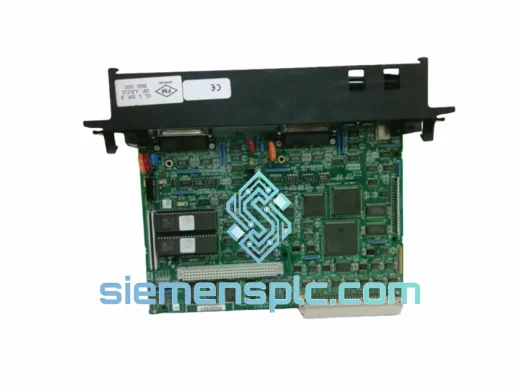
GE Fanuc IC697CMM712 Serial Communications Module
Fanuc
Origin US
Serial Communications Module
GE Fanuc
RFQ Ready
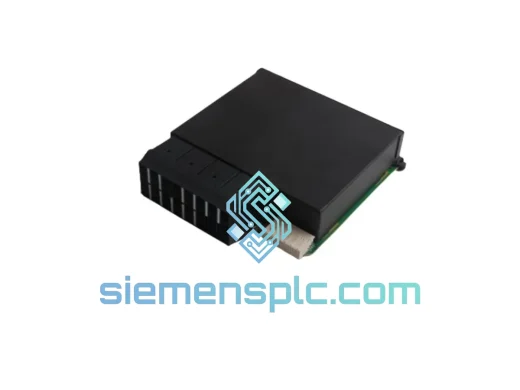
GE Fanuc 8421-CC-PS PLC Communication Power Supply Module – Series 90-30
Fanuc
Origin US
PLC Communication Power Supply Module
GE Fanuc
RFQ Ready
GE Fanuc PCI-5565PIORC-110000 Reflective Memory Card – 5565 Series
Fanuc
Origin US
Reflective Memory Card