GE
RFQ Ready
GE UR7HH Inter-Relay Communications Module
UR Series
Origin US
Inter-Relay Communications Module
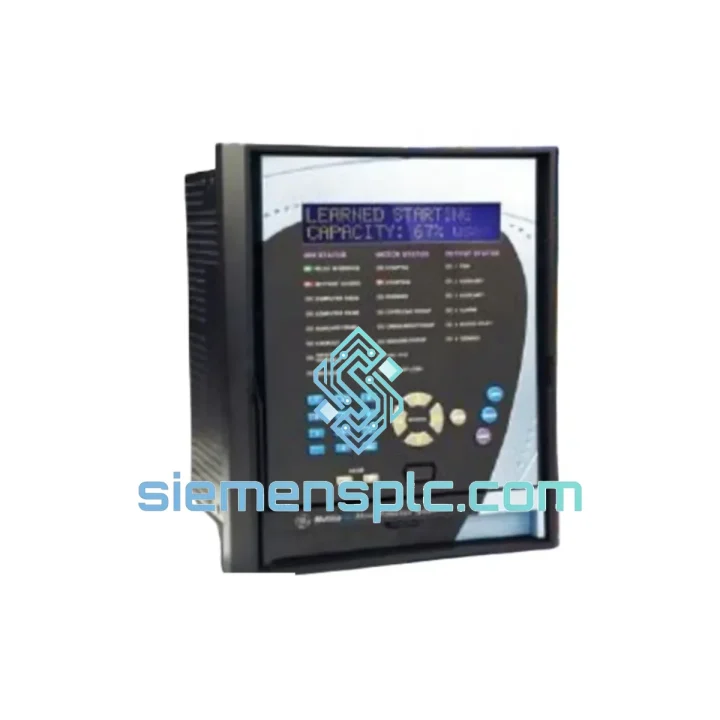
Request verified availability, condition, replacement risk review, packing options and courier lead time for SR469-P5-HI-A20.
Click Request Quote and the part number is inserted into the inquiry form automatically.
Core fields for model confirmation and RFQ routing. Detailed product narrative remains below.
Your motor tripped. The SR469 relay is dark. Production is at zero. Every minute you spend sourcing a replacement is money bleeding out of the plant — and you already know that. The GE SR469-P5-HI-A20 is on our shelf in Xiamen right now. We’ve shipped this exact model to petrochemical plants in the Middle East, mining operations in Australia, and power stations across Southeast Asia — all on emergency timelines. This page exists because downtime doesn’t wait for a procurement cycle.
URGENT REQUIREMENT? Contact: [email protected] | WhatsApp: +86 18359268345
| Parameter | Value |
|---|---|
| Full Part Number | SR469-P5-HI-A20 |
| Manufacturer | GE / GE Grid Solutions |
| Series | SR469 Motor Management Relay System |
| Ground Fault Option | HI — High-Impedance Ground Fault Detection |
| Communication Option | P5 — RS-485 Modbus RTU |
| Auxiliary Power Supply | A20 — Wide-Range AC/DC Input |
| CT Input | Standard 5A secondary |
| RTD Inputs | Up to 12 × 100Ω Pt RTD (stator + bearing) |
| Protection Functions | Thermal overload, phase unbalance, undercurrent, overcurrent, ground fault, starts-per-hour, jam, stall |
| Mounting | Panel / drawout rack |
| Standards | IEC, ANSI/IEEE motor protection |
| Weight | 7.3 kg |
| Stock Status | ✅ Ready to Ship — Xiamen Warehouse |
Ten years on the floor taught me one thing: most SR469 swap-outs fail not because of the hardware, but because of configuration oversights. Here’s what actually matters when you’re pulling the old unit and racking in the new one.
1. Settings Backup Before You Touch Anything
If the old relay is still partially functional, connect via RS-485 and pull the full settings file using EnerVista SR469 Setup software before you cut power. A dead relay with no backup means you’re rebuilding setpoints from scratch — and that’s where commissioning errors happen. If the relay is completely dead, check the panel documentation binder or the DCS historian for the last uploaded configuration snapshot.
2. Firmware Version Matching
The SR469 has had multiple firmware revisions. If your SCADA or DCS was communicating with a specific firmware version, verify the replacement unit’s firmware before energizing. Modbus register maps shifted between certain firmware releases — a mismatch can cause the master to read incorrect values or fail to write setpoints. Check the firmware label on the rear of the unit and compare against your existing Modbus map documentation.
3. HI Ground Fault Sensitivity — Don’t Skip This
The HI variant uses a dedicated high-impedance ground fault input circuit. When reinstalling, verify the ground fault CT wiring polarity and confirm the pickup threshold is set correctly for your system’s grounding resistance. A common field error is leaving the HI pickup at factory default after replacement — this can result in either nuisance trips or missed faults depending on your system impedance. Typical field-set values range from 0.1A to 1.0A depending on the grounding resistor rating.
4. RTD Input Verification
After installation, perform a point-by-point RTD check. Confirm each RTD channel reads a plausible temperature (ambient ±5°C with motor cold). An open RTD input will trigger an RTD fault alarm and may inhibit motor starting depending on your configuration. Shorted RTD inputs read near 0°C — both conditions are easy to catch before you attempt a motor start.
5. Common Fault Codes in the Field
6. Drawout Rack Contacts
If your installation uses a drawout relay case, inspect the rack contacts for oxidation or mechanical wear before inserting the new unit. A high-resistance contact in the CT circuit is a safety hazard and will cause metering errors. Clean with contact cleaner and verify continuity with a low-resistance ohmmeter before racking in.
The SR469 platform was not designed for a climate-controlled server room. It was built for the environments where motors actually live — and those environments are hostile.
In the field, we’ve seen SR469 units operating continuously in coastal petrochemical plants where salt-laden air accelerates corrosion on every exposed surface. We’ve seen them in underground mining substations where vibration from blasting and heavy equipment is a constant background condition. We’ve seen them in steel mill auxiliary panels where ambient temperatures regularly exceed 50°C and thermal cycling is severe.
The SR469’s sealed housing and conformal-coated PCBs provide meaningful protection against humidity and airborne contaminants. The relay’s internal power supply is designed to handle the voltage sags and transients common in industrial distribution systems — the A20 option’s wide input range is not a marketing specification, it’s a practical necessity in plants where supply quality is variable.
Vibration tolerance is a real consideration for relay hardware. The SR469’s mechanical design accounts for the shock and vibration profiles typical of industrial panel installations. That said, if your installation is in an exceptionally high-vibration environment — adjacent to large reciprocating compressors or heavy presses — verify that the relay mounting hardware is secure and that no terminal connections have worked loose during the previous unit’s service life.
For installations in high-humidity environments, inspect the relay’s ventilation slots for dust accumulation and verify that the panel enclosure’s IP rating is appropriate for the ambient conditions. A relay that meets its own environmental specifications will still fail prematurely if the enclosure it lives in is inadequate.
Our warehouse is in Xiamen, China — one of the country’s primary export hubs with direct access to international freight lanes. When you confirm an order, here’s what happens:
Day 0 — Order Confirmation: Payment confirmed, unit pulled from shelf, pre-shipment inspection completed. Export documentation prepared: commercial invoice, packing list, certificate of origin, and HS code classification (HS 8536.49 for protection relays).
Day 1 — Dispatch: Unit packed in anti-static foam with outer carton rated for international freight handling. Handed to DHL Express or FedEx International Priority depending on destination and your preference. Tracking number issued within 2 hours of pickup.
Transit Times (typical, not guaranteed):
For genuine emergencies — plant shutdown, safety system offline — contact us directly on WhatsApp before placing an order. We can confirm stock, arrange same-day dispatch for orders received before 14:00 CST, and coordinate with your freight forwarder if you have a preferred carrier or customs broker.
All shipments include full export documentation. We have experience with customs requirements across major industrial importing countries and can provide additional documentation (test reports, material certificates, country of origin declarations) where required by your customs authority.
Email: [email protected]
WhatsApp: +86 18359268345
Web: siemensplc.com
© 2026 siemensplc.com. All rights reserved.
We check the full part number, brand, series and visible nameplate information before quotation.
Sales confirms stock path, condition option, quantity and realistic lead time for export dispatch.
DHL, FedEx, UPS or buyer courier arrangements can be reviewed with packing requirements.
Similar brand or category products for fast comparison and multi-item RFQ lists.