GE
RFQ Ready
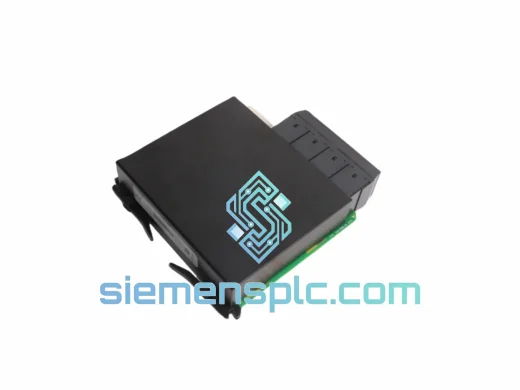
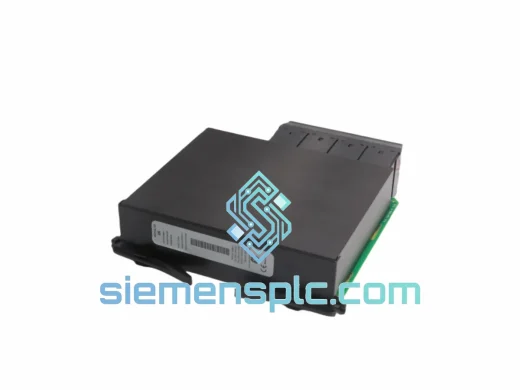
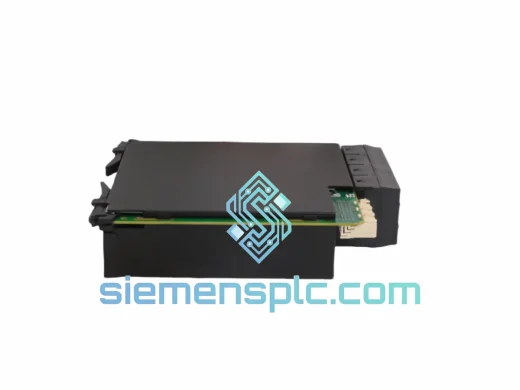
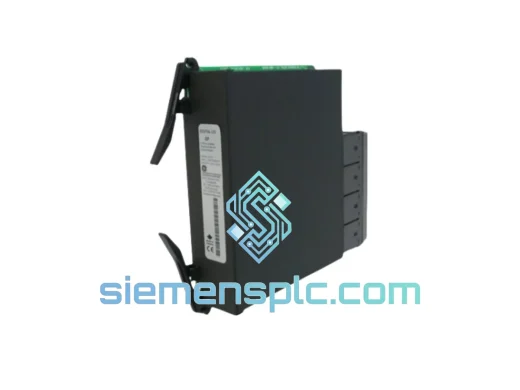
GE UR 6PH Digital I/O Module
Universal Relay Series
Origin US
Protection Relay I/O Module
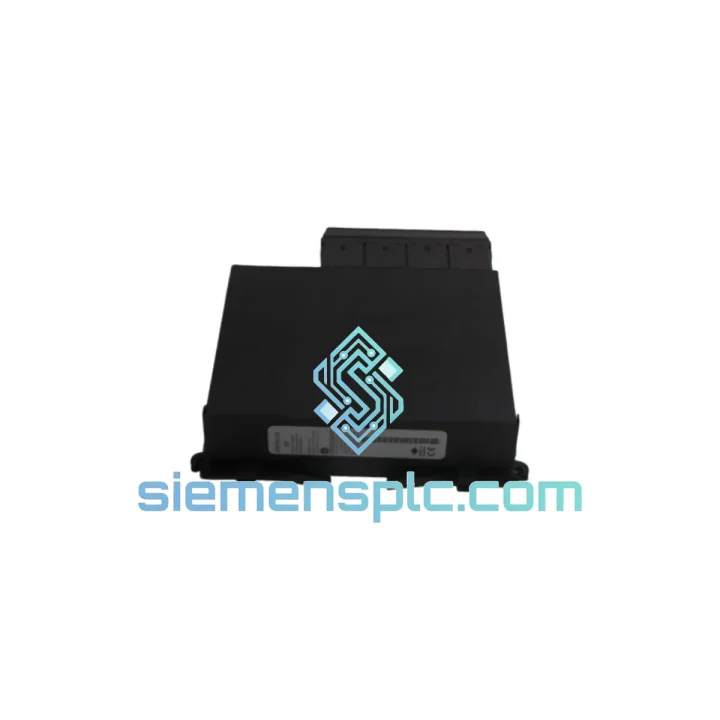
Request verified availability, condition, replacement risk review, packing options and courier lead time for UR 6PH UR6PH.
Click Request Quote and the part number is inserted into the inquiry form automatically.
Core fields for model confirmation and RFQ routing. Detailed product narrative remains below.
A failed digital I/O module in a GE Universal Relay chassis is not a scheduled maintenance event. It is a crisis. Breaker trip outputs go silent. Contact inputs stop registering fault conditions. Your protection scheme is blind. SCADA alarms stack up while your operations team scrambles for a part number that most distributors cannot locate on short notice. We stock the GE UR6PH specifically for this scenario — verified, packed, and ready to leave Xiamen on the next available DHL or FedEx flight.
The UR6PH is a plug-in digital I/O expansion module for GE’s Universal Relay (UR) Series platform — the backbone of protection relay infrastructure in substations, industrial switchgear panels, and renewable energy collector stations worldwide. When this card fails, there is no workaround. You either have a replacement in hand or your protection relay is offline. We have made it our business to be the supplier you call when no one else can deliver.
URGENT REQUIREMENT? Contact: [email protected] | WhatsApp: +86 18359268345
| Parameter | Detail |
|---|---|
| Part Number | UR6PH / UR 6PH |
| Manufacturer | GE Grid Solutions (formerly GE Multilin) |
| Series | Universal Relay (UR) Series |
| Module Function | Digital Contact Input / Output Expansion |
| Form Factor | UR Series plug-in card (rear-chassis slot) |
| Compatible Chassis | T35, T60, L90, D60, C60, F60, G60, M60, B30, B90 and other UR frames |
| Operating Temperature | -20°C to +60°C (per UR Series platform spec) |
| Humidity | 5% to 95% non-condensing |
| Weight | 980 g |
| Origin | USA (GE Grid Solutions) |
| Condition | New / Tested — specify on inquiry |
| Stock Status | ✅ Ready to Ship — Xiamen Warehouse |
Common failure signatures for the UR6PH:
MODULE FAIL or CARD ERROR on the UR Series self-test display — this is the most direct indicator of a failed I/O card.Replacement procedure — field notes:
MODULE FAIL persists, re-check slot assignment and firmware compatibility before assuming the replacement card is defective.Configuration note on I/O assignment: After card replacement, verify that the I/O channel assignments in your settings file match the physical wiring. If the previous card had custom FlexLogic assignments for specific input or output channels, these are stored in the settings file — they will restore correctly as long as the card revision supports the same channel count. If you are substituting a different sub-variant of the 6PH card, re-verify channel mapping before energizing.
The GE Universal Relay platform was engineered for continuous unattended operation in environments that would destroy consumer-grade electronics within weeks. The UR6PH card inherits this design philosophy at the component level.
Substations are not clean rooms. The UR6PH operates across a wide thermal range — from cold-start conditions in unheated outdoor switchgear enclosures in northern climates to sustained high-ambient temperatures in desert utility installations. The card’s PCB uses conformal coating to resist condensation and airborne contaminants including sulfur compounds common in industrial and coastal substation environments.
Vibration is a constant in industrial installations — transformer hum, switchgear operation, and mechanical shock from nearby breaker trips all transmit through the relay panel structure. The UR chassis and its plug-in modules are designed to IEC 60255 mechanical robustness standards, with card connectors rated for repeated insertion cycles without contact degradation.
Electromagnetic interference in HV substations is severe. The UR Series platform meets IEC 61000-4 immunity standards across conducted and radiated EMI categories. The digital I/O circuitry on the UR6PH includes optical isolation on contact inputs, ensuring that high-voltage transients on field wiring do not propagate into the relay’s logic circuits — a critical design feature that protects both the card and the relay CPU during switching events.
Every unit we dispatch has been stored in climate-controlled conditions and inspected for connector integrity, PCB condition, and label authenticity. We do not ship modules that have been sitting in uncontrolled warehouse environments with degraded connectors or oxidized contacts.
Our dispatch hub is in Xiamen, China — a major international cargo gateway with daily DHL Express and FedEx International Priority departures to every major industrial region. When you confirm an order before 14:00 CST, same-day dispatch is standard for in-stock items.
Typical transit times from Xiamen:
All shipments include full commercial invoice, packing list, and country-of-origin documentation required for customs clearance. We support DDP (Delivered Duty Paid) terms for customers who require a landed cost with no customs surprises. EXW and FOB Xiamen terms are also available for customers with their own freight forwarders.
For genuine emergency situations — plant shutdown, production line stopped, safety system offline — contact us directly via WhatsApp for real-time stock confirmation and same-day booking. We have coordinated next-flight-out shipments for customers facing critical downtime situations. That is not a marketing claim; it is a service we have delivered repeatedly to maintenance teams who had no other option.
Export documentation for controlled industrial components is handled in-house. We are experienced with export compliance for GE Grid Solutions products across all major destination markets and can provide the documentation your customs broker requires without delays.
Email: [email protected]
WhatsApp: +86 18359268345
Web: siemensplc.com
© 2026 siemensplc.com. All rights reserved.
We check the full part number, brand, series and visible nameplate information before quotation.
Sales confirms stock path, condition option, quantity and realistic lead time for export dispatch.
DHL, FedEx, UPS or buyer courier arrangements can be reviewed with packing requirements.
Similar brand or category products for fast comparison and multi-item RFQ lists.