Siemens PLC sourcing desk · Multi-brand automation spares [email protected] +86 18359268345
Request Quote
Honeywell In Stock OK

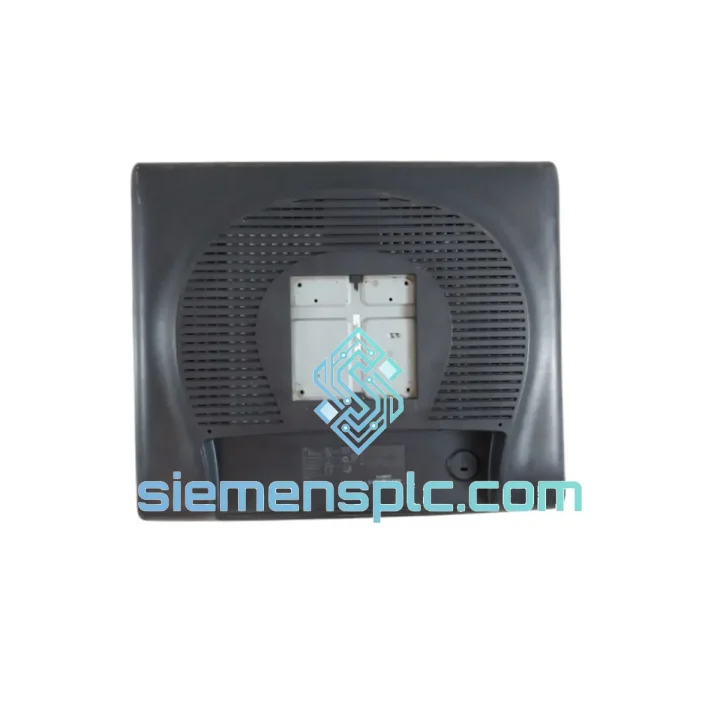
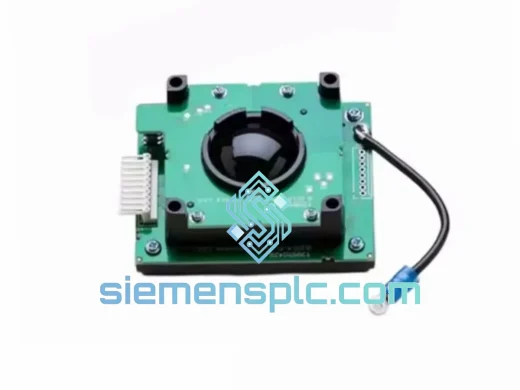
Honeywell 51153996-100 ET1915L-8CWA-1-RGNM-G HMI Monitor

Request verified availability, condition, replacement risk review, packing options and courier lead time for 51153996-100.

Exact part51153996-100 RFQ auto-fillPart number attached Export packingDHL / FedEx / UPS Sales replyEmail or WhatsApp
BrandHoneywell Part Number51153996-100 ConditionAvailability Check Lead TimeRFQ Confirmation DocumentsDatasheet / photos by RFQ ShippingExport packing available
Auto-filled RFQ 51153996-100

Click Request Quote and the part number is inserted into the inquiry form automatically.

Procurement Data

Key Product Information

Core fields for model confirmation and RFQ routing. Detailed product narrative remains below.

Brand
Honeywell
Primary Part Number
51153996-100
Product Type
Industrial HMI Monitor
Series / Family
Experion PKS
Country of Origin
US
Catalog Category
HMI Panels
Model confirmed for inquiry 51153996-100 Send quantity, destination and urgency. The RFQ form keeps this part number attached.
Request Quote
Product Overview

Honeywell 51153996-100 ET1915L-8CWA-1-RGNM-G — Stop the Clock on Your Downtime

Every minute your Experion PKS operator station is dark, your plant is bleeding money. A failed HMI monitor in a refinery control room or a chemical batch process isn’t a maintenance ticket — it’s a production crisis. The Honeywell 51153996-100 (ET1915L-8CWA-1-RGNM-G) is the exact OEM-specified 19-inch touch monitor for Experion PKS, TPS, and PlantScape operator workstations. We stock it. We ship it today. From Xiamen to your site via DHL or FedEx — tracked, documented, and ready to bolt in.

No substitutes. No grey-market risk. This is the part your system was validated against.

URGENT REQUIREMENT? Contact: [email protected] | WhatsApp: +86 18359268345

Quick Technical Datasheet

Parameter Specification Status
Part Number 51153996-100 ✅ Ready to Ship
Model ET1915L-8CWA-1-RGNM-G
Brand Honeywell (Elo Touch OEM) 100% Original
Series Experion PKS / TotalPlant HMI
Display Size 19 inch diagonal
Panel Type LCD TFT Active Matrix
Touch Technology CarrollTouch Infrared / Resistive
Resolution 1280 × 1024 (SXGA)
Brightness 250 cd/m²
Contrast Ratio 1000:1
Video Interface VGA
Touch Interface USB + RS-232 Serial
Power Input 100–240 VAC, 50/60 Hz
Operating Temp 0°C to +40°C
Storage Temp -20°C to +60°C
Front Panel Rating NEMA 4 / IP54
Mounting Panel mount / VESA 100mm
Weight ~7.5 kg
Certifications UL, CE, FCC Class A
Origin USA
Shipping Lead Time Same-day / Next-day dispatch ✅ In Stock

Troubleshooting & Replacement Tips

Swapping a 51153996-100 in a live Experion PKS environment is straightforward if you follow the sequence. Skip steps and you’ll be chasing ghost faults for hours.

Pre-Replacement Checklist

  • Confirm the fault is the monitor, not the video card on the Flex Station or ESVT chassis. Plug a known-good VGA source into the monitor’s VGA input before pulling the unit.
  • Check the Experion Station Manager for any active HMI node alarms — a monitor failure often generates a “Display Device Fault” or “Operator Station Offline” alarm in the PKS event journal.
  • Note the current touch calibration settings. If the replacement unit uses the same CarrollTouch IR frame, calibration data may not transfer automatically — you’ll need to re-run the Elo TouchTools calibration utility post-swap.
  • Verify the VGA cable is seated and the locking screws are finger-tight. Loose VGA connectors on vibrating panels are a leading cause of intermittent display faults misdiagnosed as monitor failure.

Replacement Sequence

  • Power down the operator station via the Experion Station Manager shutdown procedure — do not hard-cut power to the chassis while the PKS server has an active connection to the node.
  • Label and photograph all cable connections before disconnecting. The ET1915L uses a non-standard power brick in some console configurations — confirm the replacement unit’s power input matches your existing supply.
  • Mount the replacement unit and reconnect VGA, USB touch, and power. If your installation uses the RS-232 touch interface instead of USB, ensure the COM port assignment in Device Manager matches the original configuration.
  • Power on and enter the Elo TouchTools calibration sequence. For Experion PKS R400 and above, the touch driver is pre-loaded on the Flex Station — no additional driver installation is required.
  • Verify the Experion HMI display renders correctly at 1280×1024. If the station defaults to a lower resolution, right-click the desktop, select Display Properties, and force SXGA resolution.
  • Acknowledge any residual HMI node alarms in the Experion Alarm Summary and confirm the operator station returns to “Normal” status in Station Manager.

Common Fault Codes Associated with This Monitor

  • “No Signal” on screen with active VGA source — Check VGA cable continuity and the video output card in the Flex Station chassis. The ET1915L’s VGA input is passive; if the source card is dead, the monitor is not the culprit.
  • Touch input unresponsive after replacement — Re-run Elo TouchTools calibration. If using USB touch, check Windows Device Manager for a “HID-compliant touch screen” entry. Missing entry indicates a USB enumeration failure — try a different USB port on the chassis.
  • Intermittent display flicker — Almost always a VGA cable or connector issue in high-vibration environments. Replace the VGA cable with a shielded, locking-connector variant rated for industrial use.
  • Backlight failure (dark screen, image visible under flashlight) — The CCFL backlight in older ET1915L units has a finite lifespan. This is a monitor-level failure; the 51153996-100 replacement resolves it directly.

Reliability in Harsh Conditions

The ET1915L-8CWA-1-RGNM-G was not designed for an office. Honeywell specified this unit for control rooms where ambient temperature swings, airborne particulates, and chemical vapor exposure are daily realities.

The front bezel carries a NEMA 4 / IP54 rating — it shrugs off water splashes, dust ingress, and the occasional solvent wipe-down that’s standard practice in petrochemical and pharmaceutical control rooms. The CarrollTouch infrared frame operates reliably with heavy industrial gloves, eliminating the operator frustration that kills productivity on capacitive-only panels in PPE-mandatory zones.

Internally, the unit is built to tolerate the low-frequency vibration endemic to compressor houses and pump stations. The panel mount configuration eliminates the mechanical stress points that destroy desktop-style monitors in high-vibration enclosures. Operating range of 0°C to +40°C covers the vast majority of climate-controlled control room environments globally, and the -20°C storage rating means units can be warehoused in unheated facilities without degradation.

Every unit we ship has been power-on tested, display uniformity verified, and touch calibration confirmed before it leaves our facility. ESD-safe anti-static packaging with foam cushioning protects the panel through the full international freight cycle — from our warehouse in Xiamen to your receiving dock, regardless of whether it travels by air express or sea freight.

Global Express Logistics

Our dispatch hub is in Xiamen, China — one of the most connected export ports in Asia, with daily DHL and FedEx international freight departures. When you confirm an order before 14:00 CST, same-day dispatch is standard. Here’s how the logistics chain works:

  • Order Confirmation — You receive a proforma invoice within 2 hours of inquiry. Payment via T/T bank transfer, PayPal, or trade assurance. LC available for large orders.
  • Export Documentation — Commercial invoice, packing list, certificate of origin, and any required export licenses are prepared in parallel with packing. No delays at customs from missing paperwork.
  • Carrier Selection — DHL Express for most destinations (1–3 business days to EU, Middle East, Southeast Asia). FedEx International Priority for North America. Sea freight available for multi-unit orders where lead time permits.
  • Real-Time Tracking — Tracking number issued within 4 hours of dispatch. You get a direct DHL/FedEx tracking link — no intermediary portal, no chasing updates.
  • Customs Clearance Support — We provide HS code documentation and can prepare destination-specific customs declarations to minimize clearance delays at your port of entry.
  • Delivery Confirmation — Proof of delivery shared automatically. For urgent plant shutdowns, we can coordinate with your site logistics team directly to ensure the part meets your maintenance window.

Typical transit times: Singapore / Malaysia 1–2 days, UAE / Saudi Arabia 2–3 days, Germany / Netherlands 2–3 days, USA / Canada 3–5 days. These are DHL Express estimates under normal customs conditions.

Contact Information

Plant down? Don’t wait. Reach us directly:

© 2026 siemensplc.com. All rights reserved.

Ready to quote

Send This Part Number to Sales

[email protected]
RFQ workflow

Confirmation Process

Quality workflow ->
01Model confirmation

We check the full part number, brand, series and visible nameplate information before quotation.

02Availability reply

Sales confirms stock path, condition option, quantity and realistic lead time for export dispatch.

03Packing & courier

DHL, FedEx, UPS or buyer courier arrangements can be reviewed with packing requirements.