Honeywell
RFQ Ready
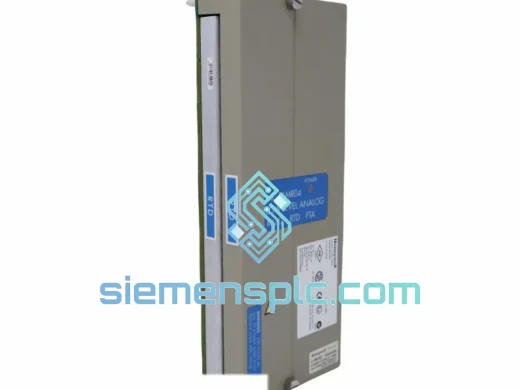
Honeywell DC-TAIX01 Analog Input Module
TDC 3000
Origin US
DCS Analog Input Module
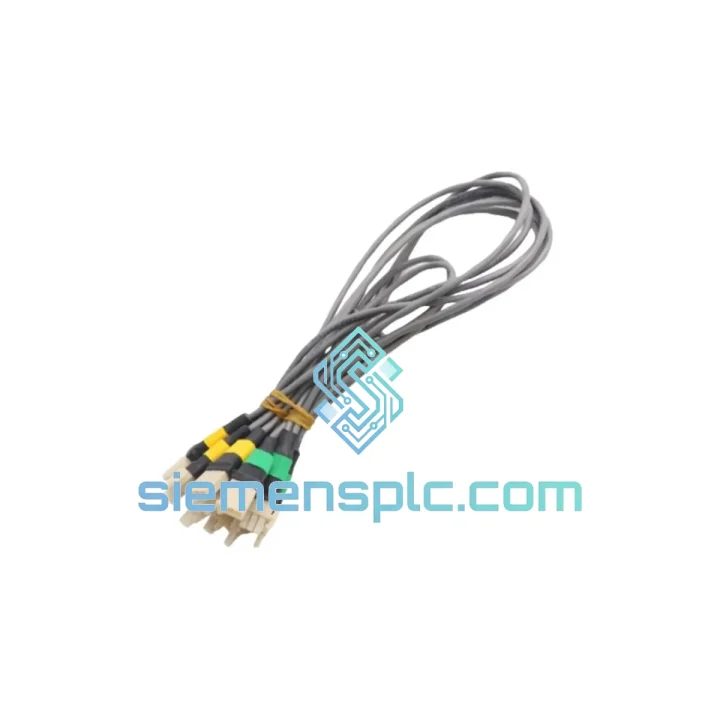
Request verified availability, condition, replacement risk review, packing options and courier lead time for 51202329-102.
Click Request Quote and the part number is inserted into the inquiry form automatically.
Core fields for model confirmation and RFQ routing. Detailed product narrative remains below.
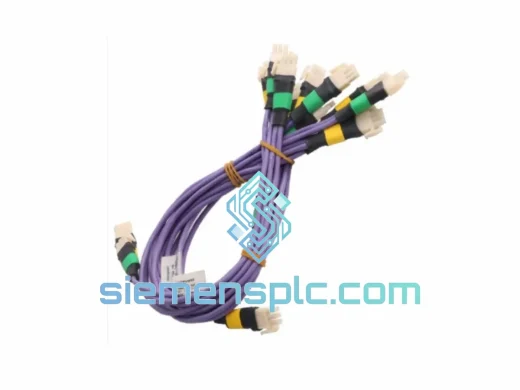
Every minute a TDC 3000 or TotalPlant Solution (TPS) cabinet sits dark costs real money. A failed I/O Link Cable Pair — part numbers 51202329-102 and 51202329-202 — is one of the most underestimated single points of failure in the entire system. No redundancy covers a severed physical link. No software patch fixes a broken shield. You need the exact matched pair, verified, in your hands, fast. That is what this listing is.
We stock the Honeywell 51202329-102 / 51202329-202 I/O Link Cable Pair in Xiamen, China, and ship globally via DHL and FedEx Express. From the moment you confirm your order, our warehouse team pulls, inspects, and hands off to the courier — typically within 24 hours. For plants in Southeast Asia, the Middle East, and Europe, that means parts on-site in 2–5 business days. Not weeks. Days.
URGENT REQUIREMENT?
📧 Email: [email protected]
📱 WhatsApp: +86 18359268345
| Part Numbers | 51202329-102 (Cable A) & 51202329-202 (Cable B) — must be used as a matched pair |
| Manufacturer | Honeywell Process Solutions |
| Compatible Platform | TDC 3000 / TotalPlant Solution (TPS) |
| Function | I/O Link inter-module communication — ILM to FTA / Process Manager backplane |
| Cable Construction | Shielded twisted-pair, foil + braid, OEM-specified impedance |
| Connector | Honeywell proprietary keyed connector, both ends — mis-seating physically prevented |
| Compatible Modules | ILM, HPPM, APM, PM — all TDC 3000 / TPS process manager variants |
| Signal Protocol | Honeywell I/O Link (proprietary, bidirectional) |
| Operating Temperature | 0 °C to +60 °C (cabinet-rated continuous duty) |
| Country of Origin | United States |
| Condition | New / Surplus New / Refurbished — specify at inquiry |
| Stock Status | ✔ Ready to Ship — Xiamen Warehouse |
Fault Signature — How You Know It’s the Cable
Before you pull the cable, confirm the fault pattern. A failed 51202329-102 / -202 pair typically presents as one or more of the following on the TDC 3000 / TPS operator console:
Step-by-Step Replacement Procedure
Configuration Notes — Nothing to Configure
Unlike active modules (ILMs, HPPMs), the 51202329-102 / -202 cable pair requires zero configuration. There are no DIP switches, no firmware, no address settings. It is a passive interconnect. The only variable is physical integrity. If the cable is correctly seated and undamaged, the segment comes up. If it does not, the fault is elsewhere — check the ILM module itself or the FTA termination block.
Common Mistakes That Waste Time
TDC 3000 and TPS cabinets are installed in some of the most demanding environments on earth — refinery control rooms with ambient temperatures pushing 45 °C, offshore platforms with constant vibration and salt-laden air, and chemical plants where cabinet doors are opened and closed dozens of times per shift. The 51202329-102 / -202 cable pair is built to survive all of it.
The foil-plus-braid dual-shield construction is not a cost-cutting measure — it is a deliberate engineering choice. Foil provides 100% coverage against high-frequency EMI from variable-frequency drives and switching power supplies. The braid adds mechanical strength and low-impedance ground continuity that foil alone cannot maintain under repeated flexing. In a cabinet environment where cables are disturbed during every maintenance cycle, this matters.
The keyed connector housing is rated for a minimum of 500 mating cycles — far beyond what any cable in a fixed installation will ever see. The locking tab mechanism maintains a positive retention force of several kilograms, meaning the connector will not back out under the vibration levels specified in Honeywell’s TDC 3000 installation standards (IEC 60068-2-6 equivalent).
Operating temperature range of 0 °C to +60 °C covers every climate-controlled DCS cabinet installation globally. For installations in non-climate-controlled environments or in regions with extreme ambient temperatures, consult the TDC 3000 PM Installation and Maintenance manual for cabinet thermal derating guidelines — the cable itself is not the limiting factor.
Every unit we ship has been physically inspected: connector pins checked for straightness, cable jacket checked for cuts or abrasion, shield continuity verified end-to-end. We do not ship cables that have been stored improperly or show signs of connector damage. A cable that fails on arrival wastes more time than the downtime you were trying to prevent.
Our warehouse is located in Xiamen, Fujian Province, China — one of China’s primary export hubs with direct access to DHL, FedEx, and UPS international express networks. Xiamen Gaoqi International Airport handles daily freighter departures to major hubs in Hong Kong, Singapore, Dubai, Frankfurt, and Memphis, which means your shipment is moving within hours of pickup — not sitting in a consolidation queue.
Standard Express Timeline (from order confirmation):
All shipments include a tracking number issued at the time of courier handoff. We send tracking details directly to your email. For urgent shipments, we can arrange DHL Express Worldwide or FedEx International Priority with guaranteed next-business-day delivery to major cities in most regions — contact us before placing your order to confirm availability and surcharge.
Export documentation — commercial invoice, packing list, and certificate of conformance — is prepared in-house and accompanies every shipment. For customers requiring specific customs declarations, HS code documentation, or end-user certificates, advise us at the time of order and we will prepare the paperwork accordingly. We have shipped to over 40 countries and are familiar with the import requirements of major industrial markets.
📧 Email: [email protected]
📱 WhatsApp: +86 18359268345
🌐 Web: siemensplc.com
© 2026 siemensplc.com. All rights reserved.
We check the full part number, brand, series and visible nameplate information before quotation.
Sales confirms stock path, condition option, quantity and realistic lead time for export dispatch.
DHL, FedEx, UPS or buyer courier arrangements can be reviewed with packing requirements.
Similar brand or category products for fast comparison and multi-item RFQ lists.