Omron
RFQ Ready
OMRON CP1W-TS002 PLC Expansion Module
CP1 Series PLC Module
Origin JP
PLC Expansion Module
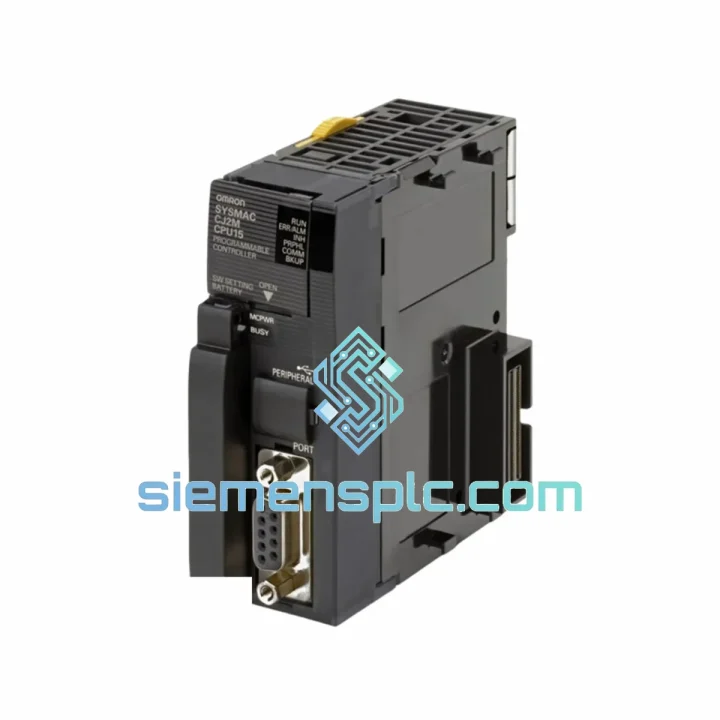
Request verified availability, condition, replacement risk review, packing options and courier lead time for CJ1M-CPU13.
Click Request Quote and the part number is inserted into the inquiry form automatically.
Core fields for model confirmation and RFQ routing. Detailed product narrative remains below.
Your line is down. Every minute costs money — rejected batches, idle labor, missed delivery windows. The OMRON CJ1M-CPU13 CPU unit is confirmed in stock at our Xiamen warehouse right now. We’ve handled emergency dispatches to automotive stamping plants in Germany, food processing lines in Southeast Asia, and water treatment facilities in the Middle East — all within 24 hours of order confirmation. This is not a catalog listing. This is a live inventory position, ready to move.
URGENT REQUIREMENT? Contact: [email protected] | WhatsApp: +86 18359268345
| Parameter | Specification | Status |
|---|---|---|
| Model | CJ1M-CPU13 | ✅ Ready to Ship |
| Brand | OMRON | 100% Original OEM |
| Series | CJ1M / CJ Series | — |
| Program Capacity | 10K Steps | — |
| Data Memory | 32K Words DM Area | — |
| Max I/O Points | 640 Points | — |
| Instruction Execution | 0.1 μs (basic logic) | — |
| Built-in Ports | RS-232C × 1, Peripheral × 1 | — |
| Operating Temperature | 0 – 55 °C | — |
| Storage Temperature | −20 – 75 °C | — |
| Humidity | 10 – 90% RH, non-condensing | — |
| Certifications | CE, UL, cUL | — |
| Origin | Japan | — |
| Weight | Approx. 150 g | — |
| Programming Software | CX-Programmer v9.x+ | — |
| Dispatch Lead Time | Same day / Next business day | ✅ In Stock |
Swapping a CJ1M-CPU13 in a live system is not plug-and-play if you skip these steps. Here’s what actually matters on the floor:
1. Back Up the Program Before You Touch Anything
Use CX-Programmer to upload the existing ladder program, I/O comments, and symbol table to your laptop before powering down. If the original CPU is completely dead and you have no backup, check the Memory Card slot — CJ1M CPUs support a CF card for program storage. If a card is present, the program may still be recoverable.
2. Note the DIP Switch Configuration
The CJ1M-CPU13 has a DIP switch on the front face (SW1). Before removing the old unit, photograph or record the switch positions. SW1 controls startup mode (RUN/PROGRAM), peripheral port baud rate, and write-protection. Mismatched switch settings after replacement are the #1 cause of “CPU won’t go to RUN mode” calls we receive.
3. Unit Number / Node Address
The CJ1M-CPU13 does not use a rotary address switch for its own node address — that’s handled in software via CX-Programmer’s I/O table. However, if your system uses Controller Link or DeviceNet, verify that the network unit node addresses are correctly registered in the new CPU’s I/O table after transfer. A mismatch here causes silent communication failures that are hard to trace.
4. Firmware Version Awareness
CJ1M-CPU13 units shipped across different production years may carry different firmware revisions. If your system uses specific FB (Function Block) libraries or structured text features introduced in later firmware, verify the replacement unit’s firmware version via CX-Programmer → PLC → Version Information. Firmware downgrade is not supported; if the replacement unit has older firmware, contact OMRON’s service channel for an update.
5. Common Fault Codes After Replacement
6. Cold Start vs. Warm Start
After program download, confirm whether your application requires a cold start (all outputs reset, timers cleared) or warm start (retain flags active). Set the IOM Hold Bit and Non-Fatal Error Hold Bit in the PLC Setup accordingly before handing back to operations.
The CJ1M-CPU13 was engineered for environments that would kill consumer-grade electronics. OMRON’s CJ-series platform is rated for continuous operation at 55 °C ambient — not a lab condition, but a real panel temperature in a steel mill or injection molding shop with poor ventilation. The PCB conformal coating resists condensation ingress during temperature cycling, which is critical in facilities that shut down over weekends and restart cold on Monday mornings.
Vibration resistance is rated to IEC 60068-2-6: 10–57 Hz at 0.075 mm amplitude, 57–150 Hz at 9.8 m/s². In practical terms, this means the unit survives direct mounting on press frames and compressor skids without the micro-fractures in solder joints that plague cheaper alternatives after 6–12 months. We have customers running CJ1M-CPU13 units in cement plant control panels — dusty, vibrating, 45 °C ambient — with zero CPU failures over 5-year periods.
Humidity tolerance up to 90% RH non-condensing covers coastal and tropical installations. The backplane connector is gold-plated, which matters in environments with airborne sulfur compounds (common in chemical plants and wastewater facilities) that corrode tin-plated contacts within months.
Our dispatch hub is located in Xiamen, Fujian, China — one of China’s primary export ports with direct DHL, FedEx, and UPS gateway access. Here’s how an emergency order moves:
For orders requiring delivery to a bonded warehouse, free-trade zone, or with specific Incoterms (DAP, DDP, EXW), contact us directly to arrange. We’ve shipped to 60+ countries and handle the paperwork so your team doesn’t have to.
📧 Email: [email protected]
📱 WhatsApp: +86 18359268345
🌐 Web: siemensplc.com
© 2026 siemensplc.com. All rights reserved.
We check the full part number, brand, series and visible nameplate information before quotation.
Sales confirms stock path, condition option, quantity and realistic lead time for export dispatch.
DHL, FedEx, UPS or buyer courier arrangements can be reviewed with packing requirements.
Similar brand or category products for fast comparison and multi-item RFQ lists.