Omron
RFQ Ready
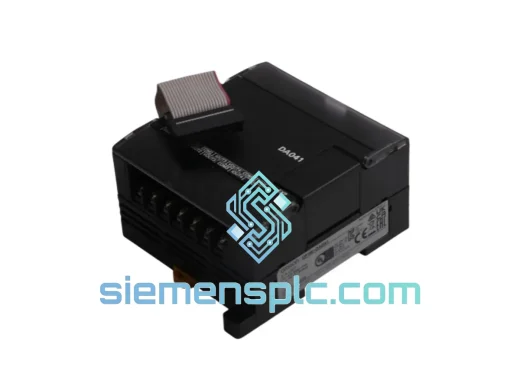
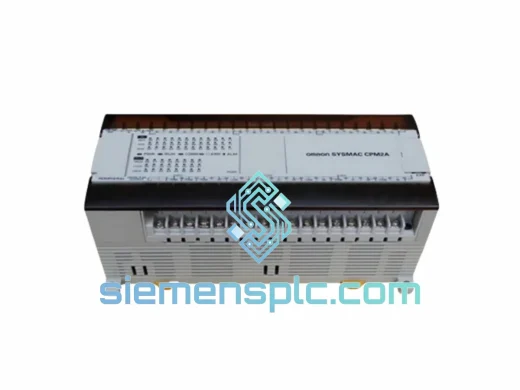
OMRON CPM2AE-60CDR-A Programmable Logic Controller
CPM2A Series
Origin JP
Programmable Logic Controller
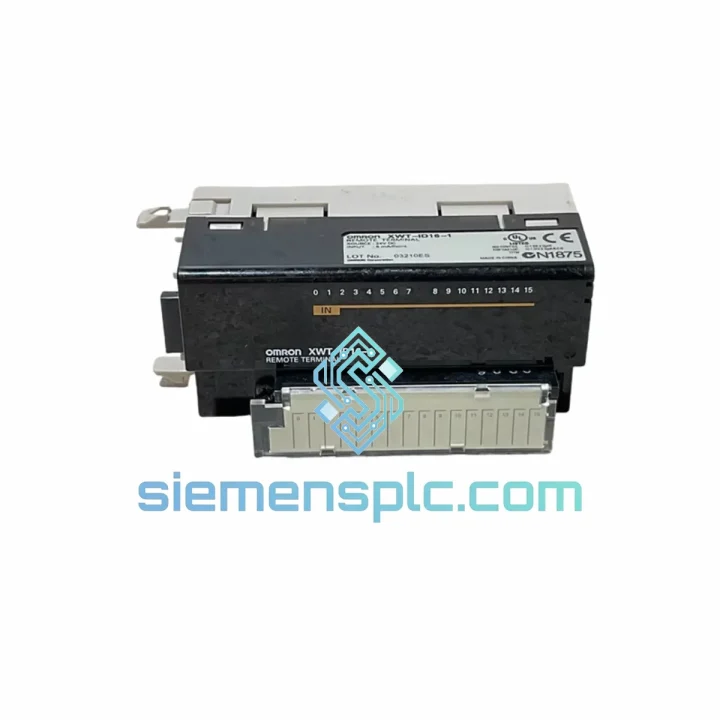
Request verified availability, condition, replacement risk review, packing options and courier lead time for XWT-ID16.
Click Request Quote and the part number is inserted into the inquiry form automatically.
Core fields for model confirmation and RFQ routing. Detailed product narrative remains below.
Every hour your line sits idle costs real money. A failed CompoNet slave node cascades fast — the master throws ERR/ALM, the HMI locks up, and your maintenance team is staring at a blinking LED with no spare on the shelf. The OMRON XWT-ID16 is a 16-point 24 VDC digital input expansion unit for CompoNet slave station architectures. We stock it in Xiamen. We ship it today. That’s the only conversation that matters when you’re down.
URGENT REQUIREMENT? Contact: [email protected] | WhatsApp: +86 18359268345
| Parameter | Specification |
|---|---|
| Model | XWT-ID16 |
| Manufacturer | OMRON Corporation |
| Series | XWT — CompoNet Slave Expansion |
| I/O Type | Digital Input (DI) |
| Number of Points | 16 Points |
| Input Voltage | 24 VDC (NPN/PNP selectable) |
| Network Protocol | CompoNet (IEC 62026-7) |
| Node Address Setting | Rotary DIP switch × 2 (×10 / ×1) |
| Baud Rate | Auto-negotiated by CompoNet master |
| Current Consumption | 80 mA max (from CompoNet power supply) |
| Operating Temperature | −10 to +55 °C |
| Humidity | 10–95% RH (non-condensing) |
| Vibration Resistance | 10–150 Hz, 1.0 mm / 4G |
| Shock Resistance | 150 m/s² (15G) |
| Protection Rating | IP20 |
| Weight | Approx. 120 g (unit only) |
| Country of Origin | Japan |
| Compliance | CE, RoHS 2.0, UL |
| Stock Status | ✅ Ready to Ship — Xiamen Warehouse |
Ten years of field calls teach you the same lesson: most XWT-ID16 failures are not random. They follow a pattern. Here’s what to check before you even pull the module:
Fault Code ERR (Red LED solid): Node address conflict. Two slaves sharing the same address on the same CompoNet segment will both go dark. Before swapping hardware, rotate the address switches on every node in the segment and confirm no duplicates. The XWT-ID16 uses two rotary switches — the left sets the tens digit, the right sets the units. Factory default is 00, which is invalid for live networks. Set your replacement unit to the same address as the failed unit before powering up.
Fault Code ALM (Red LED flashing): Communication timeout from the master. Check the CompoNet cable termination resistors (120 Ω at each end of the trunk). A missing or shorted terminator will cause intermittent ALM across multiple nodes — not just the one you’re replacing. Swap the module last, not first.
All inputs reading OFF after replacement: Wiring polarity. The XWT-ID16 supports both NPN (sinking) and PNP (sourcing) input configurations, but the field wiring must match. Verify the sensor common wiring against the original I/O wiring diagram. A PNP sensor wired to an NPN-configured input will read 0 permanently.
Node not recognized by master after swap: Power cycle sequence matters. On CompoNet, the master scans the network at startup. If you hot-swap the XWT-ID16 while the master is running, some master firmware versions require a full network restart to re-register the new node. Cycle the CompoNet power supply, not just the slave unit.
Replacement steps (field-proven sequence):
Firmware note: The XWT-ID16 carries no user-upgradeable firmware. There are no DIP switches for baud rate — the unit auto-negotiates with the master. If the master is running an older firmware that does not support auto-negotiation correctly, update the master unit first.
The XWT-ID16 was not designed for a climate-controlled server room. It was built for the floor — automotive stamping lines, food processing washdown zones, chemical plant junction boxes, and outdoor equipment enclosures where temperature swings 40 degrees between morning startup and afternoon peak load.
The housing passes IEC 60068-2-6 vibration testing at 10–150 Hz with 1.0 mm displacement and 4G acceleration — the kind of continuous vibration you get from a press or a compressor running 24/7 three meters away. Shock resistance is rated at 150 m/s² (15G), which covers most forklift-adjacent panel installations where someone inevitably backs into the cabinet.
Humidity tolerance runs to 95% RH non-condensing. In practice, that means the module survives the morning condensation cycle in unheated outdoor enclosures in coastal or tropical climates. The conformal coating on the PCB provides an additional barrier against airborne contaminants — oil mist, metal dust, and cleaning agent vapors that are standard background conditions in machining and fabrication environments.
The CompoNet flat cable interface is mechanically keyed and latching — it does not work loose from vibration the way screw-terminal connections do on older fieldbus systems. In high-vibration installations, this is not a minor detail. It is the difference between a stable network and a fault that appears and disappears with no obvious cause.
Operating temperature ceiling of +55 °C means the module runs safely inside a panel that reaches 50 °C ambient on a summer afternoon with the door closed — a common real-world condition that many engineers underestimate when specifying panel cooling.
Our warehouse is in Xiamen, Fujian — one of China’s primary export hubs with direct access to international freight lanes through Xiamen Gaoqi International Airport and Xiamen Port. This is not a drop-ship operation. Stock is physically on our shelves. When you place an order before 15:00 CST, it ships the same business day.
DHL Express: The default choice for urgent industrial parts. Transit time to most of Europe, North America, Southeast Asia, and the Middle East runs 3–5 business days door-to-door. DHL’s industrial shipment handling protocols mean your module arrives in the same condition it left our warehouse — not rattled loose in an undersized poly mailer.
FedEx International Priority: Available for customers with existing FedEx accounts or for destinations where FedEx has stronger last-mile coverage than DHL. Transit times are comparable. We can ship on your courier account if you provide the account number at order time — this eliminates brokerage delays and gives you full visibility in your own tracking system.
Export documentation: Every shipment includes a commercial invoice with accurate HS Code declaration (8537.10 for this module), packing list, and certificate of origin. For customers in the EU, we provide the necessary documentation for customs clearance under standard import procedures. For customers in countries with specific import licensing requirements for industrial electronics, contact us before ordering — we have handled complex customs scenarios across 60+ countries and can advise on the fastest compliant route.
Bulk orders: If you are sourcing multiple units for a planned maintenance stock or a multi-site rollout, contact us for consolidated freight options. Air freight on 5+ units is often more cost-effective than individual express shipments, and we can consolidate with other OMRON or compatible parts in a single carton.
We do not promise what we cannot deliver. If stock is unavailable or lead time extends beyond 48 hours, we tell you before you pay — not after. That is the baseline standard for a supplier you can actually rely on when the line is down.
Email: [email protected]
WhatsApp: +86 18359268345
Web: siemensplc.com
© 2026 siemensplc.com. All rights reserved.
We check the full part number, brand, series and visible nameplate information before quotation.
Sales confirms stock path, condition option, quantity and realistic lead time for export dispatch.
DHL, FedEx, UPS or buyer courier arrangements can be reviewed with packing requirements.
Similar brand or category products for fast comparison and multi-item RFQ lists.