ProSoft Technology
RFQ Ready
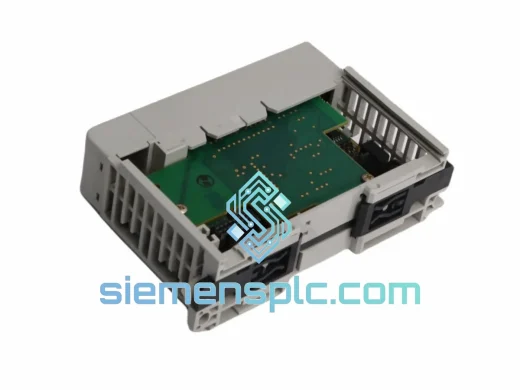
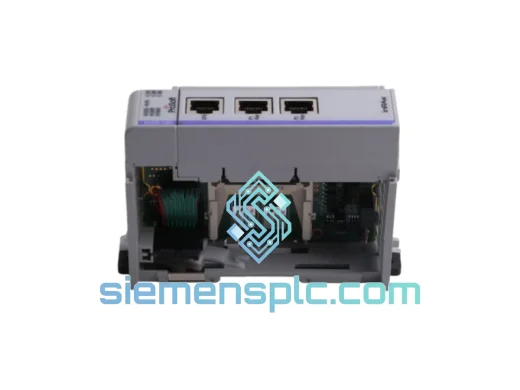
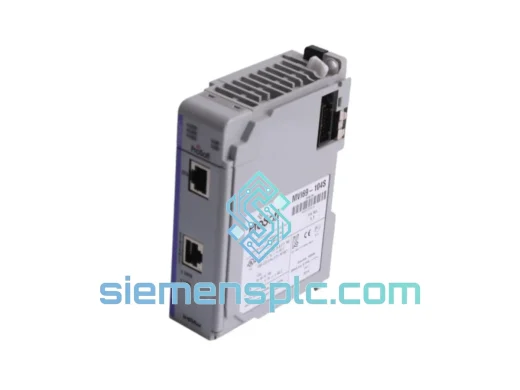
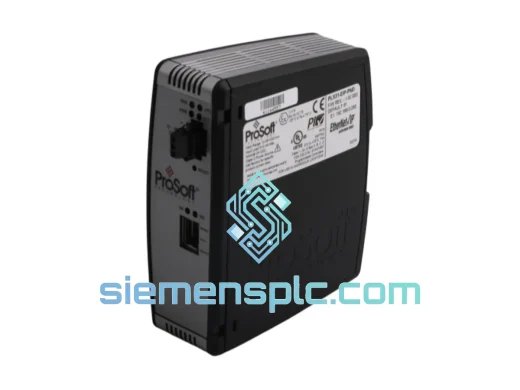
ProSoft PLX31-EIP-PND Protocol Gateway – PLX31 Series
Origin US
Protocol Gateway
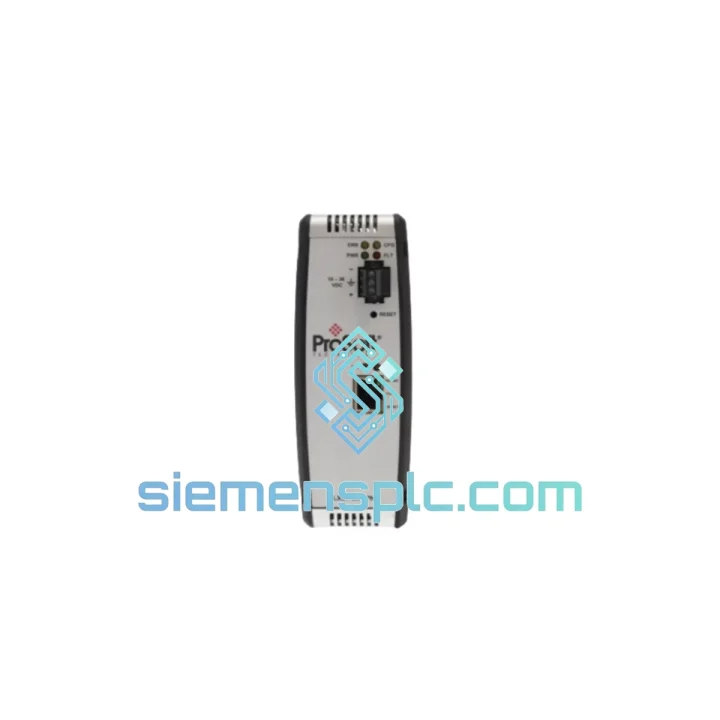
Request verified availability, condition, replacement risk review, packing options and courier lead time for PLX31-EIP-MBTCP.
Click Request Quote and the part number is inserted into the inquiry form automatically.
Core fields for model confirmation and RFQ routing. Detailed product narrative remains below.
Your EtherNet/IP-to-Modbus TCP bridge just failed. The line is stopped. The shift supervisor is on your back. You’ve already pulled the dead unit and you need a confirmed replacement — not a lead-time quote, not a “we’ll check stock” email. The ProSoft PLX31-EIP-MBTCP is on our shelf in Xiamen right now. We’ve shipped this exact module to plants in Southeast Asia, the Middle East, and Europe within 24 hours of an emergency call. That’s not marketing copy — that’s what we do.
This standalone DIN-rail gateway handles bidirectional data exchange between Rockwell EtherNet/IP networks and Modbus TCP field devices. No PLC rack slot consumed. No middleware. No OPC server dependency. Just a clean, deterministic protocol bridge that your ControlLogix or CompactLogix talks to natively via standard I/O tags or MSG instructions.
URGENT REQUIREMENT? Contact: [email protected] | WhatsApp: +86 18359268345
| Parameter | Specification | Status |
|---|---|---|
| Part Number | PLX31-EIP-MBTCP | ✅ Ready to Ship |
| Manufacturer | ProSoft Technology | 100% Original |
| Series | PLX31 | — |
| Protocol Port A | EtherNet/IP — Client & Server (Class 1 I/O + Class 3 Explicit) | — |
| Protocol Port B | Modbus TCP — Master & Slave (up to 32 simultaneous connections) | — |
| Ethernet Ports | 2 × RJ45, 10/100 Mbps, electrically isolated | — |
| EIP I/O Connections | Up to 100 Class 1 connections | — |
| Data Table Depth | Up to 5,000 configurable registers | — |
| Configuration Tool | ProSoft Configuration Builder (PCB) — free, no license | — |
| Power Input | 24 VDC ±10%, <3 W typical | — |
| Operating Temp | 0°C to +60°C | — |
| Storage Temp | -40°C to +85°C | — |
| Humidity | 5–95% RH, non-condensing | — |
| Mounting | 35 mm DIN rail | — |
| Dimensions (W×H×D) | ~45 × 100 × 115 mm | — |
| Weight | ~300 g | — |
| Certifications | UL, CE, RoHS, ODVA EtherNet/IP Conformance Tested | — |
| Origin | USA | — |
Ten years of field calls on this module family. Here’s what actually trips people up during a hot swap:
1. IP Address Conflict After Swap
The PLX31-EIP-MBTCP stores its IP configuration in non-volatile flash — it does not auto-acquire from DHCP by default. When you drop in a new unit, it boots with factory default 192.168.0.250. If your network segment is different, connect a laptop directly to Port A before racking the unit. Open PCB, push your IP/subnet/gateway, cycle power, then reconnect to the plant network. Skipping this step causes the EtherNet/IP scanner to fault immediately with “connection timeout” — not a hardware fault, just an address mismatch.
2. EtherNet/IP Connection Fault — Error Code 0x0001 / 0x0111
This almost always means the RPI (Requested Packet Interval) set in Studio 5000 is tighter than the gateway’s configured scan cycle. Open the PLX31 configuration in PCB, check the “Module Update Rate” under EtherNet/IP settings, and set your Studio 5000 RPI to at least 2× that value. For most applications, 20 ms RPI with a 10 ms module scan rate is stable.
3. Modbus TCP Slave Not Responding — Diagnostic LED Pattern
If the MB LED is solid amber (not blinking), the gateway is not receiving valid Modbus TCP responses. Check: (a) slave device IP matches exactly what’s configured in PCB — no trailing spaces, (b) TCP port is 502 unless your slave uses a non-standard port, (c) Unit ID (slave address) matches the field device. The PLX31 logs Modbus exception codes in its internal event log — connect PCB and check “Module Diagnostics > Modbus TCP Client” for exception code 0x02 (illegal data address) or 0x03 (illegal data value).
4. Firmware Version Mismatch
If you’re replacing a unit that ran firmware v1.x with a new unit shipping with v2.x, re-import your PCB configuration file and verify all parameter names still map correctly — ProSoft occasionally renames parameters between major firmware revisions. Download the latest PCB from ProSoft’s website before commissioning. Firmware update is done via PCB over Ethernet — no serial cable needed on v2.x units.
5. Data Table Offset Errors After Replacement
The PLX31 uses a flat register table internally. If your PLC program references specific tag offsets (e.g., Local:3:I.Data[12]), verify the new unit’s configuration file maps the same Modbus registers to the same internal offsets as the failed unit. A configuration backup from PCB is your fastest path — if the previous engineer saved a .pcc file, you’re back online in under 10 minutes.
The PLX31 series was not designed for a climate-controlled server room. ProSoft built this module for the environments where automation actually lives — and we’ve seen them deployed in conditions that would kill consumer-grade hardware inside a week.
The conformal-coated PCB resists condensation and airborne contaminants common in coastal chemical plants and food processing facilities where washdown cycles push humidity to saturation. The operating temperature ceiling of +60°C means the module survives inside a sealed enclosure on a summer day in the Middle East without a cooling fan — a real-world scenario we’ve confirmed with customers running these in Qatar and UAE.
Vibration tolerance is validated to IEC 60068-2-6 standards. In automotive stamping plants and compressor stations where the panel itself vibrates continuously, the DIN-rail latch and internal component mounting have proven stable over multi-year deployments without connector loosening or solder joint fatigue.
The dual isolated Ethernet ports provide an additional layer of protection: a ground fault or surge event on the Modbus TCP field network side cannot propagate to the EtherNet/IP control network. In plants where field wiring runs near VFD output cables or high-current bus bars, this isolation has prevented more than a few PLC network outages.
Every unit we ship has been powered on, port-initialized, and verified against ProSoft’s current firmware release before it leaves our warehouse. We do not ship units that have been sitting in uncontrolled storage — our inventory is rotated and environmentally maintained.
Our dispatch hub is in Xiamen, Fujian — one of China’s primary export ports with direct DHL Express and FedEx International Priority service to major industrial hubs worldwide. Here’s how a typical emergency order moves:
Order confirmed before 14:00 CST → Same-day dispatch. We cut the commercial invoice, packing list, and HS code documentation (HS 8537.10 for this module) in parallel with packing. The shipment is handed to DHL or FedEx the same afternoon.
Transit times from Xiamen (typical, not guaranteed):
We provide full tracking from pickup to delivery. For orders requiring import clearance documentation (CE declaration, RoHS certificate, country-of-origin certificate), we prepare these at no additional charge — just tell us at order time. DDP (Delivered Duty Paid) pricing is available for customers who need a single landed cost with no customs surprises.
For multi-unit emergency orders, we can split shipments across DHL and FedEx simultaneously to hedge against carrier delays — a tactic that has saved customers in time-critical situations when one carrier had a regional service disruption.
Email: [email protected]
WhatsApp: +86 18359268345
Web: siemensplc.com
© 2026 siemensplc.com. All rights reserved.
We check the full part number, brand, series and visible nameplate information before quotation.
Sales confirms stock path, condition option, quantity and realistic lead time for export dispatch.
DHL, FedEx, UPS or buyer courier arrangements can be reviewed with packing requirements.
Similar brand or category products for fast comparison and multi-item RFQ lists.