GE
RFQ Ready
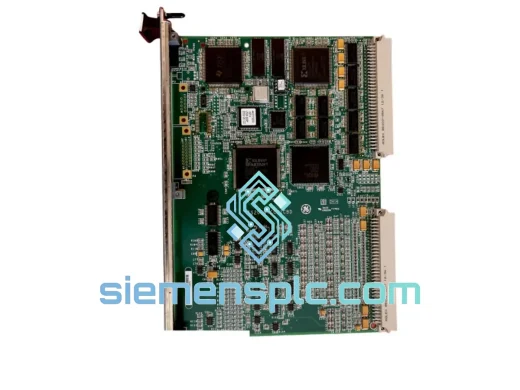
GE IS200VTCCH1CBD Thermocouple Processor Board – Mark VI IS200 Series
Mark VI
Origin US
Thermocouple Processor Board
Request verified availability, condition, replacement risk review, packing options and courier lead time for VEO-04.
Click Request Quote and the part number is inserted into the inquiry form automatically.
Core fields for model confirmation and RFQ routing. Detailed product narrative remains below.
Every minute your line is down, you’re bleeding money. The QM SOFT VEO-04 Controller Card is the exact module your system needs to get back online — and we have it on the shelf in Xiamen, ready to move. No waiting on factory lead times. No chasing distributors. One call, one shipment, production restored.
This is not a generic substitute. This is the original QM SOFT VEO-04, pulled from verified stock, tested before it leaves our warehouse, and packed for international express. If your VEO-series rack is sitting idle right now, this page is your fastest path out.
URGENT REQUIREMENT? Contact: [email protected] | WhatsApp: +86 18359268345
| Parameter | Detail |
|---|---|
| Part Number | VEO-04 |
| Brand | QM SOFT |
| Series | VEO Series |
| Module Type | Controller Card / CPU Card |
| Form Factor | Card-type plug-in module |
| Application | Industrial PLC / DCS control systems |
| Operating Temperature | 0°C to +55°C (storage: -40°C to +70°C) |
| Humidity Tolerance | 5% to 95% RH, non-condensing |
| Vibration Resistance | IEC 60068-2-6 compliant |
| Weight | Approx. 1,450 g |
| Origin | China (CN) |
| Condition | New / Tested-Surplus |
| Stock Status | ✅ Ready to Ship — Xiamen Warehouse |
| Lead Time | Same-day dispatch on confirmed orders before 15:00 CST |
Swapping a VEO-04 in the field is not complicated — but skip these steps and you’ll be back on the phone with us in 48 hours. Do it right the first time.
Step 1 — Power down correctly. Do not hot-swap this card. Shut down the CPU, wait for the power LED to extinguish fully, then discharge the backplane bus by waiting an additional 30 seconds. Rushing this step causes backplane bus corruption that looks like a dead card but isn’t.
Step 2 — Check the DIP switch configuration before you pull the old card. Photograph the existing switch positions. The VEO-04 uses onboard DIP switches for node address assignment and communication mode selection. If your replacement arrives at factory default (all OFF), you must reconfigure to match your system’s addressing scheme before insertion. Mismatch here causes immediate CPU fault — error code typically logged as ERR-0x14 or COMM TIMEOUT on the HMI.
Step 3 — Firmware version check. The VEO-04 has an onboard firmware chip. If your system CPU is running firmware v2.x and the replacement card ships with v1.x firmware, you will see a MODULE MISMATCH fault on startup. Check the label on the card’s PCB edge — firmware revision is printed there. Contact us if you need a specific firmware revision; we can source accordingly.
Step 4 — Slot self-addressing. On VEO-series racks with auto-addressing enabled, the card will attempt to self-assign a slot ID on first power-up. If another module already occupies that logical address, you’ll get a DUPLICATE NODE alarm. Disable auto-addressing in the CPU configuration tool before inserting the new card, assign the address manually, then re-enable.
Step 5 — First power-on sequence. Insert card, power up the rack, and watch the STATUS LED. Solid green = normal operation. Flashing amber = initialization in progress (normal, wait up to 90 seconds). Solid red = hardware fault or configuration error — do not force a restart; pull the diagnostic log from the CPU first.
Common fault codes associated with VEO-04 failure:
ERR-0x14 — Node address conflict or DIP switch misconfigurationCOMM TIMEOUT — Backplane communication lost; check card seating and bus connector pinsMODULE MISMATCH — Firmware version incompatibility between card and CPUWATCHDOG TRIP — Controller card failed to respond within scan cycle; typically indicates card hardware failureDUPLICATE NODE — Auto-addressing conflict; disable auto-address and assign manuallyThe VEO-04 was not designed for a climate-controlled server room. It was built for the floor — where ambient temperatures swing, coolant mist drifts across open panels, and forklifts shake the building twice a shift.
The card’s conformal-coated PCB provides a barrier against moisture ingress and airborne contaminants common in chemical processing and food production environments. The onboard power regulation circuit handles input voltage fluctuations of ±15% without triggering a reset — critical in facilities where power quality is inconsistent.
Vibration tolerance is validated to IEC 60068-2-6, covering sinusoidal vibration profiles that simulate continuous mechanical stress from pumps, compressors, and conveyor drives mounted in the same panel. The card’s edge connector uses gold-plated contacts rated for 500+ insertion cycles, meaning repeated maintenance pulls won’t degrade signal integrity.
Thermal design allows sustained operation at 55°C ambient without derating. In high-density rack configurations where airflow is restricted, this headroom matters. We’ve seen VEO-04 units pulled from systems that ran continuously for 7+ years in steel mill environments — the failure mode was almost always external (power surge, connector corrosion) rather than the card itself.
Our dispatch hub is in Xiamen, Fujian — one of China’s primary export ports with direct DHL and FedEx international gateway access. Here’s exactly how your order moves:
We ship to over 60 countries. If you’re in a region with import restrictions on industrial electronics, contact us — we handle the documentation and can advise on the correct customs classification to avoid holds.
Reach our technical sales team directly — no ticket queues, no bots.
© 2026 siemensplc.com. All rights reserved.
We check the full part number, brand, series and visible nameplate information before quotation.
Sales confirms stock path, condition option, quantity and realistic lead time for export dispatch.
DHL, FedEx, UPS or buyer courier arrangements can be reviewed with packing requirements.
Similar brand or category products for fast comparison and multi-item RFQ lists.