Siemens
RFQ Ready
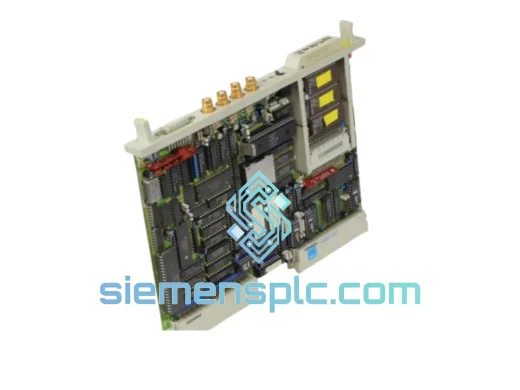
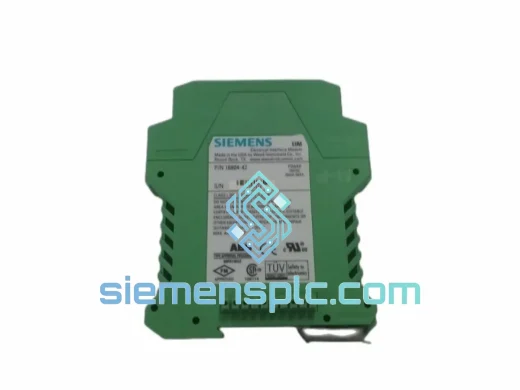
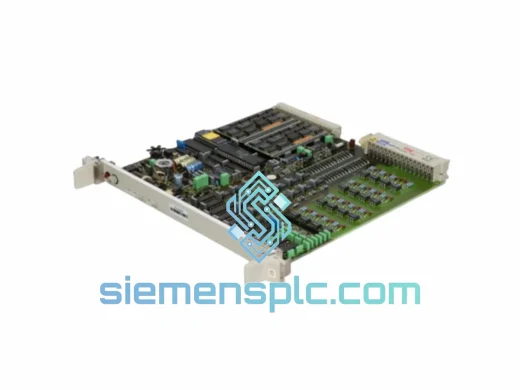
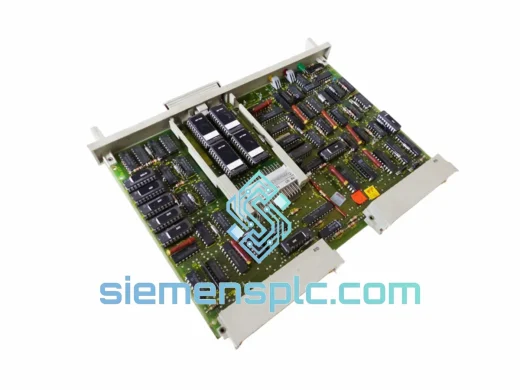
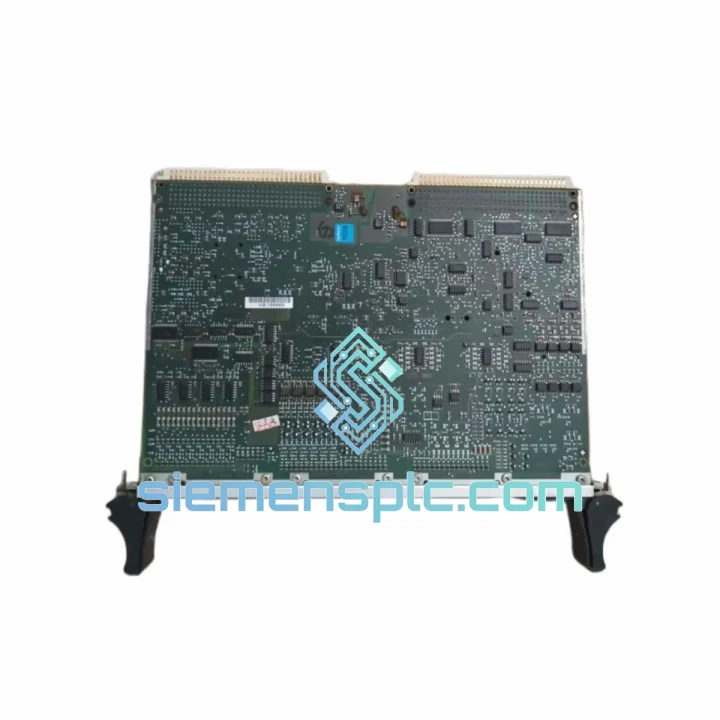
Siemens 6ES5927-3KA13 Communication Processor Module
SIMATIC S5
Origin DE
Communication Processor Module
Request verified availability, condition, replacement risk review, packing options and courier lead time for 16413-16-01.
Click Request Quote and the part number is inserted into the inquiry form automatically.
Core fields for model confirmation and RFQ routing. Detailed product narrative remains below.
Your line is down. The HMI is dark. The S5 rack is throwing a bus fault and your shift supervisor is already on the phone. You’ve traced it to the interface module — and now you need a verified replacement, not a three-week lead time from a distributor who doesn’t stock legacy S5 hardware. The Siemens 16413-16-01 is on our shelf in Xiamen. We’ve shipped this exact part to plants in Germany, Malaysia, Saudi Arabia, and Brazil — all under emergency conditions. This page exists because downtime is money, and every hour you spend waiting is a number on someone’s loss report.
The 16413-16-01 is the backplane interface module for the Simatic S5 series — the communication bridge between the CPU and the I/O expansion bus. When it fails, the CPU loses visibility of all downstream I/O cards. The system doesn’t degrade gracefully; it stops. That’s why this module is one of the most critical single points of failure in any S5 installation, and why having a verified spare on hand — or a supplier who can ship same-day — is non-negotiable for any plant still running S5 infrastructure.
URGENT REQUIREMENT? Contact: [email protected] | WhatsApp: +86 18359268345
| Parameter | Value |
|---|---|
| Part Number | 16413-16-01 |
| Manufacturer | Siemens AG |
| Series | Simatic S5 |
| Module Type | Interface Module / Backplane Bus Interface |
| Compatible Racks | S5-115U, S5-135U, S5-155U expansion racks |
| Bus Interface | Simatic S5 parallel I/O bus |
| Operating Voltage | 5 VDC (supplied via backplane) |
| Operating Temperature | 0 °C to +60 °C |
| Storage Temperature | -40 °C to +70 °C |
| Relative Humidity | 5% to 95%, non-condensing |
| Weight | 120 g |
| Origin | China (Xiamen warehouse) |
| Stock Status | ✔ Ready to Ship |
| Warranty | 12 months |
Before you pull the module, confirm the fault is actually the 16413-16-01 and not a downstream I/O card dragging the bus down. Here’s the field-tested sequence:
Step 1 — Isolate the fault. Power down the rack. Disconnect all I/O modules from the expansion bus one by one. Power up after each removal. If the CPU fault clears when a specific I/O card is removed, the interface module itself may be fine — the I/O card is the culprit. If the fault persists with all I/O cards removed, the 16413-16-01 is the prime suspect.
Step 2 — Check the bus connector. The S5 backplane uses a hard-wired bus bar, not a ribbon cable. Inspect the gold-plated edge connector on the 16413-16-01 for oxidation, bent pins, or carbon tracking. A contact cleaner spray and a firm reseat sometimes resolves intermittent bus faults without a full replacement.
Step 3 — Verify slot addressing. The S5 interface module is slot-position sensitive. The 16413-16-01 must be installed in the designated interface slot of the expansion rack — typically slot 0 or the leftmost position depending on rack generation. Installing it in the wrong slot will cause the CPU to fail to enumerate the rack entirely. Check your rack’s wiring diagram before insertion.
Step 4 — No DIP switch configuration required. Unlike some S5 I/O modules, the 16413-16-01 does not carry user-configurable DIP switches for address assignment. The rack address is set on the rack itself via the address selector on the rack’s front panel. Confirm the rack address matches the configuration in your S5 CPU’s I/O assignment table (DB1 or hardware config, depending on CPU generation).
Step 5 — Firmware note. The 16413-16-01 is a passive interface module — it carries no firmware. There is no firmware flashing step. However, if you are replacing this module in a system running a CPU with a specific hardware revision, confirm the CPU’s I/O bus protocol version is compatible with the rack generation. Mixing very early S5 racks with later CPU revisions can cause enumeration errors that look like interface module faults.
Common fault codes associated with 16413-16-01 failure:
If OB85/OB86 are being called and the rack address is confirmed correct, swap the 16413-16-01 first. It’s the lowest-cost, fastest-to-replace component in the fault chain.
The Simatic S5 platform was engineered in an era when industrial hardware had to survive without climate-controlled enclosures, clean power supplies, or vibration-isolated mounting. The 16413-16-01 reflects that design philosophy. The PCB uses through-hole construction with wave-soldered joints — not the surface-mount components that crack under thermal cycling. The edge connector is gold-plated to resist oxidation in humid or chemically aggressive atmospheres.
In steel mills and foundries, where ambient temperatures regularly exceed 45 °C and vibration from rolling equipment is constant, S5 racks with original interface modules have run for 15+ years without replacement. The 16413-16-01 is rated for continuous operation up to 60 °C and has been deployed in offshore platform control rooms, coastal chemical plants with salt-laden air, and food processing facilities where washdown cycles create high-humidity spikes. The conformal coating on the PCB provides a barrier against moisture ingress that many modern modules lack.
Every unit we ship from Xiamen is inspected for physical integrity — connector condition, PCB surface, component seating — before it leaves the warehouse. Units showing any sign of prior thermal stress, connector wear, or counterfeit indicators are rejected. We do not ship untested surplus without disclosure.
Our warehouse is located in Xiamen, Fujian Province — one of China’s primary export hubs with direct access to international freight lanes via Xiamen Gaoqi International Airport and Xiamen Port. For emergency shipments, we use DHL Express and FedEx International Priority as the default carriers, both of which offer next-flight-out options for critical industrial parts.
Typical transit times from Xiamen:
All shipments include full tracking from pickup to delivery. We prepare commercial invoices, packing lists, and certificates of origin for customs clearance. For countries with import restrictions on electronic components, we can provide additional documentation including HS code declarations and manufacturer certificates. Same-day dispatch is available for orders confirmed before 14:00 CST. We have shipped to 60+ countries — customs clearance delays are rare for properly documented industrial components.
For plant maintenance teams managing multiple urgent requirements, we can consolidate multiple part numbers into a single shipment to reduce freight cost and customs complexity. Contact us with your full BOM and we will advise on the most efficient logistics solution.
Email: [email protected]
WhatsApp: +86 18359268345
Web: siemensplc.com
© 2026 siemensplc.com. All rights reserved.
We check the full part number, brand, series and visible nameplate information before quotation.
Sales confirms stock path, condition option, quantity and realistic lead time for export dispatch.
DHL, FedEx, UPS or buyer courier arrangements can be reviewed with packing requirements.
Similar brand or category products for fast comparison and multi-item RFQ lists.