Siemens
In Stock OK
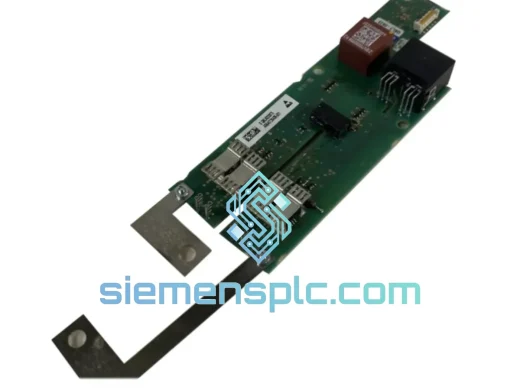
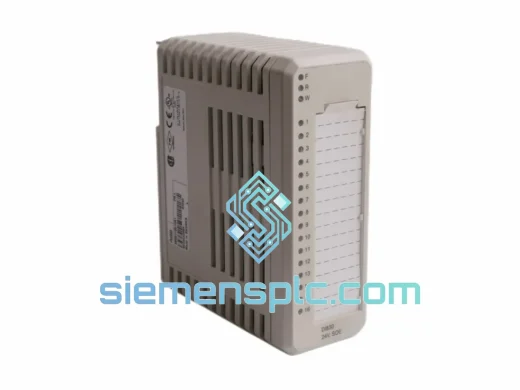
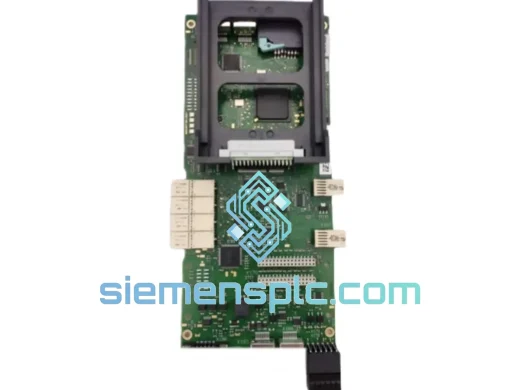
Siemens 6AR1302-0AF00-0AA0 Signal Module
Request verified availability, condition, replacement risk review, packing options and courier lead time for 6AR1302-0AF00-0AA0.
BrandSiemens
Part Number6AR1302-0AF00-0AA0
ConditionAvailability Check
Lead TimeRFQ Confirmation
DocumentsDatasheet / photos by RFQ
ShippingExport packing available
Auto-filled RFQ
6AR1302-0AF00-0AA0
Click Request Quote and the part number is inserted into the inquiry form automatically.
- Reply by email: [email protected]
- WhatsApp / Tel: +86 18359268345
- Mon-Sat 9:00-18:00 GMT+8
Procurement Data
Key Product Information
Core fields for model confirmation and RFQ routing. Detailed product narrative remains below.
- Brand
- Siemens
- Primary Part Number
- 6AR1302-0AF00-0AA0
- Product Type
- PLC Signal Module
- Product Family
- Other series
- Country of Origin
- DE
- Catalog Category
- I/O Modules
- Operating Temp.
- 0°C to +60°C
- Humidity
- 5–95% RH, non-condensing
Model confirmed for inquiry
6AR1302-0AF00-0AA0
Send quantity, destination and urgency. The RFQ form keeps this part number attached.
Request Quote
Product Overview
6AR1302-0AF00-0AA0 Sicomp Signal Module: Every Hour of Downtime Costs You Money — We Ship Today
Your Sicomp rack just threw a fault. The line is down. Maintenance is standing by. You’ve already pulled the module and confirmed it’s the 6AR1302-0AF00-0AA0 — a Siemens Sicomp signal I/O module that’s been running your process for years without complaint. Until now.
This is not the time for a 12-week lead time from the OEM. We stock the Siemens 6AR1302-0AF00-0AA0 in Xiamen and ship same-day via DHL Express or FedEx International Priority. From our warehouse to your plant floor — typically 2–5 business days, anywhere in the world.
URGENT REQUIREMENT? Contact: [email protected] | WhatsApp: +86 18359268345
Quick Technical Datasheet
| Parameter | Specification |
|---|---|
| Part Number | 6AR1302-0AF00-0AA0 |
| Brand | Siemens |
| Series | Sicomp (Legacy PLC Platform) |
| Module Function | Signal I/O Module — Analog/Digital Signal Processing |
| Form Factor | Rack-mount, Sicomp backplane compatible |
| Bus Interface | Sicomp internal backplane bus |
| Weight | approx. 180 g |
| Operating Temperature | 0°C to +60°C |
| Storage Temperature | -40°C to +70°C |
| Humidity | 5–95% RH, non-condensing |
| Vibration Resistance | Per IEC 60068-2-6 |
| Origin | Germany |
| Condition | New / Tested Surplus |
| Stock Status | ✅ Ready to Ship — Xiamen, China |
Troubleshooting & Replacement Tips
After ten years of pulling and swapping Sicomp modules in the field, here’s what actually matters when you’re replacing the 6AR1302-0AF00-0AA0:
1. Slot Address Verification Before Power-Down
The Sicomp platform uses physical slot addressing. Before you pull the failed module, document the exact rack slot position. The 6AR1302-0AF00-0AA0 does not auto-address on insertion — the CPU reads slot position at startup. Inserting into the wrong slot will cause a configuration mismatch fault (SF LED on CPU, no I/O response). Double-check your rack layout diagram against the actual hardware.
2. DIP Switch Configuration
This module carries onboard DIP switches that define its I/O channel mapping and interrupt behavior. Before removing the failed unit, photograph the switch positions. The replacement module ships in factory-default state — switches must be manually set to match your application. Failure to replicate the switch configuration is the #1 cause of post-swap faults on Sicomp systems. Compare against your original commissioning documentation or the label on the module housing.
3. Firmware Compatibility Check
The 6AR1302-0AF00-0AA0 has known firmware revision dependencies with certain Sicomp CPU versions. If your CPU is running an older firmware baseline, a newer hardware revision of this module may generate a hardware mismatch error at startup. Check the module’s hardware revision label (printed on the side sticker, format: HW: X / FW: X.X) and cross-reference with your CPU’s compatibility matrix. If in doubt, contact us — we can often source a specific hardware revision.
4. Common Fault Codes on Sicomp Systems
- SF (System Fault) LED on CPU: Usually indicates a module configuration mismatch or failed self-test. Pull and reseat the module first. If fault persists, the module has failed its internal diagnostic.
- BF (Bus Fault) LED: Backplane communication failure. Check that the module is fully seated and the rack connector is clean and undamaged. Oxidized backplane contacts are common in humid environments.
- No I/O response after swap: 90% of the time this is a DIP switch mismatch or wrong slot position. Recheck both before assuming the replacement module is faulty.
- Intermittent signal dropout: Often caused by vibration-induced connector fatigue on aging racks. Inspect the backplane connector pins on the rack side, not just the module.
5. Power Cycle Sequence
After installing the replacement module, always perform a full rack power cycle — not just a CPU restart. The Sicomp backplane initializes module presence during the power-on sequence. A warm restart may not re-enumerate the new module correctly, leaving the CPU with stale hardware configuration data.
Reliability in Harsh Conditions
The 6AR1302-0AF00-0AA0 was engineered for continuous operation in environments that would kill consumer-grade electronics. Siemens designed the Sicomp signal module series to withstand the realities of heavy industry: steel mill vibration profiles, chemical plant humidity swings, and the thermal cycling of outdoor substations.
The module’s conformal-coated PCB resists moisture ingress and corrosive atmospheres — a critical feature in petrochemical and water treatment applications where airborne contaminants are a constant threat. The backplane connector is rated for hundreds of insertion cycles, though we recommend inspecting contact surfaces on any module that has been in service for more than five years.
Vibration tolerance per IEC 60068-2-6 means the module maintains signal integrity even on machine bases with significant mechanical vibration — relevant for press lines, compressor skids, and pump stations. Thermal performance across 0–60°C covers the vast majority of industrial cabinet environments, even in non-climate-controlled facilities in tropical regions.
Every unit we ship has been function-tested under load conditions. We do not ship untested surplus. Modules showing any sign of physical damage, burn marks, or failed self-test are rejected before they reach our shipping bench.
Global Express Logistics
Our dispatch hub is in Xiamen, China — one of the most connected export ports in Asia, with daily DHL Express and FedEx International Priority flights to major hubs worldwide.
Standard delivery timeline from order confirmation:
- Southeast Asia (SG, MY, TH, VN, ID): 2–3 business days
- Europe (DE, FR, NL, PL, IT, ES): 3–5 business days
- North America (US, CA, MX): 3–5 business days
- Middle East (AE, SA, QA, KW): 3–4 business days
- Australia / New Zealand: 3–5 business days
- South America (BR, CL, AR): 5–7 business days
All shipments include full commercial invoice, packing list, and certificate of conformity. Export classification and HS code documentation are prepared for customs clearance. For time-critical situations, we can arrange same-day dispatch for orders confirmed before 14:00 CST. Contact us directly on WhatsApp for urgent booking.
Modules are packed in anti-static bags, foam-lined boxes, and outer export cartons rated for air freight handling. We’ve shipped to 60+ countries without a single transit damage claim.
Contact Information
📧 Email: [email protected]
📱 WhatsApp: +86 18359268345
🌐 Web: siemensplc.com
© 2026 siemensplc.com. All rights reserved.
Ready to quote
[email protected]
Send This Part Number to Sales
RFQ workflow
Quality workflow ->
Confirmation Process
01Model confirmation
We check the full part number, brand, series and visible nameplate information before quotation.
02Availability reply
Sales confirms stock path, condition option, quantity and realistic lead time for export dispatch.
03Packing & courier
DHL, FedEx, UPS or buyer courier arrangements can be reviewed with packing requirements.
Continue sourcing
Browse full catalog ->
Related Automation Parts
Similar brand or category products for fast comparison and multi-item RFQ lists.
Siemens
RFQ Ready
Siemens 6RY1803-0AA05-0AA1 Digital Output Module
SIMOREG
Origin DE
Digital Output Module