

Siemens
RFQ Ready
Siemens 6AV7240-0HC07-0PA0 Industrial Panel PC Motherboard – SIMATIC IPC477D
SIMATIC
Origin DE
Industrial Panel PC Motherboard
Request verified availability, condition, replacement risk review, packing options and courier lead time for 6AV2124-0UC02-0AX1.
Click Request Quote and the part number is inserted into the inquiry form automatically.
Core fields for model confirmation and RFQ routing. Detailed product narrative remains below.
Your line is stopped. The operator screen is black. Maintenance is on the phone. You already know the part number — 6AV2124-0UC02-0AX1 — and you need it on-site before the next shift. We stock this unit in Xiamen and dispatch via DHL Express within 24 hours of order confirmation. No waiting for distributor lead times. No 4-week factory backorders. Just the part, verified, packed, and moving.
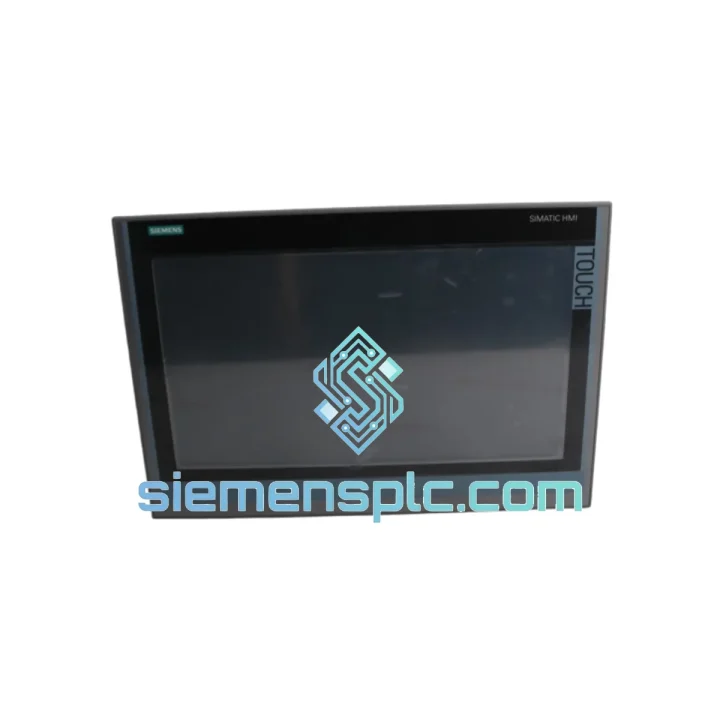
The Siemens 6AV2124-0UC02-0AX1 is a 12-inch widescreen TFT touch panel from the SIMATIC HMI Comfort series. It runs on a 1 GHz ARM Cortex-A8 processor with 256 MB RAM and 256 MB Flash under Windows CE 6.0. Dual PROFINET/Ethernet ports, one MPI/PROFIBUS DP interface, two USB 2.0 ports, and an SD card slot give you the connectivity backbone for any mid-to-large automation cell. IP65 front protection means it survives the cabinet wash-down, the coolant mist, and the vibration that kills lesser panels.
This is not a refurbished unit. This is not a clone. Every 6AV2124-0UC02-0AX1 we ship carries its original Siemens serial number, intact label, and full hardware integrity — verified before it leaves our warehouse.
⚡ URGENT REQUIREMENT? Contact: [email protected] | WhatsApp: +86 18359268345
| Parameter | Specification |
|---|---|
| Part Number | 6AV2124-0UC02-0AX1 ✅ Ready to Ship |
| Series | SIMATIC HMI Comfort Panel |
| Display Size | 12″ Widescreen TFT |
| Resolution | 1280 × 800 px |
| Touch Technology | Resistive (single-touch) |
| Processor | 1 GHz ARM Cortex-A8 |
| Memory | 256 MB RAM / 256 MB Flash |
| Operating System | Windows CE 6.0 |
| Communication | 2× PROFINET/Ethernet (RJ45), 1× MPI/PROFIBUS DP, 2× USB 2.0, 1× SD slot |
| Front Protection | IP65 |
| Operating Temperature | 0 °C to +50 °C |
| Supply Voltage | 24 V DC |
| Dimensions (W×H×D) | 369 × 247 × 54 mm |
| Weight | Approx. 2.5 kg |
| Certifications | CE, UL, cULus, ATEX Zone 2 |
| Engineering Software | TIA Portal V13 SP1+ (WinCC Comfort / Advanced) |
| Stock Status | ✅ In Stock — Ships within 24 hrs |
Ten years of field calls on Comfort Panels teach you the same lessons repeatedly. Here is what actually matters when you are swapping a 6AV2124-0UC02-0AX1 under pressure:
1. Project Transfer Before Power-Down
Before pulling the failed panel, back up the runtime project from the SD card or via TIA Portal’s “Upload from Device” function if the panel is still partially responsive. A corrupted or missing project file on the replacement unit is the most common cause of a second unplanned outage. If the original panel is completely dead, locate the project archive on the engineering PC — it should be under the TIA Portal project folder, not on the panel itself.
2. IP Address and PROFINET Device Name
The 6AV2124-0UC02-0AX1 stores its PROFINET device name and IP address in non-volatile memory. A replacement unit ships with factory defaults. You must reassign the device name using TIA Portal’s “Accessible Devices” scan or the PRONETA tool before the PLC will recognize it. Skipping this step results in a persistent “HMI not reachable” fault on the S7 controller — a trap that wastes 30–60 minutes if you are not expecting it.
3. Firmware Version Matching
Check the firmware version of the failed panel (visible on the boot screen or in the panel’s system settings under “About”). The replacement unit’s firmware must be compatible with the WinCC Comfort version used to compile the project. Mismatched firmware causes runtime load failures with error code 0x00000004 or project version mismatch warnings. Use the ProSave tool or TIA Portal’s firmware update function to align versions before loading the project.
4. MPI/PROFIBUS Address (Legacy Systems)
If your installation uses MPI or PROFIBUS DP instead of PROFINET, the panel’s bus address must be set manually via the panel’s Start Center → Settings → Transfer → MPI/DP. Factory default is address 1. Confirm the address against your network topology before going live — duplicate addresses on an MPI segment cause intermittent communication faults that are notoriously difficult to trace.
5. Common Fault Codes in the Field
The 6AV2124-0UC02-0AX1 is not a commercial-grade panel dressed up in industrial clothing. It is built from the ground up for environments that destroy ordinary hardware within months.
The front bezel carries an IP65 rating — fully dust-tight and protected against water jets from any direction. In food and beverage plants where high-pressure washdowns are routine, this matters. The panel’s operating temperature range of 0 °C to +50 °C covers the majority of industrial cabinet environments, and the hardware is validated for operation in atmospheres classified as ATEX Zone 2, meaning it can be deployed in areas where explosive gas concentrations are possible under abnormal conditions.
Vibration resistance is engineered to IEC 60068-2-6 standards — sinusoidal vibration up to 5 g across the 10–150 Hz frequency range. In press shops, compressor rooms, and heavy machining cells where panel mounts flex and resonate, this specification is the difference between a panel that lasts five years and one that develops intermittent touchscreen faults within eighteen months.
The resistive touch technology, while older than capacitive alternatives, is deliberately chosen for gloved-hand operation and stylus use — both common in manufacturing environments. Capacitive panels fail in these conditions. The 6AV2124-0UC02-0AX1 does not.
Electromagnetic compatibility is certified to EN 61000-6-2 (industrial immunity) and EN 61000-6-4 (industrial emissions). In drive-heavy environments with variable frequency drives and servo amplifiers generating significant conducted and radiated interference, this panel maintains stable communication and display integrity where lesser hardware introduces ghost touches and communication dropouts.
Our dispatch hub is in Xiamen, Fujian Province — one of China’s primary export ports with direct DHL and FedEx gateway access. This is not a drop-ship arrangement. Stock is physically on our shelves, inspected, and ready to pack.
Standard Express Timeline (DHL / FedEx International Priority):
Documentation included with every shipment: Commercial invoice, packing list, Certificate of Origin (Form A or CO upon request), and HS Code declaration (8537.10). For customers requiring import clearance support, we provide pre-shipment documentation packages on request — reducing customs hold risk significantly.
Tracking numbers are issued within 2 hours of dispatch and sent directly to your registered email. For urgent shipments, WhatsApp tracking updates are available on request.
Bulk orders (5+ units) qualify for sea freight consolidation with our weekly LCL departures from Xiamen Port. Lead time for sea freight: 18–28 days depending on destination port. Contact us for FCL pricing on large-volume requirements.
📧 Email: [email protected]
💬 WhatsApp: +86 18359268345
🌐 Web: siemensplc.com
© 2026 siemensplc.com. All rights reserved.
We check the full part number, brand, series and visible nameplate information before quotation.
Sales confirms stock path, condition option, quantity and realistic lead time for export dispatch.
DHL, FedEx, UPS or buyer courier arrangements can be reviewed with packing requirements.
Similar brand or category products for fast comparison and multi-item RFQ lists.


