

Siemens
In Stock OK
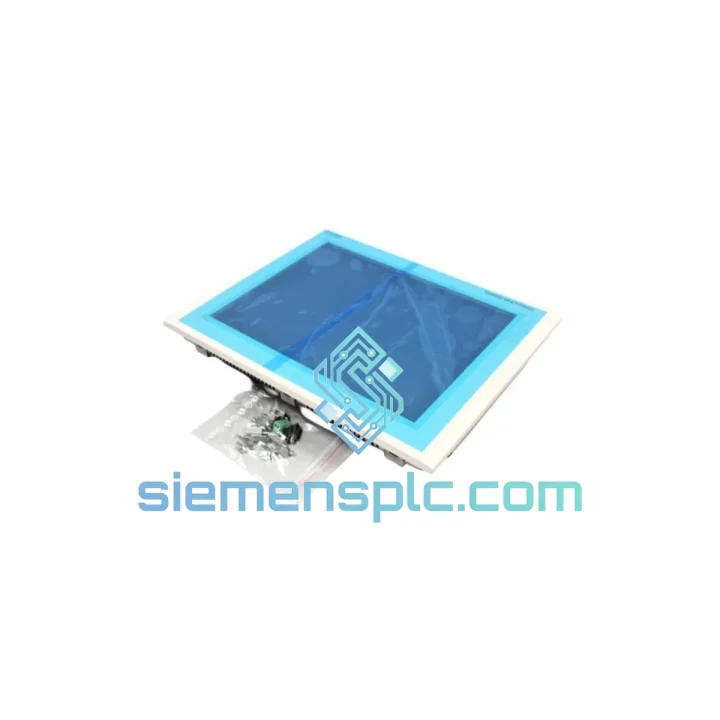
Siemens 6AV6545-0DB10-0AX0 HMI Touch Panel
Request verified availability, condition, replacement risk review, packing options and courier lead time for 6AV6545-0DB10-0AX0.
BrandSiemens
Part Number6AV6545-0DB10-0AX0
ConditionAvailability Check
Lead TimeRFQ Confirmation
DocumentsDatasheet / photos by RFQ
ShippingExport packing available
Auto-filled RFQ
6AV6545-0DB10-0AX0
Click Request Quote and the part number is inserted into the inquiry form automatically.
- Reply by email: [email protected]
- WhatsApp / Tel: +86 18359268345
- Mon-Sat 9:00-18:00 GMT+8
Procurement Data
Key Product Information
Core fields for model confirmation and RFQ routing. Detailed product narrative remains below.
- Brand
- Siemens
- Primary Part Number
- 6AV6545-0DB10-0AX0
- Product Type
- HMI Touch Panel
- Series / Family
- WinCC
- Country of Origin
- DE
- Catalog Category
- HMI Panels
- Humidity
- 10–90% RH, non-condensing
Model confirmed for inquiry
6AV6545-0DB10-0AX0
Send quantity, destination and urgency. The RFQ form keeps this part number attached.
Request Quote
Product Overview
6AV6545-0DB10-0AX0 Down? Every Minute Costs You — We Ship Same Day from Xiamen
Your TP 270 panel just went dark. The line is stopped. Maintenance is on the phone. You already know the part number — 6AV6545-0DB10-0AX0 — and you need it yesterday. We stock this unit in Xiamen and ship via DHL Express within 24 hours of order confirmation. No broker delays, no warehouse runaround. One call, one shipment, line back up.
URGENT REQUIREMENT? Contact: [email protected] | WhatsApp: +86 18359268345
Quick Technical Datasheet
| Order Number | 6AV6545-0DB10-0AX0 ✅ Ready to Ship |
| Series | SIMATIC TP 270 (Touch Panel 270) |
| Brand | Siemens |
| Country of Origin | Germany |
| Display | 10.4″ STN Color LCD, 640×480 VGA, 256 colors |
| Touchscreen | Resistive analog, single-touch |
| Processor | 32-bit RISC |
| User Memory | 6 MB Flash |
| OS | Windows CE 3.0 |
| Communication | MPI / PROFIBUS-DP (RS-485), RS-232 (COM1), RS-422/485 (COM2) |
| Ethernet | Not integrated — optional via CF card adapter |
| USB | 1× USB Type-A host |
| Memory Expansion | CompactFlash (CF) Type II slot |
| Supply Voltage | 24 V DC (20.4–28.8 V) |
| Power Draw | ~25 W |
| Protection Rating | IP65 front / IP20 rear |
| Operating Temp | 0 °C to +50 °C |
| Storage Temp | -20 °C to +60 °C |
| Humidity | 10–90% RH, non-condensing |
| Dimensions (W×H×D) | 310 × 240 × 60 mm |
| Panel Cutout | 296 × 226 mm |
| Weight | ~3.0 kg |
| Config Software | ProTool / WinCC flexible 2004 and later |
| Compatible PLCs | SIMATIC S7-300, S7-400 via MPI/PROFIBUS-DP |
| Stock Status | ✅ In Stock — Ships within 24 hrs |
Troubleshooting & Replacement Tips
Ten years on the floor and the TP 270 fails in predictable ways. Here is what to check before you even open the cabinet, and what to watch during swap-out:
Common Failure Modes:
- Blank screen on power-up, backlight dead: CCFL backlight rated ~50,000 hrs. If the panel powers on (you can hear the relay click) but the screen stays dark, the backlight has failed — not the panel logic. Confirm by shining a torch at the display at an angle; if you see a faint image, it is the backlight, not the LCD or CPU board.
- “No connection to PLC” alarm on startup: First suspect is the MPI/PROFIBUS cable or termination resistor. Verify the bus terminator is active at both physical ends of the segment. Check that the panel’s MPI address (default: 1) does not conflict with another node. Navigate to: Control Panel → Transfer → MPI/DP and confirm baud rate matches the PLC CPU setting exactly — mismatch here causes intermittent dropouts that look like hardware faults.
- Touchscreen offset / ghost touches: Resistive touch degrades with age and contamination. Recalibrate via Control Panel → TP Calibration. If calibration does not hold across reboots, the touch controller IC is failing — replacement panel required.
- Project transfer fails via MPI: Confirm ProTool or WinCC flexible is set to the correct transfer channel (MPI, not RS-232). Check that the panel is in Transfer mode (not Runtime). If using a PC adapter (USB/MPI), verify the adapter driver version matches the WinCC flexible SP level.
- CF card not recognized: TP 270 supports CF Type II up to 1 GB reliably. Cards formatted as FAT16 are required — FAT32 is not supported. Format the card on the panel itself via Control Panel → Memory Card for guaranteed compatibility.
Replacement Checklist — Do This Before You Power On the New Unit:
- Record the existing panel’s MPI node address from the old unit’s Control Panel before removal.
- Note the PROFIBUS baud rate from the PLC CPU configuration (Step 7 / SIMATIC Manager).
- Verify the panel cutout dimensions: 296 × 226 mm. TP 270 10″ is a direct mechanical fit for the same cutout — no rework needed.
- Transfer the project file from CF card or PC before swapping. Do not assume the new unit has the same firmware revision — check the hardware revision label on the rear of both units.
- After installation, run TP Calibration before handing back to the operator. Resistive panels ship with factory calibration that may not match your specific installation angle.
- Set the MPI address on the new panel to match the old one before connecting to the bus. Connecting with a duplicate address will disrupt the entire MPI segment.
Reliability in Harsh Conditions
The TP 270 platform was engineered for environments where consumer-grade electronics simply do not survive. The front bezel carries an IP65 rating — fully sealed against dust ingress and direct water jets. This matters in food processing lines, foundry floors, and outdoor enclosures where wash-down is routine. The rear of the unit is IP20, which is standard for panel-mount equipment installed inside a sealed control cabinet.
The operating temperature range of 0 °C to +50 °C covers the majority of industrial installations without forced cooling. In practice, units installed in steel cabinets in summer in southern China or the Middle East regularly see ambient temperatures at the upper end of this range — the TP 270 handles it without throttling or shutdown. The storage range extends to -20 °C, making it suitable for cold-chain facility installations and outdoor cabinet storage in northern climates.
Vibration resistance meets IEC 61131-2 requirements for panel-mount HMI equipment. The resistive touchscreen has no moving parts and is not affected by vibration-induced false inputs that plague capacitive screens in high-vibration environments such as press lines, compressor skids, and mobile machinery. The CompactFlash slot uses a solid-state medium with no rotating parts, eliminating the primary mechanical failure point found in older HMI platforms with hard drives.
The 24 V DC power input with a tolerance of 20.4–28.8 V absorbs the voltage fluctuations common in industrial panel power supplies without requiring additional regulation. Units have been observed operating continuously for over 10 years in 24/7 production environments — the failure rate is low enough that many plants carry zero spares, which is exactly why a fast-ship source matters when one finally does fail.
Global Express Logistics
Our warehouse is located in Xiamen, Fujian — one of China’s primary export hubs with direct DHL and FedEx gateway access. Here is exactly how your shipment moves:
- Order confirmed before 14:00 CST: Unit is picked, tested, and packed same day. Export documentation (commercial invoice, packing list, certificate of origin) prepared in parallel.
- DHL Express / FedEx International Priority: Typical transit times — Southeast Asia: 1–2 business days. Europe: 3–4 business days. North America: 3–5 business days. Middle East: 2–3 business days.
- Customs clearance: HS Code 8537.10 declared. We provide accurate valuation documentation to prevent customs holds. For EU shipments, EORI-compliant documentation is standard. For US imports, HTS classification support is available on request.
- Tracking: AWB number provided within 2 hours of dispatch. Full door-to-door tracking via DHL/FedEx portal. We monitor shipments proactively and flag any customs delays immediately.
- Emergency freight: For critical downtime situations, same-day courier pickup and overnight freight options are available — contact us directly on WhatsApp for fastest response.
We have shipped to over 40 countries. Automotive plants in Germany, petrochemical facilities in Saudi Arabia, food processing lines in Vietnam, and water treatment stations in Australia — the logistics process is the same: fast, documented, and tracked end to end.
Contact Information
Email: [email protected]
WhatsApp: +86 18359268345
Web: siemensplc.com
© 2026 siemensplc.com. All rights reserved.
Ready to quote
[email protected]
Send This Part Number to Sales
RFQ workflow
Quality workflow ->
Confirmation Process
01Model confirmation
We check the full part number, brand, series and visible nameplate information before quotation.
02Availability reply
Sales confirms stock path, condition option, quantity and realistic lead time for export dispatch.
03Packing & courier
DHL, FedEx, UPS or buyer courier arrangements can be reviewed with packing requirements.
Continue sourcing
Browse full catalog ->
Related Automation Parts
Similar brand or category products for fast comparison and multi-item RFQ lists.
Siemens
RFQ Ready
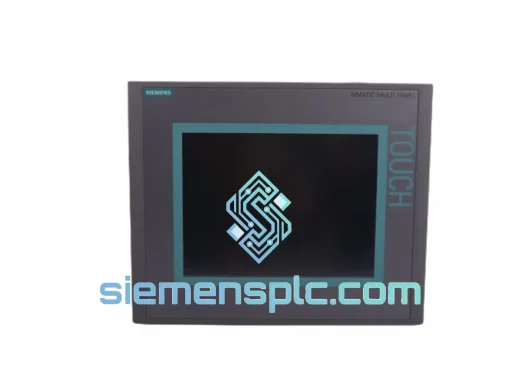
Siemens 6AV6643-0CD01-1AX1 HMI Operator Panel – SIMATIC OP 177B
WinCC
Origin DE
HMI Operator Panel
Siemens
RFQ Ready
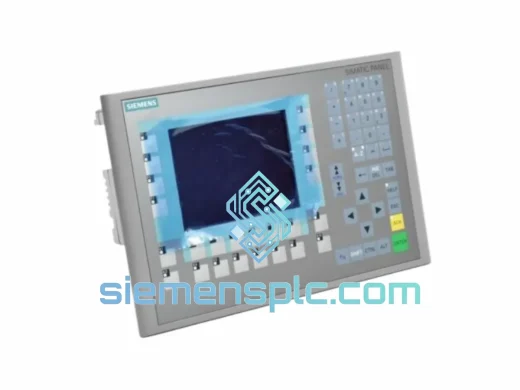
Siemens 6AV6643-0BA01-1AX0 HMI Operator Panel – SIMATIC TP 177B
WinCC
Origin DE
HMI Operator Panel