

Siemens
In Stock OK
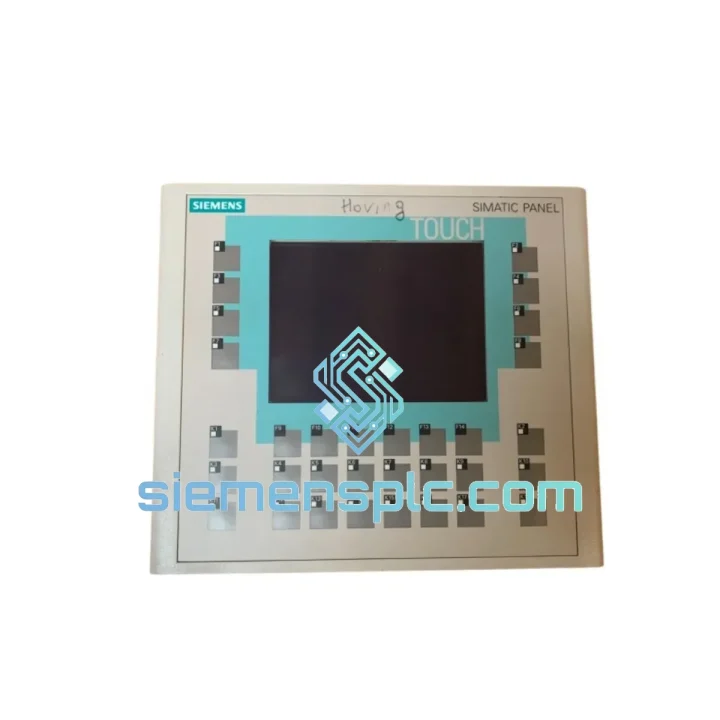
Siemens 6AV6642-0DA01-1AX1 OP177B HMI Panel
Request verified availability, condition, replacement risk review, packing options and courier lead time for 6AV6642-0DA01-1AX1.
BrandSiemens
Part Number6AV6642-0DA01-1AX1
ConditionAvailability Check
Lead TimeRFQ Confirmation
DocumentsDatasheet / photos by RFQ
ShippingExport packing available
Auto-filled RFQ
6AV6642-0DA01-1AX1
Click Request Quote and the part number is inserted into the inquiry form automatically.
- Reply by email: [email protected]
- WhatsApp / Tel: +86 18359268345
- Mon-Sat 9:00-18:00 GMT+8
Procurement Data
Key Product Information
Core fields for model confirmation and RFQ routing. Detailed product narrative remains below.
- Brand
- Siemens
- Primary Part Number
- 6AV6642-0DA01-1AX1
- Product Type
- HMI Operator Panel
- Series / Family
- WinCC
- Country of Origin
- DE
- Catalog Category
- HMI Panels
- Operating Temp.
- 0 °C to +50 °C
Model confirmed for inquiry
6AV6642-0DA01-1AX1
Send quantity, destination and urgency. The RFQ form keeps this part number attached.
Request Quote
Product Overview
Siemens 6AV6642-0DA01-1AX1 OP177B: Cut Downtime, Restore Control — Ships Today from Xiamen
Your line is down. The OP177B is blank, frozen, or throwing a persistent fault. Every minute the panel stays dark costs you throughput, shift bonuses, and customer commitments. The 6AV6642-0DA01-1AX1 is not a commodity item you can pull from a local distributor shelf — but we stock it, we test it, and we can have it moving toward your facility within hours of your order confirmation. That is the only number that matters right now.
We have shipped this exact part to automotive press shops in Mexico, cement plants in Indonesia, pharmaceutical lines in India, and food processing facilities across Eastern Europe. The pattern is always the same: the panel fails without warning, the site has no spare, and production management is breathing down the maintenance team’s neck. Our job is to close that gap as fast as physically possible.
URGENT REQUIREMENT? Contact: [email protected] | WhatsApp: +86 18359268345
Quick Technical Datasheet
| Parameter | Specification |
|---|---|
| Full Part Number | 6AV6642-0DA01-1AX1 |
| Series | SIMATIC HMI OP177B |
| Display | 5.7″ STN Color LCD, 320×240 px, 256 colors |
| Touch Input | Analog resistive touchscreen |
| Function Keys | 18 configurable + 4 system keys |
| Interface 1 | MPI / PROFIBUS DP (RS-485), 9-pin Sub-D |
| Interface 2 | Ethernet 10/100 Mbit/s, RJ45 |
| Interface 3 | USB 1.1 Type-A (service/transfer) |
| Interface 4 | RS-232 (printer / barcode reader) |
| Supply Voltage | 24 V DC (20.4 – 28.8 V) |
| Power Consumption | ~9 W typical |
| User Memory | 512 KB project data |
| Alarm Buffer | 512 events with timestamp |
| Operating System | Windows CE 5.0 |
| Engineering Software | WinCC flexible 2008 SP3+ / TIA Portal V13 SP1+ |
| Dimensions (W×H×D) | 196 × 141 × 52 mm |
| Panel Cutout | 188 × 133 mm |
| Weight | ~1.0 kg |
| IP Rating | IP65 front / IP20 rear |
| Operating Temperature | 0 °C to +50 °C |
| Certifications | CE, UL, cULus, FM Class I Div. 2 |
| Country of Origin | Germany |
| Stock Status | ✅ Ready to Ship — Xiamen Warehouse |
Troubleshooting & Replacement Tips
Before you pull the panel, confirm the fault source. The OP177B is frequently blamed for failures that originate upstream. Check 24 V DC supply voltage at the panel connector under load — a sagging rail (below 20.4 V) will cause random resets and display corruption that looks like a hardware fault. Measure with a meter, not a pilot light.
Common failure modes on the 6AV6642-0DA01-1AX1:
- CCFL backlight failure — Display powers on but screen is dark or very dim. The panel is alive; the backlight inverter or CCFL tube has failed. Visible by shining a flashlight at the screen at an angle. A replacement unit resolves this immediately; backlight repair in the field is not practical.
- Touchscreen drift / dead zones — Resistive touch layer degrades after years of gloved-hand use or chemical exposure. Recalibrate first (System → Settings → Calibrate Touch). If drift persists after calibration, the touch overlay requires replacement — faster to swap the panel.
- MPI communication loss (Error 140:0) — Almost always a termination resistor issue. Verify that exactly two nodes on the MPI segment have termination active. Check the DIP switch on the 9-pin Sub-D connector. A missing or double termination will drop the OP177B off the bus intermittently.
- Project download failure via USB — WinCC flexible throws a transfer error. Confirm the panel is in Transfer mode (Start Center → Transfer). Use a USB 2.0 stick formatted FAT32, 4 GB or smaller. USB 3.0 sticks are frequently not recognized by Windows CE 5.0.
- Firmware mismatch after replacement — If the replacement unit has a different firmware version than the original, WinCC flexible may refuse to download the project or display a version warning. Update the panel firmware via the Siemens ProSave tool before loading the project. Match the firmware version to what the project was compiled against.
Replacement procedure checklist (field-tested sequence):
- Export the current project from the failed panel if it still powers on — use USB stick or WinCC flexible online backup. Do not assume the engineering PC has the latest version.
- Note the MPI address set on the original panel (System → Settings → MPI/DP). The replacement unit defaults to MPI address 1. Set it to match the original before connecting to the bus.
- Verify PROFIBUS DP baud rate setting matches the network (typically 1.5 Mbit/s on S7-300 systems). Mismatch causes immediate communication fault after startup.
- Check panel cutout dimensions — 188 × 133 mm. The OP177B uses a standard cutout shared with several SIMATIC HMI variants; confirm no adapter frame is required.
- Power up the replacement unit standalone first. Confirm display, touch, and all ports initialize correctly before connecting to the PLC network.
- Download the project. Perform a full touchscreen calibration after download. Verify all screens, alarms, and setpoint write functions before handing back to operations.
Reliability in Harsh Conditions
The OP177B platform was engineered for continuous duty in environments that destroy consumer-grade electronics within weeks. The 6AV6642-0DA01-1AX1 carries IEC 60068-2-6 vibration certification (10–58 Hz, 0.075 mm amplitude) and IEC 60068-2-27 shock resistance (15 g, 11 ms half-sine). These are not marketing figures — they reflect the test conditions Siemens applied during product qualification for deployment on machine tools, compressor skids, and mobile equipment.
The IP65 front face seal blocks dust ingress and directed water jets, making the panel suitable for wash-down zones in food and beverage plants without additional enclosure protection. The operating temperature range of 0 °C to +50 °C covers the majority of industrial control cabinet environments globally, including tropical climates where cabinet cooling is marginal.
The wide-range 24 V DC input (20.4–28.8 V) is a practical advantage in facilities running on generator backup or long cable runs from the power supply. Panels with narrow supply tolerances trip offline during voltage transients; the OP177B rides through them. In cement and mining applications where power quality is poor, this characteristic alone reduces nuisance downtime incidents significantly.
Every unit we ship has been stored in climate-controlled conditions and inspected for connector integrity, housing cracks, and display condition before dispatch. We do not ship units that show evidence of prior field damage or unauthorized repair.
Global Express Logistics
Our dispatch warehouse is located in Xiamen, Fujian Province, China — a major international cargo hub with direct DHL Express, FedEx International Priority, and UPS Worldwide Express connections. Transit times from Xiamen to major industrial regions:
- Southeast Asia (Thailand, Vietnam, Indonesia, Malaysia): 2–3 business days via DHL Express
- South Asia (India, Pakistan, Bangladesh): 3–4 business days via FedEx International Priority
- Middle East (UAE, Saudi Arabia, Qatar): 3–4 business days via DHL Express
- Europe (Germany, Poland, Italy, Turkey): 4–5 business days via FedEx International Priority
- North America (USA, Canada, Mexico): 4–5 business days via DHL Express or UPS Worldwide
- South America (Brazil, Chile, Colombia): 5–7 business days via DHL Express
- Africa (South Africa, Nigeria, Egypt): 5–7 business days via FedEx International Priority
All shipments include a tracking number issued within 24 hours of dispatch. We prepare full export documentation — commercial invoice, packing list, certificate of origin, and HS code declaration — to prevent customs clearance delays. For time-critical shipments, we can arrange same-day dispatch for orders confirmed before 14:00 CST. Contact us directly to confirm cut-off times for your destination.
Fragile industrial electronics require proper packaging. Each unit ships in anti-static foam-lined double-wall carton with corner protection. We have shipped to over 40 countries without a single transit damage claim on properly packaged units.
Contact Information
📧 Email: [email protected]
💬 WhatsApp: +86 18359268345
🌐 Web: siemensplc.com
© 2026 siemensplc.com. All rights reserved.
Ready to quote
[email protected]
Send This Part Number to Sales
RFQ workflow
Quality workflow ->
Confirmation Process
01Model confirmation
We check the full part number, brand, series and visible nameplate information before quotation.
02Availability reply
Sales confirms stock path, condition option, quantity and realistic lead time for export dispatch.
03Packing & courier
DHL, FedEx, UPS or buyer courier arrangements can be reviewed with packing requirements.
Continue sourcing
Browse full catalog ->
Related Automation Parts
Similar brand or category products for fast comparison and multi-item RFQ lists.
Siemens
RFQ Ready
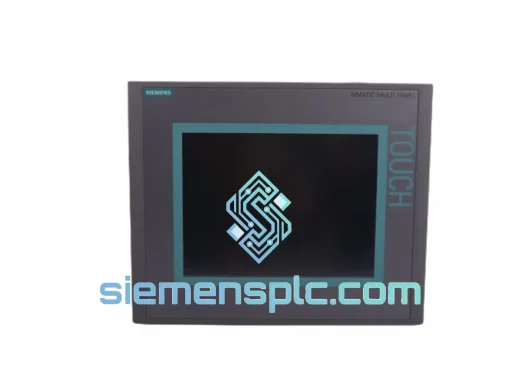
Siemens 6AV6643-0CD01-1AX1 HMI Operator Panel – SIMATIC OP 177B
WinCC
Origin DE
HMI Operator Panel
Siemens
RFQ Ready
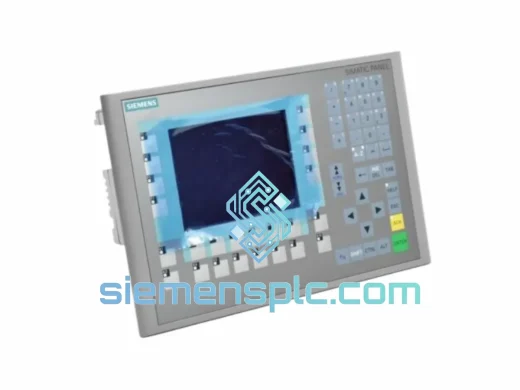
Siemens 6AV6643-0BA01-1AX0 HMI Operator Panel – SIMATIC TP 177B
WinCC
Origin DE
HMI Operator Panel