

Siemens
In Stock OK
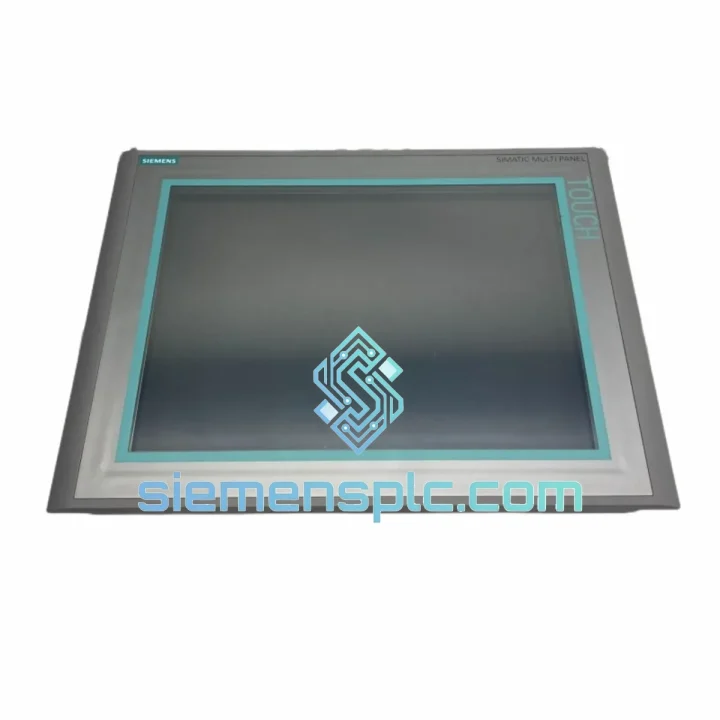
Siemens 6AV6644-0AB01-2AX0 HMI Panel
Request verified availability, condition, replacement risk review, packing options and courier lead time for 6AV6644-0AB01-2AX0.
BrandSiemens
Part Number6AV6644-0AB01-2AX0
ConditionAvailability Check
Lead TimeRFQ Confirmation
DocumentsDatasheet / photos by RFQ
ShippingExport packing available
Auto-filled RFQ
6AV6644-0AB01-2AX0
Click Request Quote and the part number is inserted into the inquiry form automatically.
- Reply by email: [email protected]
- WhatsApp / Tel: +86 18359268345
- Mon-Sat 9:00-18:00 GMT+8
Procurement Data
Key Product Information
Core fields for model confirmation and RFQ routing. Detailed product narrative remains below.
- Brand
- Siemens
- Primary Part Number
- 6AV6644-0AB01-2AX0
- Product Type
- HMI Panel
- Series / Family
- WinCC
- Country of Origin
- DE
- Catalog Category
- HMI Panels
- Humidity
- 10 – 90% RH, non-condensing
Model confirmed for inquiry
6AV6644-0AB01-2AX0
Send quantity, destination and urgency. The RFQ form keeps this part number attached.
Request Quote
Product Overview
6AV6644-0AB01-2AX0 — Stop the Clock on Your Downtime. Ship Today.
Your MP 377 15″ Touch Multi Panel just failed. The line is cold. Every hour costs real money — production loss, penalty clauses, idle labor. We stock the Siemens 6AV6644-0AB01-2AX0 in Xiamen and can have it moving via DHL Express within hours of order confirmation. No waiting on distributor lead times. No back-and-forth on availability. One call, one unit, line back up.
URGENT REQUIREMENT? Contact: [email protected] | WhatsApp: +86 18359268345
Quick Technical Datasheet
| Parameter | Specification | Status |
|---|---|---|
| Part Number | 6AV6644-0AB01-2AX0 | ✔ Ready to Ship |
| Series | SIMATIC MP 377 Multi Panel | |
| Display | 15″ TFT Color, 1024 × 768 px (XGA) | |
| Touch Technology | Resistive Touchscreen | |
| CPU | Freescale i.MX31, 400 MHz | |
| RAM / Flash | 128 MB / 256 MB | |
| OS | Windows CE 5.0 | |
| Interfaces | 2× PROFIBUS DP, 2× MPI, 1× Ethernet RJ45, 2× USB, 1× RS-422/485 | |
| Supply Voltage | 24 V DC (19.2 – 28.8 V) | |
| Power Draw | ~40 W | |
| Front Protection | IP65 | |
| Operating Temp | 0 °C to +50 °C | |
| Storage Temp | −20 °C to +60 °C | |
| Humidity | 10 – 90% RH, non-condensing | |
| Panel Cutout | 364 × 274 mm | |
| Weight | ~4.8 kg | |
| Config Software | WinCC Flexible 2008 SP3 or higher | |
| Certifications | CE, UL, cULus, RoHS | |
| Origin | Germany |
Troubleshooting & Replacement Tips
Ten years of field work on MP 377 panels teaches you the same failure patterns repeat. Here is what to check before you pull the unit and what to watch when you drop the replacement in.
Common Failure Modes on 6AV6644-0AB01-2AX0:
- Backlight failure (most frequent): Screen goes dark but touch still responds — you can feel the haptic. The CCFL inverter board or the lamp itself has failed. On the MP 377 15″, the backlight assembly is a separate FRU. If the panel is otherwise functional, source the backlight before condemning the whole unit.
- Touch drift / dead zones: Resistive touch degrades with age and contamination. Before replacement, attempt a 4-point touch recalibration via the Control Panel → TS Calibration. If drift persists after calibration, the touch overlay is worn and the panel needs replacement.
- “No connection to PLC” on startup: 90% of the time this is a PROFIBUS address conflict or a corrupted project file on the CF card. Check the DP address set in WinCC Flexible matches the hardware address configured in STEP 7 HW Config. Reload the project via USB if the CF card is suspect.
- Alarm: “Runtime license missing”: The WinCC Flexible Runtime license is stored in the panel’s internal flash. After a board swap, the license does not transfer. You need to re-transfer the license from the engineering PC using the Automation License Manager (ALM). Have your license dongle or software license file ready before the panel goes live.
- Panel boots to “Loader” screen and hangs: Corrupted OS image. Requires a firmware restore via USB using the ProSave tool. Download the correct firmware image for the MP 377 from the Siemens Industry Online Support portal. Match the firmware version to your WinCC Flexible project version — mismatches cause runtime errors.
- MPI communication drops intermittently: Check the MPI bus termination. The MP 377 has a built-in terminating resistor that must be enabled only if the panel is at the physical end of the MPI segment. Incorrect termination causes reflections and intermittent dropouts that look like PLC faults.
Replacement Checklist — Before You Power Up the New Unit:
- Confirm panel cutout dimensions: 364 × 274 mm. Gasket seal must be intact and seated flush.
- Verify 24 VDC supply is within 19.2 – 28.8 V range under load. Undervoltage causes random resets.
- Transfer the WinCC Flexible project to the new panel via USB before connecting to the PLC network.
- Set the correct PROFIBUS DP node address on the panel — it does not auto-detect from the project file.
- Re-run touch calibration after installation. Panel orientation and mounting pressure affect resistive touch accuracy.
- Re-transfer the WinCC Flexible Runtime license using ALM. The license is hardware-bound to the original panel.
- Check firmware version compatibility with your WinCC Flexible project. Upgrade firmware via ProSave if required.
Reliability in Harsh Conditions
The MP 377 was engineered for environments that destroy consumer-grade electronics. The 6AV6644-0AB01-2AX0 carries IP65 front-panel protection — that means full dust exclusion and sustained water jet resistance from any direction. The resistive touch technology operates with gloved hands and in the presence of coolant, oil mist, and cleaning agents that would defeat capacitive screens.
Vibration resistance meets IEC 60068-2-6 sinusoidal and IEC 60068-2-64 random vibration profiles — relevant for panels mounted on compressor skids, press frames, or mobile equipment. The operating temperature ceiling of +50 °C covers the majority of non-air-conditioned control cabinet environments in tropical and desert climates. The wide supply voltage tolerance (±20% of nominal 24 V) absorbs the voltage sags common in heavy industrial power distribution without causing panel resets.
Internal components are conformal-coated against humidity ingress. The panel has been validated to 10 – 90% RH non-condensing, which covers coastal and high-humidity manufacturing environments. Electrostatic discharge immunity is tested to IEC 61000-4-2 Level 3, and conducted/radiated emissions comply with EN 55011 Class A — the panel will not inject noise into your PLC network or instrumentation loops.
Global Express Logistics
Stock is held at our Xiamen warehouse, positioned for fast access to major international freight hubs. When you confirm an order, the unit is pulled, inspected, packed in anti-static foam-lined carton with humidity indicator card, and handed to the carrier the same business day for orders confirmed before 15:00 CST.
Typical transit times from Xiamen:
- Southeast Asia (SG, MY, TH, VN, ID): DHL Express 1 – 2 business days
- East Asia (JP, KR, TW): DHL / FedEx IP 1 – 2 business days
- Middle East (AE, SA, QA): DHL Express 2 – 3 business days
- Europe (DE, NL, PL, FR, IT): FedEx International Priority 3 – 4 business days
- North America (US, CA, MX): FedEx IP / DHL Express 3 – 5 business days
- South Asia (IN, PK, BD): DHL Express 2 – 4 business days
- Australia / NZ: DHL Express 3 – 4 business days
Full export documentation is prepared for every shipment: commercial invoice, packing list, certificate of origin, and HS code declaration (HS 8537.10). For customers requiring customs pre-clearance data or a formal proforma invoice for import permit applications, contact us before order placement and we will prepare the documents in advance. Dangerous goods declaration is not required for this product. All shipments are fully insured at declared value.
For destinations with known customs delays (Brazil, India, Nigeria), we recommend DHL Express with pre-lodged customs data to minimize clearance time. We can also ship on your nominated carrier account if you have a preferred freight arrangement.
Contact Information
Email: [email protected]
WhatsApp: +86 18359268345
Web: siemensplc.com
© 2026 siemensplc.com. All rights reserved.
Ready to quote
[email protected]
Send This Part Number to Sales
RFQ workflow
Quality workflow ->
Confirmation Process
01Model confirmation
We check the full part number, brand, series and visible nameplate information before quotation.
02Availability reply
Sales confirms stock path, condition option, quantity and realistic lead time for export dispatch.
03Packing & courier
DHL, FedEx, UPS or buyer courier arrangements can be reviewed with packing requirements.
Continue sourcing
Browse full catalog ->
Related Automation Parts
Similar brand or category products for fast comparison and multi-item RFQ lists.
Siemens
RFQ Ready
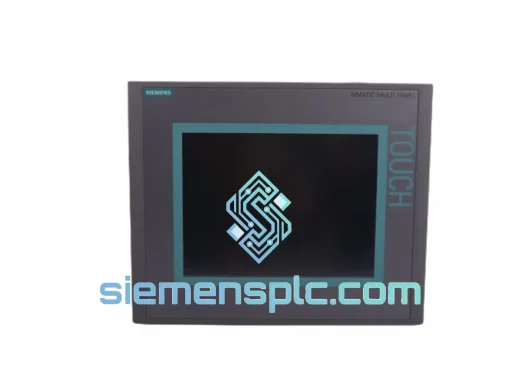
Siemens 6AV6643-0CD01-1AX1 HMI Operator Panel – SIMATIC OP 177B
WinCC
Origin DE
HMI Operator Panel
Siemens
RFQ Ready
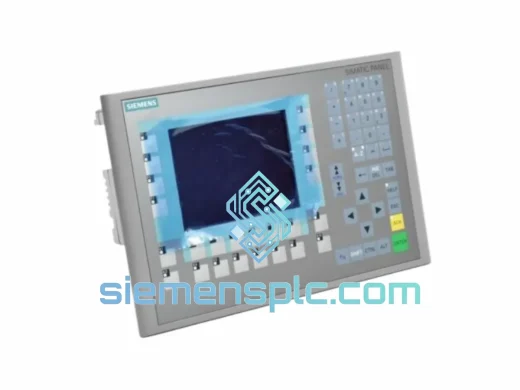
Siemens 6AV6643-0BA01-1AX0 HMI Operator Panel – SIMATIC TP 177B
WinCC
Origin DE
HMI Operator Panel