

Siemens
RFQ Ready
Siemens 6AV7240-0HC07-0PA0 Industrial Panel PC Motherboard – SIMATIC IPC477D
SIMATIC
Origin DE
Industrial Panel PC Motherboard
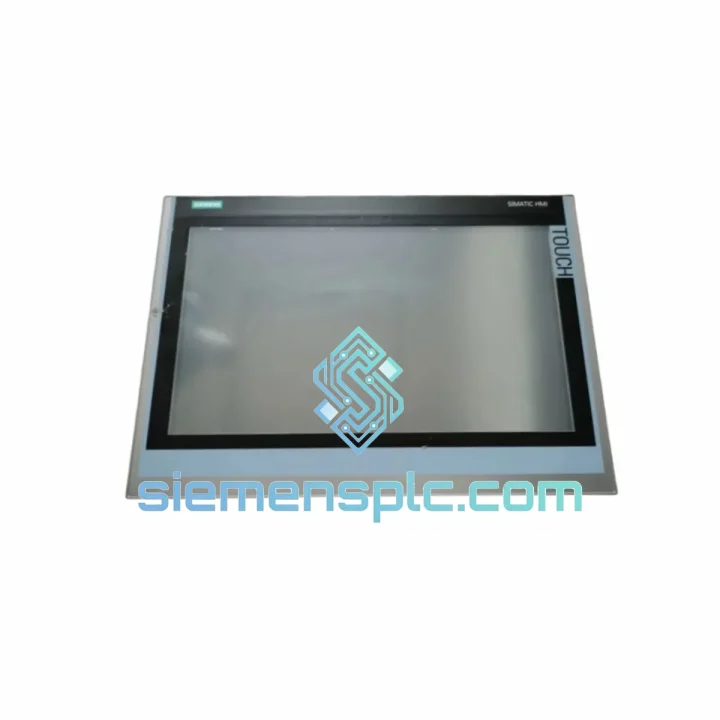
Request verified availability, condition, replacement risk review, packing options and courier lead time for 6AV6648-1AC22-0AX0.
Click Request Quote and the part number is inserted into the inquiry form automatically.
Core fields for model confirmation and RFQ routing. Detailed product narrative remains below.
Every minute your line sits idle costs real money. A failed HMI panel shouldn’t be the reason your production manager is on the phone at 2 AM. The Siemens 6AV6648-1AC22-0AX0 — SIMATIC HMI KTP1000 Basic PN — is one of the most widely deployed operator panels in discrete and process manufacturing. When it fails, you need a verified replacement in hand, not a two-week lead time from a regional distributor.
We stock the 6AV6648-1AC22-0AX0 in Xiamen, China. Orders confirmed before 18:00 CST ship same day via DHL Express or FedEx International Priority. Most destinations in Southeast Asia receive delivery within 48–72 hours. Europe and North America within 3–5 business days.
URGENT REQUIREMENT? Contact: [email protected] | WhatsApp: +86 18359268345
| Parameter | Specification |
|---|---|
| Part Number | 6AV6648-1AC22-0AX0 |
| Series | SIMATIC HMI KTP1000 Basic PN |
| Display Size | 10.1″ TFT Widescreen |
| Resolution | 1280 × 800 px, 16M colors |
| Touch Type | Resistive single-touch + 8 function keys |
| Communication | 1 × PROFINET (RJ45) |
| USB | 1 × USB Type-A (host) |
| Supply Voltage | 24 V DC (20.4–28.8 V) |
| Power Consumption | ≈ 18 W |
| Front Protection | IP65 |
| Operating Temp. | 0 °C to +50 °C |
| Storage Temp. | −20 °C to +60 °C |
| Dimensions (W×H×D) | 310 × 220 × 46 mm |
| Weight | ≈ 1.9 kg |
| User Memory | 10 MB |
| Engineering Software | WinCC Basic / TIA Portal V13 SP1+ |
| Certifications | CE, UL, cULus, ATEX Zone 2 |
| Origin | Germany |
| Stock Status | ✅ Ready to Ship — Xiamen Warehouse |
The KTP1000 Basic PN fails in predictable ways. Here is what field experience tells you before you even open the cabinet:
Common Failure Modes:
Replacement Procedure — Field Checklist:
Firmware Compatibility Note: TIA Portal V13 SP1 is the minimum. Projects created in V16+ cannot be downgraded. If your replacement panel ships with older firmware, update via TIA Portal → Online → Update Firmware before downloading the project.
The KTP1000 Basic PN was engineered for the factory floor, not the office. The IP65-rated front bezel seals against dust ingress and water jets — critical in food processing, chemical dosing, and washdown environments. The panel operates continuously at ambient temperatures up to 50 °C without derating, making it suitable for non-air-conditioned enclosures in tropical climates.
Vibration resistance meets IEC 60068-2-6 standards, covering sinusoidal vibration up to 10–58 Hz at 0.075 mm amplitude and 58–500 Hz at 1g. In high-vibration applications such as press lines or compressor skids, mount the panel using the supplied clamps at all designated points — missing even one clamp concentrates stress on the housing and accelerates connector fatigue.
The resistive touch technology, while less glamorous than capacitive, is the correct choice for gloved operators and environments where condensation or coolant mist is present. Capacitive panels fail in these conditions; resistive panels do not. This is a deliberate engineering decision by Siemens for the Basic PN series.
Units in our Xiamen warehouse are stored in climate-controlled conditions at 18–25 °C with humidity control below 60% RH. Each unit is inspected for physical integrity and packaging seal before dispatch. Panels with damaged packaging are quarantined — they do not ship.
Our dispatch hub is in Xiamen, Fujian Province — one of China’s primary export ports with direct DHL and FedEx gateway access. This is not a drop-ship arrangement. Stock is physically on our shelves.
For time-critical shutdowns, contact us on WhatsApp before placing the order. We confirm stock availability, prepare the shipment, and can pre-alert your local DHL office to expedite customs clearance on arrival.
📧 Email: [email protected]
📱 WhatsApp: +86 18359268345
🌐 Web: siemensplc.com
© 2026 siemensplc.com. All rights reserved.
We check the full part number, brand, series and visible nameplate information before quotation.
Sales confirms stock path, condition option, quantity and realistic lead time for export dispatch.
DHL, FedEx, UPS or buyer courier arrangements can be reviewed with packing requirements.
Similar brand or category products for fast comparison and multi-item RFQ lists.


