

Siemens
RFQ Ready
Siemens 6AV7240-0HC07-0PA0 Industrial Panel PC Motherboard – SIMATIC IPC477D
SIMATIC
Origin DE
Industrial Panel PC Motherboard
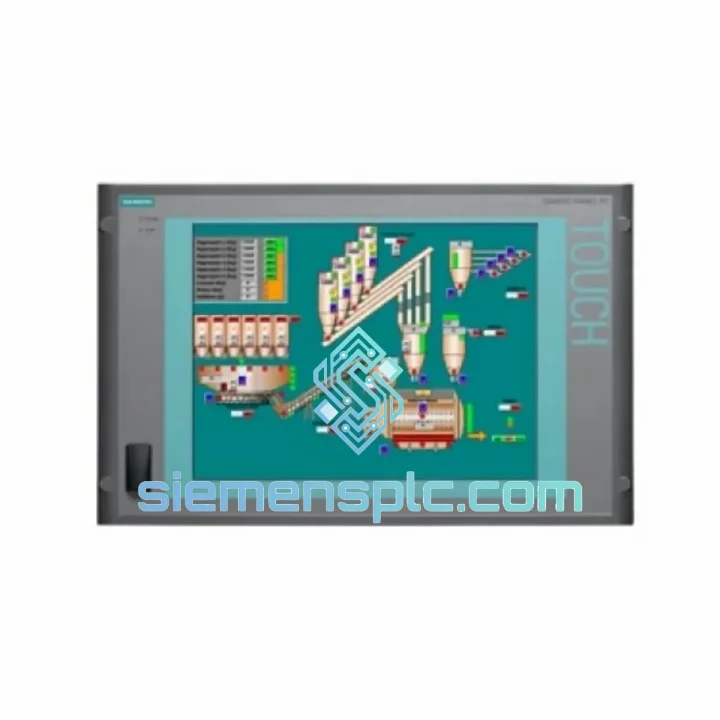
Request verified availability, condition, replacement risk review, packing options and courier lead time for 6AV7800-0BA00-1AB0.
Click Request Quote and the part number is inserted into the inquiry form automatically.
Core fields for model confirmation and RFQ routing. Detailed product narrative remains below.
Your visualization layer just went dark. Operators are blind. The line is stopped. You’ve already pulled the panel and confirmed it’s the Siemens 6AV7800-0BA00-1AB0 — a SIMATIC Panel PC 477B that’s been running 24/7 for years and finally gave out. You don’t need a lecture about the product. You need a verified unit on a plane tonight.
We stock the 6AV7800-0BA00-1AB0 in Xiamen and ship globally via DHL Express and FedEx International Priority. Orders confirmed before 16:00 CST ship same business day. From our warehouse to your dock in Frankfurt, Houston, or Singapore — typically 2–5 business days, door to door, with full export documentation included.
URGENT REQUIREMENT? Contact: [email protected] | WhatsApp: +86 18359268345
| Part Number | 6AV7800-0BA00-1AB0 |
| Brand | Siemens AG |
| Series | SIMATIC Panel PC 477B |
| Category | Industrial HMI Panel PC |
| Display | 15″ TFT touchscreen, resistive |
| Processor | Intel Celeron M (series standard) |
| Operating System | Windows XP Embedded / Windows Embedded Standard |
| Communication | Industrial Ethernet (RJ45), MPI/PROFIBUS via CP card |
| Front Protection | IP65 |
| Rear Protection | IP20 |
| Operating Temperature | 0 °C to +45 °C |
| Storage Temperature | -20 °C to +60 °C |
| Mounting | Panel flush-mount, cutout required |
| Weight | Approx. 13 kg |
| Compatibility | SIMATIC S7-300, S7-400, WinCC, WinCC flexible |
| Origin | Germany |
| Stock Status | ✔ Ready to Ship — Xiamen Warehouse |
After ten years of pulling and swapping Panel PC 477B units across automotive and chemical plants, here’s what actually matters on the bench — not what’s in the manual.
Common failure modes on the 6AV7800-0BA00-1AB0:
Replacement configuration checklist — do this before you power on the new unit:
The SIMATIC Panel PC 477B was engineered for environments where commercial hardware lasts weeks, not years. The 6AV7800-0BA00-1AB0 carries an IP65 rating on the front face — fully sealed against dust ingress and low-pressure water jets. This matters in food processing lines where washdown is daily, and in chemical plants where airborne particulates are constant.
Vibration resistance is validated to EN 60068-2-6 standards. The internal drive and board assembly are shock-mounted to handle the continuous low-frequency vibration typical of press lines, compressor rooms, and heavy machining centers. Units installed adjacent to large motors or hydraulic presses routinely run for 5–8 years without mechanical failure when properly mounted.
Thermal management is passive on the front face and active internally. The operating range of 0–45 °C covers the vast majority of industrial cabinet environments, but pay attention to cabinet ventilation if the unit is installed in a sealed enclosure in a hot climate — ambient cabinet temperature above 40 °C will shorten component life measurably. The unit’s internal temperature monitoring will log thermal events; check the Windows Event Log if you’re seeing intermittent shutdowns.
Humidity tolerance is rated to 95% RH non-condensing. In coastal or tropical installations, ensure the cabinet door seals are intact and that the panel cutout gasket is undamaged. Condensation on the internal board is the primary cause of corrosion-related failures in high-humidity environments — a failure mode that is entirely preventable with proper cabinet sealing and a small internal heater on a thermostat.
Our dispatch hub is in Xiamen, Fujian — one of China’s primary export ports with direct DHL and FedEx gateway access. Here’s exactly how your order moves:
All shipments include full export documentation compliant with destination country import requirements. For EU customers, we provide EUR.1 movement certificates and CE declaration of conformity where applicable. For US customers, we provide HTS code classification and ECCN classification documentation. Dangerous goods declaration is not required for this product category.
For urgent orders requiring Saturday delivery or specific time-window delivery, contact us directly on WhatsApp — we can arrange premium courier options with guaranteed delivery windows for critical plant restarts.
Email: [email protected]
WhatsApp: +86 18359268345
Web: siemensplc.com
© 2026 siemensplc.com. All rights reserved.
We check the full part number, brand, series and visible nameplate information before quotation.
Sales confirms stock path, condition option, quantity and realistic lead time for export dispatch.
DHL, FedEx, UPS or buyer courier arrangements can be reviewed with packing requirements.
Similar brand or category products for fast comparison and multi-item RFQ lists.


