

Siemens
RFQ Ready
Siemens 6AV7240-0HC07-0PA0 Industrial Panel PC Motherboard – SIMATIC IPC477D
SIMATIC
Origin DE
Industrial Panel PC Motherboard
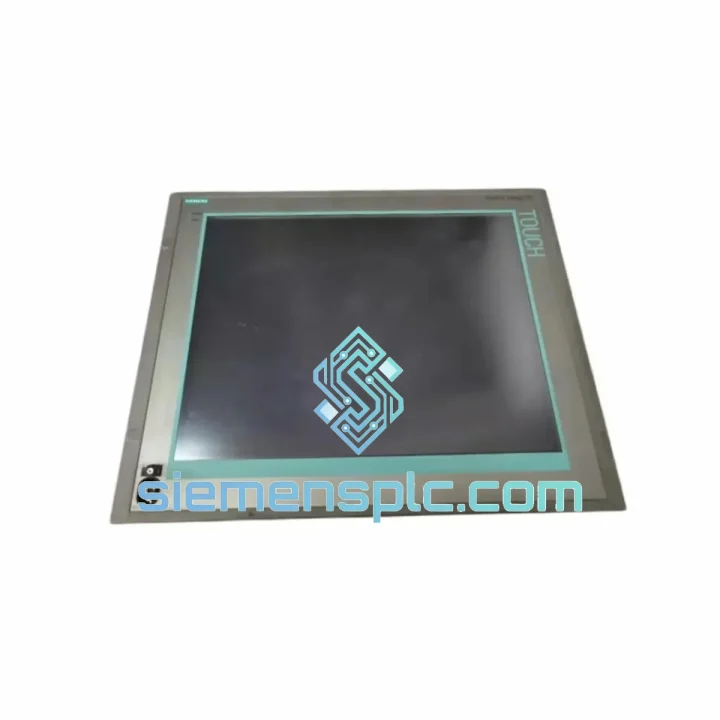
Request verified availability, condition, replacement risk review, packing options and courier lead time for 6AV7870-0HA20-0AA0.
Click Request Quote and the part number is inserted into the inquiry form automatically.
Core fields for model confirmation and RFQ routing. Detailed product narrative remains below.
Your SIMATIC Panel PC 870 just went dark. The line is stopped. Maintenance is on the phone. You’ve already pulled the unit and confirmed the fault — now you need a verified replacement in hand, not a lead-time quote that stretches three weeks. The Siemens 6AV7870-0HA20-0AA0 is in stock at our Xiamen warehouse. We process same-day. DHL Express is booked before your shift ends.
This is not a catalog listing. This is a field-ready supply channel built for engineers who cannot afford to wait.
URGENT REQUIREMENT? Contact: [email protected] | WhatsApp: +86 18359268345
| Manufacturer | Siemens |
| Part Number | 6AV7870-0HA20-0AA0 |
| Series | SIMATIC Panel PC 870 |
| Display | 15″ TFT LCD, 1024 × 768 XGA |
| Processor | Intel Celeron M / Pentium M |
| Operating System | Windows XP Embedded / Windows CE |
| Front Panel Protection | IP65 |
| Supply Voltage | 24 V DC |
| Operating Temperature | 0 °C to +50 °C |
| Storage Temperature | -20 °C to +60 °C |
| Interfaces | USB, RJ45 Ethernet, RS-232, VGA, PS/2 |
| Mounting | Panel / 19″ rack |
| Weight | ~17 kg |
| Certifications | CE, UL, cULus, RoHS |
| Origin | Germany |
| Stock Status | ✔ Ready to Ship — Xiamen Warehouse |
After ten years of field work, these are the failure modes I see most often on the 6AV7870-0HA20-0AA0 — and the traps that catch engineers during swap-out.
Common Fault Patterns:
Replacement Configuration Checklist:
The 6AV7870-0HA20-0AA0 was engineered for environments that destroy consumer-grade hardware. The IP65-rated front panel creates a complete seal against dust ingress and directed water jets — critical in food processing lines, chemical dosing stations, and outdoor utility enclosures where washdown is routine. The aluminum die-cast housing dissipates heat passively across a wide surface area, reducing dependence on internal fans that accumulate contamination over time.
Vibration resistance is achieved through a combination of shock-mounted internal assemblies and solid-state storage options. In high-vibration applications — press lines, compressor rooms, mobile equipment — the CompactFlash storage architecture outperforms conventional spinning-disk HDDs by eliminating the mechanical failure mode entirely. Operating temperature tolerance from 0 °C to +50 °C covers the majority of industrial cabinet environments without supplemental cooling, and the -20 °C storage rating means units can be warehoused in unheated facilities without risk of cold-soak damage to capacitors or LCD panels.
EMC performance meets the requirements of EN 61000-6-2 (industrial immunity) and EN 61000-6-4 (industrial emissions), making the unit suitable for installation adjacent to variable-frequency drives, servo amplifiers, and high-current switching equipment — the exact conditions where lesser HMI hardware generates spurious faults and communication dropouts.
Our dispatch hub is located in Xiamen, Fujian — one of China’s primary export ports with direct DHL Express and FedEx International Priority connections to major industrial hubs worldwide. Here is how your order moves:
Reach our technical sales team directly — no ticketing system, no call queue.
Email: [email protected]
WhatsApp: +86 18359268345
Web: siemensplc.com
© 2026 siemensplc.com. All rights reserved.
We check the full part number, brand, series and visible nameplate information before quotation.
Sales confirms stock path, condition option, quantity and realistic lead time for export dispatch.
DHL, FedEx, UPS or buyer courier arrangements can be reviewed with packing requirements.
Similar brand or category products for fast comparison and multi-item RFQ lists.


