Siemens
RFQ Ready
Siemens T8191 Safety Controller Module – Trusted TMR Series
Trusted Series
Origin DE
Safety Controller Module
Request verified availability, condition, replacement risk review, packing options and courier lead time for 6DS1124-8AA.
Click Request Quote and the part number is inserted into the inquiry form automatically.
Core fields for model confirmation and RFQ routing. Detailed product narrative remains below.
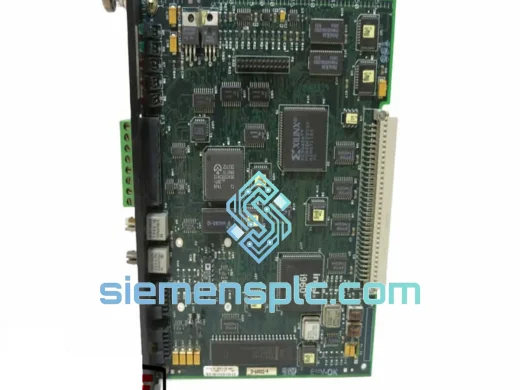
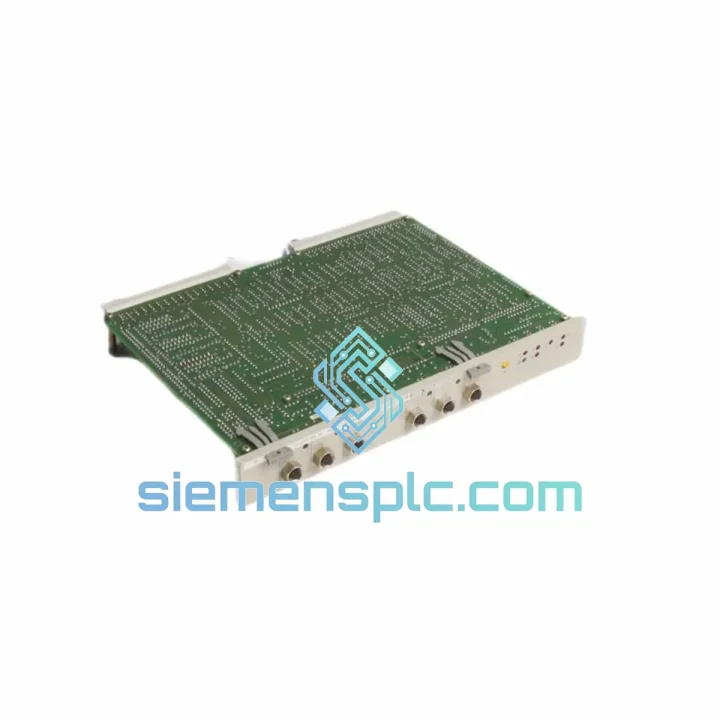
Every minute a TELEPERM M DCS sits offline costs real money — lost throughput, idle crews, and the kind of pressure that makes a plant manager’s phone ring non-stop. The Siemens 6DS1124-8AA Monitor Coupler Module is in stock at our Xiamen warehouse right now. We ship same day via DHL Express or FedEx Priority. No waiting weeks for a factory order. No chasing distributors who haven’t stocked TELEPERM M spares since 2015. You call, we ship, your line restarts.
This module handles signal coupling and process monitoring on the TELEPERM M backplane. When it fails, the entire monitoring loop goes blind — alarms stop propagating, operators lose visibility, and safety interlocks may trip the unit. Getting the right replacement fast is not optional. It is the job.
URGENT REQUIREMENT? Contact: [email protected] | WhatsApp: +86 18359268345
| Parameter | Value |
|---|---|
| Part Number | 6DS1124-8AA |
| Manufacturer | Siemens AG |
| Series / Platform | TELEPERM M (TM) DCS |
| Module Function | Monitor Coupler |
| Form Factor | Plug-in card, standard TM rack slot |
| Bus Interface | TELEPERM M internal process bus |
| Operating Temperature | 0 °C to +60 °C |
| Power Supply | Backplane-supplied (no external PSU required) |
| Weight | ~620 g |
| Country of Origin | Germany |
| Compliance | CE, per TELEPERM M platform standards |
| Stock Status | ✅ Ready to Ship – Xiamen Warehouse |
| Lead Time (in-stock) | Same-day dispatch, DHL/FedEx Express |
| Warranty | 12 months against manufacturing defects |
Pulled from real field experience replacing 6DS1124-series couplers in live TELEPERM M installations:
Common failure signatures:
Before you pull the card:
Replacement procedure (field-tested):
If the replacement card also faults immediately: suspect a backplane connector issue or a failed upstream power rail — the coupler is not the root cause. Check the rack’s internal bus voltage before condemning a second module.
TELEPERM M installations don’t live in clean server rooms. They run in petrochemical plants, power stations, and chemical processing facilities where ambient temperatures swing, humidity condenses on cold mornings, and vibration from rotating machinery is a constant background stress. The 6DS1124-8AA was designed for exactly this environment.
The module’s PCB uses conformal coating on critical signal traces, providing resistance to moisture ingress and corrosive atmospheres. The backplane connector is a high-cycle-rated design that maintains contact integrity through repeated thermal expansion and contraction. Siemens specified the TELEPERM M card family to IEC 60068 environmental test standards — vibration, thermal shock, and humidity cycling — which is why these modules are still running reliably in plants that commissioned them decades ago.
Every unit we ship has been inspected for physical integrity: connector pins checked for deformation, PCB surfaces examined under magnification for cracked solder joints or corrosion, and where stock permits, a powered bench functional test is performed before packaging. We do not ship modules that show signs of prior arc damage, flood exposure, or counterfeit markings. ESD-safe anti-static bags and foam-lined packaging protect the card through the express freight journey from Xiamen to your site.
Our warehouse is located in Xiamen, China — a major international freight hub with direct DHL Express and FedEx Priority connections to every major industrial region on the planet. Here is how a typical urgent order moves:
For plant shutdowns or turnaround events where every hour counts, contact us directly on WhatsApp for real-time shipment coordination. We have arranged weekend dispatch and charter freight for critical outages before — it is not a standard service, but when a refinery is down, standard doesn’t apply.
📧 Email: [email protected]
💬 WhatsApp: +86 18359268345
🌐 Web: siemensplc.com
© 2026 siemensplc.com. All rights reserved.
We check the full part number, brand, series and visible nameplate information before quotation.
Sales confirms stock path, condition option, quantity and realistic lead time for export dispatch.
DHL, FedEx, UPS or buyer courier arrangements can be reviewed with packing requirements.
Similar brand or category products for fast comparison and multi-item RFQ lists.