Siemens
RFQ Ready
Siemens 6ES7321-1BL00-0AA0 Digital Input Module
SIMATIC
Origin DE
PLC Digital Input Module
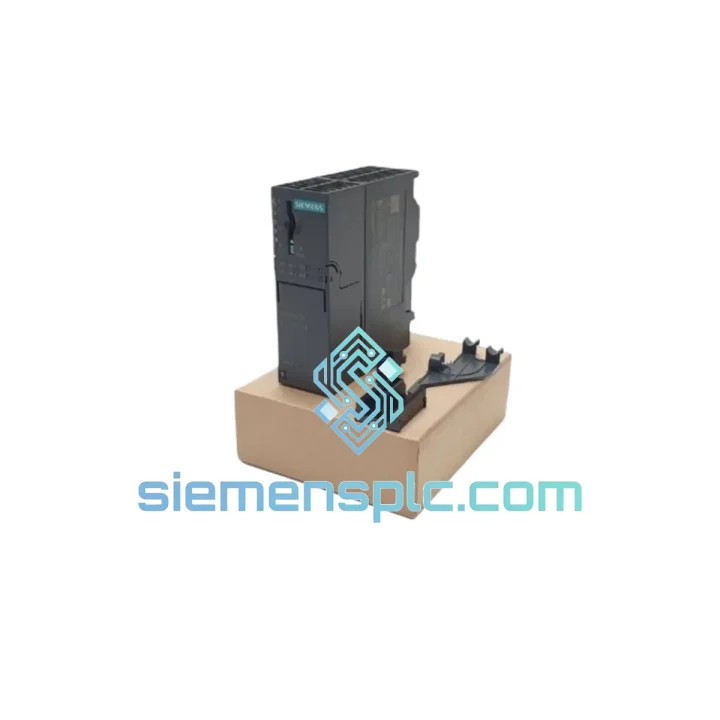
Request verified availability, condition, replacement risk review, packing options and courier lead time for 6ES7153-4AA01-0XB0.
Click Request Quote and the part number is inserted into the inquiry form automatically.
Core fields for model confirmation and RFQ routing. Detailed product narrative remains below.
Your ET 200M station just dropped off the PROFINET network. The controller is in STOP. The line is cold. You’ve already pulled the IM 153-4 PN IO and confirmed it’s dead — burnt smell, no LEDs, or a solid red BF/SF combination that won’t clear after a power cycle. You need a replacement module, not a lead time. The Siemens 6ES7153-4AA01-0XB0 is on our shelf in Xiamen right now. Order before 15:00 CST and it moves today.
This is the IM 153-4 PN IO interface module for the SIMATIC ET 200M distributed I/O system — the unit that bridges your S7-300 or S7-400 controller to the PROFINET IO network and manages every signal module on the rack. When this module fails, the entire ET 200M station goes dark. There is no workaround, no bypass. You replace it or the line stays down.
URGENT REQUIREMENT? Contact: [email protected] | WhatsApp: +86 18359268345
| Order Number (MLFB) | 6ES7153-4AA01-0XB0 ✅ Ready to Ship |
| Series | SIMATIC ET 200M |
| Module Function | IM 153-4 PN IO — PROFINET Interface Module |
| Compatible Controllers | S7-300, S7-400, S7-400H, SIMATIC PCS 7 |
| Network Interface | PROFINET IO, 2-port integrated switch (RJ45) |
| Supported Topology | Line, Star, Ring (MRP — sub-200 ms recovery) |
| Transmission Speed | 10 / 100 Mbit/s auto-negotiation |
| Max. Signal Modules per Station | 8 × SM / FM |
| Isochronous Real-Time (IRT) | Supported — min. cycle 250 µs |
| PROFIsafe | Supported — F-modules up to SIL 3 / PLe |
| Supply Voltage | 24 V DC (20.4 – 28.8 V) |
| Current Draw | Max. 1.2 A |
| Operating Temperature | 0 °C to +60 °C |
| Storage Temperature | −40 °C to +70 °C |
| Protection Class | IP20 |
| Dimensions (W × H × D) | 40 × 125 × 117 mm |
| Weight | ~240 g |
| Firmware Upgrade | Via PROFINET (no PG/PC required on-site) |
| Hardware Revision | HW: 1 / FW: V3.x |
| Origin | Germany |
| Stock Status | ✅ In Stock — Xiamen, China |
Ten years of field calls on ET 200M stations teach you the same patterns. Here is what actually matters when you are standing in front of a dead rack at 02:00.
Fault Diagnosis Before You Pull the Module
Do not assume the IM is dead because the station dropped. Check these first:
Replacement Procedure — Step by Step
Common Post-Replacement Errors
The 6ES7153-4AA01-0XB0 is not office hardware. It is built to run continuously in environments that destroy consumer-grade electronics within weeks. The module carries IEC 61131-2 qualification, which means it has been tested against the full suite of industrial environmental stresses — not just rated for them on paper.
Vibration & Mechanical Shock — Qualified to IEC 60068-2-6 (sinusoidal vibration, 10–58 Hz, 0.075 mm amplitude; 58–150 Hz, 1 g) and IEC 60068-2-27 (shock, 15 g / 11 ms half-sine). This covers the vibration profiles of compressor rooms, press shop floors, and rail-mounted cabinet installations without additional shock mounts.
Thermal Cycling — Rated for continuous operation from 0 °C to +60 °C with storage down to −40 °C. The internal power regulation circuitry maintains stable 5 V backplane bus voltage across the full thermal range, preventing the voltage sag that causes SM modules to drop offline during summer peak loads in non-air-conditioned substations.
Humidity & Condensation — Tested to IEC 60068-2-30 (damp heat, cyclic, 25–55 °C, 95% RH). The conformal coating on the PCB provides protection against condensation events during plant startup after cold shutdowns — a common failure mode for uncoated boards in coastal and tropical installations.
EMC Immunity — Compliant with EN 61000-6-2 (industrial immunity), including 4 kV contact discharge (ESD), 8 kV air discharge, 2 kV fast transient burst on power lines, and 10 V/m radiated immunity. In practice, this means the module survives the electrical noise environment of VFD-heavy motor control centers without nuisance resets.
Electromagnetic Emissions — CE marked under the EMC Directive (2014/30/EU), EN 61000-6-4 Class A. UL 508 listed for industrial control equipment. cULus approved.
Our warehouse is located in Xiamen, Fujian Province — one of China’s primary export hubs with direct access to Xiamen Gaoqi International Airport (XMN) and daily consolidated freight departures to DHL, FedEx, and UPS international gateways.
Standard Express Timeline (door-to-door from order confirmation):
What happens after you place the order:
For emergency breakdown orders requiring same-day dispatch, contact us directly via WhatsApp before placing the order so we can confirm stock allocation and arrange priority pick. We have processed emergency shipments to running plants in Germany, South Korea, and Brazil with parts on-site within 72 hours of initial contact.
📧 Email: [email protected]
💬 WhatsApp: +86 18359268345
🌐 Web: siemensplc.com
© 2026 siemensplc.com. All rights reserved.
We check the full part number, brand, series and visible nameplate information before quotation.
Sales confirms stock path, condition option, quantity and realistic lead time for export dispatch.
DHL, FedEx, UPS or buyer courier arrangements can be reviewed with packing requirements.
Similar brand or category products for fast comparison and multi-item RFQ lists.