Siemens
RFQ Ready
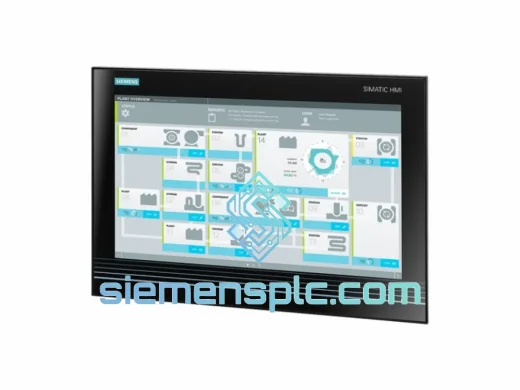
Siemens 6AV7260-5GA10-0BX0 Industrial Panel PC
SIMATIC
Origin DE
Industrial Panel PC
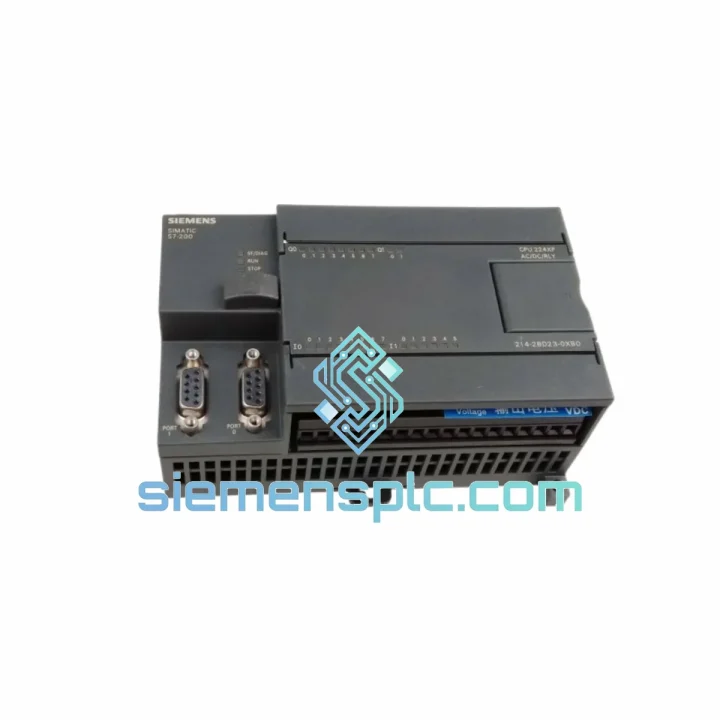
Request verified availability, condition, replacement risk review, packing options and courier lead time for 6ES7214-2BD23-0XB0.
Click Request Quote and the part number is inserted into the inquiry form automatically.
Core fields for model confirmation and RFQ routing. Detailed product narrative remains below.
Every minute your line is down, you’re bleeding money. A failed CPU 224XP doesn’t wait for procurement cycles — and neither do we. The Siemens 6ES7214-2BD23-0XB0 is in stock at our Xiamen warehouse right now, pre-inspected, boxed, and ready to clear customs before your maintenance team finishes the incident report. We’ve shipped this exact module to plants in Southeast Asia, the Middle East, and Europe on 24-hour turnarounds. Your production restart is the only metric that matters here.
URGENT REQUIREMENT? Contact: [email protected] | WhatsApp: +86 18359268345
| Parameter | Specification |
|---|---|
| Part Number | 6ES7214-2BD23-0XB0 |
| Series | SIMATIC S7-200 |
| Model | CPU 224XP Compact Unit |
| Brand | Siemens |
| Power Supply | DC 24V |
| Digital Inputs | 14 × DC 24V |
| Digital Outputs | 10 × DC 24V (transistor) |
| Analog Inputs | 2 × integrated (0–10V / 0–20mA) |
| Analog Output | 1 × integrated (0–10V) |
| Program Memory | 16 KB |
| Data Memory | 10 KB |
| Comm Ports | 2 × RS-485 (PPI / MPI / Freeport) |
| Operating Temp | 0°C to +55°C |
| Protection Rating | IP20 |
| Dimensions (W×H×D) | 196 × 80 × 62 mm |
| Weight | ~360 g |
| Origin | Germany |
| Stock Status | ✅ Ready to Ship — Xiamen Warehouse |
Swapping a CPU 224XP under pressure is where most field mistakes happen. Here’s what 10 years of emergency callouts have taught me:
Step 1 — Back up before you touch anything. If the old CPU still powers on, connect via PC/PPI cable and pull the program with STEP 7-Micro/WIN immediately. Even a corrupted CPU can sometimes yield a partial backup. Don’t skip this — the program may not exist anywhere else.
Step 2 — Check firmware revision before ordering. The 6ES7214-2BD23-0XB0 carries firmware V2.01. If your existing system runs expansion modules with firmware-dependent behavior (particularly EM 231 analog modules with custom scaling), confirm compatibility. Mismatched firmware between CPU and EM modules causes erratic analog readings that look like sensor faults — a classic time-waster on site.
Step 3 — Address configuration on replacement. The S7-200 CPU 224XP does not use rotary address switches like some older Siemens DP slaves. The CPU address is set in software via STEP 7-Micro/WIN under PLC > Communications. Default PPI address is 2. If your HMI or SCADA is polling a non-default address, the replacement CPU will appear offline until you match it. Set this before you close the panel.
Step 4 — Real-time clock reset. The onboard RTC loses its setting when the CPU is powered down for replacement. Any time-stamped logging, scheduled tasks, or recipe triggers will behave incorrectly until you re-sync the clock. Do it immediately after first power-on.
Step 5 — Common fault codes to know:
The 6ES7214-2BD23-0XB0 was engineered for environments that would kill consumer-grade electronics in a week. The housing is rated IP20 with conformal-coated PCBs on production units, providing resistance against condensation and airborne contaminants common in food processing, chemical, and foundry environments. Vibration tolerance meets IEC 61131-2 Class I requirements — the same standard used for rail-mounted industrial equipment subject to continuous mechanical shock. Operating range of 0°C to +55°C covers the vast majority of industrial panel installations, including outdoor enclosures in tropical climates where ambient temperatures inside a sealed cabinet can spike well above ambient air temperature.
Units in our stock are stored in climate-controlled conditions at our Xiamen facility. Each module is individually sealed in anti-static packaging with desiccant inserts. Before dispatch, we perform a visual inspection of connector pins, label integrity, and housing for any transit damage. You receive a module that is ready to install — not one that’s been sitting in an uncontrolled warehouse for three years.
Our Xiamen warehouse sits 40 minutes from Xiamen Gaoqi International Airport, one of China’s primary cargo hubs for DHL and FedEx express freight. This geography is deliberate — it means your module can be airside within hours of order confirmation, not days.
Standard dispatch timeline: Orders confirmed before 14:00 CST ship same business day. Orders confirmed after 14:00 CST ship next morning. No exceptions, no excuses — downtime doesn’t negotiate.
All shipments include a commercial invoice, packing list, and certificate of origin. For customers in countries with import duty exemptions on industrial automation components, we can provide HS code documentation (HS 8537.10) to support customs clearance. Tracking numbers are issued within 2 hours of dispatch. If your freight forwarder requires a specific carrier or routing, contact us before ordering and we’ll accommodate.
For plant shutdowns or scheduled maintenance windows where timing is critical, we offer pre-shipment reservation — pay a deposit, we hold the unit under your name and ship on your confirmed date. No surprises, no stock-outs.
Email: [email protected]
WhatsApp: +86 18359268345
Web: siemensplc.com
© 2026 siemensplc.com. All rights reserved.
We check the full part number, brand, series and visible nameplate information before quotation.
Sales confirms stock path, condition option, quantity and realistic lead time for export dispatch.
DHL, FedEx, UPS or buyer courier arrangements can be reviewed with packing requirements.
Similar brand or category products for fast comparison and multi-item RFQ lists.