Siemens
RFQ Ready
Siemens A5E03378158 Communication Processor – SIMATIC S7-300 CP 343-1
SIMATIC S7-300
Origin DE
Communication Processor
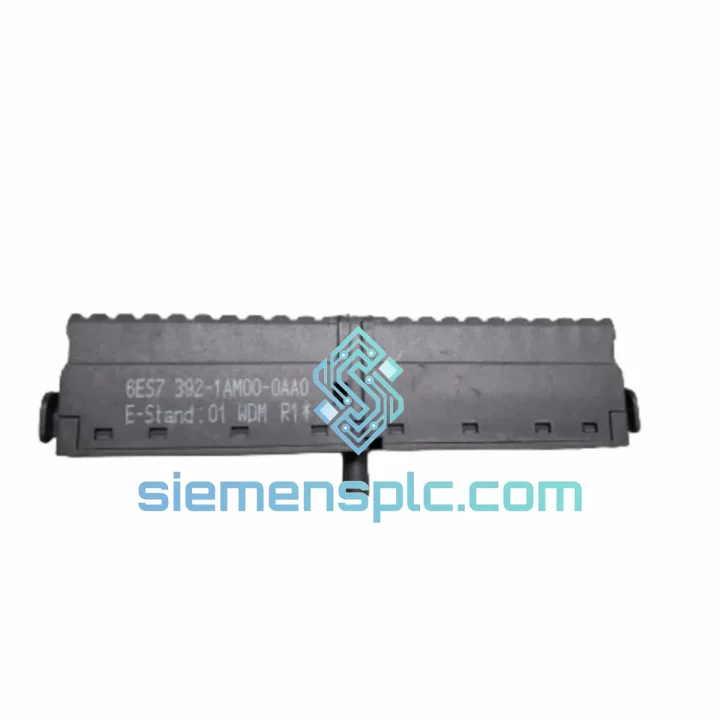
Request verified availability, condition, replacement risk review, packing options and courier lead time for 6ES7392-1AM00-0AA0.
Click Request Quote and the part number is inserted into the inquiry form automatically.
Core fields for model confirmation and RFQ routing. Detailed product narrative remains below.
Your line is down. The S7-300 rack is throwing I/O faults. Maintenance has traced it to a failed or missing front connector — and procurement is telling you lead time from the OEM distributor is 3–6 weeks. Every hour of unplanned downtime on a mid-size production line costs between $5,000 and $20,000 USD. We stock the Siemens 6ES7392-1AM00-0AA0 precisely for this moment. Order confirmed before 15:00 CST ships same day via DHL Express or FedEx International Priority. No minimum order. No waiting.
URGENT REQUIREMENT? Contact: [email protected] | WhatsApp: +86 18359268345
| Parameter | Value |
|---|---|
| Part Number | 6ES7392-1AM00-0AA0 |
| Series | SIMATIC S7-300 |
| Connector Type | Front connector, screw-type terminals |
| Pin Count | 20-pin |
| Terminal Style | Screw clamp, field-wiring side |
| Compatible Modules | SM 321, SM 322, SM 331, SM 332 (20-pin variants) |
| Manufacturer | Siemens AG |
| Country of Origin | Germany |
| Weight | Approx. 250 g |
| Labeling Strip | Included |
| Stock Status | ✔ Ready to Ship — Xiamen, China |
| Shipping Options | DHL Express / FedEx International Priority |
The 6ES7392-1AM00-0AA0 is a passive wiring interface — it carries no firmware and requires no addressing. But field experience shows that connector-related faults are frequently misdiagnosed as module failures. Before you condemn an SM 321/322/331/332 module, work through this sequence:
Step 1 — Isolate the fault. In STEP 7 or TIA Portal, open the hardware diagnostics for the affected rack slot. If the module shows “Module fault” or “Channel fault” but the CPU is in RUN, the connector is the first suspect — not the module itself. A loose screw terminal or a broken wire ferrule at the connector will generate identical fault codes to a failed I/O channel.
Step 2 — Power down the rack segment. The S7-300 front connector is not hot-swappable under live field voltage. De-energize the field supply (typically 24 VDC) before pulling the connector. Failure to do so risks damaging the module’s input protection circuitry and — in the case of output modules — can cause uncontrolled actuator movement.
Step 3 — Inspect terminal integrity. Pull the connector and examine each screw terminal under good lighting. Look for: burned or discolored terminals (overload or short-circuit event), loose or missing wire ferrules, cracked housing around the locking tab, and corrosion on the gold-plated contacts. Any of these conditions warrants connector replacement regardless of whether the module itself has failed.
Step 4 — Transfer wiring to the new connector. This is the key operational advantage of the S7-300 front connector design. If your field wiring is intact, you do not need to re-terminate every wire. Loosen each screw terminal on the old connector one at a time, transfer the wire to the corresponding terminal on the new 6ES7392-1AM00-0AA0, and tighten to the specified torque (0.8–1.1 Nm for standard conductors). Work terminal-by-terminal to avoid wiring errors. Use the labeling strip on the new connector to re-mark terminal assignments before you start.
Step 5 — Verify module addressing before reconnection. The S7-300 uses rack-slot-based addressing — the module’s I/O address is determined by its physical slot position in the rack, not by any DIP switch or rotary switch on the connector. No re-addressing is required when replacing the front connector alone. However, if you are simultaneously replacing the signal module, confirm the slot address in your STEP 7/TIA hardware configuration matches the physical slot. A mismatch will cause the CPU to flag a configuration error (OB 86 or diagnostic interrupt).
Step 6 — Re-engage and test. Seat the new connector firmly until the locking tab clicks. Restore field power. In STEP 7/TIA Portal, perform a module diagnostic read. All channel faults should clear. If faults persist after connector replacement, the signal module itself requires evaluation — at that point, the connector has been eliminated as the root cause.
Common fault codes associated with connector issues on S7-300 I/O modules:
The 6ES7392-1AM00-0AA0 is built to operate continuously in environments that would destroy consumer-grade connectors within weeks. Siemens designed the S7-300 front connector family for the realities of industrial plant floors — not laboratory conditions.
The screw-clamp terminal design maintains consistent contact force across the full operating temperature range of -25°C to +70°C. Unlike spring-clamp alternatives, screw terminals do not relax under sustained vibration — a critical property in applications mounted on machine frames, compressor skids, or conveyor drives where vibration is constant and unavoidable. The housing material is a flame-retardant thermoplastic rated to UL 94 V-0, providing passive fire resistance in the event of an adjacent electrical fault.
In high-humidity environments — coastal facilities, food processing plants, outdoor enclosures in tropical climates — the gold-plated contact surfaces on the 6ES7392-1AM00-0AA0 resist oxidation that would otherwise increase contact resistance over time and introduce measurement errors on analog channels. The connector’s IP20 rating is achieved when properly seated in the signal module, providing finger-safe protection against accidental contact with live terminals.
Mechanical durability is rated for a minimum of 100 mating cycles — sufficient for the full service life of the host signal module in most maintenance scenarios. The locking tab mechanism provides positive retention against vibration-induced disconnection, a failure mode that has caused unplanned shutdowns in high-vibration installations where inferior connectors were substituted.
Our warehouse is located in Xiamen, Fujian Province, China — one of the primary export hubs for industrial automation components in Asia. Xiamen Gaoqi International Airport handles daily freighter departures to major global hubs, enabling next-flight-out shipment for critical orders.
Standard export process for the 6ES7392-1AM00-0AA0:
For plant shutdowns or scheduled maintenance windows where delivery timing is critical, contact us via WhatsApp for real-time coordination. We can confirm cut-off times, arrange airport-to-airport freight for extreme urgency, and provide pre-shipment photos for your records.
Email: [email protected]
WhatsApp: +86 18359268345
Web: siemensplc.com
© 2026 siemensplc.com. All rights reserved.
We check the full part number, brand, series and visible nameplate information before quotation.
Sales confirms stock path, condition option, quantity and realistic lead time for export dispatch.
DHL, FedEx, UPS or buyer courier arrangements can be reviewed with packing requirements.
Similar brand or category products for fast comparison and multi-item RFQ lists.