

Siemens
RFQ Ready
Siemens 6AV7240-0HC07-0PA0 Industrial Panel PC Motherboard – SIMATIC IPC477D
SIMATIC
Origin DE
Industrial Panel PC Motherboard
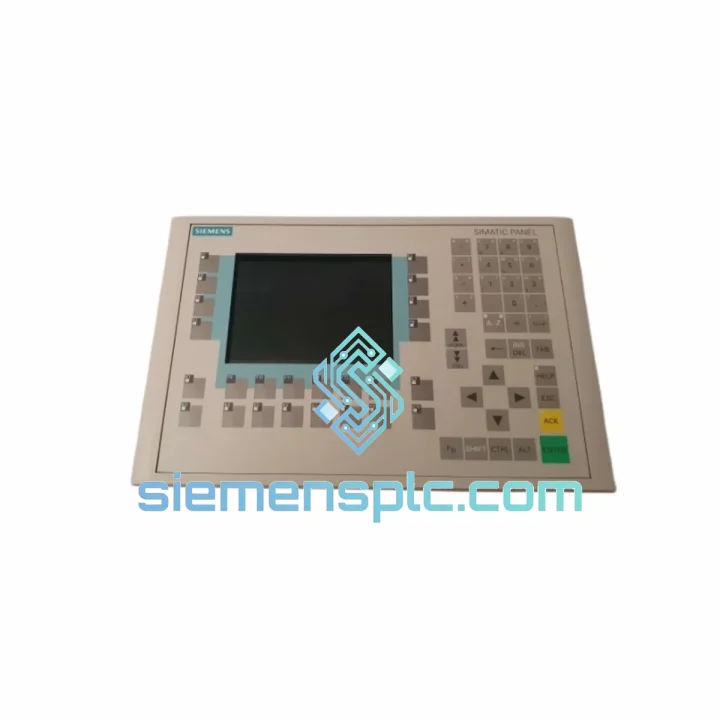
Request verified availability, condition, replacement risk review, packing options and courier lead time for 6ES7621-1AD02-0AE3.
Click Request Quote and the part number is inserted into the inquiry form automatically.
Core fields for model confirmation and RFQ routing. Detailed product narrative remains below.
Your C7-621 just went dark. The line is stopped. Maintenance is standing by. You’ve already pulled the unit and confirmed the fault — now you need a verified replacement in your hands, not a lead-time quote that stretches into next week. The Siemens 6ES7621-1AD02-0AE3 is on our shelf in Xiamen right now. We ship same day on confirmed orders. DHL Express puts it at your door in 3–5 business days, anywhere in the world.
This is not a listing built for browsing. It’s built for the engineer who has a production manager breathing down their neck and needs to make the right call fast. We’ve handled hundreds of C7-series emergency replacements. We know what goes wrong, what to check before you power up, and how to get your system back online without a second trip to the panel.
URGENT REQUIREMENT?
📧 Email: [email protected]
📱 WhatsApp: +86 18359268345
| Order Number | 6ES7621-1AD02-0AE3 |
| Manufacturer | Siemens AG |
| Product Family | SIMATIC C7 Series |
| Model | C7-621 Controller Display |
| Form Factor | Integrated HMI + CPU (compact panel-mount unit) |
| Display | STN monochrome LCD with membrane keypad |
| CPU Base | S7-300 compatible CPU integrated |
| Communication | MPI / PROFIBUS-DP |
| Supply Voltage | 24 V DC |
| Programming Environment | STEP 7 V5.x (ProTool for HMI screens) |
| Operating Temperature | 0 °C to +55 °C |
| Protection Rating | IP65 (front panel) |
| Weight | Approx. 1,320 g |
| Origin | Germany |
| Stock Status | ✅ Ready to Ship — Xiamen Warehouse |
The C7-621 is a deceptively complex unit to swap because it merges HMI and CPU functions into one chassis. A straight hardware pull-and-plug will not restore your system. Here’s what actually matters on the bench:
1. Back up the CPU program before you pull the old unit. If the existing unit still powers on — even partially — connect via MPI and upload the S7 program using STEP 7. The C7-621 does not have a removable memory card in the traditional sense; the program lives in the integrated CPU’s load memory. If the unit is completely dead, check whether a backup exists on the SIMATIC Manager project archive. No backup means re-programming from scratch.
2. MPI address conflict is the #1 commissioning failure. The C7-621 ships with a default MPI address of 2. If your network already has a node at address 2 (common in multi-device installations), the replacement unit will cause a bus collision the moment you power it up. Before connecting to the MPI network, set the correct node address via the unit’s local menu (accessible without a PC connection) under System → MPI Address. Confirm the address matches your network topology documentation.
3. ProTool project must match the hardware revision. The suffix 0AE3 denotes a specific hardware revision. If your ProTool project was compiled against a different revision, you may encounter screen configuration errors or communication faults after download. Check the ProTool project properties and confirm the target device matches 6ES7621-1AD02-0AE3 exactly before attempting a download.
4. Common fault codes to know:
5. 24 V DC supply quality matters. The C7-621 is sensitive to supply ripple. If you’re replacing a failed unit and the power supply is aging, measure ripple voltage before commissioning. Anything above 5% ripple on a 24 V rail can cause intermittent CPU resets that look like software faults.
The 6ES7621-1AD02-0AE3 was engineered for the kind of environment where most consumer electronics would fail within a shift. The front panel carries an IP65 rating — sealed against dust ingress and low-pressure water jets, which matters in washdown areas, foundries, and outdoor enclosures. The operating temperature range of 0 °C to +55 °C covers the majority of industrial cabinet environments, including those without active cooling.
Vibration resistance is built into the mechanical design. The unit uses conformal-coated PCBs internally, which protects against condensation and corrosive atmospheres — a critical factor in chemical processing and coastal installations where humidity cycles are aggressive. The membrane keypad is rated for millions of actuations, and the housing is a single-piece die-cast construction that resists warping under thermal cycling.
EMC performance meets EN 61000 requirements for industrial environments. The integrated MPI/PROFIBUS interface includes galvanic isolation, which protects the CPU from ground loop currents that are endemic in large steel-frame installations. In practice, this means the unit survives the kind of electrical noise that kills cheaper integrated HMI/PLC products within months.
Units supplied from our Xiamen warehouse are stored in climate-controlled conditions and inspected for physical integrity — connector pins, housing seals, label authenticity — before dispatch. We do not ship units that show evidence of prior installation damage or counterfeit markings.
Our dispatch hub is in Xiamen, Fujian Province — one of China’s primary export ports with direct DHL and FedEx gateway access. Here’s how the logistics chain works from the moment you confirm your order:
We’ve shipped to Germany, the US, Australia, Brazil, Saudi Arabia, Vietnam, and over 40 other countries. If your customs environment has specific requirements — CITES, dual-use declarations, end-user certificates — contact us before ordering and we’ll advise on documentation.
📧 Email: [email protected]
📱 WhatsApp: +86 18359268345
🌐 Web: siemensplc.com
© 2026 siemensplc.com. All rights reserved.
We check the full part number, brand, series and visible nameplate information before quotation.
Sales confirms stock path, condition option, quantity and realistic lead time for export dispatch.
DHL, FedEx, UPS or buyer courier arrangements can be reviewed with packing requirements.
Similar brand or category products for fast comparison and multi-item RFQ lists.


