Siemens
RFQ Ready
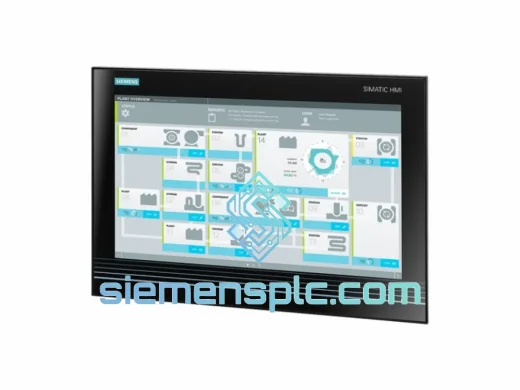
Siemens 6AV7260-5GA10-0BX0 Industrial Panel PC
SIMATIC
Origin DE
Industrial Panel PC
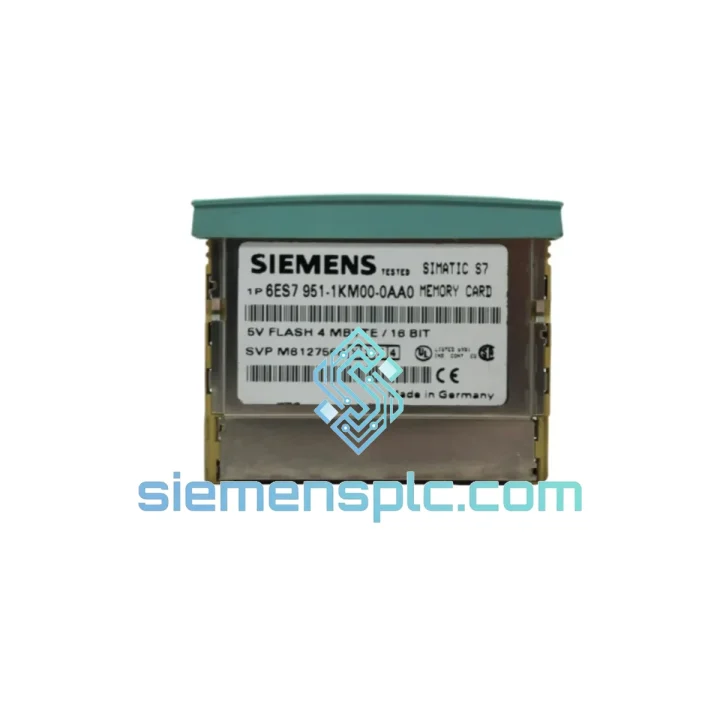
Request verified availability, condition, replacement risk review, packing options and courier lead time for 6ES7951-1KM00-0AA0.
Click Request Quote and the part number is inserted into the inquiry form automatically.
Core fields for model confirmation and RFQ routing. Detailed product narrative remains below.
You’ve already run the diagnostics. The S7-400 CPU is sitting in STOP, the SF LED is solid red, and the memory card is confirmed dead. Every minute that rack stays cold is costing your operation real money — lost throughput, idle labor, delayed shipments. You don’t need a catalog quote with a 6–8 week lead time. You need a verified, 100% original Siemens 6ES7951-1KM00-0AA0 4 MB Flash EPROM memory card dispatched today.
We maintain physical stock of this card in Xiamen, Fujian Province. Orders confirmed before 15:00 CST ship same day via DHL Express or FedEx International Priority. Most destinations in Southeast Asia receive delivery within 24–48 hours. Europe and North America in 3–5 business days. No middlemen, no drop-shipping delays, no excuses.
Every unit we ship is sourced directly from authorized Siemens distribution channels. Original factory packaging, anti-static bag, humidity indicator card, and full traceability documentation available on request. We do not sell refurbished pulls or third-party clones — if the label says Siemens, it is Siemens.
URGENT REQUIREMENT? Contact: [email protected] | WhatsApp: +86 18359268345
| Part Number | 6ES7951-1KM00-0AA0 ✅ Ready to Ship |
| Brand | Siemens AG |
| Series | SIMATIC S7-400 |
| Memory Technology | Flash EPROM — battery-free, non-volatile |
| Load Memory Capacity | 4 MB |
| Compatible CPUs | CPU 412-1, 412-2, 414-2, 414-3, 416-2, 416-3, 417-4 and all S7-400H variants |
| Interface | SIMATIC plug-in card slot (front panel of CPU) |
| Operating Temperature | 0 °C to +60 °C |
| Storage Temperature | −40 °C to +85 °C |
| Data Retention | >10 years without power supply |
| Write Endurance | ≥100,000 erase/write cycles |
| Country of Origin | Germany |
| HS Code | 8473.30 |
| Dispatch Location | Xiamen, China — same-day for orders before 15:00 CST |
| Stock Status | ✅ In Stock — confirmed available |
Ten years of field work across petrochemical, automotive, and food processing plants teaches you that the 6ES7951-1KM00-0AA0 fails in predictable ways. Here is what you are actually dealing with, and how to get back to RUN without wasting time on the wrong diagnosis.
Fault Pattern 1 — SF solid, BF off, CPU in STOP at power-up
This is the textbook load-memory read failure. The CPU completed its internal self-test but cannot load the user program from the card. Pull the card and inspect the gold edge connector under good lighting. Oxidation appears as a dull grey film; mechanical damage shows as scoring or missing plating. Clean contacts with isopropyl alcohol and a lint-free swab before condemning the card — connector contamination causes roughly 20% of apparent card failures in humid environments. If contacts are clean and the fault persists across two cold restarts, the Flash cells are at end-of-life. Replace the card.
Fault Pattern 2 — CPU trips to STOP mid-scan, OB85 or OB87 logged in diagnostic buffer
This is more serious than a clean startup failure. The card degraded while the machine was running. Before you pull the card, connect a PG/PC and download the full diagnostic buffer via STEP 7 → PLC → Module Information. Screenshot it. You want that data before the buffer rolls over. OB85 (program execution error) combined with a memory access event in the buffer confirms the card. OB87 (communication error) alone may point to a backplane issue — check the CPU seating and rack power supply voltage before assuming it is the memory card.
Fault Pattern 3 — Card not recognized after insertion
Confirm the CPU mode selector is in STOP before inserting. While the S7-400 platform technically supports hot insertion, field experience shows that CPUs running firmware below V5.x occasionally fail to enumerate a newly inserted card without a cold restart. If the CPU still does not recognize the card after a full power cycle, inspect the card slot on the CPU front panel for bent or recessed pins. A single bent pin in the slot will prevent recognition and is not visible without a flashlight and magnification.
Fault Pattern 4 — Program loads but DB values reset to defaults after power loss
This is not a card fault — this is a retain data architecture misunderstanding. The 6ES7951-1KM00-0AA0 stores load memory: OBs, FBs, FCs, and the initial values of DBs. Actual retain data (current DB values flagged as retain) lives in the CPU’s battery-backed internal RAM. If the CPU battery is dead or missing, retain data is lost on every power cycle regardless of which memory card is installed. Check the CPU battery status LED and replace the backup battery (6ES7971-1BA00) before blaming the memory card.
Step-by-Step Swap Procedure
Configuration Notes
The S7-400 platform was built for environments that destroy consumer electronics in weeks. The 6ES7951-1KM00-0AA0 carries that same design philosophy into its storage medium.
Flash EPROM eliminates the most common failure mode of older PLC memory systems: battery dependency. SRAM-based cards from the S5 era required periodic battery replacement. Miss the maintenance window and the program is gone on the next power interruption. This card retains its full program for over a decade with zero power, zero battery, zero scheduled maintenance. In remote installations — offshore platforms, mining sites, unmanned pump stations — that matters enormously.
The operating temperature ceiling of 60 °C covers the vast majority of industrial panel environments, including poorly ventilated enclosures in tropical climates. We have shipped this card to customers running S7-400 systems in steel mill control rooms where ambient panel temperatures regularly hit 55 °C in summer. The card does not throttle, does not corrupt data, does not require derating at elevated temperatures within its specified range.
Vibration resistance is inherent in the solid-state Flash architecture. There are no moving parts, no solder joints under cyclic mechanical stress from spinning media. The card meets IEC 61131-2 mechanical requirements, covering sinusoidal vibration across the 10–150 Hz spectrum at 1g acceleration. In press shops, compressor halls, and heavy machining environments where the entire control panel vibrates continuously during production, this is not a theoretical specification — it is the reason the card survives where rotating-media storage would fail within months.
The gold-plated edge connector resists oxidation in high-humidity environments. Coastal chemical plants, tropical food processing facilities, and paper mills running at 85–95% RH year-round are all environments where we have seen this card outlast the CPUs it was installed in. For long-term spare storage in high-humidity sites, keep the card in its original sealed ESD bag with a fresh silica gel sachet. The card itself is robust; the connector benefits from protection during extended storage periods.
Our warehouse operates in Xiamen, Fujian Province — one of China’s primary export hubs with direct gateway access to DHL Express, FedEx International Priority, and UPS Worldwide Express. Here is the exact sequence from your order confirmation to the card in your hands:
Email: [email protected]
WhatsApp: +86 18359268345
Web: siemensplc.com
© 2026 siemensplc.com. All rights reserved.
We check the full part number, brand, series and visible nameplate information before quotation.
Sales confirms stock path, condition option, quantity and realistic lead time for export dispatch.
DHL, FedEx, UPS or buyer courier arrangements can be reviewed with packing requirements.
Similar brand or category products for fast comparison and multi-item RFQ lists.