Siemens
RFQ Ready
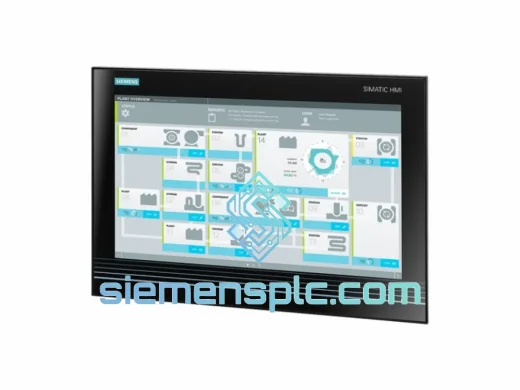
Siemens 6AV7260-5GA10-0BX0 Industrial Panel PC
SIMATIC
Origin DE
Industrial Panel PC
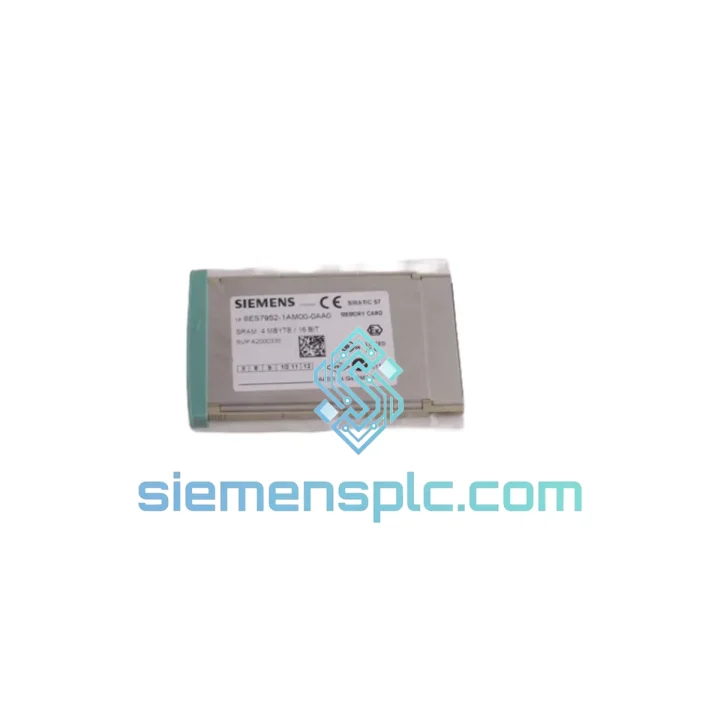
Request verified availability, condition, replacement risk review, packing options and courier lead time for 6ES7952-1AM00-0AA0.
Click Request Quote and the part number is inserted into the inquiry form automatically.
Core fields for model confirmation and RFQ routing. Detailed product narrative remains below.
Your S7-400 CPU is down. The line is stopped. Maintenance is standing by. You need a Siemens 6ES7952-1AM00-0AA0 2MB RAM Memory Card — not in two weeks, not “subject to availability” — now. This is exactly the scenario we built siemensplc.com for. Stock is confirmed. Export documentation is pre-staged. DHL and FedEx labels print the moment your order clears. We have shipped this exact part number to plants in Southeast Asia, the Middle East, and Europe with wheels-up same day.
The 6ES7952-1AM00-0AA0 is the standard 2MB volatile RAM card for the SIMATIC S7-400 platform. It slots into the CPU’s dedicated memory card bay and holds the user program plus runtime data blocks. Without it — or with a failed one — your CPU will not enter RUN mode. There is no workaround. You need the card.
URGENT REQUIREMENT? Contact: [email protected] | WhatsApp: +86 18359268345
| Parameter | Value |
|---|---|
| Order Number (MLFB) | 6ES7952-1AM00-0AA0 |
| Product Family | SIMATIC S7-400 Memory Cards |
| Memory Type | RAM (volatile) |
| Capacity | 2 MB |
| Compatible CPUs | S7-400 CPU 412, 414, 416, 417 — all standard and H-series variants |
| Card Format | Proprietary SIMATIC S7-400 slot (not interchangeable with S7-300 or S7-1500) |
| Operating Temperature | 0 °C to +60 °C |
| Storage Temperature | −40 °C to +85 °C |
| Power Supply | Via CPU backplane — no external power required |
| Data Retention | Requires CPU backup battery (lithium, not included) |
| Dimensions (W×H×D) | Approx. 54 × 37 × 5 mm |
| Weight | Approx. 15 g |
| Certifications | CE, UL, cULus |
| Engineering Software | STEP 7 V5.x Classic / TIA Portal V13 SP1+ with S7-400 package |
| Stock Status | ✔ Ready to Ship — Xiamen Warehouse |
Ten years of field calls on S7-400 systems teach you the same lessons repeatedly. Here is what actually matters when you are swapping this card under pressure:
Symptom: CPU stuck in STOP, SF LED solid red after power cycle. Before you condemn the CPU itself, pull the memory card and inspect the gold contacts. Oxidation or a single bent pin causes exactly this fault. Clean contacts with 99% isopropyl and a lint-free swab. Reseat firmly. If the CPU enters RUN after reseating, the card was the culprit — order a replacement immediately and keep the cleaned card as a temporary spare.
Symptom: CPU enters RUN but program behaves erratically or DB values reset unexpectedly. This is a classic failing backup battery combined with a RAM card. The CPU battery is no longer sustaining the card during micro-outages. Check the BATF LED. If it is lit or flashing, replace the CPU battery first, then do a full download from STEP 7 to reload the program onto the card. Do not assume the card is bad until the battery is confirmed good.
Replacement procedure — field-tested sequence:
Configuration note on capacity: If you are upgrading from a 1MB card (6ES7952-1AK00-0AA0) to this 2MB unit, no hardware configuration change is required in STEP 7 — the CPU auto-detects card capacity. However, if your project size exceeds 2MB, the CPU will reject the download with error code 8090:xxxx. In that case you need the 4MB variant (6ES7952-1AP00-0AA0).
Firmware note: The 6ES7952-1AM00-0AA0 has no onboard firmware — it is passive RAM. Firmware compatibility concerns apply to the CPU, not the card. Ensure your CPU firmware is current if you are seeing unexplained memory faults after card replacement.
The S7-400 platform was engineered for environments that would destroy consumer-grade electronics. The 6ES7952-1AM00-0AA0 is no exception. The card’s PCB is conformally coated to resist humidity ingress — a critical factor in coastal plants, paper mills, and food processing facilities where condensation is a daily reality. The gold-plated edge connector maintains contact integrity through thousands of insertion cycles and resists the micro-corrosion that kills lesser cards in high-sulfur or saline atmospheres.
Vibration tolerance is validated to IEC 60068-2-6 — the card will not work loose in press lines, compressor rooms, or mobile equipment cabinets where constant mechanical shock is the norm. Operating temperature range of 0 °C to +60 °C covers the vast majority of industrial panel environments, and storage down to −40 °C means cards can be warehoused in unheated facilities without degradation.
Every unit we ship has been stored in ESD-safe, humidity-controlled conditions. We do not pull cards from scrap machines or unverified surplus lots. Traceability documentation — including original Siemens packaging where available — ships with the unit on request.
Our dispatch warehouse is located in Xiamen, Fujian, China — one of the country’s primary export hubs with direct DHL and FedEx gateway access. This is not a drop-ship arrangement. Stock is physically on our shelves.
Standard express timeline from order confirmation:
All shipments include a commercial invoice with correct HS code (8473.30) and declared value for customs clearance. We handle export documentation — you handle installation. For plants in countries with import restrictions on industrial electronics, contact us before ordering and we will advise on the correct routing.
Tracking numbers are emailed within 2 hours of dispatch. For critical shutdowns, WhatsApp us directly and we will provide real-time shipment updates until the part is in your hands.
Email: [email protected]
WhatsApp: +86 18359268345
Web: siemensplc.com
© 2026 siemensplc.com. All rights reserved.
We check the full part number, brand, series and visible nameplate information before quotation.
Sales confirms stock path, condition option, quantity and realistic lead time for export dispatch.
DHL, FedEx, UPS or buyer courier arrangements can be reviewed with packing requirements.
Similar brand or category products for fast comparison and multi-item RFQ lists.