Siemens
In Stock OK
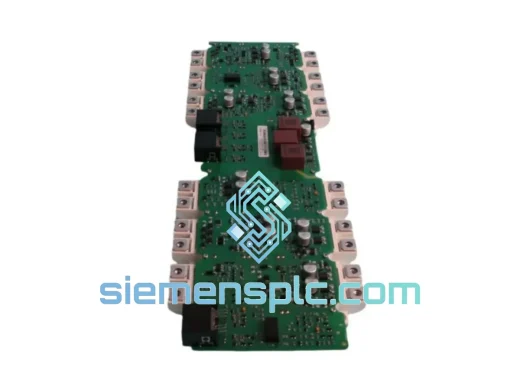
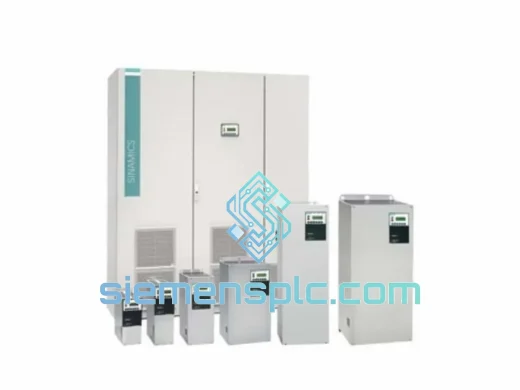
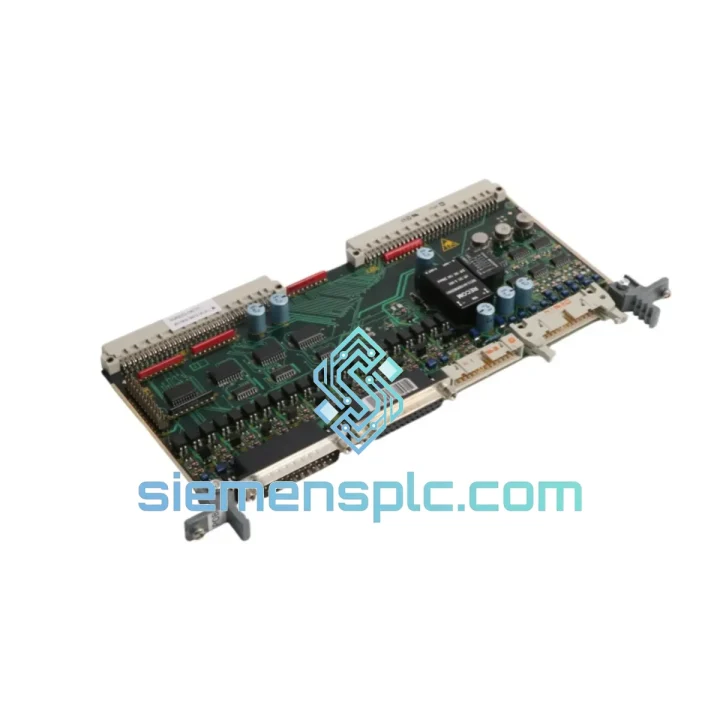
Siemens 6SR0960-0CC07-1AD0 I/O Module
Request verified availability, condition, replacement risk review, packing options and courier lead time for 6SR0960-0CC07-1AD0.
BrandSiemens
Part Number6SR0960-0CC07-1AD0
ConditionAvailability Check
Lead TimeRFQ Confirmation
DocumentsDatasheet / photos by RFQ
ShippingExport packing available
Auto-filled RFQ
6SR0960-0CC07-1AD0
Click Request Quote and the part number is inserted into the inquiry form automatically.
- Reply by email: [email protected]
- WhatsApp / Tel: +86 18359268345
- Mon-Sat 9:00-18:00 GMT+8
Procurement Data
Key Product Information
Core fields for model confirmation and RFQ routing. Detailed product narrative remains below.
- Brand
- Siemens
- Primary Part Number
- 6SR0960-0CC07-1AD0
- Product Type
- I/O Module
- Series / Family
- SINAMICS
- Manufacturer
- Siemens
- Country of Origin
- DE
- Catalog Category
- I/O Modules
Model confirmed for inquiry
6SR0960-0CC07-1AD0
Send quantity, destination and urgency. The RFQ form keeps this part number attached.
Request Quote
Product Overview
Siemens 6SR0960-0CC07-1AD0 – Stop the Clock on Your Downtime
Every minute a SINAMICS S120 drive sits offline, your production line is bleeding money. Whether it’s a blown I/O module on a CNC spindle axis, a failed terminal expansion card on a conveyor drive, or an unresponsive DRIVE-CLiQ node that’s taken your entire multi-axis system down — the 6SR0960-0CC07-1AD0 is the part you need, and we have it on the shelf right now in Xiamen, China, ready to clear customs and land on your dock faster than your OEM distributor can even confirm availability.
We are not a catalog website. We are a stocking distributor with a warehouse team that pulls, inspects, and packs the same day you order. Our clients are maintenance engineers, plant managers, and procurement leads at automotive plants, steel mills, packaging lines, and semiconductor fabs across Southeast Asia, the Middle East, and Europe. They call us when the official channel has a 12-week lead time and the line cannot wait 12 hours.
URGENT REQUIREMENT? Contact: [email protected] | WhatsApp: +86 18359268345
Quick Technical Datasheet
| Parameter | Value |
|---|---|
| Part Number | 6SR0960-0CC07-1AD0 |
| Manufacturer | Siemens |
| Series | SINAMICS S120 |
| Module Type | I/O Module (Terminal Expansion) |
| Interface | DRIVE-CLiQ |
| Compatible Control Units | CU320-2 DP / CU320-2 PN / CU310-2 DP / CU310-2 PN |
| Mounting | DIN Rail / Panel Mount (Booksize format) |
| Country of Origin | Germany |
| Firmware Baseline | SINAMICS S120 FW V4.7 and above |
| Engineering Tool | TIA Portal V14+ / STARTER |
| Weight | Approx. 1,000 g |
| Stock Status | ✅ Ready to Ship – Xiamen Warehouse |
| Condition | New / Original |
| Lead Time | Same-day dispatch on confirmed orders before 15:00 CST |
Troubleshooting & Replacement Tips
Ten years of field work teaches you that swapping an I/O module on a SINAMICS S120 system is never just a pull-and-plug job. Here is what actually matters on the bench:
1. Fault Code Identification Before You Pull the Module
Before touching anything, capture the active fault log from the CU via STARTER or TIA Portal. Common faults pointing to a failed 6SR0960-0CC07-1AD0 include F01910 (DRIVE-CLiQ communication error), F07220 (I/O module configuration mismatch), and A07400-series alarms indicating terminal module signal loss. Screenshot the topology view — you will need it to verify the replacement is seated in the correct DRIVE-CLiQ port position.
2. DRIVE-CLiQ Topology and Auto-Addressing
The S120 system performs automatic component identification via DRIVE-CLiQ on power-up. When you install the replacement 6SR0960-0CC07-1AD0, the CU will attempt to match the new module’s electronic nameplate (MLFB, serial number, firmware version) against the saved topology in the project. If the firmware version on the replacement unit differs from the original, you will get F01910 or F01920 immediately. Solution: connect via TIA Portal, navigate to the drive object’s topology view, accept the new component, and perform a RAM-to-ROM save before cycling power.
3. DIP Switch / Rotary Address Settings
This module does not use manual rotary address switches — addressing is handled entirely via DRIVE-CLiQ enumeration. However, verify that the DRIVE-CLiQ cable is connected to the correct port on the CU. Port sequence matters: the topology is stored as an ordered list, and inserting the module into the wrong port will cause a topology mismatch fault even if the module itself is healthy.
4. Firmware Matching
Check the firmware version on the replacement unit’s nameplate label before installation. If your CU is running FW V4.8 and the replacement module ships with FW V4.7, the system will flag a version mismatch warning (A01910). This is non-critical in most cases but should be resolved by updating the module firmware via TIA Portal’s firmware update wizard under the drive object properties. Never update firmware with the drive in RUN state.
5. Parameter Backup First, Always
Before powering down for the swap, export a full parameter backup from the CU using STARTER (File → Save Project) or TIA Portal (Online → Upload from Device). Store it on a USB stick taped to the cabinet door. If the replacement triggers a topology reset, you will need this file to restore I/O assignments, scaling factors, and safety parameters without re-commissioning from scratch.
6. Post-Replacement Verification Checklist
- Power up and confirm no active faults in the diagnostics buffer
- Verify all DI/DO/AI/AO channels are mapped correctly in the drive object’s I/O configuration
- Run a jog cycle at low speed to confirm encoder feedback and torque response
- Check the DRIVE-CLiQ topology diagram matches the pre-swap screenshot
- Perform RAM-to-ROM save on the CU before returning the drive to AUTO mode
Reliability in Harsh Conditions
Industrial environments do not forgive weak hardware. The 6SR0960-0CC07-1AD0 is engineered to operate continuously in conditions that would destroy consumer-grade electronics within weeks. Siemens validates this module against IEC 60068-2 environmental test standards, covering sinusoidal vibration up to 10–58 Hz at 0.075 mm amplitude and 58–500 Hz at 1g acceleration — the kind of mechanical stress found on press lines, compressor skids, and ship-mounted drives. Shock resistance is rated to 15g / 11 ms half-sine pulse, meaning the module survives the kind of impact that happens when a forklift clips a cabinet.
Thermal performance is equally serious. The module is rated for continuous operation from 0°C to +55°C ambient with derating above 40°C, and storage from -40°C to +70°C. In high-humidity environments — coastal plants, food processing facilities, paper mills — the conformal coating on the PCB provides protection against condensation and airborne contaminants. The module carries CE marking and meets the EMC requirements of EN 61800-3 Category C2, which means it is designed to operate in the same cabinet as variable-frequency drives without suffering from the radiated noise those drives generate.
Every unit we ship from our Xiamen warehouse has been stored in climate-controlled conditions with humidity indicator cards inside the anti-static packaging. We do not sell modules that have been sitting in an uncontrolled environment for years. If the humidity card shows exposure, the unit does not ship.
Global Express Logistics
Our logistics operation is built around one objective: getting the part to your site before your next production shift starts. Here is exactly how it works from the moment you confirm your order:
Day 0 — Order Confirmation: Orders confirmed before 15:00 CST are picked, inspected, and packed the same afternoon. Each unit goes through a visual inspection checklist: connector pins, housing integrity, label legibility, and anti-static packaging seal. A packing photo is sent to you via WhatsApp or email before the box closes.
Day 0 — Export Documentation: Our customs team prepares the commercial invoice, packing list, and HS code declaration (HS 8537.10 for this module) simultaneously with packing. For customers in the EU, we include the EUR.1 movement certificate where applicable. For customers in countries with import duty exemptions on industrial automation components, we flag this proactively so your customs broker is not caught off guard.
Day 1 — DHL Express / FedEx International Priority Pickup: The shipment is handed to DHL Express or FedEx International Priority — whichever has the faster transit time to your destination on that day. We check both carrier schedules before booking. Tracking number is sent to you within 2 hours of pickup confirmation.
Transit Times (typical, not guaranteed):
- Southeast Asia (Singapore, Thailand, Vietnam, Malaysia): 1–2 business days
- Middle East (UAE, Saudi Arabia, Qatar): 2–3 business days
- Europe (Germany, Netherlands, Poland, UK): 3–4 business days
- North America (USA, Canada, Mexico): 3–5 business days
- Australia / New Zealand: 3–4 business days
For genuinely critical situations — a plant shutdown with financial penalties per hour — contact us on WhatsApp before placing the order. We can arrange airport-to-airport freight with same-day airline booking for select destinations, with transit times as short as 18 hours door-to-door.
Contact Information
📧 Email: [email protected]
📱 WhatsApp: +86 18359268345
🌐 Web: siemensplc.com
© 2026 siemensplc.com. All rights reserved. Specifications subject to change without notice. All trademarks are the property of their respective owners.
Ready to quote
[email protected]
Send This Part Number to Sales
RFQ workflow
Quality workflow ->
Confirmation Process
01Model confirmation
We check the full part number, brand, series and visible nameplate information before quotation.
02Availability reply
Sales confirms stock path, condition option, quantity and realistic lead time for export dispatch.
03Packing & courier
DHL, FedEx, UPS or buyer courier arrangements can be reviewed with packing requirements.
Continue sourcing
Browse full catalog ->
Related Automation Parts
Similar brand or category products for fast comparison and multi-item RFQ lists.
Siemens
RFQ Ready
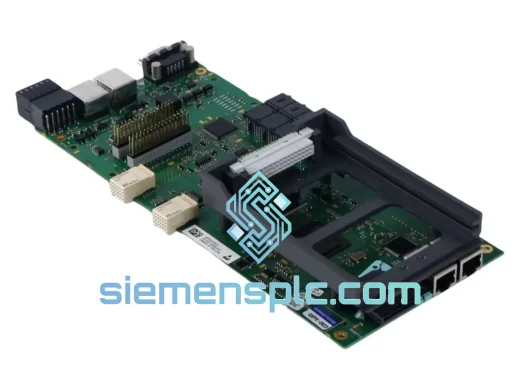
Siemens 6RY1803-0AA25-0AA1 Digital Output Module
SINAMICS
Origin DE
Digital Output Module
Siemens
RFQ Ready
Siemens 6SL3260-4MA00-1VB0 I/O Extension Cable
SINAMICS
Origin DE
Drive Accessory Cable