ABB
In Stock OK
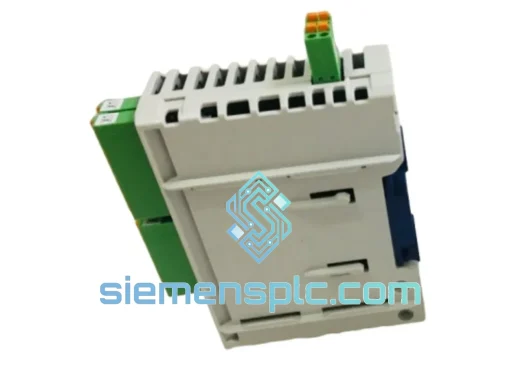
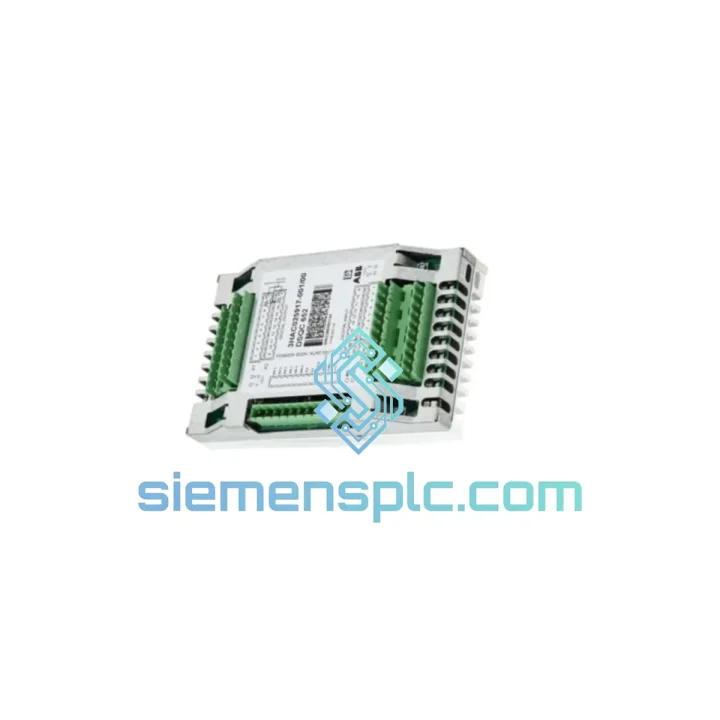
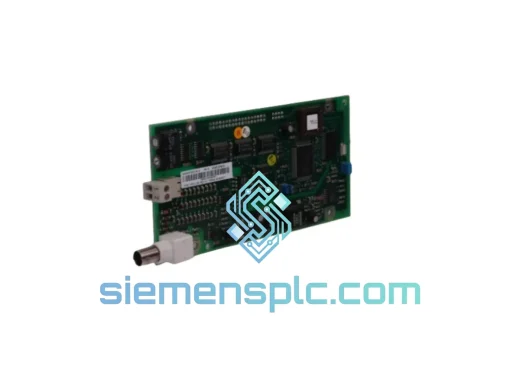
ABB DSQC651 3HAC025784-001 I/O Distribution Board
Request verified availability, condition, replacement risk review, packing options and courier lead time for 3HAC025784-001.
BrandABB
Part Number3HAC025784-001
ConditionAvailability Check
Lead TimeRFQ Confirmation
DocumentsDatasheet / photos by RFQ
ShippingExport packing available
Auto-filled RFQ
3HAC025784-001
Click Request Quote and the part number is inserted into the inquiry form automatically.
- Reply by email: [email protected]
- WhatsApp / Tel: +86 18359268345
- Mon-Sat 9:00-18:00 GMT+8
Procurement Data
Key Product Information
Core fields for model confirmation and RFQ routing. Detailed product narrative remains below.
- Brand
- ABB
- Primary Part Number
- 3HAC025784-001
- Product Type
- PLC I/O Module
- Series / Family
- IRC5
- Country of Origin
- SE
- Catalog Category
- I/O Modules
- Operating Temp.
- 0 °C to +52 °C continuous
Model confirmed for inquiry
3HAC025784-001
Send quantity, destination and urgency. The RFQ form keeps this part number attached.
Request Quote
Product Overview
ABB DSQC651 3HAC025784-001 — Your IRC5 Line Is Down. Here’s How We Get It Back Up.
You’re not browsing. You’re here because a robot stopped, a line went cold, and someone is already asking how long the repair will take. The ABB DSQC651 (3HAC025784-001) I/O Distribution Board is the nerve center of the IRC5 controller’s field I/O — and when it fails, the entire cell goes dark. We carry verified, factory-original stock in Xiamen. Payment confirmed before 14:00 CST means your board moves to the carrier the same day. That’s the only number that matters right now.
This is not a rebuilt unit, not a compatible alternative, and not a board pulled from a decommissioned machine. Every DSQC651 we dispatch carries its original ABB part label, serial number, and hardware revision marking. It ships in ESD-safe packaging with desiccant. What arrives at your dock is what left our shelf — intact, protected, and ready to install.
⚡ URGENT REQUIREMENT? Contact: [email protected] | WhatsApp: +86 18359268345
Quick Technical Datasheet
| Brand | ABB Robotics |
| Part Number | DSQC651 |
| Alternative PN | 3HAC025784-001 |
| Product Series | IRC5 Controller Family |
| Module Role | I/O Distribution Board — DeviceNet Master Node |
| Digital Inputs | 16 channels × 24 VDC |
| Digital Outputs | 16 channels × 24 VDC, 0.5 A per channel |
| Fieldbus Protocol | DeviceNet |
| Operating Voltage | 24 VDC (IRC5 backplane supply) |
| Compatible Platforms | IRC5 Single Cabinet, IRC5 Dual Cabinet (M2004 onward) |
| Operating Temperature | 0 °C to +52 °C continuous |
| Unit Weight | approx. 900 g |
| Country of Origin | China (Xiamen dispatch hub) |
| Availability | ✔ IN STOCK — READY TO SHIP |
| Dispatch Lead Time | Same day (orders before 14:00 CST) / Next business day |
Troubleshooting & Replacement Tips
Ten years of field calls on IRC5 cabinets teaches you to read the board before you read the manual. Here is what the DSQC651 tells you when it’s failing — and how to replace it without creating a second fault.
Fault signatures that point at the DSQC651:
- Error 50204 — ERR_IO_UNIT_LOST: The IRC5 main computer has dropped the I/O unit from the DeviceNet scan list. Before chasing cable continuity, check the board’s status LED. A solid red LED with no bus activity means the board itself has failed — not the network. Replacing the cable first wastes time you don’t have.
- Error 50205 — ERR_DNET_COMM: Bus-off condition on DeviceNet. Flashing red on the DSQC651 indicates the board is attempting to recover from a bus fault. If it does not clear within two power cycles, the board’s CAN transceiver has likely failed internally. No amount of bus termination adjustment will fix a dead transceiver.
- Intermittent I/O dropouts with no logged fault: This is the hardest one to catch. Thermal cycling causes micro-fractures in solder joints on the backplane connector. The board appears healthy at cold start, then drops channels after 20–30 minutes of operation. If you see this pattern, the board is failing — it just hasn’t failed completely yet. Replace it during the next planned window, not during the next emergency.
- Partial output failure (specific channels dead): Check fuses F1 and F2 on the board before condemning it. A shorted output load can blow a channel fuse while leaving the rest of the board functional. A blown fuse is a five-minute fix; a misdiagnosed board replacement is a two-day delay.
Replacement procedure — step by step:
- Controlled stop: Issue a program stop from the FlexPendant. Switch to Manual mode. Park all robot axes at a safe position. Do not cut power while the robot is mid-motion.
- LOTO: Open the IRC5 main disconnect. Apply your site lockout/tagout. Wait 60 seconds minimum — the 24 VDC bus capacitors need time to drain. Verify zero energy with a meter before touching the board.
- Record node address before removal: The DSQC651 has rotary switches SW1 and SW2 on its faceplate that set the DeviceNet node address. Photograph them. The replacement board ships at factory default node 10. If your system uses a different address (common in multi-robot cells), you must set the new board to match before powering up — a node conflict will trigger ERR_IO_UNIT_LOST the moment the bus comes online.
- Label every connector: The board carries up to nine connectors depending on hardware revision. The DeviceNet trunk (typically X6) is keyed and cannot be reversed. The I/O terminal blocks are not keyed. Label each one with tape before disconnecting. A reversed terminal block will push 24 VDC into an input circuit and destroy the input section on first power-up.
- Extract the board: Release the DIN-rail clip or remove the mounting screws. Pull the board straight out of the backplane — no rocking, no lateral force. The backplane connector pins are fragile and a bent pin means a second fault before you’ve fixed the first.
- Hardware revision check: Read the revision letter on the new board’s label (e.g., Rev. G, Rev. H). If your system runs RobotWare 5.12 or earlier, cross-reference the revision against ABB’s compatibility matrix. Later hardware revisions on very old RobotWare builds can cause enumeration errors that look like a second board failure. If in doubt, contact us — we can advise on revision matching before you order.
- Install and reconnect: Seat the new board firmly into the backplane until the connector is fully engaged. Reconnect all labeled cables. Set SW1/SW2 to the recorded node address. Restore power.
- Functional verification: On the FlexPendant, go to Control Panel → I/O → DeviceNet. The DSQC651 should appear online with a green status LED within 10 seconds of bus power-up. Run a manual I/O test — activate each output individually and verify the corresponding input signals respond. Do not resume production until all 16 inputs and 16 outputs pass.
One more thing engineers miss: The DSQC651 uses a split power architecture. The logic section (DeviceNet communication, LED status) runs from the backplane 24 VDC. The output section runs from a separate external 24 VDC supply connected at X3. If the external supply is missing or fused out, the board will appear online and healthy on the FlexPendant while every output stays dead. Always verify both supply rails before concluding the replacement failed.
Reliability in Harsh Conditions
The IRC5 cabinet is not a clean room. It sits on the floor of stamping shops, foundries, and food-processing lines where temperature swings, vibration, and airborne contamination are daily realities. ABB built the DSQC651 to survive that environment — and the design choices show.
The board’s operating range of 0 °C to +52 °C covers the full thermal envelope of a working IRC5 cabinet, including the heat soak that builds up during a full production shift with the cabinet doors closed. Critical PCB sections carry conformal coating that seals the board against condensation in high-humidity environments — the kind of moisture that forms inside a cabinet when a cold robot starts up in a warm, damp foundry at 06:00.
Vibration qualification follows IEC 60068-2-6 (sinusoidal sweep, 10–150 Hz) and IEC 60068-2-64 (broadband random), which maps directly to the floor vibration profiles found in press shops and stamping lines. The DeviceNet transceiver includes bus-fault isolation circuitry: a hard short on one node cannot pull down the entire network, which matters enormously in multi-robot cells where a single cabinet fault should never cascade into a full-line stop.
Every board we stock is held in a climate-controlled, ESD-protected warehouse. Individual anti-static bags with desiccant packs and humidity indicator cards are standard packaging — not an upgrade. When the board arrives at your facility, it is in the same condition it was in when it left the factory. That is not a marketing claim; it is a storage and handling protocol we enforce on every unit.
Global Express Logistics
Our dispatch hub is in Xiamen, Fujian — a tier-one export gateway with direct DHL Express and FedEx International Priority access. The process from your confirmed order to a board in transit is straightforward and fast.
- Order confirmed: Board is pulled from ESD stock, inspected, photographed, and packed with anti-static foam insert and reinforced outer carton. No batch picking, no warehouse queue — your order is handled individually.
- Export documentation: Commercial invoice, packing list, and HS code 8537.10 declaration are prepared same day. For customers who need a proforma invoice for their customs broker, we provide it before shipment — not after.
- Carrier handover: DHL Express or FedEx International Priority, your choice. AWB number sent to your email within 12 hours of carrier pickup. Real-time tracking link included.
- Transit times: Southeast Asia and Northeast Asia: 2–3 business days. Europe: 3–5 business days. North America: 4–6 business days. Middle East and South Asia: 3–5 business days.
- Same-day dispatch: Orders with payment cleared before 14:00 CST qualify for same-day carrier handover. Contact us on WhatsApp before ordering to confirm stock and cut-off availability.
- Customs support: We declare accurately and completely. If your facility is in a country with specific import requirements or duty concerns, reach out before ordering — we have shipped to automotive plants in Germany, battery factories in South Korea, packaging lines in Mexico, and petrochemical facilities in Saudi Arabia. We know the paperwork.
Contact Information
📧 Email: [email protected]
💬 WhatsApp: +86 18359268345
🌐 Web: siemensplc.com
© 2026 siemensplc.com. All rights reserved.
Ready to quote
[email protected]
Send This Part Number to Sales
RFQ workflow
Quality workflow ->
Confirmation Process
01Model confirmation
We check the full part number, brand, series and visible nameplate information before quotation.
02Availability reply
Sales confirms stock path, condition option, quantity and realistic lead time for export dispatch.
03Packing & courier
DHL, FedEx, UPS or buyer courier arrangements can be reviewed with packing requirements.
Continue sourcing
Browse full catalog ->
Related Automation Parts
Similar brand or category products for fast comparison and multi-item RFQ lists.
ABB
RFQ Ready
ABB DSQC327A 3HAC17971-1 / DSQC431 Digital I/O Module
IRC5
Origin SE
Digital I/O Module