
ABB
In Stock OK
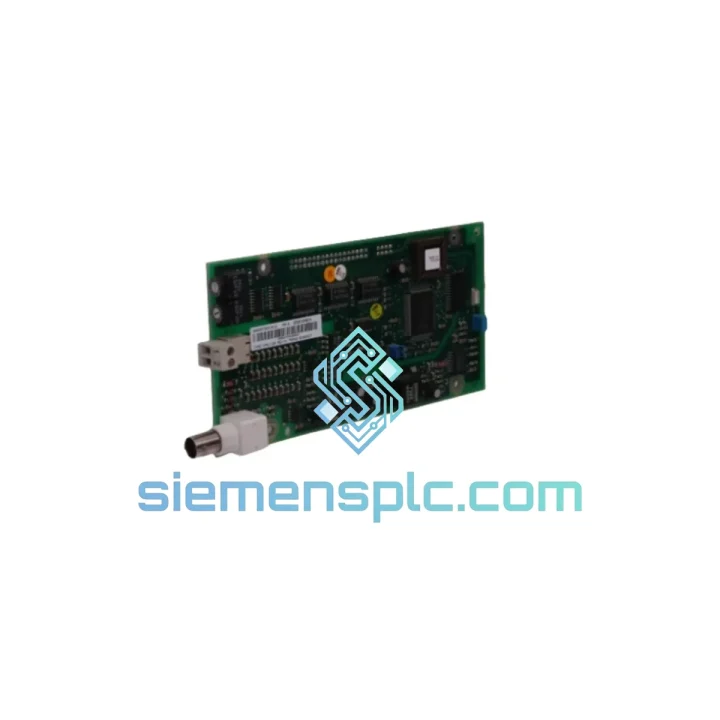
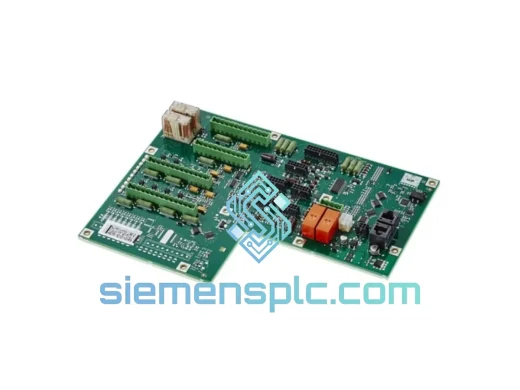
ABB DSQC327A 3HAC17971-1 / DSQC431 Digital I/O Module
Request verified availability, condition, replacement risk review, packing options and courier lead time for 3HAC17971-1.
BrandABB
Part Number3HAC17971-1
ConditionAvailability Check
Lead TimeRFQ Confirmation
DocumentsDatasheet / photos by RFQ
ShippingExport packing available
Auto-filled RFQ
3HAC17971-1
Click Request Quote and the part number is inserted into the inquiry form automatically.
- Reply by email: [email protected]
- WhatsApp / Tel: +86 18359268345
- Mon-Sat 9:00-18:00 GMT+8
Procurement Data
Key Product Information
Core fields for model confirmation and RFQ routing. Detailed product narrative remains below.
- Brand
- ABB
- Primary Part Number
- 3HAC17971-1
- Product Type
- Digital I/O Module
- Series / Family
- IRC5
- Country of Origin
- SE
- Catalog Category
- I/O Modules
- Warranty
- 12 months from shipment date
Model confirmed for inquiry
3HAC17971-1
Send quantity, destination and urgency. The RFQ form keeps this part number attached.
Request Quote
Product Overview
ABB DSQC327A / DSQC431 Digital I/O Unit — Stop the Clock on Your Downtime
Your IRC5 robot just threw a fault. The line is stopped. Every minute costs money — and you already know the DSQC327A or DSQC431 I/O board is the culprit. We stock both. We ship today. From Xiamen to your plant floor via DHL or FedEx express, most destinations receive within 3–5 business days. No waiting on factory lead times. No distributor back-order queues. One call, one shipment, line back up.
URGENT REQUIREMENT? Contact: [email protected] | WhatsApp: +86 18359268345
Quick Technical Datasheet
| Parameter | DSQC327A | DSQC431 |
|---|---|---|
| ABB Part Number | 3HAC17971-1 | 3HAC036260-001/04 |
| Module Type | Digital I/O Unit | Digital I/O Unit |
| Compatible Controller | IRC5, S4C+ | IRC5 (primary) |
| Digital Inputs | 16 DI | 16 DI |
| Digital Outputs | 16 DO | 16 DO |
| Bus Interface | DeviceNet / Internal I/O bus | Internal I/O bus |
| Supply Voltage | 24 VDC | 24 VDC |
| Operating Temp. | 0 °C to +55 °C | 0 °C to +55 °C |
| Protection Class | IP20 | IP20 |
| Weight | ~420 g | ~420 g |
| Condition | New / Tested Surplus (specify at inquiry) | |
| Stock Status | ✅ Ready to Ship — Xiamen Warehouse | |
| Warranty | 12 months from shipment date | |
Troubleshooting & Replacement Tips
After ten years of crawling inside IRC5 cabinets, here is what actually goes wrong with these boards — and what to watch before you bolt the new one in.
Common fault signatures pointing to DSQC327A / DSQC431 failure:
- Event log 20223 / 20224 — I/O unit not responding: The controller has lost communication with the board. First check the 24 VDC supply rail on X1 connector. If voltage is present and stable, the board’s internal bus transceiver has likely failed — replace the module.
- Event log 20230 — I/O unit configuration error: Triggered after a board swap if the unit address has not been re-confirmed. See address configuration note below.
- Outputs stuck ON or OFF with no fault code: Classic sign of a blown output driver IC, usually caused by an inductive load without a freewheeling diode on the field side. Inspect the wiring before installing the replacement — protect the new board.
- Intermittent I/O dropouts under vibration: Reseat the board connector firmly. If the issue persists, the PCB edge connector fingers are worn — replacement is the only reliable fix.
Replacement procedure — key steps:
- Power down the IRC5 cabinet fully. Wait 30 seconds for capacitors to discharge before opening the I/O section.
- Note the unit address set on the rotary switch (S1) on the old board before removal. The DSQC327A uses a physical rotary address switch; the DSQC431 uses software-assigned addressing via RobotWare — confirm your RobotWare version before assuming the address method.
- For DSQC327A: set the S1 rotary switch on the replacement board to match the original address (typically 0–9). Mismatch here causes Event 20230 immediately on boot.
- For DSQC431: no physical switch. The unit address is assigned in the I/O configuration within RobotStudio or the FlexPendant. After installing the new board, verify the unit name and address in the I/O system configuration matches the original — do not assume it auto-populates correctly after a cold swap.
- Check firmware compatibility. DSQC431 boards shipped after 2018 carry a revised bootloader. If your IRC5 runs RobotWare 5.x, confirm the board revision (label on PCB) is compatible. RobotWare 6.x handles both revisions without issue.
- After power-up, run a full I/O diagnostic from the FlexPendant: Control Panel → I/O → View all signals. Cycle each output manually and verify field response before releasing the robot to production.
Reliability in Harsh Conditions
ABB designed the DSQC series for the inside of a robot controller cabinet — not a climate-controlled server room. These boards are built to survive the environment your plant actually runs in.
The DSQC327A and DSQC431 are conformal-coated at the factory, providing resistance to condensation and airborne contaminants common in foundry, food processing, and chemical plant environments. The PCB substrate meets IEC 60068-2-6 vibration testing requirements — relevant for any robot mounted on a moving gantry or near heavy stamping presses where cabinet vibration is continuous.
Thermal performance is validated across the full 0–55 °C operating range with derating curves published in ABB’s hardware manual. In practice, cabinets running at the upper end of this range — common in summer in non-air-conditioned facilities — should have the cabinet fan filter cleaned quarterly. A clogged filter is the single most common environmental cause of premature I/O board failure we see in the field. The board itself is not the problem; the thermal management around it is.
Every unit we ship has been stored in a climate-controlled warehouse in Xiamen, in anti-static ESD packaging. Boards that have been sitting in a humid storage room for two years before sale are a real problem in the surplus market — ours are not. We rotate stock and inspect before dispatch.
Global Express Logistics
We ship from Xiamen, Fujian — one of China’s primary export hubs with direct DHL and FedEx gateway access. Here is how the process works from the moment you confirm your order:
- Same-day dispatch: Orders confirmed before 14:00 CST are packed and handed to the carrier the same business day. Orders after 14:00 ship next morning.
- Carrier options: DHL Express (preferred for Europe and Americas), FedEx International Priority (preferred for North America and Southeast Asia), EMS for destinations with DHL/FedEx surcharges.
- Transit times: Europe 3–5 business days | North America 4–6 business days | Southeast Asia 2–4 business days | Middle East 4–7 business days.
- Export documentation: Commercial invoice, packing list, and certificate of origin issued with every shipment. HS Code 8537.10 declared. We handle all export customs clearance on the China side.
- Tracking: AWB number sent to your email within 2 hours of dispatch. Real-time tracking link provided.
- Bulk orders: For 3+ units, contact us before ordering for consolidated packaging and freight cost optimization.
We have shipped ABB DSQC modules to automotive plants in Germany, food processing facilities in Australia, semiconductor fabs in Malaysia, and oil & gas sites in the UAE. The logistics process is proven. Your module arrives protected, documented, and ready to install.
Contact Information
📧 Email: [email protected]
📱 WhatsApp: +86 18359268345
🌐 Web: siemensplc.com
© 2026 siemensplc.com. All rights reserved.
Ready to quote
[email protected]
Send This Part Number to Sales
RFQ workflow
Quality workflow ->
Confirmation Process
01Model confirmation
We check the full part number, brand, series and visible nameplate information before quotation.
02Availability reply
Sales confirms stock path, condition option, quantity and realistic lead time for export dispatch.
03Packing & courier
DHL, FedEx, UPS or buyer courier arrangements can be reviewed with packing requirements.
Continue sourcing
Browse full catalog ->
Related Automation Parts
Similar brand or category products for fast comparison and multi-item RFQ lists.
ABB
RFQ Ready
ABB 3HNA010059-001/02 Digital I/O Module – IRC5 Series
IRC5
Origin SE
Robot Controller I/O Module