ABB
In Stock OK
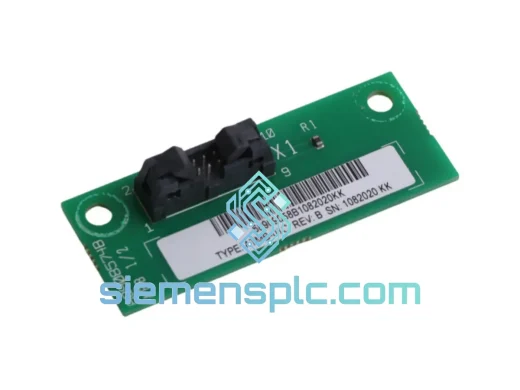
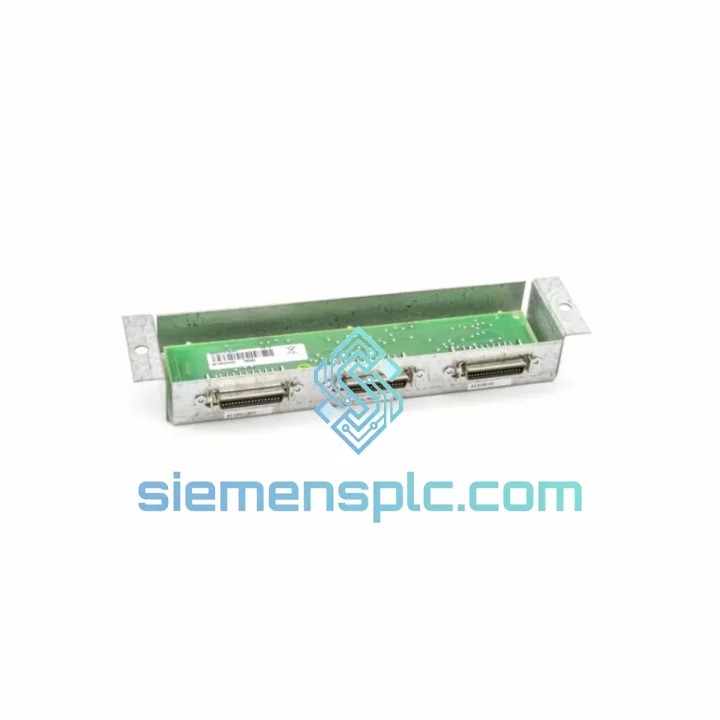
ABB TK566 3BSE012153R1 PLC Bus Interconnector
Request verified availability, condition, replacement risk review, packing options and courier lead time for TK566-3BSE012153R1.
BrandABB
Part NumberTK566-3BSE012153R1
ConditionAvailability Check
Lead TimeRFQ Confirmation
DocumentsDatasheet / photos by RFQ
ShippingExport packing available
Auto-filled RFQ
TK566-3BSE012153R1
Click Request Quote and the part number is inserted into the inquiry form automatically.
- Reply by email: [email protected]
- WhatsApp / Tel: +86 18359268345
- Mon-Sat 9:00-18:00 GMT+8
Procurement Data
Key Product Information
Core fields for model confirmation and RFQ routing. Detailed product narrative remains below.
- Brand
- ABB
- Primary Part Number
- TK566-3BSE012153R1
- Product Type
- PLC Bus Interconnector
- Series / Family
- AC500
- Manufacturer
- ABB (Asea Brown Boveri)
- Country of Origin
- SE
- Model Function
- Bus Interconnector — links I/O expansion modules to CPU/CI module
- Catalog Category
- PLCs & Controllers
- Operating Temp.
- -25°C to +70°C
Model confirmed for inquiry
TK566-3BSE012153R1
Send quantity, destination and urgency. The RFQ form keeps this part number attached.
Request Quote
Product Overview
ABB TK566 3BSE012153R1 — Stop the Clock on Your AC500 Downtime. Ship Today.
Every minute your AC500 rack sits offline, you’re bleeding production output. A failed bus interconnector shouldn’t cost you a shift — or a week waiting on slow supply chains. The ABB TK566 (Order Code: 3BSE012153R1) is in stock at our Xiamen warehouse right now. We’ve shipped this exact part to plants in Germany, Australia, Saudi Arabia, and Brazil within 48 hours of order confirmation. Your line can be back up before your maintenance window closes.
We are not a catalog reseller. Our team handles urgent industrial procurement daily — we know what a P1 downtime call sounds like at 2 AM, and we pick up. If you need this part today, contact us now.
URGENT REQUIREMENT? Contact: [email protected] | WhatsApp: +86 18359268345
Quick Technical Datasheet
| Manufacturer | ABB (Asea Brown Boveri) |
| Part Number | TK566 |
| Order Code | 3BSE012153R1 |
| Product Series | ABB AC500 Modular PLC Platform |
| Function | Bus Interconnector — links I/O expansion modules to CPU/CI module |
| Compatible CPUs | PM554, PM556, PM564, PM566, PM572, PM581, PM582, PM583, PM591, PM592 |
| Mounting | DIN rail snap-fit, tool-free |
| Operating Temperature | -25°C to +70°C |
| Protection Rating | IP20 |
| Net Weight | approx. 180 g |
| Certifications | CE, UL, cUL, RoHS |
| Country of Origin | Germany |
| HS Code | 853710 |
| Stock Status | ✔ Ready to Ship — Xiamen Warehouse |
Troubleshooting & Replacement Tips
Fault Symptom Recognition
When a TK566 interconnector fails or is improperly seated, the AC500 CPU will immediately flag a bus communication fault. You’ll see the I/O module’s RUN LED go dark or flash red, and the CPU event log (accessible via Automation Builder or PS501 Control Builder) will record error codes in the range of 0x4210–0x4230 — these map to internal bus communication loss on the affected module slot. Do not waste time cycling power repeatedly. Pull the CPU diagnostic log first.
Step-by-Step Replacement Procedure
- De-energize the rack. Isolate the 24 VDC supply to the AC500 rack segment. Confirm with a multimeter — do not rely on the power LED alone. Some installations have redundant supply paths.
- Document the module order. Photograph the rack before disassembly. AC500 I/O modules are addressed by physical slot position. Swapping module order without updating the hardware configuration in Automation Builder will cause address mismatches and I/O mapping faults on restart.
- Release the interconnector latch. The TK566 uses a side-release plastic latch. Press inward on both sides simultaneously and slide the connector out horizontally — do not lever it upward or you risk bending the bus pins on the adjacent module.
- Inspect bus pins on adjacent modules. Before inserting the new TK566, visually inspect the male bus pins on the CPU or I/O module for bent or oxidized contacts. A bent pin is the most common cause of recurring bus faults after interconnector replacement. Straighten carefully with a fine-tip pick if needed.
- Seat the new TK566. Align the connector guide rails and slide in until the latch clicks audibly. A partial seat will pass visual inspection but fail under vibration — apply firm, even pressure until you hear the double-click confirmation.
- Re-energize and monitor startup. Watch the CPU RUN LED sequence. A clean startup shows green RUN within 8–12 seconds. If the fault LED re-illuminates, check the Automation Builder hardware configuration — confirm the slot count and module types match the physical rack exactly.
- No firmware changes required. The TK566 is a passive bus connector. It carries no firmware and requires no configuration. If you are replacing a CPU simultaneously, ensure the new CPU firmware version matches the project file compiled version to avoid compatibility warnings.
Common Pitfall — AC500-eCo Compatibility: The standard TK566 is designed for the full AC500 platform. AC500-eCo uses a different, smaller form-factor interconnector. Verify your CPU nameplate before ordering. If your CPU starts with PM5 (e.g., PM554, PM591), TK566 is correct. If it starts with PM57 or PM56 in the eCo sub-series, cross-check the ABB hardware catalog.
Reliability in Harsh Conditions
Industrial panels are not lab environments. The TK566 is engineered to perform where conditions are hostile — and we’ve seen the failure modes that cheap alternatives produce in the field.
Vibration: The snap-latch mechanism on the TK566 is rated for continuous vibration per IEC 60068-2-6. In compressor rooms, pump stations, and mobile equipment panels, vibration-induced connector creep is a real failure mode. The OEM latch geometry maintains contact force across the full vibration spectrum — aftermarket copies with looser tolerances will micro-arc and fail within months.
Thermal Cycling: Operating range of -25°C to +70°C covers outdoor switchgear in northern climates and enclosed panels in tropical process plants. The bus contact material is selected for low thermal expansion coefficient, maintaining contact resistance below 10 mΩ across the full temperature range. High contact resistance is the silent killer of bus communication — it shows up as intermittent faults that are nearly impossible to diagnose without a contact resistance meter.
Humidity and Condensation: IP20 rating means the TK566 relies on the enclosure for moisture protection, but the connector housing material is rated for 95% relative humidity non-condensing. In coastal or high-humidity environments, ensure your panel enclosure maintains positive pressure or use desiccant packs. We’ve seen TK566 units pulled from 12-year-old installations in Malaysian palm oil mills still functioning — that’s the build quality you’re getting.
Contamination: The gold-plated bus contacts resist oxidation from airborne sulfur compounds common in wastewater treatment and chemical processing environments. If you’re operating in a high-H₂S environment, inspect contacts annually and clean with isopropyl alcohol on a lint-free swab if discoloration is visible.
Global Express Logistics
Our warehouse is located in Xiamen, Fujian, China — one of the most logistics-efficient export hubs in Asia, with direct DHL and FedEx gateway access. Here’s exactly what happens after you place an order:
- Order Confirmation (Day 0): You receive a proforma invoice within 2 hours of inquiry during business hours (UTC+8, 09:00–18:00). Payment via T/T bank transfer or PayPal. For verified accounts, net-30 terms available.
- Pick & Pack (Day 0–1): Parts are pulled from bonded warehouse stock, inspected against the order, and packed in anti-static foam with original ABB labeling intact. Export documentation (commercial invoice, packing list, COO) prepared simultaneously.
- Customs Clearance (Day 1): We handle all Chinese export customs. HS Code 853710 is pre-cleared in our system. No delays from our side.
- DHL/FedEx Express Dispatch (Day 1–2): Tracking number sent to your email within 1 hour of carrier pickup. Typical transit times: Europe 2–3 days, North America 3–4 days, Middle East 2–3 days, Southeast Asia 1–2 days, Australia 3–4 days.
- Destination Customs: We provide all documentation required for import clearance. For EU customers, EORI-compliant invoicing is standard. For US customers, HTS code and FDA exemption documentation provided where applicable.
- Delivery Confirmation: We follow up post-delivery to confirm receipt and condition. Any damage in transit is handled immediately — replacement dispatched within 24 hours of damage report.
For orders placed before 14:00 CST on business days, same-day dispatch is available. If your plant is down and every hour counts, tell us — we will prioritize your shipment in the pick queue.
Contact Information
Reach our technical sales team directly — no ticketing system, no chatbot queue.
Email: [email protected]
WhatsApp: +86 18359268345
Website: siemensplc.com
© 2026 siemensplc.com. All rights reserved. ABB and AC500 are registered trademarks of ABB Ltd. This listing is for genuine OEM replacement parts sourced through verified supply channels.
Ready to quote
[email protected]
Send This Part Number to Sales
RFQ workflow
Quality workflow ->
Confirmation Process
01Model confirmation
We check the full part number, brand, series and visible nameplate information before quotation.
02Availability reply
Sales confirms stock path, condition option, quantity and realistic lead time for export dispatch.
03Packing & courier
DHL, FedEx, UPS or buyer courier arrangements can be reviewed with packing requirements.
Continue sourcing
Browse full catalog ->
Related Automation Parts
Similar brand or category products for fast comparison and multi-item RFQ lists.
ABB
RFQ Ready
ABB 1SVR427075R0000 CP-A CM PLC CPU Module – AC500 Compact Series
AC500
Origin SE
PLC CPU Module