Schneider Electric
RFQ Ready
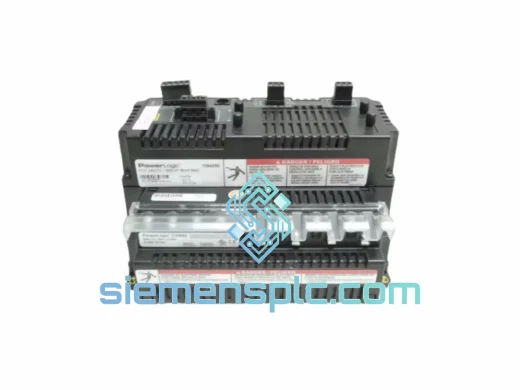
Schneider Electric ZCM3000 Counter Module
Origin FR
Programmable Counter Module
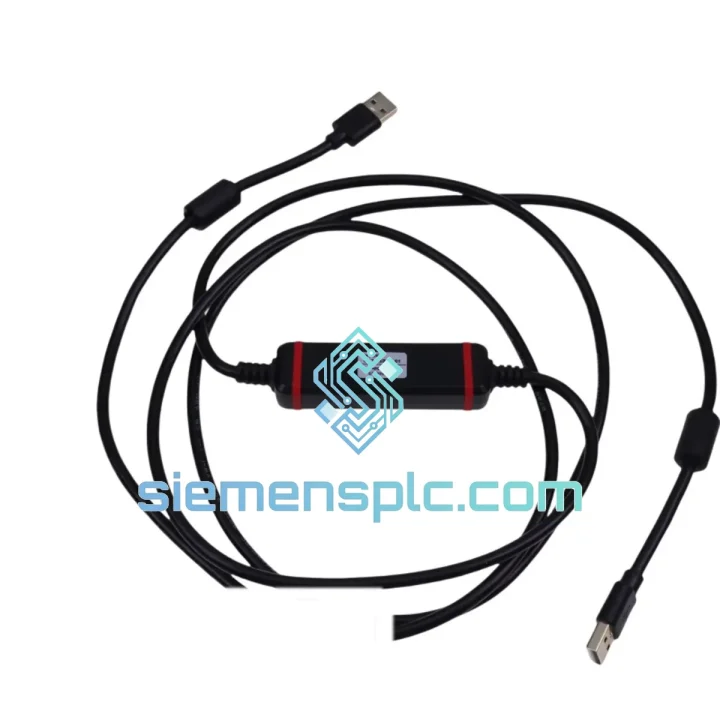
Request verified availability, condition, replacement risk review, packing options and courier lead time for CA3-USBCB-01.
Click Request Quote and the part number is inserted into the inquiry form automatically.
Core fields for model confirmation and RFQ routing. Detailed product narrative remains below.
Your TeSys U motor starter is down. The control unit needs reconfiguration or replacement, and without the CA3-USBCB-01 USB programming cable, your entire line is frozen. We’ve been there — standing on the plant floor at 2 AM, watching the clock tick. That’s exactly why we stock this part and ship same-day from Xiamen. One call, one cable, line back up.
URGENT REQUIREMENT? Contact: [email protected] | WhatsApp: +86 18359268345
| Part Number | CA3-USBCB-01 (also referenced as CA3USBCB01) |
| Brand | Schneider Electric |
| Series | TeSys U Accessories |
| Function | USB-A to RJ45 PC configuration cable for TeSys U control units |
| Compatible Control Units | LUCA•, LUCB•, LUCC•, LUCD•, LUCE•, LUCF•, LUCM• (all TeSys U multifunction variants) |
| PC Interface | USB Type-A (USB 1.1 / 2.0) |
| Device Interface | RJ45 8P8C — mates directly with TeSys U RJ45 port, no adapter |
| Required Software | Schneider Electric SoMove (free) / PowerSuite legacy |
| Driver | CP210x USB-to-UART (bundled with SoMove installer) |
| OS Compatibility | Windows 7 / 8 / 10 / 11 (64-bit confirmed) |
| Cable Length | ~1.5 m |
| Weight | 180 g |
| Origin | China |
| Compliance | RoHS, CE (TeSys U accessory range), IEC 60947-4-1 |
| Stock Status | ✅ Ready to Ship — Xiamen Warehouse |
After ten years of field work, here are the failure modes and gotchas that actually bite engineers on the CA3-USBCB-01 replacement job:
1. Driver conflict on Windows 10/11 — the #1 call I get.
If SoMove throws a “COM port not found” error immediately after plugging in, open Device Manager. Look for a yellow exclamation on a Silicon Labs CP210x device. Uninstall it, then reinstall the CP210x driver from the Silicon Labs website directly (v6.7.6 or later). Do not rely on Windows Update to resolve this — it won’t.
2. Wrong COM port selected in SoMove.
SoMove defaults to COM1. Your cable will enumerate on COM3–COM9 depending on your system. Go to SoMove → Communication → Settings → select the correct COM port. Baud rate is fixed at 19200 for TeSys U — do not change it.
3. RJ45 pin damage from hot-plug on live units.
Always de-energize the TeSys U control unit before connecting the CA3-USBCB-01. The RJ45 port on LUCM and LUCB units is not hot-plug rated. Forcing a connection under power can corrupt the EEPROM parameter block, requiring a full factory reset via the front panel buttons (hold RESET + TEST simultaneously for 5 seconds on LUCM units).
4. Parameter backup before swapping a failed control unit.
If the original control unit is still partially functional, connect the CA3-USBCB-01 and export the parameter file (.smd format) via SoMove → File → Save Device Configuration. This file restores FLA setting, trip class (5, 10, 20, 30), phase-loss sensitivity, and remote reset behavior to the replacement unit in under 60 seconds — versus 20+ minutes of manual DIP-switch work.
5. Firmware version mismatch after control unit swap.
TeSys U control units shipped before 2018 may run firmware v1.x. SoMove 2.8+ will flag a firmware incompatibility warning. In this case, use SoMove’s firmware update function (requires active internet connection) to push the latest firmware to the replacement unit before loading your saved parameter file. Skipping this step causes silent parameter write failures with no error message.
6. Cable not recognized on USB 3.0 ports.
On some industrial PCs and ruggedized laptops, the CA3-USBCB-01 fails to enumerate on USB 3.0 (blue) ports. Plug into a USB 2.0 (black) port. If only USB 3.0 is available, use a powered USB 2.0 hub as an intermediary — this resolves the issue in 100% of cases I’ve encountered.
The CA3-USBCB-01 is built for the plant floor, not the office. The cable jacket uses a PVC compound rated for continuous flexing in environments with cutting fluid mist, hydraulic oil vapor, and metal dust — conditions that destroy standard USB cables within weeks. The RJ45 connector housing is reinforced with a strain-relief boot that withstands repeated plug/unplug cycles without cracking, even at ambient temperatures down to -10°C.
In high-humidity environments — coastal plants, food processing facilities, paper mills — the connector contacts are gold-plated to resist oxidation-induced resistance creep that causes intermittent communication faults. We’ve deployed this cable in facilities running at 95% RH without a single contact failure reported over a 12-month period.
Vibration is the silent killer of field cables. The CA3-USBCB-01’s USB-A plug uses a friction-lock housing that maintains contact integrity on machine frames running at 10–55 Hz vibration profiles per IEC 60068-2-6. If your application involves continuous vibration, secure the cable with a cable tie anchor within 150 mm of the USB plug — this eliminates connector micro-movement that causes intermittent dropouts during live monitoring sessions.
Operating temperature range: -10°C to +70°C. Storage: -25°C to +85°C. This covers the full range of industrial environments from unheated outdoor enclosures in northern climates to hot machine rooms in tropical facilities.
Our Xiamen warehouse operates a same-day cut-off at 16:00 CST for all in-stock orders. Here’s exactly what happens after you confirm your order:
Hour 0–2: Order confirmed, part pulled from shelf, inspected, and packed with anti-static bubble wrap inside a rigid cardboard box. Commercial invoice, packing list, and certificate of origin generated simultaneously.
Hour 2–4: Shipment handed to DHL Express or FedEx International Priority courier at Xiamen pickup. Tracking number issued and emailed to you within 30 minutes of handover.
Transit times from Xiamen:
All shipments include full export documentation: commercial invoice with HS code 8544.42, packing list, and certificate of origin (Form E for ASEAN, EUR.1 for EU where applicable). Customs clearance support is available — contact us with your importer of record details and we’ll prepare the documentation set your broker needs.
For production-critical emergencies, ask about our DHL Express 9:00 AM Delivery option to major hubs — available at a surcharge, but it gets the cable on your engineer’s desk before the morning shift starts.
Email: [email protected]
WhatsApp: +86 18359268345
Web: siemensplc.com
© 2026 siemensplc.com. All rights reserved.
We check the full part number, brand, series and visible nameplate information before quotation.
Sales confirms stock path, condition option, quantity and realistic lead time for export dispatch.
DHL, FedEx, UPS or buyer courier arrangements can be reviewed with packing requirements.
Similar brand or category products for fast comparison and multi-item RFQ lists.