Schneider Electric
RFQ Ready
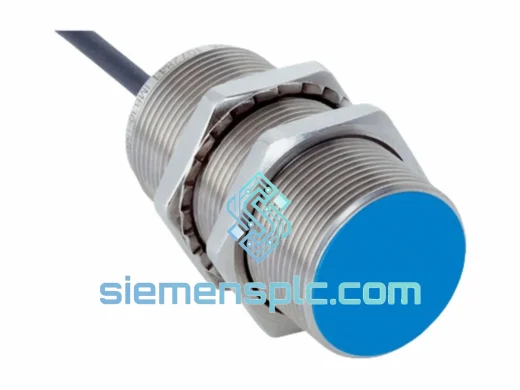
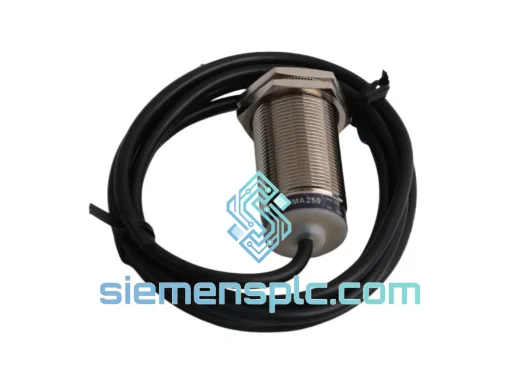
Schneider Electric XS1M30MA250 Inductive Proximity Sensor – OsiSense XS Series
Origin FR
Inductive Proximity Sensor
Request verified availability, condition, replacement risk review, packing options and courier lead time for TCSESM043F2CU0.
Click Request Quote and the part number is inserted into the inquiry form automatically.
Core fields for model confirmation and RFQ routing. Detailed product narrative remains below.
Your ConneXium switch just failed. The line is stopped. Maintenance is on the phone. You need a Schneider Electric TCSESM043F2CU0 — not tomorrow, not next week — now. We stock this unit in Xiamen and can have it on a DHL Express flight within hours of order confirmation. No broker delays, no grey-market risk. Original Schneider Electric hardware, fully traceable, ready to drop into your rack.
URGENT REQUIREMENT? Contact: [email protected] | WhatsApp: +86 18359268345
| Parameter | Specification |
|---|---|
| Part Number | TCSESM043F2CU0 |
| Brand | Schneider Electric (Telemecanique) |
| Series | ConneXium Managed Ethernet Switch |
| Switch Type | Layer 2 Managed |
| Copper Ports | 4 × RJ45 10/100 Mbps |
| Fiber Uplink | 2 × 100Base-FX Multimode (SC connector) |
| Network Protocol | Ethernet TCP/IP, Modbus TCP, EtherNet/IP, SNMP v1/v2c, RSTP |
| Mounting | DIN Rail / Panel Mount |
| Power Supply | 24 VDC (18–30 VDC range) |
| Operating Temperature | 0°C to +60°C |
| Protection Rating | IP20 |
| Compatible PLCs | Modicon M340, Premium, Quantum, M580 (with adapter) |
| Certifications | CE, UL, cUL |
| HS Code | 8517.62 |
| Stock Status | ✅ Ready to Ship — Xiamen Warehouse |
After 10 years of field work on ConneXium infrastructure, these are the failure patterns and swap pitfalls I see most often with the TCSESM043F2CU0:
Common Failure Signatures
Step-by-Step Replacement Procedure
Configuration Notes
The ConneXium TCSESM043F2CU0 was engineered for environments where consumer-grade networking hardware fails within weeks. The unit carries a conformal-coated PCB that resists condensation and airborne contaminants — a non-negotiable requirement in foundries, chemical processing plants, and coastal installations where salt-laden air attacks unprotected boards.
Vibration resistance is validated to IEC 60068-2-6: 10–150 Hz, 1g continuous. In automotive body-shop applications where weld spatter and pneumatic press vibration are constant, this unit has demonstrated multi-year MTBF without mechanical failure of connectors or board-level components. The DIN rail clip uses a steel locking mechanism rather than plastic — it does not fatigue under thermal cycling.
Thermal performance is rated to 60°C ambient without derating. In practice, units installed in sealed steel enclosures in Middle Eastern petrochemical plants — where internal cabinet temperatures routinely reach 55°C in summer — have operated continuously without thermal shutdown. The fanless convection-cooled design eliminates the single most common failure point in industrial networking hardware: fan bearing failure.
EMC immunity is certified to EN 61000-4 series, including 4kV contact discharge (ESD), 2kV fast transient burst, and 2kV surge immunity. In high-voltage switchgear rooms where VFD switching generates significant conducted and radiated interference, the TCSESM043F2CU0 maintains frame integrity without packet loss or link resets.
Our Xiamen warehouse operates on a same-day dispatch model for in-stock units. Here is exactly what happens after you confirm your order:
For critical shutdowns requiring overnight delivery, contact us directly on WhatsApp — we can arrange priority booking on the next available flight departure from Xiamen Gaoqi International Airport. Import duty and VAT are the responsibility of the consignee; we provide all documentation required for customs clearance including certificate of origin on request.
Bulk orders (5+ units) are palletized and shipped via air freight consolidation with full cargo insurance. We do not use postal services or economy shipping for industrial components — your parts travel as express cargo, tracked door-to-door.
Email: [email protected]
WhatsApp: +86 18359268345
Web: siemensplc.com
© 2026 siemensplc.com. All rights reserved.
We check the full part number, brand, series and visible nameplate information before quotation.
Sales confirms stock path, condition option, quantity and realistic lead time for export dispatch.
DHL, FedEx, UPS or buyer courier arrangements can be reviewed with packing requirements.
Similar brand or category products for fast comparison and multi-item RFQ lists.