Allen-Bradley
RFQ Ready
Allen-Bradley 1756-L81E ControlLogix Controller
ControlLogix
Origin US
PLC Controller
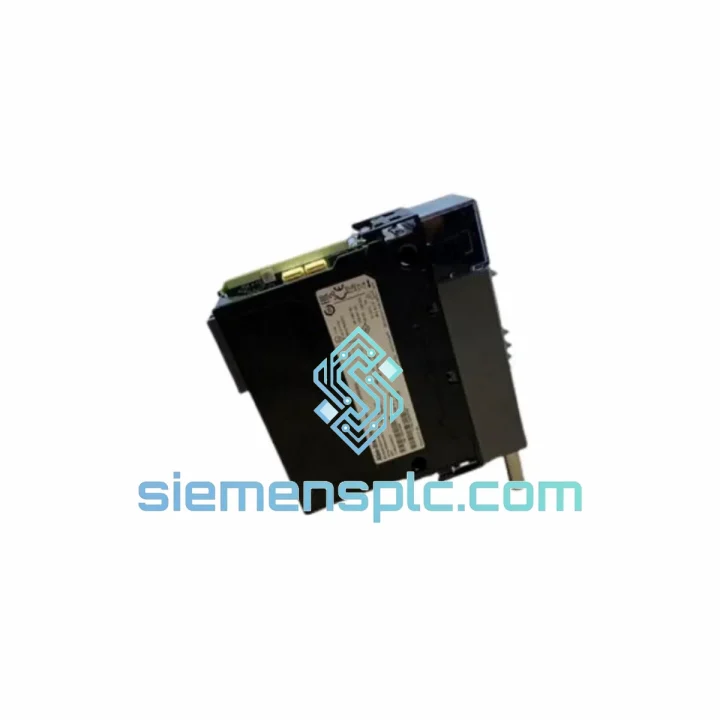
Request verified availability, condition, replacement risk review, packing options and courier lead time for 1756-CN2RXT.
Click Request Quote and the part number is inserted into the inquiry form automatically.
Core fields for model confirmation and RFQ routing. Detailed product narrative remains below.
Every hour a ControlNet backbone stays down in a continuous process plant, the cost accumulates in scrap, idle labor, and contractual penalties. The 1756-CN2RXT is the exact module that restores dual-path ControlNet communication to your ControlLogix chassis — and we ship it from Xiamen within 24 hours of order confirmation. No waiting on distributor lead times measured in weeks. No production line held hostage to a single failed BNC port.
This is an Extended Temperature (XT) Series B module. If your plant runs above 60 °C ambient, or if your enclosure sits next to a furnace, a kiln, or an outdoor installation in a tropical climate, the standard 1756-CN2R is already outside its rated envelope. The CN2RXT is not. It is the correct part for the job, and substituting a standard-temperature module to “get by” is an engineering liability you do not want to carry.
URGENT REQUIREMENT? Contact: [email protected] | WhatsApp: +86 18359268345
| Parameter | Value |
|---|---|
| Part Number | 1756-CN2RXT |
| Series | B |
| Manufacturer | Allen-Bradley (Rockwell Automation) |
| Platform | ControlLogix 1756 |
| Module Type | ControlNet Redundant Bridge Module |
| Temperature Class | Extended Temperature (XT): 0 °C to +70 °C operating |
| ControlNet Ports | 2 × BNC (Channel A + Channel B, simultaneous) |
| Backplane Interface | 1756 ControlLogix backplane |
| Chassis Slot Consumption | 1 slot |
| Network Protocol | ControlNet (scheduled + unscheduled messaging) |
| Max Scheduled Connections | Up to 64 scheduled connections per module |
| Programming Software | Studio 5000 Logix Designer v21+ |
| Certifications | CE, UL, cUL |
| Weight | Approx. 200 g |
| Stock Status | Ready to Ship — Xiamen, China |
| Warranty | 12 months from dispatch date |
The 1756-CN2RXT fails in predictable patterns. Knowing them cuts your diagnostic time from hours to minutes.
Fault Code 16#0204 — Channel A/B Media Fault: This is the most common field fault. The module has detected an open or shorted coax segment on one channel. Before condemning the module, walk the ControlNet trunk: check every BNC tap for corrosion, verify terminator resistance at both ends of the segment (should read 75 Ω to ground on each trunk end), and inspect the RG-6 cable for crush damage at conduit entry points. If both channels show the fault simultaneously, the module itself is the likely culprit — the internal media-sense circuitry has failed.
Fault Code 16#0118 — Keeper Conflict: Occurs when a replacement module is inserted and the network already has a keeper assigned. The new module is attempting to claim keeper status. Resolution: in Studio 5000, navigate to the ControlNet properties of the module, select “Not a Keeper,” download, and allow the existing keeper on the network to re-establish the schedule. Do not power-cycle the entire rack to resolve this — it will cause a full network re-schedule and drop all connections.
Series Mismatch Warning: Inserting a Series A module into a system configured for Series B (or vice versa) will generate a module mismatch fault in the controller. The controller will inhibit the module. In Studio 5000, right-click the module in the I/O tree, select “Change Module,” and update the series letter to match the physical hardware. Re-download the I/O configuration. Do not attempt to override the mismatch — the firmware behavior differences between series are not cosmetic.
Node Address Conflicts: The 1756-CN2RXT does not use physical DIP switches for node addressing — the node address is assigned in software via Studio 5000 during module configuration. If you are replacing a failed module, note the node address from the original configuration before removal. After inserting the replacement, assign the identical node address. Duplicate node addresses on the same ControlNet segment will cause both modules to fault immediately.
Firmware Compatibility: Series B modules ship with firmware that is compatible with Studio 5000 v21 and above. If your site runs RSLogix 5000 v16 or earlier, verify firmware compatibility before installation. Mismatched firmware between the module and the controller’s expected revision can prevent the module from going online.
Hot-Swap Procedure: The 1756-CN2RXT supports hot-swap in a running chassis. Inhibit the module in Studio 5000 before physical removal to prevent the controller from faulting. After inserting the replacement, un-inhibit and allow the module to re-establish connections. In a redundant controller configuration, perform the swap on the secondary chassis first, verify communication, then switch primary/secondary roles before servicing the primary chassis.
The XT designation is not a marketing label — it reflects a specific set of component deratings and board-level design changes that Rockwell Automation applies to modules intended for thermally demanding environments.
The operating temperature ceiling of +70 °C (versus +60 °C for the standard CN2R) is achieved through the selection of capacitors, oscillators, and interface ICs rated for the extended range, combined with a PCB layout that minimizes thermal hotspots around the backplane connector and the ControlNet media interface circuitry. In practice, this means the module can sustain continuous operation in enclosures where ambient air temperature — not the temperature of the module itself — reaches 70 °C. Enclosure internal temperatures routinely exceed external ambient by 10–15 °C in poorly ventilated installations; the CN2RXT provides the margin that the standard module does not.
Vibration resistance is addressed through conformal coating on the PCB assembly, which also provides protection against condensation and airborne contaminants — relevant in foundry, mining, and coastal installations where humidity and particulate levels are elevated. The BNC connectors on the ControlNet ports are specified for industrial-grade mating cycles, not the lighter-duty connectors found on commercial networking equipment.
EMC performance meets the IEC 61000-4 series requirements for conducted and radiated immunity, including the 4 kV contact discharge and 8 kV air discharge levels specified under IEC 61000-4-2. In environments with variable-frequency drives, large motor starters, or arc welding equipment operating in proximity to the control panel, this immunity margin is the difference between stable communication and intermittent faults that are nearly impossible to reproduce during a maintenance window.
Our warehouse is located in Xiamen, Fujian Province, China — one of the primary export hubs for industrial automation components in Asia. Xiamen Gaoqi International Airport handles daily direct cargo flights to major hubs including Hong Kong, Singapore, Dubai, Frankfurt, and Los Angeles, which means your module does not sit in a consolidation warehouse waiting for a weekly freight departure.
Standard export process: order confirmed → export documentation prepared (commercial invoice, packing list, HS code 8537.10) → module packed in anti-static bag with foam-lined carton → handed to DHL Express or FedEx International Priority → tracking number issued to buyer within 4 hours of pickup. Typical transit times: Southeast Asia 2–3 business days, Middle East 3–4 business days, Europe 4–5 business days, North America 5–6 business days.
For customers in countries with complex import procedures, we can prepare documentation to support DDP (Delivered Duty Paid) shipments, including pre-classification of the HS code and preparation of any required certificates of origin. Contact us before placing the order if your site requires specific import documentation — we handle this routinely for customers in India, Brazil, Saudi Arabia, and the EU.
Urgent same-day dispatch is available for orders confirmed before 14:00 CST (UTC+8). If your line is down and every hour counts, call or WhatsApp us directly — we will prioritize your shipment over standard queue orders.
Email: [email protected]
WhatsApp: +86 18359268345
Web: siemensplc.com
Location: Xiamen, China
© 2026 siemensplc.com. All rights reserved.
We check the full part number, brand, series and visible nameplate information before quotation.
Sales confirms stock path, condition option, quantity and realistic lead time for export dispatch.
DHL, FedEx, UPS or buyer courier arrangements can be reviewed with packing requirements.
Similar brand or category products for fast comparison and multi-item RFQ lists.