Allen-Bradley
RFQ Ready
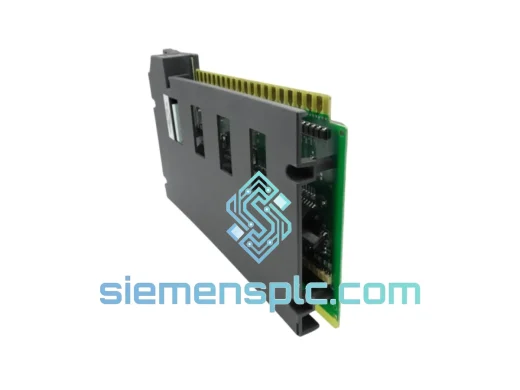
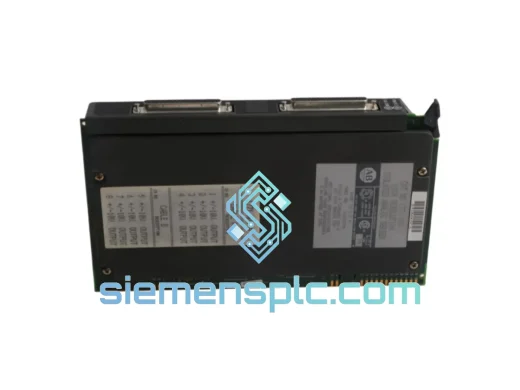
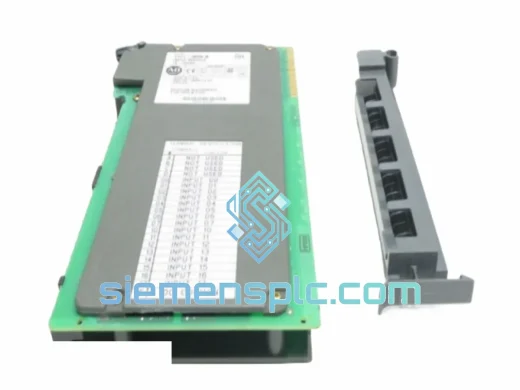
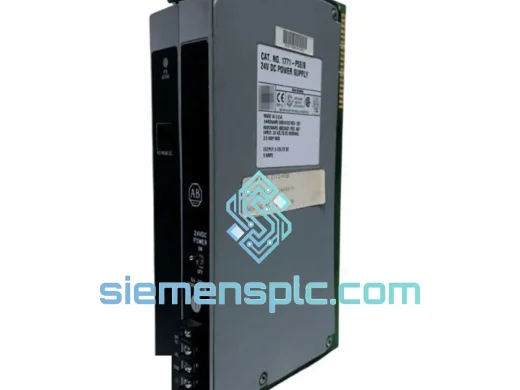
Allen-Bradley 1771-P5E Power Supply Interface Module – PLC-5
PLC-5
Origin US
Power Supply Interface Module
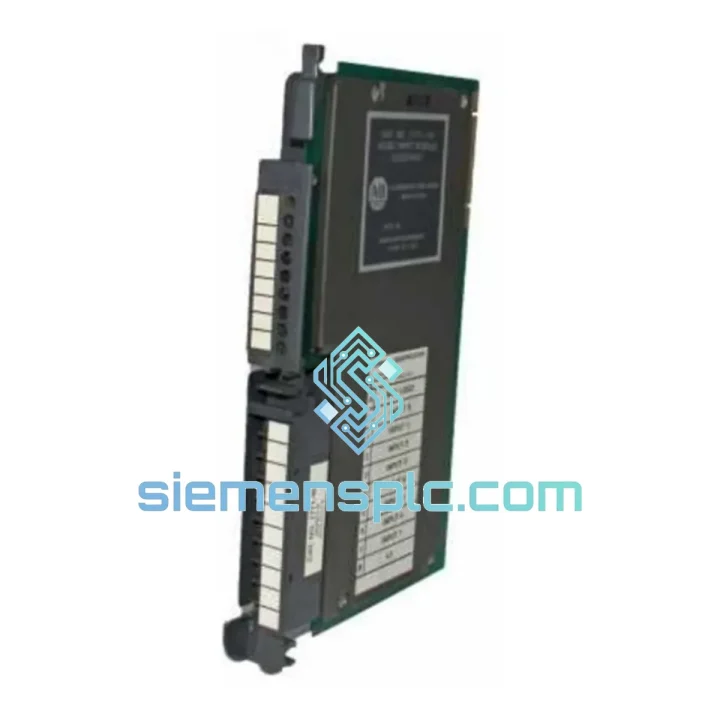
Request verified availability, condition, replacement risk review, packing options and courier lead time for 1771-IM.
Click Request Quote and the part number is inserted into the inquiry form automatically.
Core fields for model confirmation and RFQ routing. Detailed product narrative remains below.
Your PLC-5 system just threw a fault. The 1771-IM AC input module is dead. Every minute that conveyor, compressor, or transfer line sits idle is money walking out the door — and your maintenance manager is already on the phone. We’ve been in that exact situation more times than we can count. That’s why we stock the 1771-IM ready to ship from Xiamen, with DHL/FedEx express options that put the module in your hands within 24–72 hours, anywhere on the planet.
No waiting on Rockwell’s EOL lead times. No scrambling through broker networks. One call, one shipment, line back up.
URGENT REQUIREMENT? Contact: [email protected] | WhatsApp: +86 18359268345
| Catalog Number | 1771-IM ✔ Ready to Ship |
| Manufacturer | Allen-Bradley / Rockwell Automation |
| Series | PLC-5 / 1771 I/O Platform |
| Module Type | AC Digital Input |
| Input Voltage (Nominal) | 220 Vac |
| Input Voltage Range | 85–265 Vac, 47–63 Hz |
| Input Points | 16 (2 groups of 8, isolated per group) |
| ON-State Voltage | 85–265 Vac |
| OFF-State Voltage Max | ≤ 20 Vac |
| Input Current per Point | ≈ 10 mA @ 220 Vac |
| Input Impedance | ~22 kΩ @ 50 Hz |
| Isolation | Optical (field side to backplane) |
| Backplane Current Draw | 800 mA @ 5 Vdc |
| Compatible Chassis | 1771-A1B, A2B, A3B, A4B; 1771-ASB remote adapter |
| Wiring Arm | 1771-WN or 1771-WG (sold separately) |
| Operating Temperature | 0 °C to +60 °C |
| Storage Temperature | -40 °C to +85 °C |
| Relative Humidity | 5–95% non-condensing |
| Certifications | UL Listed, CE |
| Stock Status | ✔ In Stock — Ready to Ship from Xiamen |
After 10 years of field work on PLC-5 systems, here’s what actually goes wrong with the 1771-IM and what to watch for when you’re swapping one out at 2 AM with a plant manager breathing down your neck.
Common Failure Modes:
Replacement Procedure — Field Checklist:
Hardware Revision Note: The 1771-IM/B revision introduced minor component changes but is functionally interchangeable with the original 1771-IM in all standard applications. If your system documentation specifies a particular revision, confirm with us before ordering — we’ll match it.
The 1771 platform was engineered for the factory floor, not the server room. The 1771-IM reflects that design philosophy in every layer of its construction.
The module’s optical isolation barrier physically separates the 220 Vac field side from the 5 Vdc backplane logic. This isn’t just good practice — it’s what keeps a voltage spike from a welding machine or a motor starter from propagating through the backplane and taking out your processor. In environments with heavy inductive loads switching on the same AC bus, this isolation is the difference between a module swap and a processor replacement.
The wide input voltage range (85–265 Vac) means the module doesn’t care about the voltage sags and swells that are routine in industrial facilities with large motor loads. It reads a valid ON state anywhere in that range, eliminating nuisance faults during motor starts or utility switching events.
Vibration tolerance is built into the 1771 form factor. The edge connector and backplane interface are designed to maintain contact under the continuous vibration levels found in compressor buildings, press rooms, and on mobile equipment. The screw-terminal wiring arm provides a mechanically secure field connection that won’t loosen from vibration the way push-in connectors can.
Operating temperature range of 0–60 °C covers the vast majority of industrial enclosure environments, including non-air-conditioned panels in tropical climates. Storage down to -40 °C means modules can be warehoused in unheated facilities without degradation.
Every unit we ship has been bench-tested: all 16 input points exercised at rated voltage, backplane current draw verified, and connector condition inspected. We don’t ship untested modules. If it leaves our warehouse, it works.
We ship from Xiamen, China — one of the most logistics-connected export hubs in Asia, with direct DHL and FedEx service to over 220 countries and territories.
Typical Transit Times from Xiamen:
Our Logistics Process:
For genuine emergencies — line down, production stopped — contact us directly on WhatsApp. We can arrange same-day dispatch for orders confirmed before 3:00 PM CST.
Ready to order or need a quote? Reach us through any channel below — we respond fast because we know downtime doesn’t wait.
Email: [email protected]
WhatsApp: +86 18359268345
Web: siemensplc.com
© 2026 siemensplc.com. All rights reserved.
We check the full part number, brand, series and visible nameplate information before quotation.
Sales confirms stock path, condition option, quantity and realistic lead time for export dispatch.
DHL, FedEx, UPS or buyer courier arrangements can be reviewed with packing requirements.
Similar brand or category products for fast comparison and multi-item RFQ lists.