ProSoft Technology
RFQ Ready
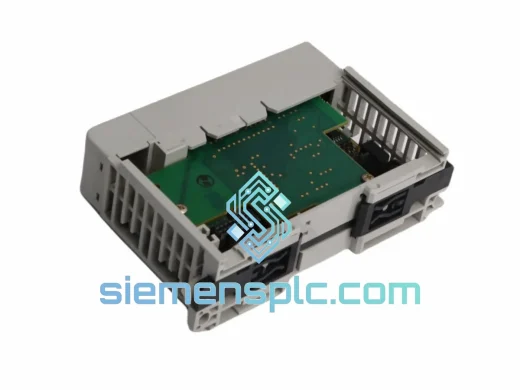
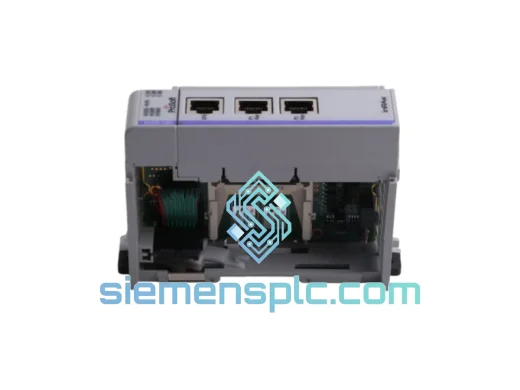
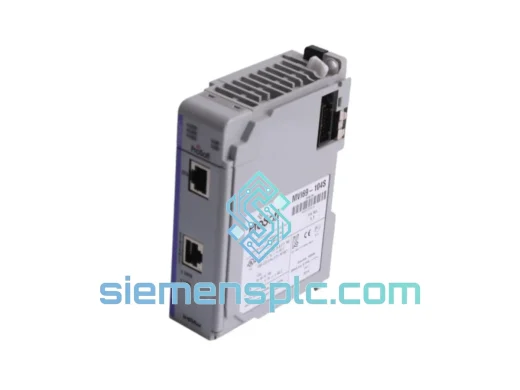
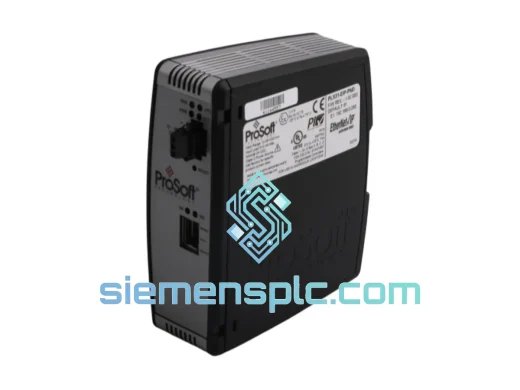
ProSoft PLX31-EIP-PND Protocol Gateway – PLX31 Series
Origin US
Protocol Gateway
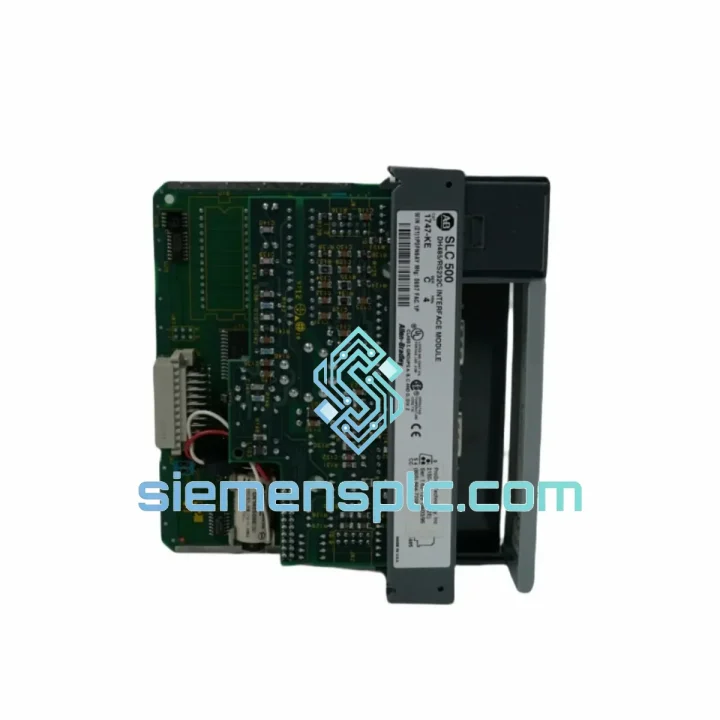
Request verified availability, condition, replacement risk review, packing options and courier lead time for 2150-AGA/1747-KE.
Click Request Quote and the part number is inserted into the inquiry form automatically.
Core fields for model confirmation and RFQ routing. Detailed product narrative remains below.
Your SLC 500 line just went dark. The HMI lost comms. The SCADA screen is frozen. Every minute the conveyor sits idle, you’re bleeding money — and your maintenance team is staring at a dead ProSoft 2150-AGA / 1747-KE module wondering where to source a replacement before the shift supervisor walks in. We’ve been there. That’s exactly why siemensplc.com stocks this unit, verified and ready to pull from the shelf today.
The ProSoft 2150-AGA / 1747-KE is the DF1-to-DH-485 protocol gateway that lives inside your SLC 500 chassis. When it fails, your RS-232 host — whether that’s a SCADA server, an HMI panel, or a programming terminal — loses its bridge to the DH-485 network entirely. There is no workaround. You need the module. We have it. Let’s get it moving.
URGENT REQUIREMENT? Contact: [email protected] | WhatsApp: +86 18359268345
| Part Number | 2150-AGA / 1747-KE ★ Ready to Ship |
| Manufacturer | ProSoft Technology |
| Series | SLC 500 In-Chassis Communication Module |
| Function | DF1 Full-Duplex (RS-232) ↔ DH-485 Protocol Gateway |
| Compatible Processors | Allen-Bradley SLC 5/03, 5/04, 5/05 |
| Chassis Slot | Single-slot SLC 500 I/O chassis (1746-Axxx series) |
| RS-232 Port | DB-9 male, DF1 Full-Duplex, up to 19,200 bps |
| DH-485 Port | RJ-45 or terminal block, per DH-485 network standard |
| Power Supply | Backplane-powered — no external PSU required |
| Operating Temperature | 0°C to +60°C |
| Storage Temperature | -40°C to +85°C |
| Relative Humidity | 5% to 95% non-condensing |
| Weight | 230 g |
| Firmware | Matches OEM revision — confirm with your SLC processor firmware level |
| Condition | New / Verified Surplus |
| Country of Origin | United States |
| Stock Status | In Stock — Ships from Xiamen within 24 hours |
How do you know the 1747-KE is the culprit? Classic failure signatures: RSLinx Classic throws a “Driver Error” or “No Response” on the DF1 driver. The module’s status LED is either solid red, alternating red/green, or completely dark when the chassis is powered. DH-485 nodes are unreachable from the RS-232 host but communicate fine when accessed directly via a 1747-PIC or AIC+. If you’re seeing any of these, the gateway is gone.
Step-by-step hot-swap procedure:
Common fault codes associated with 1747-KE failure:
Industrial environments don’t care about your uptime targets. Foundry floors hit 55°C ambient. Coastal chemical plants push 90% humidity year-round. Stamping presses generate vibration profiles that shake loose connectors and crack solder joints on lesser hardware. The ProSoft 2150-AGA / 1747-KE was engineered to survive exactly these conditions.
The module’s conformal-coated PCB resists moisture ingress and corrosive atmospheres — critical in food processing, wastewater treatment, and offshore applications where condensation is a daily reality. The backplane connector uses gold-plated contacts rated for thousands of insertion cycles, maintaining signal integrity even after repeated maintenance interventions. Vibration tolerance meets IEC 68-2-6 test profiles, meaning the module holds its backplane connection through the kind of mechanical shock that rattles standard rack-mount equipment loose.
Operating temperature range of 0°C to +60°C covers the vast majority of industrial panel environments without forced cooling. Storage down to -40°C means units held in unheated warehouses or shipped through cold-chain logistics arrive fully functional. Every unit we ship has been stored in climate-controlled conditions and inspected for physical integrity before dispatch — no units that have been sitting in a damp warehouse for a decade.
Our warehouse is in Xiamen, China — one of the most logistics-connected export hubs in Southeast Asia, with direct DHL Express and FedEx International Priority lanes to every major industrial market on the planet.
Standard dispatch timeline: Orders confirmed before 14:00 CST ship same business day. Orders confirmed after 14:00 CST ship next business day. No exceptions, no excuses — your downtime doesn’t wait for our convenience.
Typical transit times from Xiamen:
Every shipment includes a commercial invoice, packing list, and HS code declaration (8537.10) prepared to customs standards — no delays at the border because of incomplete paperwork. For urgent orders requiring customs pre-clearance documentation or end-user certificates, contact us before placing the order and we’ll prepare the paperwork in parallel with picking and packing.
Real-time tracking is provided for every shipment. You’ll receive a tracking number within 2 hours of dispatch. If your freight forwarder or plant logistics team needs the AWB number for their system, just let us know at the time of order.
Email: [email protected]
WhatsApp: +86 18359268345
Web: siemensplc.com
© 2026 siemensplc.com. All rights reserved.
We check the full part number, brand, series and visible nameplate information before quotation.
Sales confirms stock path, condition option, quantity and realistic lead time for export dispatch.
DHL, FedEx, UPS or buyer courier arrangements can be reviewed with packing requirements.
Similar brand or category products for fast comparison and multi-item RFQ lists.