GE
RFQ Ready
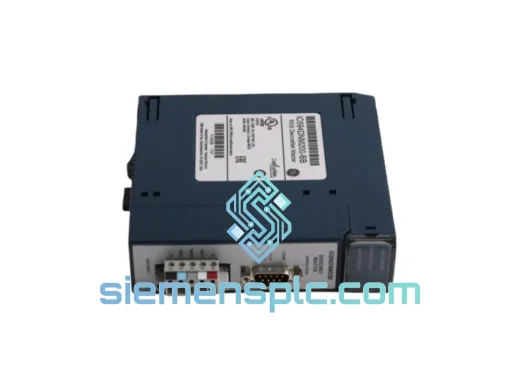
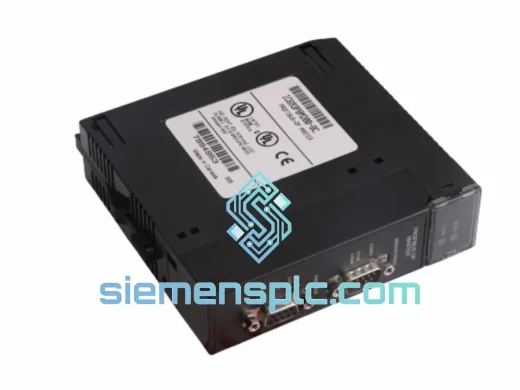
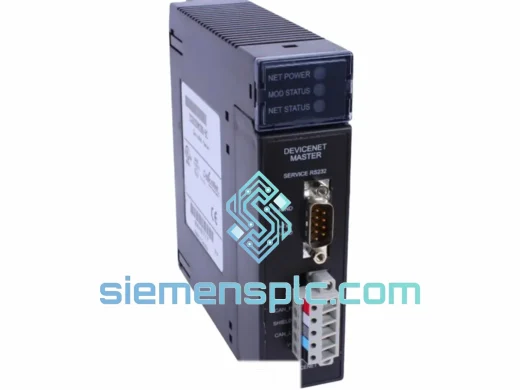
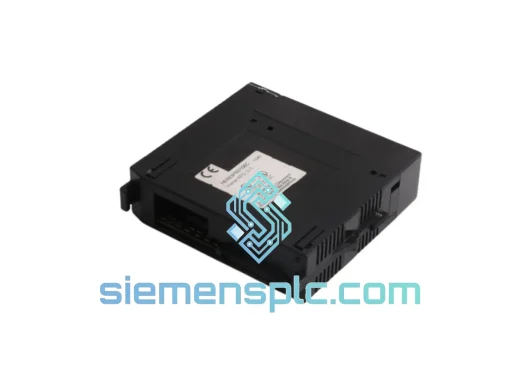
GE HE693PBS106 PROFIBUS DP Communication Module – Series 90-30
90-30
Origin US
PLC Communication Module
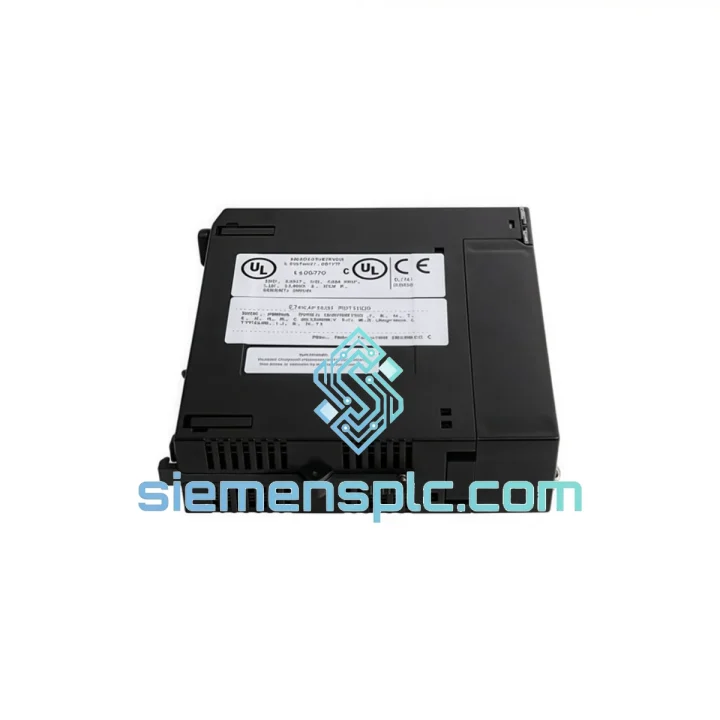
Request verified availability, condition, replacement risk review, packing options and courier lead time for HE693DNT250.
Click Request Quote and the part number is inserted into the inquiry form automatically.
Core fields for model confirmation and RFQ routing. Detailed product narrative remains below.
Your Series 90-30 rack is dark. The DeviceNet network is silent. Sixty-four nodes — drives, sensors, valve manifolds — are waiting on one module. You’ve been down for two hours and the shift supervisor is standing behind you. This is exactly the scenario the GE HE693DNT250 was built to resolve, and it’s exactly why we stock it in Xiamen, ready to move the moment you call.
The HE693DNT250 is GE’s master DeviceNet scanner for the Series 90-30 platform. It owns the network: polling up to 64 slave nodes, managing cyclic and explicit messaging, mapping I/O directly into the CPU’s %I/%Q and %AI/%AQ reference tables. When this card fails, nothing downstream talks. When you replace it correctly — and we’ll walk you through every step — the line comes back up clean.
We are not a catalog. We are a stocking distributor with hands-on field experience. Every HE693DNT250 we ship has been visually inspected, firmware-verified, and power-on tested. It leaves Xiamen in anti-static ESD packaging, double-boxed, with DHL or FedEx tracking in your inbox before the courier van clears our dock.
URGENT REQUIREMENT? Contact: [email protected] | WhatsApp: +86 18359268345
| Parameter | Specification | Status |
|---|---|---|
| Part Number / SKU | HE693DNT250 | ✔ Ready to Ship |
| Manufacturer | GE (General Electric) / Horner Electric | |
| Platform | Series 90-30 PLC | |
| Module Role | DeviceNet Master (Scanner) | |
| Network Protocol | DeviceNet (CAN-based, ODVA spec) | |
| Max Slave Nodes | 64 nodes per scanner | |
| I/O Data Memory | 8 Kbytes (Input + Output combined) | |
| Baud Rates | 125 / 250 / 500 Kbps (selectable) | |
| Messaging Types | Polled, Strobe, COS, Cyclic, Explicit | |
| Backplane Interface | Series 90-30 rack (5-slot / 10-slot) | |
| Operating Temperature | 0°C to 60°C | |
| Storage Temperature | -40°C to 85°C | |
| Humidity | 5% – 95% non-condensing | |
| Certifications | ODVA Conformance Tested, UL Listed | |
| Form Factor | Single-slot Series 90-30 I/O module | |
| Weight | ~500 g | |
| Country of Origin | USA | |
| Configuration Software | Proficy Machine Edition / Logicmaster 90-30 | |
| Dispatch Lead Time | Same-day / Next business day | ✔ Ready to Ship |
Common Failure Indicators
Before you pull the card, confirm the fault is the scanner and not the network. The HE693DNT250 will show a solid red MODULE FAULT LED when it has lost backplane communication or suffered an internal hardware fault. A flashing red NET FAULT LED points to a network-level issue — check your trunk termination resistors (121Ω at both ends) and verify bus power (24VDC, 8A minimum for a loaded network) before condemning the module. If the CPU’s I/O fault table shows a “Scanner Module Not Responding” entry against the slot occupied by the HE693DNT250, the card itself is the culprit.
Step-by-Step Hot-Swap Replacement Procedure
1. Back up your scanner configuration. Open Proficy Machine Edition, go online with the CPU, and export the DeviceNet configuration file (.dnt). This file contains all 64 node definitions, I/O sizes, and connection parameters. Without it, you are rebuilding from scratch — a 4-hour job minimum on a complex network.
2. Place the CPU in STOP mode. Do not attempt to swap the module with the CPU in RUN. The backplane bus will flag a hardware fault and may corrupt the I/O table mapping.
3. De-energize the rack. Remove the power supply or trip the rack breaker. The HE693DNT250 does not support hot-swap on the Series 90-30 backplane.
4. Note the slot position. The scanner must return to the exact same slot number. The CPU’s hardware configuration is slot-specific; placing the module in a different slot requires a hardware configuration change and re-download.
5. Seat the replacement module firmly. The Series 90-30 backplane connector requires positive engagement — you should feel a definite click. A partially seated module will show intermittent faults that are extremely difficult to diagnose.
6. Restore power and download configuration. Re-energize the rack, go online in PME, and download the hardware configuration. Then download the DeviceNet scanner configuration (.dnt file) to the module. The module will initialize the network scan cycle automatically.
7. Verify node status. In PME’s DeviceNet configuration tool, check the node status table. All active nodes should show green. Any node showing red indicates a device-level fault — check that device’s address switch settings and power supply independently of the scanner replacement.
Node Address & Baud Rate Configuration
The HE693DNT250 itself does not have physical DIP switches for node address or baud rate — these are set entirely in software via the PME DeviceNet configuration tool. The scanner’s MAC ID defaults to 0 (master). Baud rate must match every device on the trunk; a single device at a mismatched baud rate will corrupt the entire network’s communication. If you are replacing a failed scanner and do not have the original .dnt file, you will need to manually re-enter each slave node’s MAC ID, expected I/O sizes, and connection type. Cross-reference the slave devices’ nameplates and their own DIP switch settings to reconstruct the configuration.
Firmware Compatibility Note
The HE693DNT250 firmware version must be compatible with your CPU firmware revision. Units manufactured after 1998 carry firmware Rev 2.x, which is compatible with all Series 90-30 CPUs running firmware 9.x and above. If your CPU is running firmware 8.x or earlier (very rare in active service), contact us before ordering — we can verify the firmware revision of our stock units prior to shipment.
The Series 90-30 platform was designed for the factory floor, not the server room, and the HE693DNT250 reflects that engineering philosophy. The module’s conformal-coated PCB resists moisture ingress and condensation — a real concern in food processing plants where washdown cycles create humidity spikes that kill unprotected electronics within months. The backplane connector is gold-plated to resist oxidation in environments where airborne sulfur compounds from rubber processing or chemical plants accelerate corrosion on standard tin contacts.
Vibration tolerance is rated to IEC 68-2-6 standards, covering the 5–150 Hz frequency range at 1g acceleration — sufficient for mounting in control panels adjacent to large motor starters and compressors where panel resonance is a chronic issue. Thermal cycling performance has been validated across the full 0°C to 60°C operating range, meaning the module handles the daily temperature swings of an unheated warehouse in northern climates or the sustained heat of a foundry control room without derating.
Every unit we dispatch has been stored in climate-controlled conditions. We do not warehouse modules in uncontrolled environments. Boards that have been exposed to humidity cycling develop micro-corrosion on connector pins and solder joints that only manifests as intermittent faults weeks after installation — exactly the kind of failure that is impossible to diagnose and catastrophic to production schedules. Our storage protocol eliminates that risk.
Our warehouse is located in Xiamen, Fujian Province — one of China’s primary export hubs with direct access to Xiamen Gaoqi International Airport and daily consolidated freight departures to DHL and FedEx international gateways. This geography is not accidental. It means your module can be in the air within hours of order confirmation, not days.
Standard Express Timeline (DHL / FedEx International Priority):
For genuine production emergencies, we offer same-day dispatch on orders confirmed before 14:00 CST. The module is tested, packed in anti-static ESD bag with moisture barrier desiccant, placed in a rigid double-wall carton, and handed to the courier with a pre-generated air waybill. You receive the tracking number by email and WhatsApp simultaneously. Customs documentation — commercial invoice, packing list, and HS code declaration — is prepared to IATA standards to prevent clearance delays at destination.
We have shipped HE693DNT250 units to automotive plants in Germany, petrochemical facilities in Saudi Arabia, food processing lines in Australia, and mining operations in Chile. Each shipment cleared customs without delay. If your country requires specific import documentation or a certificate of origin, advise us at the time of order and we will prepare it before dispatch.
Email: [email protected]
WhatsApp: +86 18359268345
Web: siemensplc.com
© 2026 siemensplc.com. All rights reserved.
We check the full part number, brand, series and visible nameplate information before quotation.
Sales confirms stock path, condition option, quantity and realistic lead time for export dispatch.
DHL, FedEx, UPS or buyer courier arrangements can be reviewed with packing requirements.
Similar brand or category products for fast comparison and multi-item RFQ lists.