Proface
In Stock OK
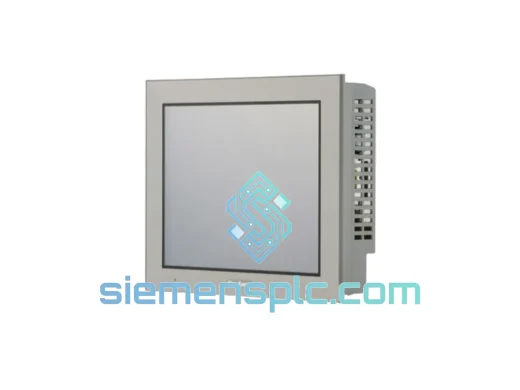
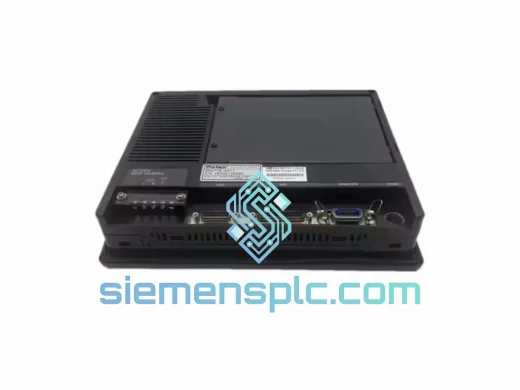
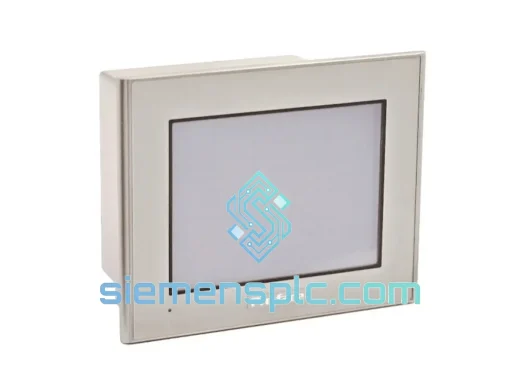
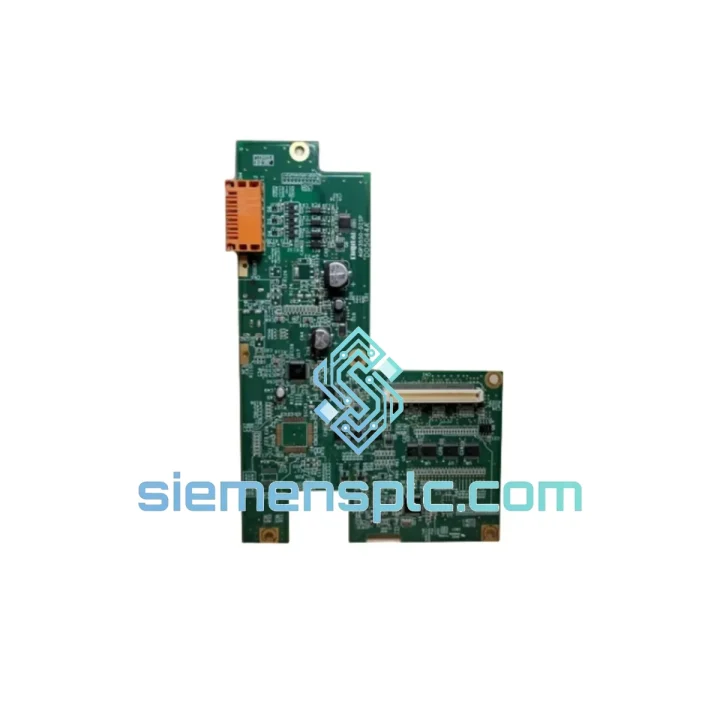
Proface AGP3550-DISP D05044A HMI Display Board
Request verified availability, condition, replacement risk review, packing options and courier lead time for AGP3550-DISP.
BrandProface
Part NumberAGP3550-DISP
ConditionAvailability Check
Lead TimeRFQ Confirmation
DocumentsDatasheet / photos by RFQ
ShippingExport packing available
Auto-filled RFQ
AGP3550-DISP
Click Request Quote and the part number is inserted into the inquiry form automatically.
- Reply by email: [email protected]
- WhatsApp / Tel: +86 18359268345
- Mon-Sat 9:00-18:00 GMT+8
Procurement Data
Key Product Information
Core fields for model confirmation and RFQ routing. Detailed product narrative remains below.
- Brand
- Proface
- Primary Part Number
- AGP3550-DISP
- Product Type
- HMI Display Module
- Product Family
- Other series
- Country of Origin
- JP
- Model Function
- LCD Display Driver / Interface PCB Assembly
- Catalog Category
- HMI Panels
- Operating Temp.
- 0°C to +50°C
- Warranty
- 90 days — defects in materials and workmanship
- Compliance
- RoHS, CE, UL 508A
Model confirmed for inquiry
AGP3550-DISP
Send quantity, destination and urgency. The RFQ form keeps this part number attached.
Request Quote
Product Overview
AGP3550-DISP D05044A: Stop the Clock on Your Downtime — Ship Today from Xiamen
Every minute an AGP3550 HMI panel sits dark, your production line is bleeding money. A failed display driver board shouldn’t cost you a shift, a batch, or a customer. We stock the Proface AGP3550-DISP D05044A display driver PCB assembly right here in Xiamen — verified, packed, and ready to leave our warehouse the same day you call. No waiting on factory lead times. No chasing distributors. One call, one shipment, line back up.
This is not a refurbished gamble or a grey-market clone. The AGP3550-DISP D05044A we ship is sourced from verified industrial supply channels, inspected at board level, and dispatched with ESD-safe packaging. If your AGP3550 panel is showing a white screen, backlight failure, color distortion, or a frozen display — this board is the fix.
URGENT REQUIREMENT? Contact: [email protected] | WhatsApp: +86 18359268345
Quick Technical Datasheet
| Brand | Proface (Digital Electronics / Schneider Electric) |
| Part Number | AGP3550-DISP D05044A |
| Series | AGP3550 |
| Function | LCD Display Driver / Interface PCB Assembly |
| Compatible Models | AGP3550-T1-D24, AGP3550-T1-AF, AGP3550-T1-D24-M (and variants) |
| Display Type | TFT Color LCD, 10.4-inch |
| Resolution | 800 × 600 (SVGA) |
| Interface to CPU Board | Internal FPC/ribbon connector — direct drop-in |
| Supply Voltage | 24 VDC (system-level, per AGP3550 spec) |
| Operating Temperature | 0°C to +50°C |
| Storage Temperature | -20°C to +60°C |
| Ingress Protection | IP65 (front panel, when correctly installed) |
| Compliance | RoHS, CE, UL 508A |
| Origin | China (Xiamen stocking warehouse) |
| Stock Status | ✔ Ready to Ship |
| Warranty | 90 days — defects in materials and workmanship |
Troubleshooting & Replacement Tips
Fault Pattern Recognition
Before pulling the board, confirm the fault signature. The D05044A is the correct replacement target when you see:
- Solid white screen on power-up — backlight fires but no image renders; CPU board is alive (Ethernet/serial comms still active). Classic display driver failure.
- Intermittent display freeze — panel locks mid-operation, recovers after power cycle. Thermal stress on the driver IC is the usual culprit.
- Partial image / color banding — horizontal or vertical stripes across the LCD. FPC connector degradation or driver output stage failure.
- Backlight cycling on/off — if the backlight flickers but the image is otherwise intact, check the inverter circuit on this board before condemning the LCD panel itself.
Step-by-Step Board Swap Procedure
- De-energize and lock out — isolate 24 VDC supply to the panel. Confirm zero energy with a meter. Do not skip this step.
- Back up the GP-Pro EX project — connect a laptop via USB or Ethernet and pull a full project backup before opening the enclosure. The CPU board retains all project data, but this is non-negotiable field practice.
- Open the rear enclosure — remove the four M3 screws on the AGP3550 rear cover. Ground yourself with an ESD wrist strap before touching any internal assembly.
- Disconnect the FPC ribbon — release the ZIF locking tab on the display-to-CPU FPC connector. Do not pull the ribbon by force — lift the tab fully before extracting.
- Remove the display assembly — unclip the four plastic retaining tabs holding the display module to the front bezel. The D05044A board is mounted to the rear of the LCD assembly.
- Swap the D05044A board — transfer the new board to the LCD assembly. Confirm all standoff positions align. No dip switches or address jumpers on this board — it is plug-and-play at the hardware level.
- Reconnect FPC and reassemble — seat the ribbon cable fully before locking the ZIF tab. Partial seating causes intermittent faults that are difficult to diagnose.
- Power up and verify — apply 24 VDC and confirm display initialization. The AGP3550 splash screen should appear within 30 seconds. Verify touch calibration if the digitizer was disturbed.
- No firmware action required — the D05044A carries no firmware. No re-flashing, no re-addressing, no GP-Pro EX project reload needed.
Common Error Codes After Display Faults
- “System Error: Display Init Failed” — seen on AGP3550 when the FPC is not fully seated after reassembly. Re-open and reseat the ribbon.
- “Touch Panel Error” — if the digitizer overlay was disturbed during the swap, run the touch calibration utility from the AGP3550 offline menu (hold the top-left corner on boot).
- Communication alarms on PLC side — these are typically timeout alarms triggered by the HMI being offline during the swap. Acknowledge and clear from the PLC; no configuration change is needed.
Reliability in Harsh Conditions
The AGP3550-DISP D05044A is engineered for the realities of industrial floor environments — not office-grade conditions. The board assembly is designed to withstand:
- Thermal cycling — the PCB substrate and component selection are rated for continuous operation at 50°C ambient, with storage down to -20°C. Automotive and foundry environments with wide temperature swings are within spec.
- Vibration and mechanical shock — the AGP3550 platform meets IEC 61131-2 vibration requirements. The D05044A board is secured within the panel chassis with mechanical retention, not just connector friction.
- Humidity and condensation — the front panel IP65 rating protects the internal assembly from water ingress and washdown exposure when the board is correctly installed and the gasket seal is intact.
- Electrical noise immunity — the display driver circuit includes filtering for the high-EMI environments typical of VFD-heavy machine rooms and welding cells. Conducted and radiated immunity is validated to CE industrial standards.
- Dust and particulate — IP65 front sealing prevents fine particulate ingress that would otherwise degrade connector contacts and PCB surfaces over time.
Before shipping, every unit we dispatch is inspected under magnification for solder joint integrity, connector pin condition, and PCB surface anomalies. Boards showing any sign of prior thermal damage, corrosion, or mechanical stress are rejected. What leaves our warehouse is what you install.
Global Express Logistics
Our warehouse is located in Xiamen, Fujian, China — one of China’s primary export hubs with direct access to DHL, FedEx, and UPS international express networks. Here is how a typical urgent shipment moves:
- Order confirmed before 14:00 CST → same-day dispatch from Xiamen warehouse
- DHL Express / FedEx International Priority → transit time 2–4 business days to most of Europe, North America, Southeast Asia, and the Middle East
- Customs documentation → commercial invoice, packing list, and HS code declaration prepared at dispatch. We handle export customs clearance from the China side.
- Tracking provided → AWB number sent via email within 2 hours of dispatch. Real-time tracking link included.
- ESD-safe packaging → anti-static bag, foam cushioning, double-wall carton. Board arrives protected regardless of handling conditions in transit.
- Import duties → buyer is responsible for destination country import duties and VAT. We can provide a proforma invoice for customs pre-clearance on request.
For breakdown emergencies where every hour counts, contact us directly on WhatsApp for real-time stock confirmation and same-day shipping commitment before placing the order.
Contact Information
Email: [email protected]
WhatsApp: +86 18359268345
Web: siemensplc.com
© 2026. All rights reserved.
Ready to quote
[email protected]
Send This Part Number to Sales
RFQ workflow
Quality workflow ->
Confirmation Process
01Model confirmation
We check the full part number, brand, series and visible nameplate information before quotation.
02Availability reply
Sales confirms stock path, condition option, quantity and realistic lead time for export dispatch.
03Packing & courier
DHL, FedEx, UPS or buyer courier arrangements can be reviewed with packing requirements.
Continue sourcing
Browse full catalog ->
Related Automation Parts
Similar brand or category products for fast comparison and multi-item RFQ lists.