Honeywell
RFQ Ready
Honeywell 51403578-100 Operator Keyboard – TDC 3000
TDC 3000
Origin US
Operator Keyboard
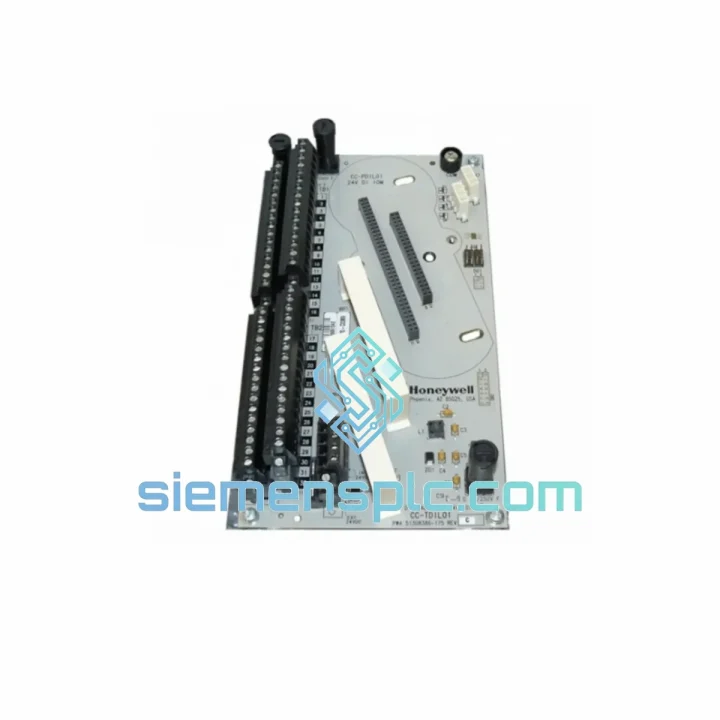
Request verified availability, condition, replacement risk review, packing options and courier lead time for 51402497-200.
Click Request Quote and the part number is inserted into the inquiry form automatically.
Core fields for model confirmation and RFQ routing. Detailed product narrative remains below.
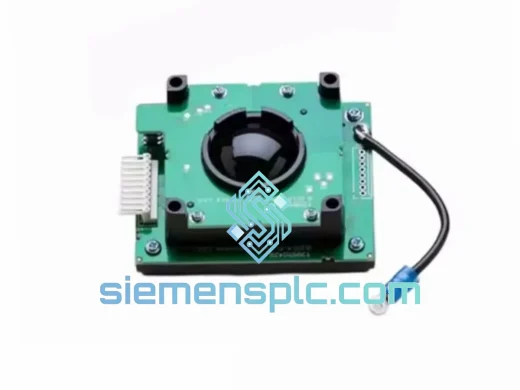
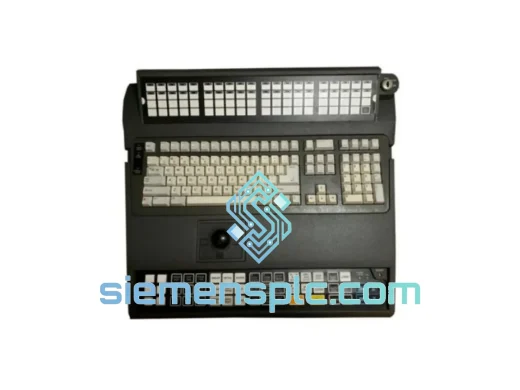
Every minute your TPS operator station sits dark, your process is bleeding money. The Honeywell 51402497-200 (TP-DSOEP1-100) operator keyboard is the single point of failure most plants don’t stock — until the shift supervisor is standing over you at 2 AM asking why the unit is down. We keep this part on the shelf in Xiamen specifically for that call. Same-day dispatch on confirmed stock. DHL Express to your plant gate in 3–5 business days, anywhere on the planet.
URGENT REQUIREMENT? Contact: [email protected] | WhatsApp: +86 18359268345
| Parameter | Detail |
|---|---|
| Part Number | 51402497-200 |
| Model / Series | TP-DSOEP1-100 |
| Brand | Honeywell Process Solutions |
| Platform | TotalPlant Solution (TPS) / TDC 3000 |
| Device Type | Operator Keyboard — HMI Input Device |
| Interface | Proprietary TPS bus (not USB) |
| Compatible Stations | Universal Station (US), Global User Station (GUS) |
| Min. TPS Software Rev. | R400 and above |
| Mounting | Console / panel-mount |
| Weight | Approx. 200 g |
| Origin | China (Xiamen stocked) |
| Condition | 100% Original — New OEM / Certified Tested |
| Compliance | CE, RoHS |
| Availability | Ready to Ship — Xiamen Warehouse |
Pulled from real field experience — not a manual reprint.
Fault 1 — Keyboard Not Recognized at Boot (TPS “KBD FAIL” alarm): Nine times out of ten this is a failed keyboard controller IC, not a cable issue. Swap the keyboard first. If the alarm clears, you are done. If it persists, check the operator station backplane connector for bent pins — the TPS proprietary bus connector is fragile after years of thermal cycling.
Fault 2 — Intermittent Key Response / Ghost Keystrokes: Classic symptom of membrane delamination inside the keyboard assembly. Caused by humidity ingress over years of operation. No field repair is reliable — replace the unit. Attempting to clean the membrane with IPA usually accelerates failure.
Fault 3 — Keyboard Works but Function Keys Unresponsive: Check TPS software revision first. The TP-DSOEP1-100 function key mapping changed between R400 and R500. If your plant is running R500+ and you have installed a -100 revision keyboard, you may need to apply the keyboard firmware patch via the TPS System Manager before function keys map correctly.
Replacement Procedure (field-verified steps):
Revision Note: The -200 revision includes hardware updates over the -100 that are required for TPS R500+ environments. Do not substitute a -100 revision unit without confirming firmware compatibility with Honeywell engineering support.
Process control rooms are not office environments. The 51402497-200 is built to operate continuously in conditions that destroy consumer-grade hardware within months. The keyboard assembly is rated for operation in ambient temperatures from 0°C to 55°C with humidity tolerance up to 95% non-condensing — covering the majority of refinery control room and offshore platform environments where HVAC reliability is itself a maintenance concern.
The internal PCB uses conformal coating on critical signal traces, providing a barrier against airborne contaminants common in petrochemical and mining environments — hydrogen sulfide, ammonia, and fine particulate. Vibration tolerance is validated to IEC 60068-2-6 standards, meaning the unit maintains electrical continuity under the low-frequency structural vibration typical of compressor halls and turbine buildings.
The keycap legends are laser-etched, not pad-printed. In high-use operator stations running 24/7 shifts, pad-printed legends wear off within 18 months. Laser-etched legends on the TP-DSOEP1-100 remain legible for the full service life of the unit — critical in safety environments where misidentifying a function key is not an acceptable risk.
All units shipped from our Xiamen warehouse undergo a pre-shipment functional test on a live TPS/TDC 3000 test bench. Every key is actuated, every function key mapping is verified against TPS R500 software, and the bus interface is load-tested for 30 minutes before the unit is cleared for shipment. A test report ships with every order.
Our Xiamen warehouse sits 40 minutes from Xiamen Gaoqi International Airport (XMN), a primary DHL and FedEx hub for southern China exports. This is not an accident — it means your emergency order moves from our shelf to an international flight the same day, not the next.
Standard Express Routing: Xiamen warehouse → XMN airport → DHL/FedEx regional hub (Hong Kong or Shanghai) → destination country customs → plant gate. Transit time: 3–5 business days to most of Asia, Europe, and North America. Middle East and Africa: 4–7 business days.
Every shipment includes:
For orders requiring customs broker coordination in the EU, US, or Australia, contact us before placing the order — we can pre-stage documentation to prevent clearance delays that would defeat the purpose of express shipping. Bulk orders of 5 or more units qualify for dedicated freight coordination and volume pricing. Lead time for sourced (non-stocked) units is 7–15 business days — confirm availability before committing to a maintenance window.
📧 Email: [email protected]
📱 WhatsApp: +86 18359268345
🌐 Web: siemensplc.com
© 2026 siemensplc.com. All rights reserved.
We check the full part number, brand, series and visible nameplate information before quotation.
Sales confirms stock path, condition option, quantity and realistic lead time for export dispatch.
DHL, FedEx, UPS or buyer courier arrangements can be reviewed with packing requirements.
Similar brand or category products for fast comparison and multi-item RFQ lists.