
GE
In Stock OK
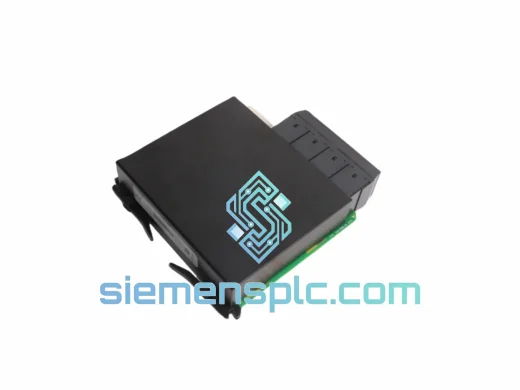
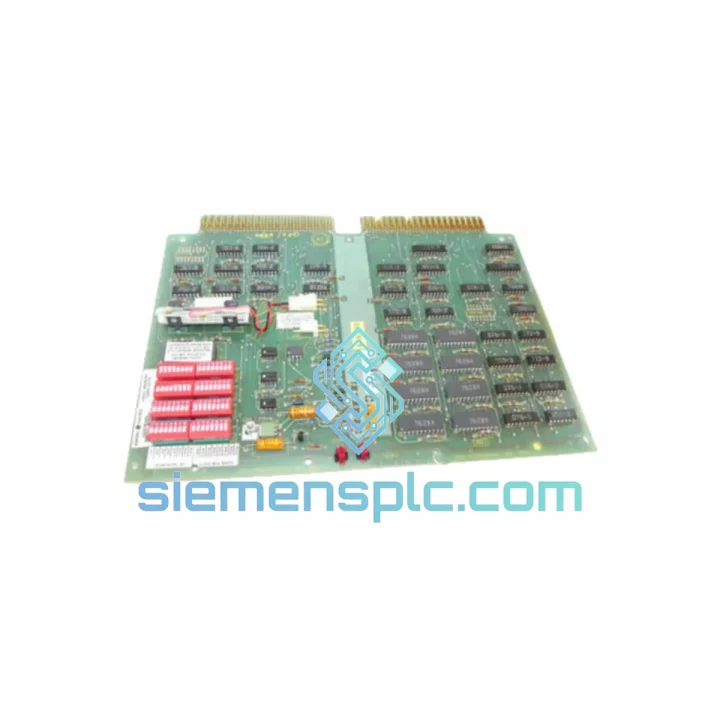
GE IC600BF949L PLC Communication Module
Request verified availability, condition, replacement risk review, packing options and courier lead time for IC600BF949L.
BrandGE
Part NumberIC600BF949L
ConditionAvailability Check
Lead TimeRFQ Confirmation
DocumentsDatasheet / photos by RFQ
ShippingExport packing available
Auto-filled RFQ
IC600BF949L
Click Request Quote and the part number is inserted into the inquiry form automatically.
- Reply by email: [email protected]
- WhatsApp / Tel: +86 18359268345
- Mon-Sat 9:00-18:00 GMT+8
Procurement Data
Key Product Information
Core fields for model confirmation and RFQ routing. Detailed product narrative remains below.
- Brand
- GE
- Primary Part Number
- IC600BF949L
- Product Type
- PLC Communication Module
- Series / Family
- Series Six PLC
- Manufacturer
- GE / GE Fanuc Automation
- Country of Origin
- US
- Catalog Category
- I/O Modules
Model confirmed for inquiry
IC600BF949L
Send quantity, destination and urgency. The RFQ form keeps this part number attached.
Request Quote
Product Overview
GE IC600BF949L — Stop the Clock on Your Downtime, Ship Today
Every minute a Series Six rack sits idle because of a failed ASCII I/O module, your line is bleeding money. The IC600BF949L is the exact card that bridges your GE Series Six PLC to barcode readers, weighing terminals, label printers, and any RS-232/RS-422 ASCII peripheral on the floor. When it fails, there is no workaround — the communication chain is broken. We stock it. We ship it. Today.
URGENT REQUIREMENT? Contact: [email protected] | WhatsApp: +86 18359268345
Quick Technical Datasheet
| Parameter | Value |
|---|---|
| Part Number | IC600BF949L |
| Manufacturer | GE / GE Fanuc Automation |
| Series | Series Six (IC600 Family) |
| Module Function | ASCII Serial I/O Communication |
| Interface | RS-232 / RS-422 compatible |
| Rack Compatibility | GE Series Six PLC backplane |
| Programming Software | Logicmaster 6 |
| Weight | 890 g (approx.) |
| Condition | Original / Tested Surplus |
| Stock Status | ✅ Ready to Ship — Xiamen Warehouse |
| Lead Time | Same-day dispatch on confirmed orders |
| Origin | United States (OEM) |
Troubleshooting & Replacement Tips
Ten years on the floor taught me one thing: most IC600BF949L failures are misdiagnosed. Before you condemn the card, run through this checklist.
Common Fault Indicators:
- ASCII device stops responding mid-shift — Check the module’s RUN/FAULT LED first. A solid FAULT with no CPU alarm usually points to a blown RS-232 driver IC on the module, not a cable or device issue.
- Intermittent communication loss — Vibration-induced connector fretting on the backplane edge connector. Reseat the card with power off; if the fault clears temporarily, the module’s gold fingers are worn and the card needs replacement.
- CPU reports I/O fault code 0x14 or 0x15 — These are rack-level communication errors. Swap the module to a different slot first to rule out a bad backplane position before ordering a replacement.
- Baud rate mismatch after replacement — The IC600BF949L stores its baud rate, parity, and stop-bit configuration in non-volatile memory on the card itself, not in the CPU program. After swapping in a replacement unit, you must re-download the ASCII module configuration block via Logicmaster 6. Skipping this step is the #1 cause of “new card, same problem” callbacks.
Replacement Procedure (Field-Verified):
- Document the current module configuration in Logicmaster 6 — print or screenshot the ASCII block parameters before pulling the card.
- Power down the rack. The IC600BF949L is NOT hot-swappable on Series Six racks.
- Remove the failed module. Inspect the backplane connector pins for bent contacts or corrosion before inserting the replacement.
- Insert the new IC600BF949L. Ensure the card is fully seated — a partial insertion will cause intermittent faults that are extremely difficult to trace.
- Power up the rack. The module will initialize and wait for configuration download.
- From Logicmaster 6, re-download the ASCII configuration block to the module. Verify baud rate, parity, data bits, and stop bits match your peripheral device spec sheet.
- Cycle the ASCII peripheral device power to force a fresh handshake.
- Monitor the module’s status LED for 5 minutes under live production conditions before signing off.
Configuration Notes: Unlike newer GE PACSystems modules, the IC600BF949L does not support auto-addressing. Slot assignment is fixed by physical rack position and must match the I/O map in your Logicmaster 6 program. If you are replacing a card that was in slot 3, the replacement must go back into slot 3 — moving it will cause an I/O configuration mismatch fault that will prevent the CPU from entering RUN mode.
Reliability in Harsh Conditions
GE engineered the Series Six IC600 family for the realities of heavy industry — not a climate-controlled server room. The IC600BF949L was designed and validated to operate continuously in environments that would kill consumer-grade electronics within weeks.
The module’s PCB uses conformal coating on production variants, providing resistance to condensation and airborne contaminants common in food processing and chemical plants. The backplane connector is rated for thousands of insertion cycles, and the card’s internal power regulation is designed to tolerate the voltage sags and spikes typical of large motor-driven machinery sharing the same panel bus.
Thermal performance is equally robust. The IC600BF949L is rated for continuous operation across a wide industrial temperature range, making it suitable for outdoor enclosures in summer heat and unheated facilities in winter. The module’s passive cooling design — no fans, no moving parts — means there are no additional failure modes introduced by the thermal management system itself.
Vibration resistance was validated against the mechanical shock and vibration profiles of automotive stamping lines and heavy press operations. The card’s component mounting and PCB trace design account for the resonant frequencies common in these environments. Units that have been in service for 20+ years in these conditions and are still functioning are a testament to the original design margin GE built into this platform.
Every unit we ship from our Xiamen warehouse has been inspected for physical integrity — PCB, edge connector, component solder joints, and housing — before it leaves our facility. We do not ship units with visible corrosion, cracked housings, or damaged connectors, regardless of whether they pass a bench power-on test.
Global Express Logistics
Our warehouse is located in Xiamen, China — one of the most logistics-efficient export hubs in Asia, with direct access to DHL, FedEx, and UPS international express networks. When your line is down, the last thing you need is a parts supplier who ships economy freight and hopes for the best.
Here is how our dispatch process works:
- Order confirmed before 14:00 CST — same-day dispatch to DHL/FedEx hub.
- Export documentation — commercial invoice, packing list, and HS code declaration prepared in parallel with packing. No customs delays caused by missing paperwork.
- Tracking number — provided within 2 hours of handover to carrier.
- Transit times — Southeast Asia: 2–3 business days. Europe: 3–5 business days. North America: 3–5 business days. Middle East / Africa: 4–6 business days.
- Customs clearance support — we provide all documentation required for import clearance in major markets. For customers in the EU, we can provide EORI-compatible documentation on request.
For genuinely critical shutdowns where every hour counts, contact us directly on WhatsApp before placing the order. We can confirm stock, prepare the shipment, and have it at the DHL counter within hours of your confirmation. We have done this for customers in Germany, Australia, Mexico, and Saudi Arabia — the geography does not change the urgency, and neither does our response.
Contact Information
Email: [email protected]
WhatsApp: +86 18359268345
Web: siemensplc.com
© 2026 siemensplc.com. All rights reserved.
Ready to quote
[email protected]
Send This Part Number to Sales
RFQ workflow
Quality workflow ->
Confirmation Process
01Model confirmation
We check the full part number, brand, series and visible nameplate information before quotation.
02Availability reply
Sales confirms stock path, condition option, quantity and realistic lead time for export dispatch.
03Packing & courier
DHL, FedEx, UPS or buyer courier arrangements can be reviewed with packing requirements.
Continue sourcing
Browse full catalog ->
Related Automation Parts
Similar brand or category products for fast comparison and multi-item RFQ lists.
GE
RFQ Ready
GE UR6PH Digital I/O Module Protection Relay
Universal Relay Series
Origin US
Protection Relay Module