Siemens PLC sourcing desk · Multi-brand automation spares [email protected] +86 18359268345
Request Quote
GE Fanuc In Stock OK

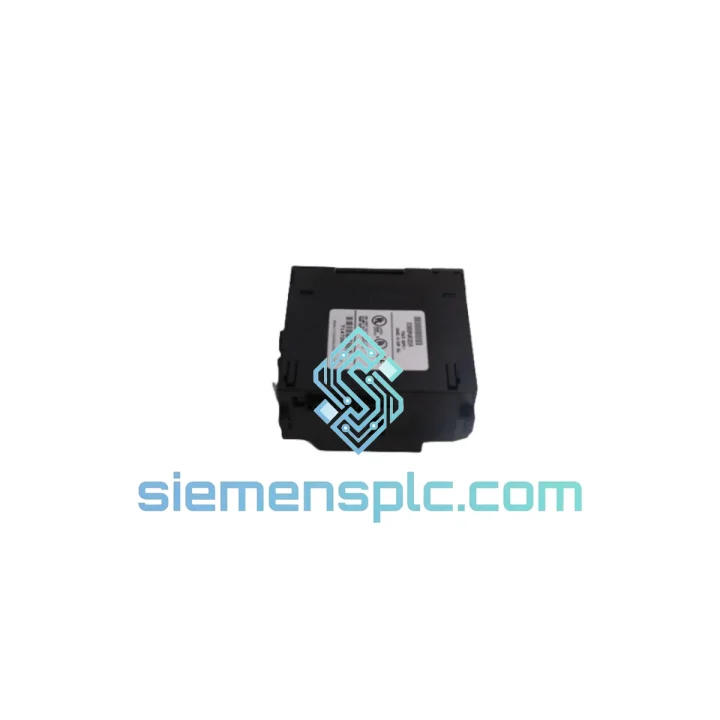
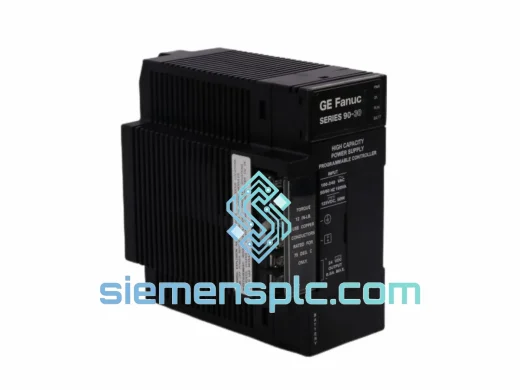
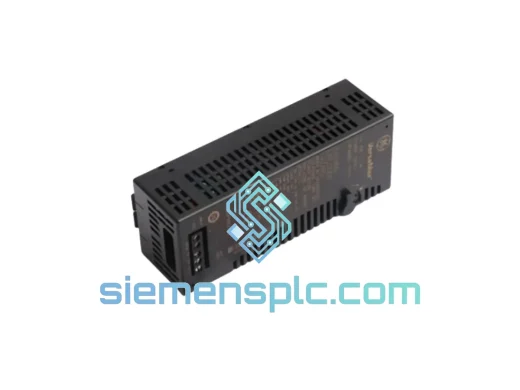
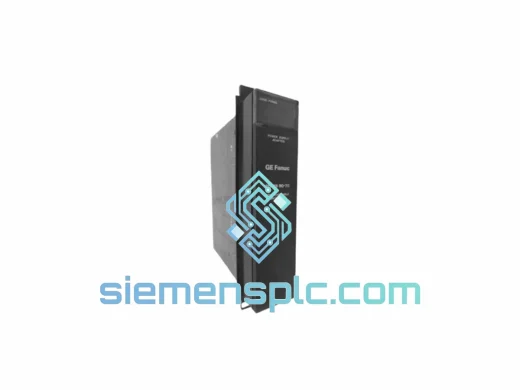
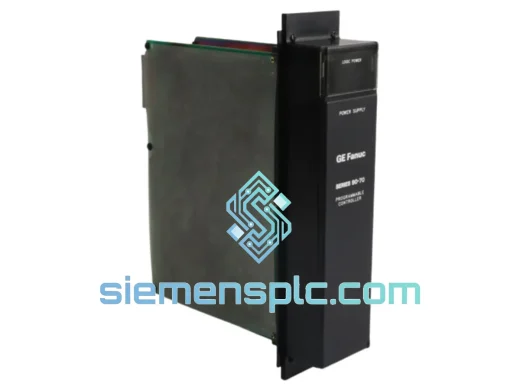
GE IC693PWR322 PLC Power Supply

Request verified availability, condition, replacement risk review, packing options and courier lead time for IC693PWR322.

Exact partIC693PWR322 RFQ auto-fillPart number attached Export packingDHL / FedEx / UPS Sales replyEmail or WhatsApp
BrandGE Fanuc Part NumberIC693PWR322 ConditionAvailability Check Lead TimeRFQ Confirmation DocumentsDatasheet / photos by RFQ ShippingExport packing available
Auto-filled RFQ IC693PWR322

Click Request Quote and the part number is inserted into the inquiry form automatically.

Procurement Data

Key Product Information

Core fields for model confirmation and RFQ routing. Detailed product narrative remains below.

Brand
GE Fanuc
Primary Part Number
IC693PWR322
Product Type
PLC Power Supply
Series / Family
Fanuc
Manufacturer
GE Fanuc Automation (now Emerson / Movicon)
Country of Origin
US
Catalog Category
Power Supplies
Operating Temp.
0 °C to +60 °C
Model confirmed for inquiry IC693PWR322 Send quantity, destination and urgency. The RFQ form keeps this part number attached.
Request Quote
Product Overview

IC693PWR322 Line Down? Backplane Dead? We Have Stock — Your Replacement Ships Within 24 Hours

When the IC693PWR322 fails, it doesn’t fail quietly. The entire Series 90-30 rack collapses — CPU offline, all I/O dark, process halted. There’s no partial degradation, no warning window. One failed power supply wipes out the whole backplane. Every hour that rack stays cold is money leaving your operation. We stock the IC693PWR322 in our Xiamen warehouse. Verified OEM units, pre-inspected before dispatch, shipped via DHL Express or FedEx International Priority. Most destinations receive within 3–5 business days from order confirmation.

URGENT REQUIREMENT? Contact: [email protected] | WhatsApp: +86 18359268345

Quick Technical Datasheet

Parameter Specification
Part Number IC693PWR322
Manufacturer GE Fanuc Automation (now Emerson / Movicon)
Platform Series 90-30 — IC693 family
Module Function Standard AC Input Power Supply
AC Input Range 85–264 VAC, auto-ranging, 47–63 Hz
5 VDC Logic Bus Output 1.7 A continuous rated
24 VDC Auxiliary Output Limited field power (shared bus)
Compatible Baseplates IC693CHS391, 392, 393, 398, 399
Slot Position Dedicated PSU slot — leftmost position only
Operating Temperature 0 °C to +60 °C
Storage Temperature −40 °C to +85 °C
Relative Humidity 5–95 % RH, non-condensing
Certifications UL Listed, CE Marked
Weight ~990 g
Country of Origin USA (OEM)
Availability ✅ In Stock — Xiamen Warehouse — Ready to Ship

Troubleshooting & Replacement Tips

Ten years of field calls on Series 90-30 systems teaches you one thing fast: most engineers waste 2–4 hours chasing CPU faults, communication errors, and I/O dropouts before they look at the power supply. Don’t make that mistake. Here’s how to confirm the IC693PWR322 is the root cause before you order — and how to swap it correctly when you do.

Fault Identification — What to Check First:

  • PWR LED extinguished or intermittent under load — This is the clearest tell. A healthy IC693PWR322 holds a solid green PWR LED at all load levels. Flickering under normal rack load means the switching regulator is failing. Don’t wait for a full collapse.
  • 5 VDC bus voltage below 4.85 V — Measure directly at the backplane edge connector with a calibrated meter. Anything below 4.85 V under full rack load is outside spec. The CPU will begin generating spurious faults and random restarts at this level. The IC693PWR322 is rated to hold 5.0 V ±5 % — that’s your floor.
  • Repeated CPU power-cycle events in the fault log — Pull the fault table in Proficy Machine Edition. If you see a pattern of power-cycle entries with no corresponding process event, the CPU is browning out from an unstable 5 V bus. The CPU itself is fine — the supply is starving it.
  • Analog and communication modules dropping offline first — High-resolution analog cards and Ethernet modules are the most sensitive to bus voltage sag. If specific slots are faulting while discrete I/O stays online, the supply is marginal. Measure bus voltage with those modules loaded.
  • System collapses only under peak I/O load — The IC693PWR322 delivers 1.7 A on the 5 V bus. If your rack has grown since original commissioning — added analog cards, a CMM module, or an Ethernet interface — recalculate your total 5 V current draw. If you’re within 10 % of the 1.7 A limit, step up to IC693PWR330 (2.0 A) or IC693PWR331 (3.0 A) rather than doing a like-for-like swap.

Common Fault Codes Linked to IC693PWR322 Failure:

  • %S0001 — Power Supply Fault: Direct hardware fault bit. Latches when the PSU output falls out of regulation. Clear the fault after replacement — it will not self-clear.
  • %S0003 — Battery Low: Frequently appears alongside PSU faults when the 5 V bus is unstable. The battery circuit shares the logic bus. Replace the PSU first; the battery fault often clears on its own once bus voltage stabilizes.
  • Slot-specific I/O Bus Fault: If a slot fault clears after PSU replacement without touching the I/O module itself, the module was not internally failed — it was starved for bus power. No need to replace the I/O card.

Step-by-Step Replacement Procedure:

  1. Isolate AC mains. Open the breaker feeding the PSU terminal block. Verify zero voltage at L1 and L2/N with a calibrated meter. Do not rely on the panel door interlock alone.
  2. Photograph the terminal wiring. The IC693PWR322 uses a removable screw terminal block. Before pulling it, photograph the wiring clearly. Label L1, L2/N, and PE if not already marked on the cable.
  3. Remove the terminal block. Loosen the two captive screws and pull the terminal block off as a unit. Your wiring stays intact — you’ll plug the same block into the replacement module.
  4. Release and extract the module. Press the front-panel release tab and slide the IC693PWR322 straight out of the baseplate. No tools required. Set it aside for failure analysis if needed.
  5. Inspect the backplane connector. Before inserting the replacement, visually inspect the backplane edge connector for bent pins, carbon tracking, or corrosion. A damaged backplane will destroy the new supply. If you see damage, the backplane needs replacement — not just the PSU.
  6. Seat the replacement IC693PWR322. Align the module with the leftmost slot guides and slide it firmly until the latch engages with an audible click. Reattach the terminal block — same wiring, same positions.
  7. No software configuration required. The IC693PWR322 is not a configurable node in Proficy Machine Edition. There is no hardware configuration download needed after a like-for-like swap. The CPU will not detect a module change on the PSU slot.
  8. Restore power and verify. Apply AC mains. Confirm PWR LED solid green within 2 seconds. Monitor CPU status LED through its startup sequence to RUN. If available, check 5 V bus voltage via CPU diagnostics in PME. Clear any latched %S0001 fault bits from the fault table.
  9. Record the replacement. Log the date, failed unit serial number, and replacement unit serial number. Series 90-30 PSUs in 24/7 continuous service typically show end-of-life characteristics after 8–12 years. If this is a critical production line, order a spare unit now while the system is running.

Reliability in Harsh Conditions

The IC693PWR322 was not designed for a climate-controlled server room. It was built for the floor — stamping presses, chemical lines, food processing conveyors, offshore platforms. GE Fanuc engineered the Series 90-30 power supply family to operate continuously in environments that destroy consumer-grade electronics within months.

Vibration: Internal PCB assemblies are mounted with mechanical standoffs and fully conformal-coated. The module meets IEC 60068-2-6 vibration profiles — 10 to 57 Hz at 0.075 mm displacement, 57 to 150 Hz at 1 g acceleration. In practice, this means the IC693PWR322 survives being mounted on a panel door adjacent to a 200-ton press without developing solder joint fatigue. Non-OEM replacement supplies frequently fail this test within 6–18 months in high-vibration environments.

Thermal performance: Rated to +60 °C ambient without output derating. The switching topology is optimized for high conversion efficiency to minimize internal heat generation. In enclosures with restricted airflow — a common field reality in retrofitted panels — the IC693PWR322 maintains stable 5 VDC output where third-party alternatives throttle or enter thermal shutdown. Maintain a minimum 50 mm clearance above and below the module for convective airflow. In sealed enclosures, verify that enclosure cooling capacity covers the full rack load.

Humidity and contamination: Full conformal coating on all PCB assemblies provides protection against condensation, airborne particulates, and light chemical exposure. Rated to 95 % RH non-condensing. Deployed successfully in food processing facilities with daily washdown cycles (with appropriate enclosure IP rating), coastal installations with salt-laden air, and chemical plants with solvent vapors. The conformal coating is not a substitute for proper enclosure selection — but it provides meaningful protection against the condensation events that occur during temperature cycling in inadequately sealed panels.

EMI immunity: Designed to IEC 61000-4 series immunity standards. The AC input stage includes filtering to suppress conducted interference from variable-frequency drives, large contactors, and other switching loads common in industrial panels. This is a documented failure mode for non-OEM replacement supplies — they pass bench tests in clean environments but fail within weeks when installed adjacent to a 75 kW VFD. The IC693PWR322’s OEM filtering handles this without issue.

Global Express Logistics

Our warehouse operates from Xiamen, Fujian Province — one of China’s primary export hubs for industrial electronics, with direct access to DHL Express and FedEx International Priority networks. When your line is down, logistics execution matters as much as having the part. Here is exactly what happens from the moment you contact us:

  • Within 2 hours of inquiry (business hours UTC+8): Stock confirmation and proforma invoice issued. We confirm the exact unit is physically in our warehouse — not a broker allocation or inbound ETA.
  • Pre-shipment inspection: The IC693PWR322 unit is pulled from stock, part number label verified against your order, visually inspected for physical condition, and power-on tested. Packed in anti-static bag inside a foam-lined export carton with commercial invoice and packing list.
  • Export documentation: We handle all Chinese export customs clearance. HS Code 8537.10. No action required from you on the export side. We do not under-declare values on commercial invoices — accurate documentation prevents import delays.
  • Carrier handoff — Day 1: DHL Express or FedEx International Priority pickup from our facility. Tracking number transmitted to you immediately upon carrier scan.
  • Estimated delivery windows: Southeast Asia 2–3 business days | Europe 3–5 business days | North America 4–6 business days | Middle East and Africa 4–7 business days. These are carrier estimates under standard customs conditions.
  • DDP (Delivered Duty Paid) available: For select destinations, we can ship DDP so you receive the part with no import duty surprise at delivery. Contact us before ordering to confirm DDP availability for your country.
  • Saturday delivery: Available in select regions via DHL Express. Contact us via WhatsApp before placing the order if you need weekend delivery — we’ll confirm carrier schedule and availability for your specific location.

For production-critical emergencies where you need a committed delivery date before placing the order, reach us directly on WhatsApp at +86 18359268345. We’ll give you a straight answer on the earliest possible delivery date based on current carrier schedules — no vague estimates.

Contact Information

📧 Email: [email protected]
💬 WhatsApp: +86 18359268345
🌐 Web: siemensplc.com
© 2026 siemensplc.com. All rights reserved.

Ready to quote

Send This Part Number to Sales

[email protected]
RFQ workflow

Confirmation Process

Quality workflow ->
01Model confirmation

We check the full part number, brand, series and visible nameplate information before quotation.

02Availability reply

Sales confirms stock path, condition option, quantity and realistic lead time for export dispatch.

03Packing & courier

DHL, FedEx, UPS or buyer courier arrangements can be reviewed with packing requirements.